
1. Introduction
This manual provides instructions for the SW-MOTECH SLC Side Carrier Construction Kit, model HTA.00.401.15000. This universal kit is designed to facilitate the mounting of various SW-MOTECH luggage systems, such as URBAN cases, LegendGear, and Sysbags, on motorcycles for which a vehicle-specific SLC side carrier is not available. Please note that this is a universal product, and the responsibility for mounting it to individual vehicle bodies lies with the purchaser. No parts for mounting to the vehicle body are included with this kit.
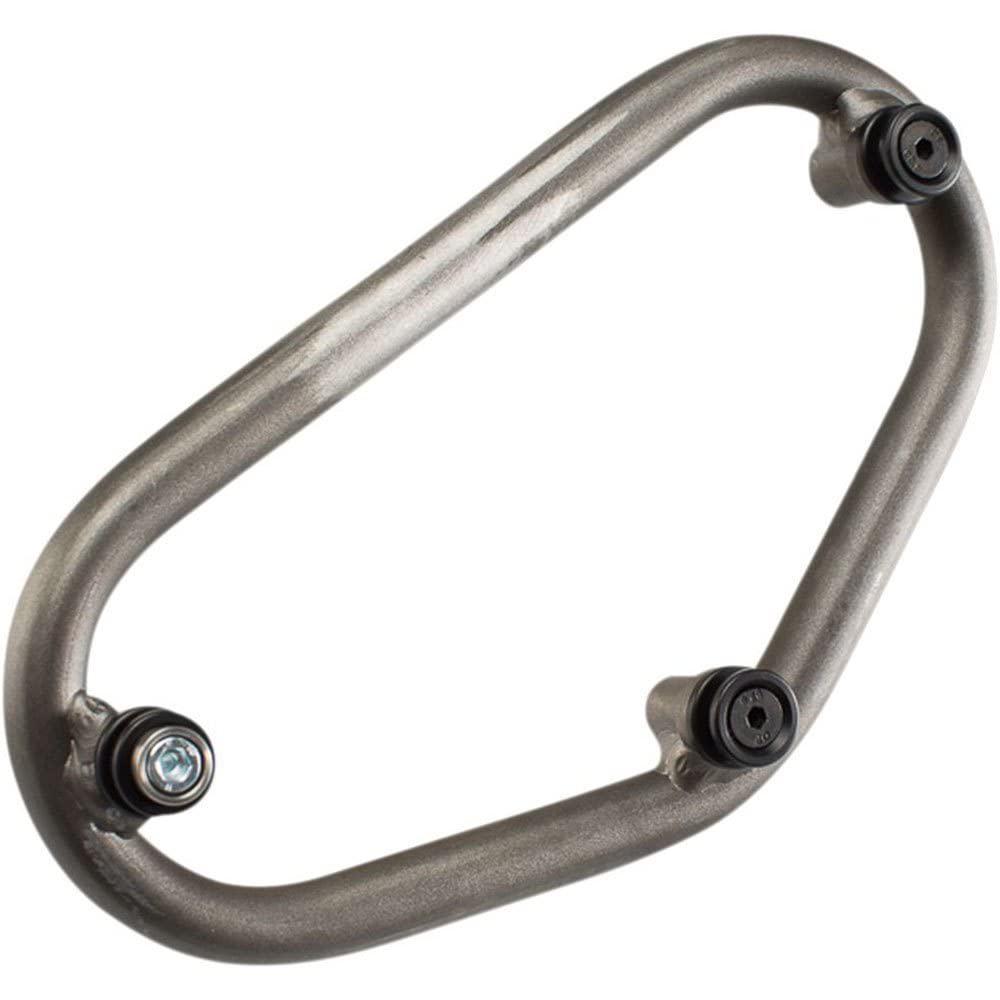
Figure 1: Example of SW-MOTECH SLC Side Carrier Construction Kit components. This image illustrates the general appearance of the kit's parts.
2. Setup and Installation
The SLC Side Carrier Construction Kit is a universal product requiring custom adaptation for installation on your specific motorcycle. Due to the varied nature of motorcycle designs, specific mounting hardware for attachment to the vehicle frame is not included.
2.1 Required Tools and Materials
- Basic hand tools (wrenches, screwdrivers, etc.)
- Measuring tape or ruler
- Marking tools
- Drill (if custom holes are required)
- Appropriate fasteners and brackets for your motorcycle (not included)
- Safety glasses and gloves
2.2 General Installation Steps
- Assess Mounting Points: Identify suitable, strong, and secure mounting points on your motorcycle's frame or subframe. Consider factors such as exhaust clearance, passenger comfort, and overall balance.
- Position the Carrier: Temporarily position the SLC carrier components to determine the optimal placement for your luggage. Ensure adequate clearance from moving parts and hot components.
- Fabricate/Source Mounting Hardware: Based on your assessment, acquire or fabricate custom brackets and fasteners that will securely attach the SLC carrier to your motorcycle.
- Secure Attachment: Attach the SLC carrier to the custom mounting hardware. Ensure all connections are tight and secure. Use thread-locking compound where appropriate.
- Final Check: Before riding, perform a thorough check of all installed components. Ensure there is no interference with motorcycle operation, suspension, or passenger space. Verify stability and tightness of all fasteners.
Important: Professional installation is recommended if you are unsure about any part of the custom mounting process. Improper installation can lead to equipment failure, damage to your motorcycle, or personal injury.
3. Operation (Attaching Luggage)
Once the SLC Side Carrier Construction Kit is securely installed on your motorcycle, it provides the mounting points for compatible SW-MOTECH luggage systems.
3.1 Attaching SW-MOTECH Luggage
- Align Luggage: Position your compatible SW-MOTECH URBAN case, LegendGear bag, or Sysbag onto the SLC carrier.
- Engage Locking Mechanism: Most SW-MOTECH luggage designed for SLC carriers features a quick-lock mechanism. Align the hooks or attachment points on the luggage with the corresponding points on the SLC carrier.
- Secure Lock: Push the luggage firmly onto the carrier until the locking mechanism engages with an audible click. Verify that the luggage is securely attached by gently pulling on it.
- Use Security Lock (if applicable): If your luggage system includes a key lock, engage it to prevent unauthorized removal.
3.2 Detaching SW-MOTECH Luggage
- Unlock (if applicable): If a security lock is engaged, unlock it using the provided key.
- Release Mechanism: Locate the release lever or button on the luggage or carrier (refer to your specific luggage manual for exact location). Activate the release mechanism.
- Remove Luggage: While holding the release, gently lift the luggage off the SLC carrier.
Always ensure luggage is properly secured before riding. Overloading luggage can affect motorcycle handling and stability.
4. Maintenance
Regular maintenance ensures the longevity and safe operation of your SLC Side Carrier Construction Kit.
- Regular Inspection: Periodically inspect all components of the carrier system for signs of wear, damage, or corrosion. Check for loose bolts or fasteners.
- Cleanliness: Clean the carrier components regularly with mild soap and water. Avoid harsh chemicals or abrasive cleaners that could damage the finish.
- Fastener Torque: Re-check the torque of all mounting bolts and fasteners at recommended intervals (e.g., every 500-1000 km or after significant off-road use). Refer to your motorcycle's service manual for general torque specifications or consult a professional.
- Lubrication: If any moving parts or quick-release mechanisms feel stiff, apply a small amount of appropriate lubricant (e.g., silicone spray or light grease) to ensure smooth operation.
- Damage: If any part of the carrier system is damaged, replace it immediately. Do not attempt to repair damaged structural components.
5. Troubleshooting
This section addresses common issues you might encounter with the SLC Side Carrier Construction Kit.
| Problem | Possible Cause | Solution |
|---|---|---|
| Luggage does not attach securely. |
|
|
| Carrier feels loose after installation. |
|
|
| Corrosion or rust appears on components. |
|
|
If you encounter issues not listed here or require further assistance, please contact SW-MOTECH customer support or your authorized dealer.
6. Specifications
| Feature | Detail |
|---|---|
| Brand | SW-MOTECH |
| Model Number | HTA.00.401.15000 |
| Product Type | SLC Side Carrier Construction Kit |
| Compatibility | Universal (requires custom mounting to vehicle) |
| Compatible Luggage | SW-MOTECH URBAN cases, LegendGear, Sysbags |
| Foldable | No |
| OEM Part Number | HTA.00.401.15000 |
7. Warranty and Support
For detailed information regarding the warranty terms and conditions for your SW-MOTECH SLC Side Carrier Construction Kit, please refer to the official SW-MOTECH website or contact your authorized dealer. Warranty coverage typically applies to manufacturing defects and does not cover damage resulting from improper installation, misuse, accidents, or normal wear and tear.
7.1 Customer Support
If you have questions, require technical assistance, or need to report an issue, please contact SW-MOTECH customer support through their official channels.
- SW-MOTECH Official Website: https://sw-motech.com (for contact information and FAQs)
- Authorized Dealer: Contact the retailer from whom you purchased the product.
Please have your product model number (HTA.00.401.15000) and proof of purchase ready when contacting support.


