Introduction
This manual provides comprehensive instructions for the installation, operation, and maintenance of your yuwei Wireless Backup Camera System. This system is designed to enhance safety and convenience when reversing or parking vehicles such as cars, trailers, RVs, pickup trucks, and cargo vans. It features a waterproof license plate rear view camera with night vision capabilities and a 4.3-inch wireless mirror monitor.

Image: The yuwei Wireless Backup Camera System, showing the mirror monitor displaying a rear view and the license plate mounted camera. Wireless signals are indicated between the two components.
Box Contents
Please verify that all the following components are included in your package:

Image: A visual representation of all items included in the product packaging.
- Monitor: 4.3-inch wireless mirror monitor.
- Camera (bracket 1): Wireless license plate rear view camera with pre-attached bracket.
- Cigarette Lighter Power Cable (8.2ft): For powering the monitor.
- Bracket 2: Additional mounting bracket for the camera.
- Bracket 3: Another additional mounting bracket for the camera.
- Screws & Screwdriver: Hardware for installation.
- Wire Clasp: For securing wiring.
- User Manual: This instruction guide.
- Packing Box: Original product packaging.
Setup and Installation
Step 1: Monitor Installation
The monitor is designed for quick and easy installation, typically taking only a few minutes. It clips securely over your existing rearview mirror.

Image: Illustration showing the mirror monitor clipping onto a vehicle's existing rearview mirror and its power cable connecting to the cigarette lighter socket.
- Carefully clip the wireless mirror monitor over your vehicle's existing rearview mirror. Ensure it is securely fastened.
- Connect the monitor's power cable to the vehicle's cigarette lighter socket. The monitor will power on automatically once connected.
Step 2: Camera Installation
The camera is designed to be mounted near your vehicle's license plate. Professional installation can be completed within 30 minutes, with typical installation taking around 60 minutes.
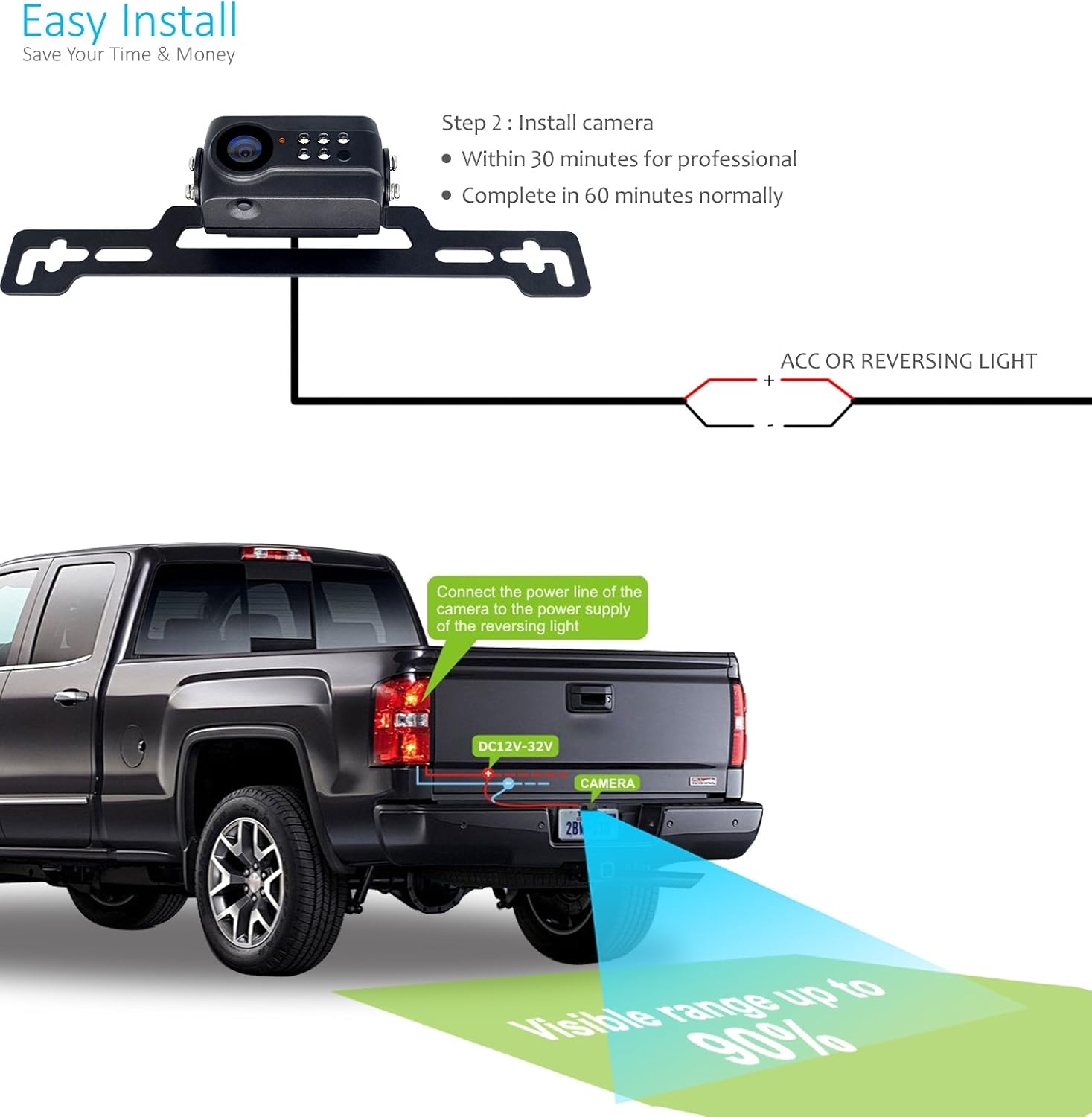
Image: Diagram showing the license plate camera mounted on the rear of a pickup truck, with wiring connecting to the ACC or reversing light power supply.
- Attach the camera to your vehicle, typically using the provided bracket to mount it near the license plate. Ensure the camera has a clear view of the rear.
- Connect the power line of the camera to the power supply of your vehicle's reversing light (ACC or reversing light). This ensures the camera activates when the vehicle is put into reverse.
Wireless Connection
The system utilizes a strong wireless signal for communication between the camera and the monitor, ensuring a stable and clear image even over long distances.
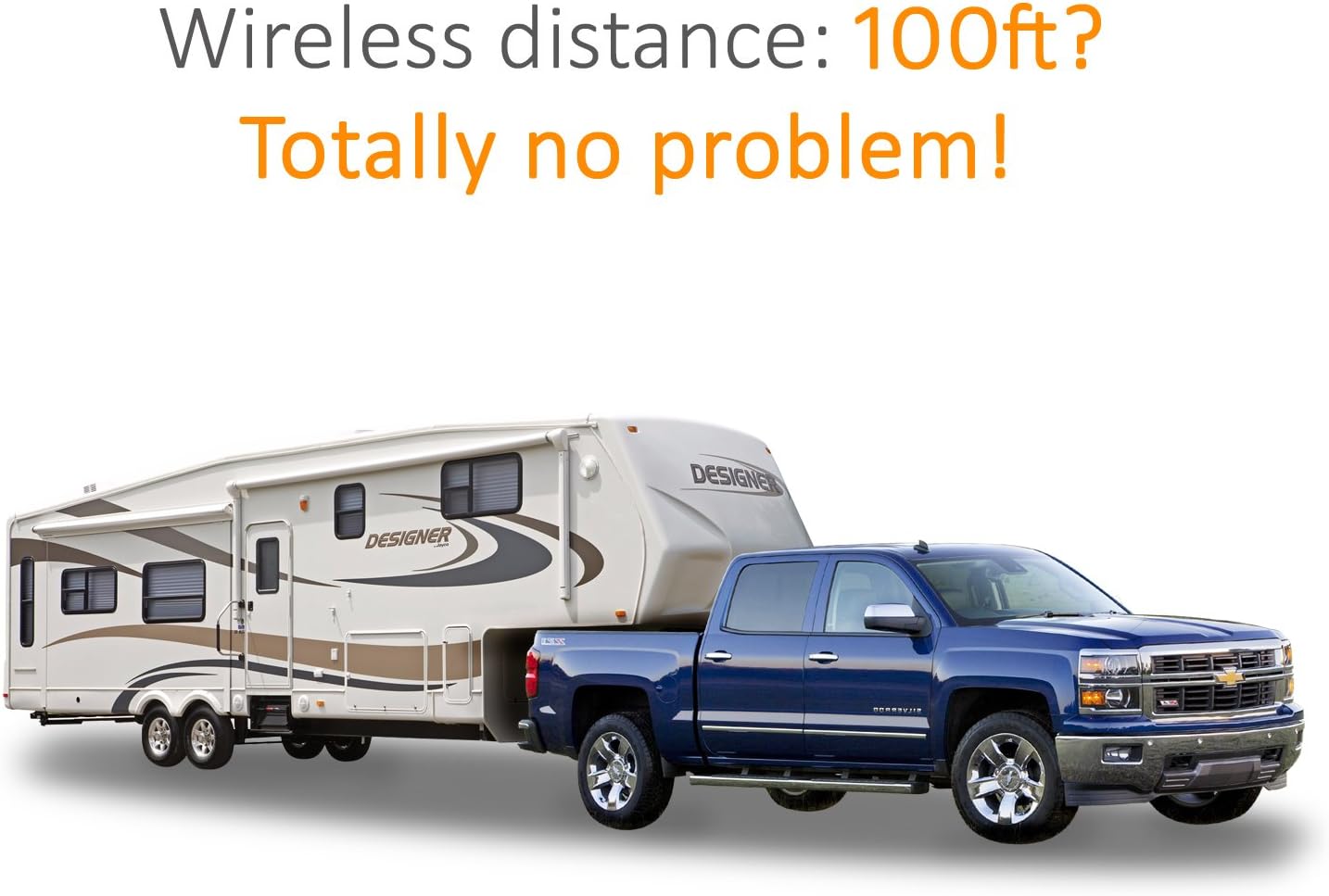
Image: A large pickup truck towing a travel trailer, illustrating the system's capability to maintain a wireless connection over a significant distance, up to 100 feet.
The wireless connection is designed to be robust, supporting distances up to 100 feet, making it suitable for various vehicle types including those with trailers or long bodies.
Operating Instructions
Reversing and Night Vision
When your vehicle is put into reverse, the camera automatically activates and transmits the live video feed to the mirror monitor. The system is equipped with advanced night vision technology to provide clear visibility even in low-light conditions.
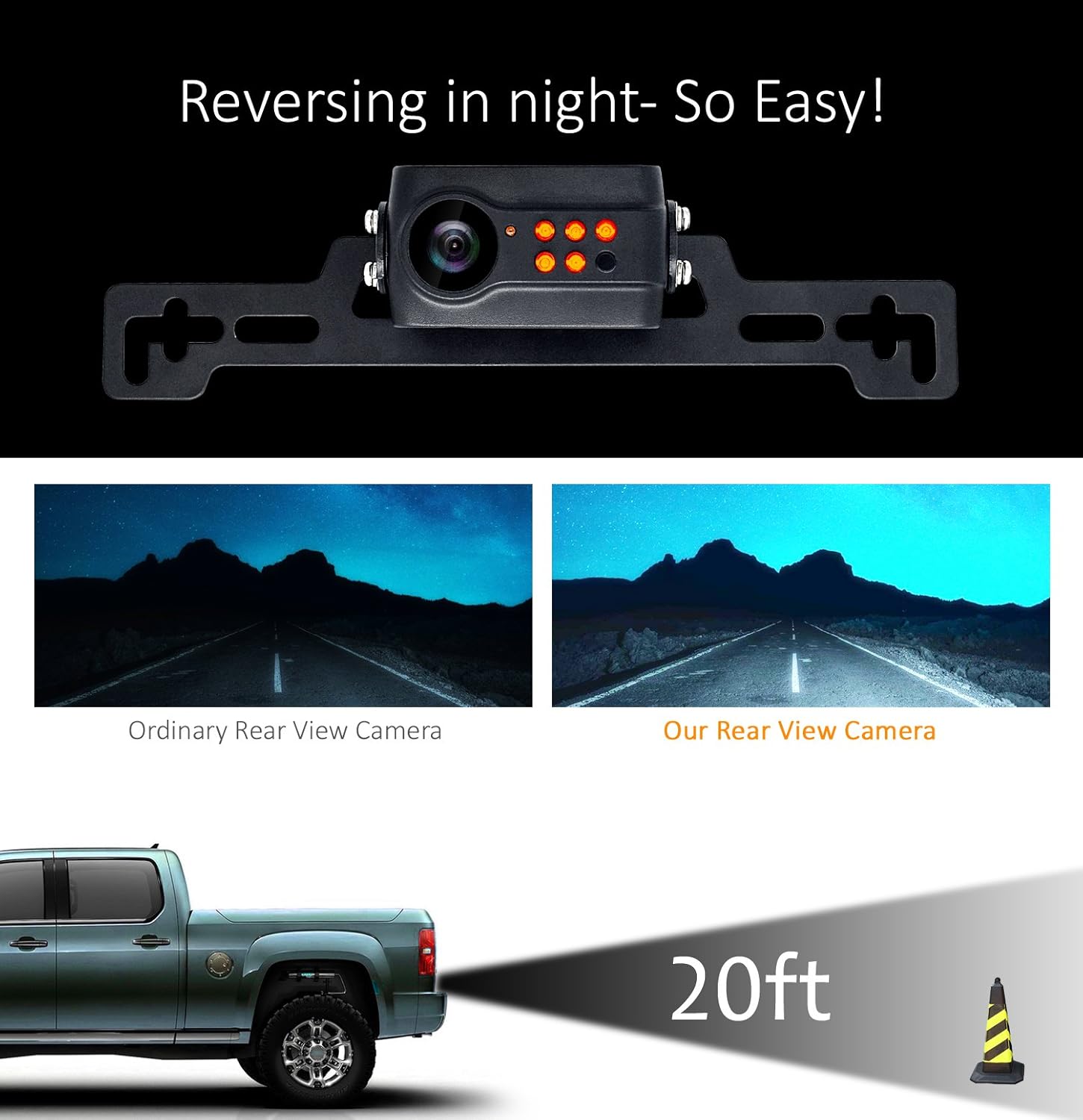
Image: A split comparison showing the improved clarity of the yuwei rear view camera's night vision compared to an ordinary camera, with a visual representation of the camera's effective range of 20 feet behind the vehicle.
The enhanced night vision ensures that obstacles and surroundings are clearly visible up to 20 feet behind the vehicle, significantly improving safety during nighttime reversing maneuvers.
Maintenance
The yuwei Wireless Backup Camera System is designed for durability and minimal maintenance. The camera boasts an IP69K waterproof rating, ensuring reliable performance in various weather conditions, including heavy rain and car washes.

Image: Illustrations demonstrating the camera's IP69K waterproof rating under a car wash spray, and its operational capability in extreme temperatures ranging from 140°F (high temperature environment) to -22°F (low temperature environment).
- Waterproof Rating: The camera is fully waterproof with an IP69K rating, meaning it can withstand high-pressure, high-temperature water jets. This ensures functionality even after car washes or exposure to harsh weather.
- Temperature Resistance: The system is built to operate reliably in a wide range of temperatures, from as high as 140°F (60°C) to as low as -22°F (-30°C).
- Cleaning: Periodically clean the camera lens and monitor screen with a soft, damp cloth to ensure optimal image clarity. Avoid abrasive cleaners.
- Inspection: Regularly check all cable connections to ensure they are secure and free from damage.
Troubleshooting
If you encounter any issues with your yuwei Wireless Backup Camera System, please refer to the following common troubleshooting steps:
- No Image on Monitor:
- Ensure the monitor is properly plugged into the cigarette lighter socket and receiving power.
- Verify that the camera is correctly wired to the vehicle's reversing light power supply and is receiving power when reverse gear is engaged.
- Check for any obstructions between the camera and monitor that might interfere with the wireless signal.
- Poor Image Quality:
- Clean the camera lens and monitor screen.
- Ensure there is no strong electromagnetic interference nearby.
- Check if the camera angle is correct and not obstructed.
- Intermittent Signal:
- Confirm that the wireless distance is within the specified range (up to 100ft).
- Relocate any devices that might be causing wireless interference.
If these steps do not resolve the issue, please contact customer support for further assistance.
Specifications
| Brand | yuwei |
| Model Number | 8523722905 |
| Part Number | YW-34332 |
| Display Technology | LCD |
| Screen Size | 4.3 Inches |
| Voltage | 32 Volts |
| Batteries Included | No |
| Batteries Required | No |
| Real View Angle | 140 Degrees |
| Dimensions (Package) | 31.75 x 22.61 x 9.14 cm; 1.25 kg |
| UPC | 669665547703 |
Warranty and Support
For warranty information or technical support, please refer to the contact details provided on the product packaging or the official yuwei website. Keep your purchase receipt as proof of purchase for any warranty claims.
If you require assistance with installation, troubleshooting, or have questions about product features, do not hesitate to reach out to our customer service team.


