
Inspire Fitness FT1 with Bench
Contents
Inspire Fitness FT1 Functional Trainer with Bench User Manual
Model: FT1 with Bench
Introduction
The Inspire Fitness FT1 Functional Trainer with Bench is a versatile home gym system designed for comprehensive strength training and fitness. It allows for a wide range of exercises, promoting strength, stamina, and coordination through natural body movements. This manual provides essential information for the safe and effective use of your FT1 Functional Trainer.
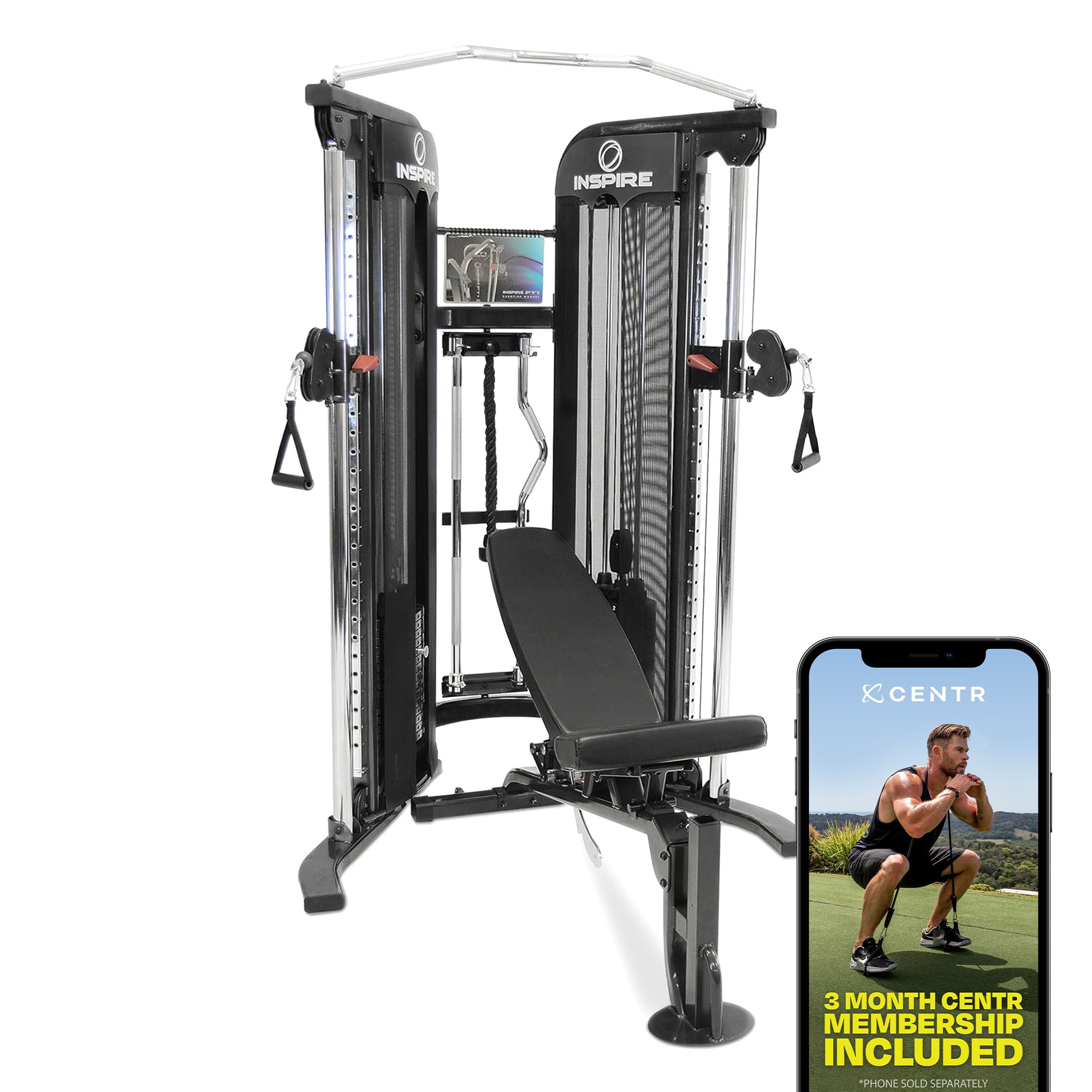
Image: The Inspire Fitness FT1 Functional Trainer with Bench, showcasing its compact design and integrated bench.
The FT1 is engineered with a compact footprint, making it suitable for various home environments. Its design incorporates core, secondary, and stabilizing muscles for a more efficient workout experience.

Image: A diagram illustrating the space-saving dimensions of the Inspire Fitness FT1 Functional Trainer: 82 inches high, 46 inches deep, and 54 inches wide.
Important Safety Information
Before operating the Inspire Fitness FT1 Functional Trainer, please read and understand all instructions and warnings in this manual. Keep this manual for future reference.
- Consult a physician before starting any exercise program.
- Ensure all components are correctly assembled and secured before use.
- Keep children and pets away from the equipment during operation.
- Do not exceed the maximum weight recommendation of 165 pounds per weight stack.
- Perform regular inspections for wear and tear on cables, pulleys, and attachments.
- Use the equipment on a stable, level surface.
What's in the Box
Your Inspire Fitness FT1 Functional Trainer with Bench package includes the following components and accessories:
- FT1 Functional Trainer Unit
- Adjustable Bench
- Triceps Rope
- 2 x Rubber D Handles
- Straight Bar
- EZ Curl Bar
- Ankle Strap
- Multi-Function Belt
- Sport Handle
- 2 x 5 lb Add-On Weights
- Exercise Booklet
- Tablet Holder attachment

Image: A visual representation of the included accessories: Triceps Rope, D Handles (x2), Bench, Ankle Strap, Sport Handle, Straight Bar, EZ Curl Bar, 5 lb Add-On Weights (x2), and Multi-Function Belt.
Setup
The Inspire Fitness FT1 Functional Trainer requires assembly. Refer to the detailed assembly instructions provided in the included Exercise Booklet or the full User Manual PDF for step-by-step guidance. Ensure you have adequate space for assembly and operation, considering the unit's dimensions of 83"D x 54"W x 82"H.
Key setup considerations:
- Location: Choose a flat, stable surface with sufficient clearance around the machine for safe movement.
- Tools: Gather all necessary tools as specified in the assembly guide.
- Assistance: Assembly may require two or more people due to the size and weight of components.
- Bench Assembly: The included bench can be adjusted to five different positions and can accommodate preacher curl and leg extension attachments (sold separately).

Image: The adjustable bench of the Inspire Fitness FT1, highlighting its five positions and oversized pads for comfort and stability.
Operating the FT1 Functional Trainer
The FT1 Functional Trainer offers a wide range of exercises through its cable and pulley system. Follow these general guidelines for operation:
Adjusting Weight and Pulleys
- The FT1 features two 165 lb weight stacks. Select your desired weight by inserting the pin into the appropriate weight plate.
- The sliding pulleys can be adjusted vertically to various heights to target different muscle groups and accommodate different exercises. Ensure the pulley is securely locked in place before starting your exercise.

Image: Close-up of the FT1's friction-free, smooth gliding cable system, showing a D-handle attachment and weight stack.

Image: A hand adjusting the weight on one of the FT1's 165 lb weight stacks, demonstrating the selection mechanism.
Using Attachments
Attach the desired accessory (e.g., D-handles, triceps rope, straight bar) to the cable system using the carabiner clips. Ensure the attachment is securely fastened before beginning your workout.
Video: An official Inspire Fitness video demonstrating the FT1 Functional Trainer and its various uses and accessories. This video highlights the versatility of the machine for different exercises.
Integrated Features
- Tablet Holder: A built-in tablet holder allows you to secure your phone or tablet during workouts for entertainment or following exercise routines.
- Rotating Storage Rack: Keep your accessories organized and within reach with the integrated rotating storage rack.
- Weight Stack Add-On Capacity: The FT1 has the capacity to upgrade with an Inspire Fitness 50 lb Weight Stack Add-On (sold separately).
Centr by Chris Hemsworth Membership
Your purchase includes a 3-month subscription to Centr's digital platform. This platform offers personalized coaching from Chris Hemsworth's team of experts, including over 1900 workouts, meal planning, nutrition advice, and mindfulness tools. Follow the instructions provided with your product to activate your membership.

Image: Promotional image showing Chris Hemsworth and a mobile device displaying the Centr workout planner, highlighting the included 3-month membership.
Maintenance
Regular maintenance ensures the longevity and safe operation of your Inspire Fitness FT1 Functional Trainer.
- Cleaning: Wipe down the machine with a damp cloth after each use to remove sweat and dust. Avoid abrasive cleaners.
- Cable Inspection: Periodically inspect all cables for fraying, kinks, or damage. Replace damaged cables immediately.
- Pulley Inspection: Check pulleys for smooth operation and ensure they are free of debris.
- Fastener Check: Ensure all nuts, bolts, and fasteners are tight. Tighten as necessary.
- Lubrication: Consult the full user manual for any specific lubrication requirements for moving parts.
Troubleshooting
If you encounter issues with your FT1 Functional Trainer, consider the following common solutions:
- Sticky Cables/Pulleys: Ensure cables are properly routed and not obstructed. Check for debris in pulleys. Light lubrication may be required if specified in the detailed manual.
- Unstable Unit: Verify that the unit is placed on a level surface and all stabilizing feet are properly adjusted. Re-check all assembly bolts for tightness.
- Weight Plate Issues: Ensure the weight selection pin is fully inserted into the desired weight plate. Check for any obstructions preventing smooth movement of the weight stack.
For persistent issues or problems not covered here, please contact Inspire Fitness customer support.
Specifications
| Feature | Detail |
|---|---|
| Brand | Inspire Fitness |
| Model Number | FT1 with Bench |
| Product Dimensions (D x W x H) | 83"D x 54"W x 82"H |
| Item Weight | 1 kg (Note: This seems to be a placeholder, actual shipping weight will be significantly higher) |
| Material | Rubber (for certain components like D Handles) |
| Weight Stacks | Two 165 lb weight stacks |
| Handle Type | Fixed Handle (for certain accessories) |
| Strap Type | Cable/Pulley straps |
| UPC | 743724372663 |
Warranty and Support
Warranty: The Inspire Fitness FT1 Functional Trainer with Bench comes with a Manufacturer Warranty. Please refer to the specific warranty documentation included with your product for full terms and conditions, including coverage details and duration.
Support: For further assistance, troubleshooting, or to inquire about replacement parts, please contact Inspire Fitness customer support. You can often find detailed support information and contact methods on the official Inspire Fitness website or through their Amazon store page.
Additional Resources: A comprehensive User Manual (PDF) is available for download. Download User Manual (PDF)
Visit the official Inspire Fitness store for more products and support: Inspire Fitness Amazon Store
Ask a question about this manual
Ask about setup, troubleshooting, compatibility, parts, safety, or missing instructions. Manuals+ will review the question and use this page’s manual context to help answer it.