
Introduction
The Motorola Sonic Play 150 is a compact and portable Bluetooth speaker designed to deliver clear audio with the added convenience of an integrated FM radio. It offers multiple connectivity options, including Bluetooth 4.1 and an auxiliary input, making it versatile for various audio sources.
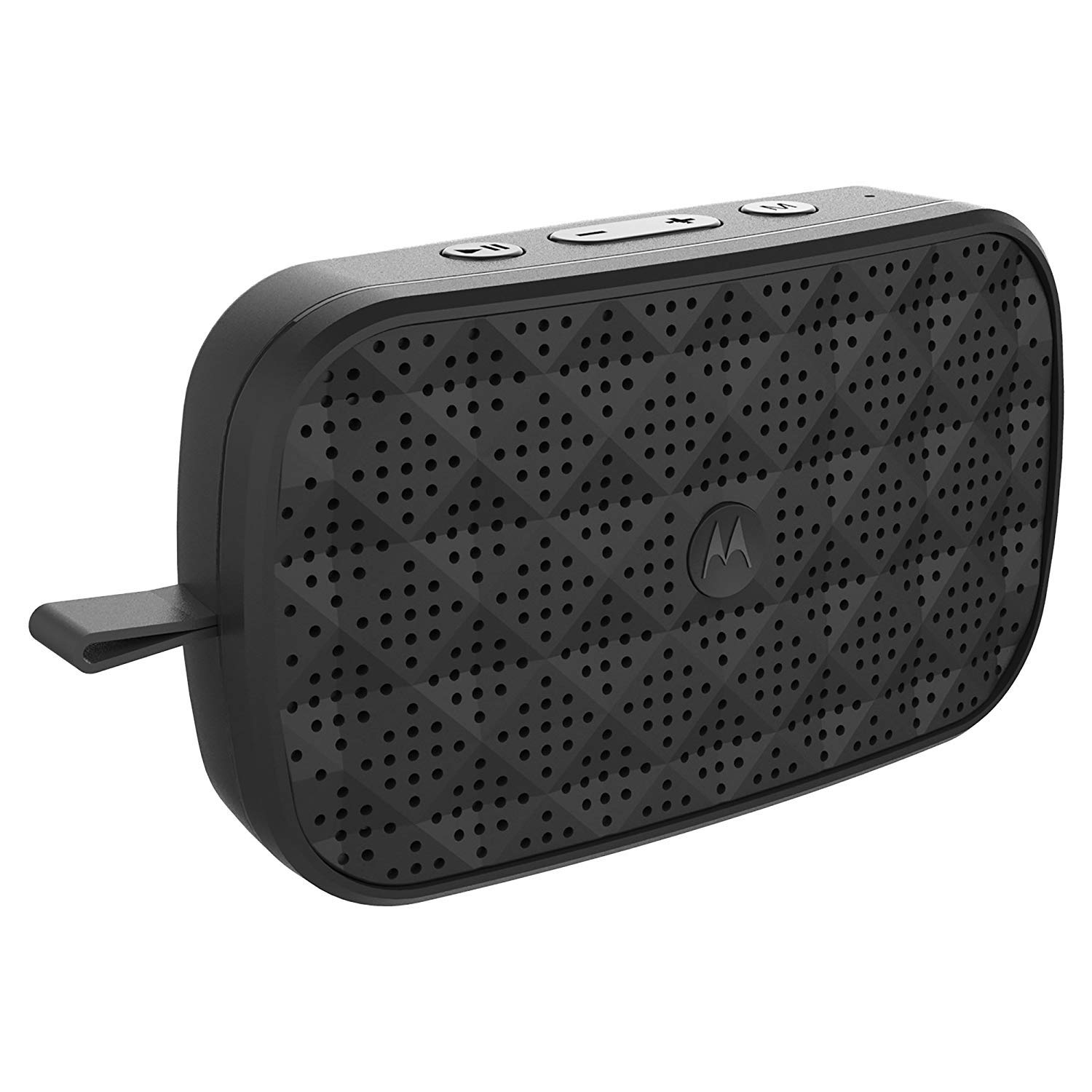
The Motorola Sonic Play 150 is a compact, portable Bluetooth speaker with integrated FM radio.
What's in the Box
- Motorola Sonic Play 150 Bluetooth Speaker
- Charging Cable
- User's Guide
Setup
1. Charging the Speaker
Before initial use, fully charge the speaker. Connect the provided charging cable to the DC IN port on the speaker and the other end to a compatible USB power source (e.g., wall adapter, computer USB port). The charging indicator light will illuminate during charging and turn off when the battery is full. A full charge provides up to 4 hours of playtime.

This image displays the DC IN port for charging and the AUX IN port for wired audio connections.
2. Powering On/Off
- To power on: Press and hold the Power button until the indicator light illuminates.
- To power off: Press and hold the Power button again until the indicator light turns off.
3. Bluetooth Pairing
- Ensure the speaker is powered on and in Bluetooth pairing mode (indicator light will flash).
- On your smartphone or Bluetooth-enabled device, enable Bluetooth and search for available devices.
- Select "Motorola Sonic Play 150" from the list of devices.
- Once paired, the speaker will emit a confirmation tone, and the indicator light will remain solid. The speaker has a Bluetooth range of up to 50 feet.

The speaker can be wirelessly connected to a smartphone or other Bluetooth-enabled device for audio playback.
4. Auxiliary Connection
For devices without Bluetooth, connect an audio cable (not included) from your device's headphone jack to the AUX IN port on the speaker. The speaker will automatically switch to auxiliary mode.
Operating the Speaker

The top panel features the speaker grille and control buttons for power, volume, mode selection, and playback.
Control Buttons Overview
- Power Button: Press and hold to power on/off.
- Mode Button: Press to switch between Bluetooth and FM Radio modes.
- Volume Up (+): Press to increase volume.
- Volume Down (-): Press to decrease volume.
- Play/Pause Button: Press to play or pause audio in Bluetooth mode. In FM mode, press to scan for stations.
Bluetooth Mode
Once paired with your device, audio will stream wirelessly to the speaker. Use the Play/Pause button on the speaker or your connected device to control playback. Adjust volume using the Volume Up/Down buttons on the speaker or your device.
FM Radio Mode
- Press the Mode button to switch to FM Radio mode.
- Press the Play/Pause button to automatically scan and save available FM stations.
- Use the Volume Up (+) and Volume Down (-) buttons to navigate between saved stations.
- Adjust the volume using the same Volume Up/Down buttons.
Maintenance
Cleaning
Wipe the speaker with a soft, dry cloth. Do not use abrasive cleaners, solvents, or harsh chemicals, as these may damage the surface or internal components. Avoid exposing the speaker to excessive dust or moisture.
Battery Care
- To prolong battery life, avoid fully discharging the battery frequently.
- Charge the speaker regularly, even if not in use for extended periods.
- Avoid exposing the speaker to extreme temperatures (hot or cold), as this can affect battery performance and lifespan.
Storage
When storing the speaker for an extended period, ensure it is fully charged and stored in a cool, dry place away from direct sunlight and extreme temperatures.
Troubleshooting
If you encounter issues with your Motorola Sonic Play 150, please refer to the following common solutions:
Speaker Does Not Power On
- Ensure the battery is charged. Connect the speaker to a power source using the charging cable.
- Press and hold the Power button for a few seconds to ensure it registers.
Cannot Connect via Bluetooth
- Ensure the speaker is in Bluetooth pairing mode (flashing indicator light).
- Make sure Bluetooth is enabled on your device and it is within 50 feet of the speaker.
- Turn off and on the speaker and your device's Bluetooth, then try pairing again.
- If previously paired, try forgetting the device on your phone's Bluetooth settings and re-pairing.
Poor FM Radio Reception
- Ensure the speaker is in an open area, away from large metal objects or other electronic devices that may cause interference.
- Try repositioning the speaker to improve signal reception.
Short Battery Life
- Battery performance can vary based on volume level and usage. Playing at maximum volume will reduce playtime.
- Ensure the speaker is fully charged before use.
- Over time, all rechargeable batteries experience a decrease in capacity.
Specifications
| Brand | Motorola |
| Model Number | SP002 BK |
| Connectivity Technology | Bluetooth 4.1, Auxiliary |
| Wireless Range | Up to 50 feet |
| Playtime | Up to 4 hours |
| Special Feature | Integrated FM Radio |
| Power Source | Battery Powered (1 Lithium Ion battery included) |
| Controller Type | Button |
| Item Weight | 0.06 Pounds |
| UPC | 816479014499 |

Designed for portability, the Sonic Play 150 is lightweight and suitable for travel.
Warranty and Support
For warranty information or technical support, please refer to the contact details provided in the separate warranty card included with your product or visit the official Motorola support website. Keep your proof of purchase for warranty claims.