
Introduction
This manual provides comprehensive instructions for the safe and effective use of your DanForce H1 Pluto USB Rechargeable LED Headlamp. Please read this manual thoroughly before operating the device and retain it for future reference.
What's Included
The DanForce H1 Pluto Headlamp package includes the following items:
- DanForce Bold-S Headlamp
- Improved 5000 mAh Li-ion Rechargeable Battery (pre-installed)
- USB Type-C Charging Cable
- Carry Bag
- Carabiner
- User Guide (this document)

Product Features
- Ultra-Bright Illumination: LUMINUS LED provides up to 1080 lumens of white light.
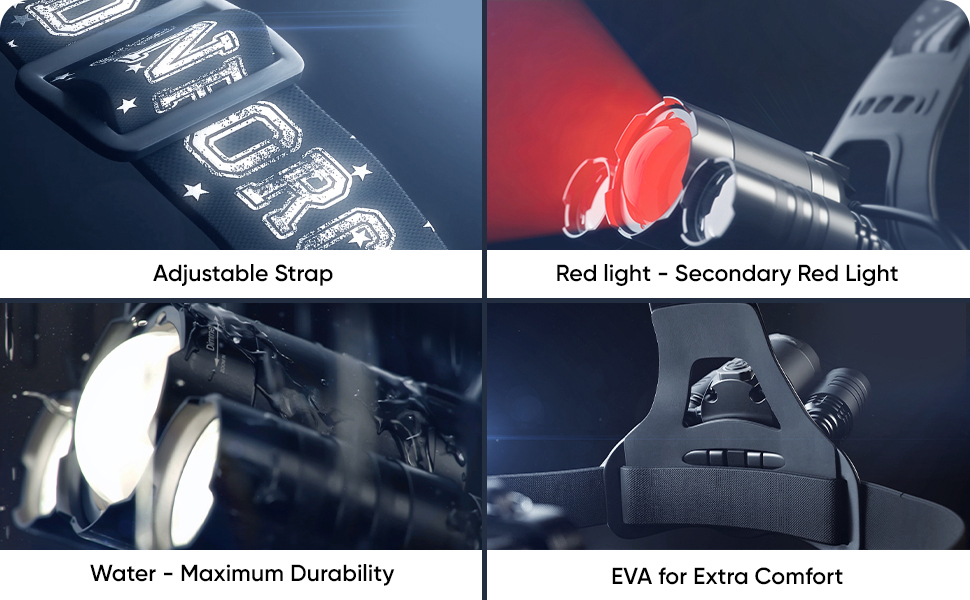
- Multiple Light Modes: High, Medium, Low, and Strobe for white light, plus a dedicated Red Light mode.
- Zoomable Focus: Adjustable beam for wide flood or narrow spotlight.
- Rechargeable Battery: Integrated 5000 mAh Lithium-Ion battery, rechargeable via USB Type-C.
- Durable Construction: IPX54 water, dust, and damage resistance with an aluminum body.
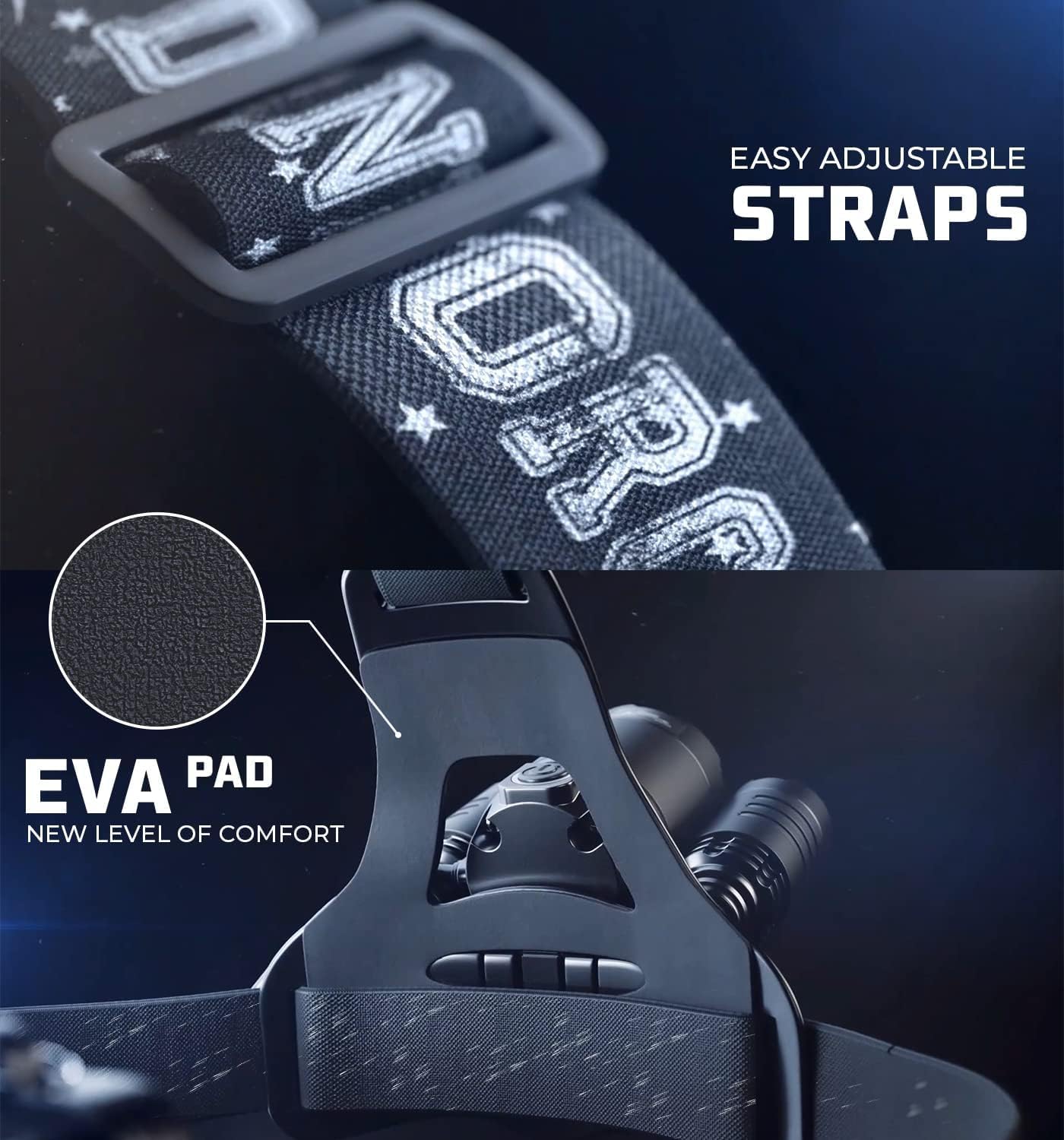
- Adjustable Comfort: Sweat-resistant headband with an EVA pad for enhanced comfort and adjustable sizing (15"-55" circumference).
- 90-Degree Tilt: Headlamp can be angled up to 90 degrees for directional lighting.

Setup
1. Initial Charging
Before first use, fully charge the headlamp. Connect the provided USB Type-C cable to the charging port on the battery pack and plug the other end into a standard USB power source (e.g., wall adapter, computer USB port). The charging indicator will show the charging status.
2. Adjusting the Headband
The elastic headband is adjustable to fit various head sizes, including over hats or hard hats. Adjust the straps until the headlamp feels secure and comfortable on your head. The EVA pad on the forehead ensures comfort during extended wear.

Operating Instructions
Power Button Functions
The single power button controls all light functions:
- Turn On/Off: Press and hold the power button for approximately 3 seconds to turn the headlamp on or off.
- Cycle White Light Modes: Once on, short press the power button to cycle through High, Medium, Low, and Strobe white light modes.
- Activate Red Light: From any white light mode, double-press the power button to switch to the red light mode. Double-press again to return to the previous white light mode.
Adjusting Beam Focus (Zoom)
To adjust the beam from a wide floodlight to a narrow spotlight, gently slide the front bezel of the main light forward or backward.
Adjusting Light Angle
The headlamp unit can be tilted up to 90 degrees vertically to direct the light precisely where needed.
Charging
The DanForce H1 Pluto Headlamp is equipped with a rechargeable 5000 mAh Lithium-Ion battery. To charge:
- Locate the USB Type-C charging port on the battery pack, typically on the side or bottom.
- Connect the provided USB Type-C cable to the headlamp's charging port.
- Plug the other end of the USB cable into a compatible USB power source (e.g., 5V USB wall adapter, power bank, computer USB port).
- A charging indicator light will illuminate, typically red during charging and green when fully charged. Refer to the specific indicator behavior on your device.
- Charging time may vary depending on the power source. Ensure the headlamp is fully charged for optimal performance and battery longevity.
The headlamp provides approximately 10 hours of illumination on high mode after a full charge.

Maintenance
Cleaning
- Wipe the headlamp body with a soft, damp cloth. Do not use abrasive cleaners or solvents.
- Clean the lens gently with a microfiber cloth to avoid scratches.
- The headband can be hand-washed with mild soap and water, then air-dried.
Storage
- Store the headlamp in a cool, dry place away from direct sunlight and extreme temperatures.
- If storing for an extended period, charge the battery every 3-6 months to maintain battery health.
Battery Care
- Avoid fully discharging the battery frequently.
- Use only the provided USB cable or a certified equivalent for charging.
- Do not attempt to replace the internal battery yourself. Contact customer support if battery issues arise.
Troubleshooting
| Problem | Possible Cause | Solution |
|---|---|---|
| Headlamp does not turn on. | Battery is depleted. Power button not pressed correctly. | Charge the headlamp fully. Press and hold the power button for 3 seconds. |
| Light is dim or flickers. | Low battery. Loose connection. | Recharge the battery. Ensure all connections are secure. |
| Cannot change light modes. | Incorrect button press. | Short press the power button to cycle modes. Double-press for red light. |
| Charging indicator not working. | Faulty cable or power source. Charging port issue. | Try a different USB cable and power source. Contact support if issue persists. |
Specifications
| Feature | Detail |
|---|---|
| Model | H1 (Pluto) |
| Light Source Type | LED (LUMINUS) |
| White Brightness | 1080 Lumens |
| Light Modes | High, Medium, Low, Strobe (White); Red Light |
| Power Source | Battery Powered |
| Battery Type | 5000 mAh Lithium Ion (included) |
| Charging Port | USB Type-C |
| Material | Aluminum |
| Water Resistance Level | IPX54 (Water Resistant) |
| Item Weight | 8.8 ounces |
| Special Features | Adjustable Strap, High Power, Long Range, Rechargeable, Secondary Red Light, Zoomable Focus |
Safety Information
- Do not look directly into the LED light, as it can cause temporary vision impairment.
- Keep out of reach of children.
- Do not disassemble or modify the headlamp. This may void the warranty and pose a safety risk.
- Avoid exposing the headlamp to extreme heat or open flames.
- Ensure the charging port is dry before connecting the USB cable.
Warranty and Support
Warranty
The DanForce H1 Pluto Headlamp comes with a 90-day warranty from the date of purchase. This warranty covers manufacturing defects. Please retain your proof of purchase for warranty claims.
Customer Support
For any questions, technical assistance, or warranty claims, please contact DanForce customer support. Refer to the contact information provided on the DanForce official website or your purchase documentation.
You can visit the DanForce Store for more information: DanForce Store