
1. Introduction and Overview
This manual provides essential information for the safe and efficient operation of your Qlima D610 dehumidifier. Please read it thoroughly before use and retain it for future reference. The Qlima D610 is designed to reduce humidity levels in indoor environments, helping to prevent mold, mildew, and dampness.
Key features include a dehumidification capacity of 10 liters per 24 hours and an airflow rate of 80 cubic meters per hour. The unit operates in white color and is suitable for residential use.
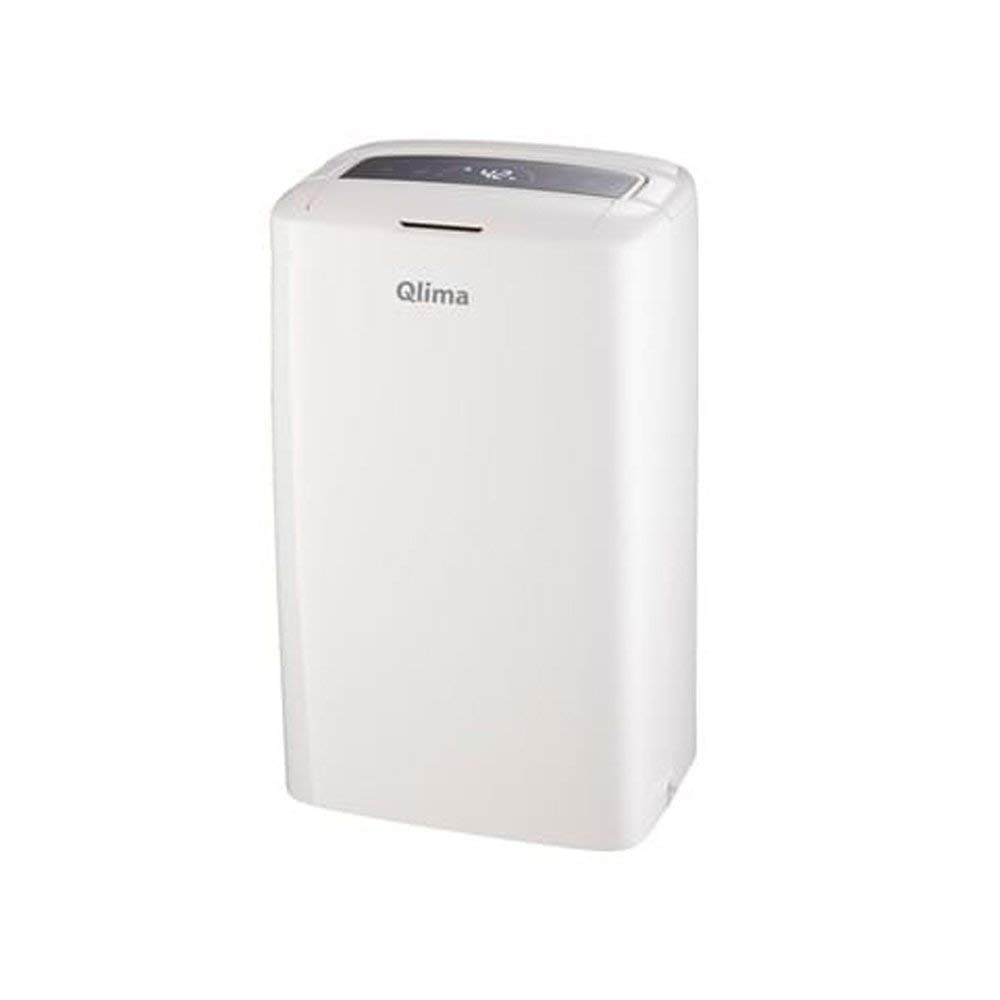
Figure 1: Front view of the Qlima D610 Dehumidifier.
2. Safety Instructions
To ensure safe operation, always adhere to the following precautions:
- Electrical Safety: Do not operate the unit with wet hands. Ensure the power cord is not damaged and is properly grounded. Do not use extension cords unless absolutely necessary and ensure they are rated for the appliance's power requirements.
- Placement: Place the dehumidifier on a stable, level surface. Maintain adequate clearance (at least 20 cm) around the air inlet and outlet to ensure proper airflow. Avoid placing the unit near heat sources, direct sunlight, or in areas where it may be exposed to water.
- Children and Pets: Keep children and pets away from the appliance during operation. Do not allow them to play with or near the unit.
- Maintenance: Always unplug the dehumidifier from the power outlet before cleaning or performing any maintenance.
- Disposal: Dispose of the appliance and its components in accordance with local regulations. Do not dispose of electrical appliances with household waste.
3. Product Components
Familiarize yourself with the main parts of your Qlima D610 dehumidifier:
- Control Panel: Located on the top of the unit, used for setting functions.
- Air Outlet: Where dry air is expelled.
- Air Inlet: Where humid air is drawn in, typically located at the back or sides.
- Water Tank: Removable tank at the bottom for collecting condensed water.
- Power Cord: For connecting to an electrical outlet.
- Air Filter: Located behind the air inlet, requires regular cleaning.

Figure 2: Qlima D610 Dehumidifier with approximate dimensions (Width: 30cm, Depth: 20cm, Height: 47cm).
4. Setup
Follow these steps to set up your dehumidifier:
- Unpacking: Carefully remove the dehumidifier from its packaging. Retain the packaging for future storage or transport.
- Placement: Choose a location with good air circulation. Ensure the unit is placed on a firm, level surface to prevent vibration and water spillage. Allow at least 20 cm of space around all sides for optimal performance. Do not block the air inlet or outlet.
- Power Connection: Plug the power cord into a suitable grounded electrical outlet. Ensure the voltage matches the specifications of the unit.
- Water Tank: Ensure the water tank is correctly inserted into the unit. The unit will not operate if the tank is not properly seated or is full.
- Continuous Drainage (Optional): For continuous operation without emptying the water tank, connect a suitable drainage hose (not included) to the continuous drainage outlet. Ensure the hose is sloped downwards to allow gravity drainage into a floor drain or larger container.
5. Operating Instructions
Operating your Qlima D610 dehumidifier is straightforward:
- Power On/Off: Press the 'Power' button on the control panel to turn the unit on or off.
- Setting Humidity Level: Use the 'Humidity' button (or up/down arrows) to set your desired humidity level. The unit will operate until the ambient humidity reaches the set level, then cycle on and off to maintain it. Recommended humidity levels are typically between 40% and 60%.
- Fan Speed: If available, use the 'Fan Speed' button to select between different fan speeds (e.g., Low, High). Higher fan speed results in faster dehumidification but may produce more noise.
- Timer Function: Use the 'Timer' button to set an operating duration (e.g., 2, 4, 8 hours). The unit will automatically turn off after the set time.
- Water Tank Full Indicator: When the water tank is full, the 'Full Tank' indicator light will illuminate, and the unit will automatically shut off. Empty the water tank and reinsert it properly to resume operation.
6. Maintenance
Regular maintenance ensures optimal performance and longevity of your dehumidifier:
- Cleaning the Air Filter: The air filter should be cleaned every two weeks or more frequently depending on usage and air quality. Unplug the unit, remove the filter (refer to the diagram in your full manual for location), and wash it with warm, soapy water. Rinse thoroughly and allow it to air dry completely before reinserting.
- Emptying and Cleaning the Water Tank: When the tank is full, carefully remove it, empty the collected water, and rinse it with clean water. For thorough cleaning, use a mild detergent and brush to prevent mold or mildew growth. Ensure the tank is dry before reinserting.
- Cleaning the Exterior: Wipe the exterior of the unit with a soft, damp cloth. Do not use harsh chemicals, abrasive cleaners, or solvents, as these can damage the surface.
- Storage: If storing the unit for an extended period, ensure the water tank is empty and clean, and the air filter is clean and dry. Store the unit upright in a dry, dust-free environment.
7. Troubleshooting
If you encounter issues with your Qlima D610, consult the following table:
| Problem | Possible Cause | Solution |
|---|---|---|
| Unit does not turn on. | No power supply; Power cord not plugged in; Water tank full or not properly inserted. | Check power outlet; Ensure power cord is securely plugged in; Empty and reinsert water tank correctly. |
| No dehumidification. | Air filter clogged; Room temperature too low; Humidity setting too high; Air inlet/outlet blocked. | Clean air filter; Ensure room temperature is above 5°C (41°F); Lower humidity setting; Clear obstructions from air inlet/outlet. |
| Water tank full indicator always on. | Water tank not properly seated; Float switch malfunction. | Ensure water tank is correctly inserted; If problem persists, contact support. |
| Unusual noise. | Unit not on a level surface; Fan obstruction. | Place unit on a stable, level surface; Check for any foreign objects obstructing the fan. |
If the problem persists after attempting these solutions, please contact customer support.
8. Specifications
Technical specifications for the Qlima D610 dehumidifier:
- Brand: Qlima
- Model Name: D610
- Dehumidification Capacity: 10 Liters/24 hours
- Airflow: 80 m³/h
- Water Tank Capacity: 1.8 Liters
- Power Consumption: 190 W
- Item Weight: 9.6 Kilograms
- Color: White
- Recommended Product Uses: Residential
- Included Components: 1 unit
- Special Feature: Dehumidifier function
9. Warranty and Support
For warranty information, please refer to the documentation provided at the time of purchase. The warranty period and terms may vary depending on your region and retailer.
If you require technical assistance, spare parts, or have questions not covered in this manual, please contact your retailer or the official Qlima customer support in your region. Have your model number (D610) and purchase details ready when contacting support.
