
1. Product Overview
The uxcell Temperature Control Switch is a capillary thermostat designed for precise temperature regulation in various electrical appliances, particularly electric ovens. It operates at AC 250V with a 16A current rating and features a Normally Closed (NC) contact type. The temperature range is adjustable from 50 to 300 degrees Celsius, utilizing a 44mm probe for temperature sensing.
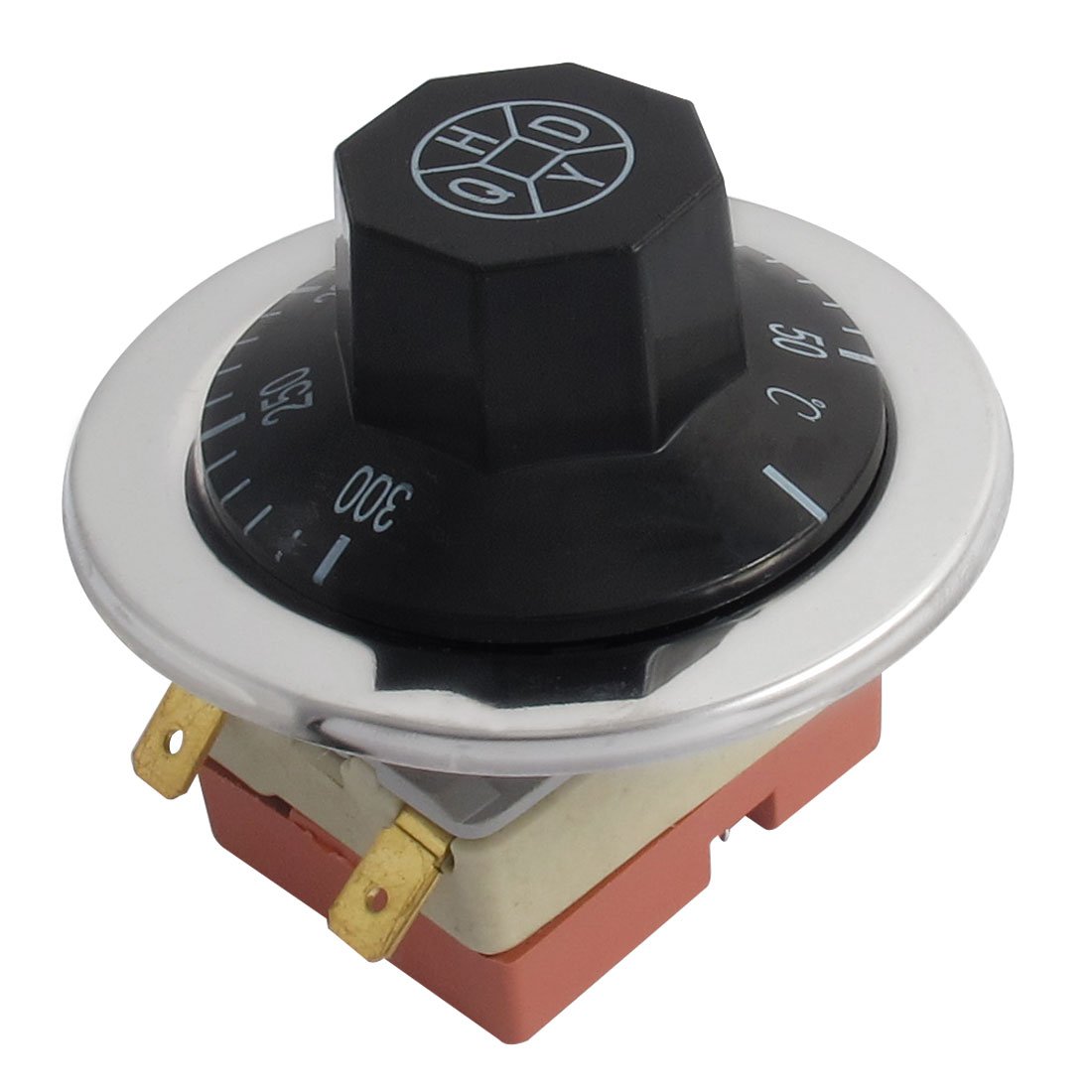
Image of the uxcell Temperature Control Switch, showing the main unit with the temperature dial, terminals, and capillary probe.
2. Safety Information
Please read and understand all safety instructions before installing or operating this device. Failure to follow these instructions may result in electric shock, fire, or serious injury.
- Always disconnect power to the appliance before installation, maintenance, or troubleshooting.
- Installation should be performed by a qualified electrician or technician.
- Ensure all wiring connections are secure and comply with local electrical codes.
- Do not exceed the rated voltage (AC 250V) or current (16A) of the switch.
- Keep the device away from water and excessive moisture.
3. Package Contents
Verify that all items are present in the package:
- 1 x uxcell Temperature Control Switch
4. Specifications
| Parameter | Value |
|---|---|
| Product Name | Temperature Control Switch |
| Rated Voltage | AC 250V |
| Rated Current | 16A |
| Temperature Range | 50-300°C |
| Terminal Type | 2 Terminals |
| Contact Type | Normally Closed (NC) |
| Probe Length | 44 mm |
| Probe Diameter | 6 mm |
| Application | Beverage refrigerators, freezers, wine coolers, radiators, water heaters, ovens, fans, boilers, and other home appliances. |
Important Note: Liquid expansion temperature controllers operate on the principle of thermal expansion and contraction, and their accuracy is not exceptionally high. For applications requiring high precision, please consider a digital display thermostat.
5. Setup
Follow these general steps for installation:
- Power Disconnection: Ensure the power supply to the appliance is completely disconnected before beginning installation.
- Mounting: Securely mount the temperature control switch in the designated location within your appliance.
- Probe Placement: Position the capillary probe to accurately sense the temperature of the area you wish to control. Ensure the probe is not bent sharply or damaged.
- Wiring: Connect the two terminals of the switch to the appliance's electrical circuit according to its wiring diagram. Double-check all connections for tightness and proper insulation.
- Verification: After installation, visually inspect all connections and ensure the switch is securely mounted.
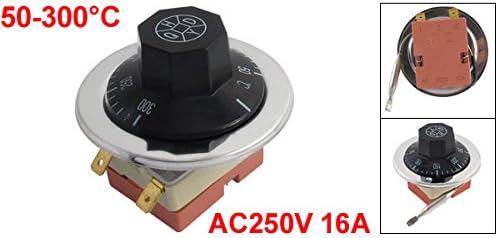
Close-up image of the uxcell Temperature Control Switch showing the two electrical terminals and the capillary probe extending from the base.
6. Operating Instructions
Once the temperature control switch is correctly installed and power is restored to the appliance:
- Power On: Turn on the power to your appliance.
- Set Temperature: Rotate the dial on the front of the temperature control switch to select your desired temperature within the 50-300°C range.
- Automatic Control: The switch will automatically open or close the electrical circuit to maintain the set temperature.
7. Maintenance
To ensure optimal performance and longevity of your temperature control switch:
- Regular Inspection: Periodically inspect the capillary probe and all electrical connections for any signs of damage, wear, or corrosion.
- Cleaning: Keep the control dial and the exterior of the switch clean and free from dust or debris. Use a soft, dry cloth for cleaning.
- Avoid Damage: Do not forcefully bend or puncture the capillary tube, as this can impair the switch's function.
- There are no user-serviceable parts inside the switch. Do not attempt to disassemble it.
8. Troubleshooting
If you encounter issues with your temperature control switch, consider the following common troubleshooting steps:
- Appliance Not Heating/Cooling:
- Check if the appliance is receiving power.
- Verify that the temperature setting on the switch is correct and within the desired range.
- Inspect all electrical connections for looseness or damage.
- Inaccurate Temperature Control:
- Ensure the capillary probe is correctly positioned to sense the temperature of the controlled area.
- Recall the important note regarding the inherent accuracy of liquid expansion thermostats. For high-precision needs, a digital thermostat is recommended.
- Switch Not Activating:
- Confirm the switch is wired correctly as a Normally Closed (NC) type.
- If the issue persists after checking these points, professional assistance may be required.
9. Warranty and Support
For warranty information, technical assistance, or to report any issues with your uxcell Temperature Control Switch, please contact uxcell customer service through their official website or the retailer where the product was purchased. Please have your product model number (AC250V 16A 50-300C) and purchase details ready when contacting support.
