
1. Product Overview
The Amazon Basics Indoor Flat TV Antenna is designed to receive free over-the-air (OTA) high-definition television signals. Its slim, reversible design allows for flexible placement and integration into various home decors. This antenna supports 1080 HD broadcasts and offers a 35-mile range from broadcast towers, providing access to major networks and local channels without a cable subscription.
Key Features:
- 35-mile range for accessing free HD channels.
- Receives channels including ABC, CBS, NBC, PBS, Fox, Univision, and more.
- Reversible black or white sides to match home decoration.
- Paintable surface for personalized aesthetics.
- Supports 1080 HD resolution.
- Includes a 10-foot coaxial cable.
- Multi-directional and reversible design, eliminating the need for "pointing."
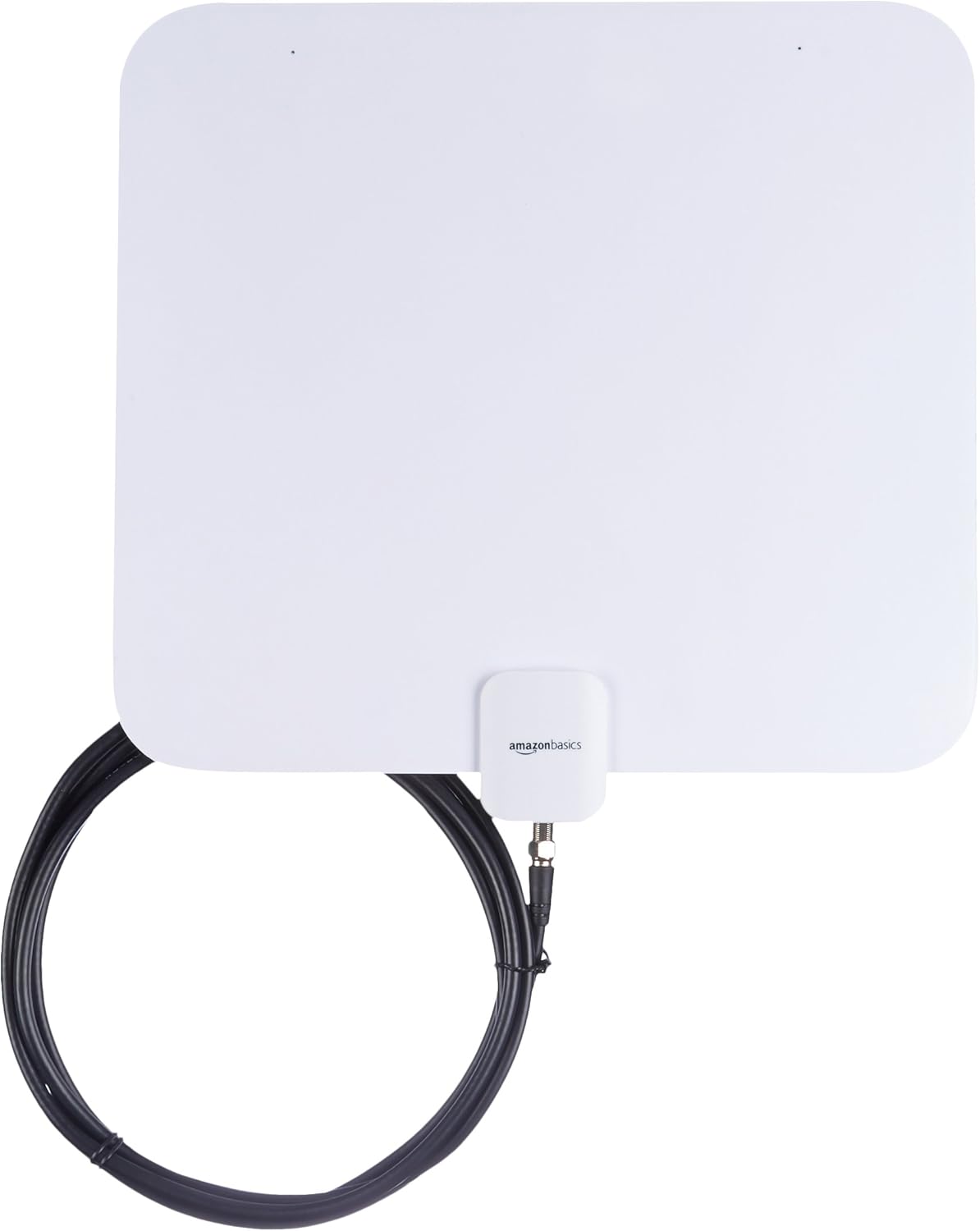
Image 1.1: The Amazon Basics Indoor Flat TV Antenna in its white finish, showing the attached coaxial cable.

Image 1.2: The Amazon Basics Indoor Flat TV Antenna in its black finish, demonstrating its reversible design.
2. Setup Instructions
2.1 What's Included:
- Amazon Basics Indoor Flat TV Antenna (with integrated 10-foot coaxial cable)
- Adhesive mounting pads (typically 3M brand)

Image 2.1: The antenna, its attached coaxial cable, and the included adhesive mounting pads.
2.2 Connecting the Antenna:
- Locate the coaxial input port on the back of your television. This port is typically labeled "ANT IN," "RF IN," or "CABLE/ANT."
- Connect the coaxial cable attached to the antenna to the coaxial input port on your television. Ensure the connection is finger-tight to secure the signal.

Image 2.2: A close-up view of the coaxial cable connector, which connects to your television's antenna input.
2.3 Positioning the Antenna:
The performance of your antenna is significantly influenced by its placement. Consider the following for optimal reception:
- Higher is Better: Generally, placing the antenna higher on a wall or near a window can improve signal reception.
- Near a Window: Windows often provide clearer line-of-sight to broadcast towers, which can enhance signal strength.
- Avoid Obstructions: Walls, large metal objects, and other electronic devices can interfere with signals. Try to place the antenna away from such obstructions.
- Experiment with Locations: Since signal strength varies by location, experiment with different positions within your room to find the best spot. Perform a channel scan after each repositioning.
- Reversible Design: Utilize the reversible black and white sides to blend the antenna seamlessly with your home decor. The antenna can also be painted to match specific wall colors.
3. Operating Instructions
3.1 Scanning for Channels:
After connecting the antenna, you must perform a channel scan on your television to find available broadcasts.
- Turn on your television and select the correct input source (usually "TV" or "Antenna").
- Navigate to your TV's menu settings. Look for options like "Channel Setup," "Scan," "Auto Tune," "Program," or "Broadcast."
- Select "Antenna" or "Air" as the signal source, if prompted.
- Initiate the "Auto Scan" or "Channel Scan" function. This process may take several minutes.
- Once the scan is complete, your TV will display the number of channels found. You can now browse the available channels.
3.2 Optimizing Reception:
- If you are not receiving all expected channels or if signal quality is poor, try repositioning the antenna and performing another channel scan.
- Check online resources like FCC DTV Reception Maps to identify broadcast towers in your area and their direction relative to your home. This can help guide antenna placement.
- Ensure the coaxial cable is securely connected at both the antenna and the TV.
4. Maintenance
The Amazon Basics Indoor Flat TV Antenna requires minimal maintenance.
- Cleaning: Wipe the antenna surface with a soft, dry cloth to remove dust. For stubborn marks, a slightly damp cloth can be used, but ensure the antenna is completely dry before use.
- Storage: If storing the antenna, keep it in a cool, dry place away from direct sunlight and extreme temperatures.
- Cable Care: Avoid kinking or sharply bending the coaxial cable, as this can damage the internal wiring and affect signal quality.
5. Troubleshooting
| Problem | Solution |
|---|---|
| No channels found or poor reception. |
|
| Picture is pixelated or freezes. |
|
| Antenna does not stick to the wall/window. |
|
6. Specifications
| Feature | Value |
|---|---|
| Brand Name | Amazon Basics |
| Model Number | DVB-T9088A |
| Item Weight | 11.7 ounces |
| Product Dimensions | 12.12 x 4.33 x 0.06 inches |
| Color | White (Reversible to Black) |
| Antenna Type | Indoor Flat TV Antenna |
| Maximum Range | 35 Miles |
| Supported Resolution | 1080 HD |
| Coaxial Cable Length | 10 feet |
| UPC | 192233005409 |
7. Warranty and Support
For warranty information and customer support, please refer to the Amazon Basics official website or contact Amazon customer service directly. Details regarding product returns and warranty claims can typically be found on the product's purchase page or within your Amazon order history.
If the antenna does not work satisfactorily in your area/home, you can return the item to Amazon within 30 days of receipt of shipment. Please refer to Amazon's standard Returns Policy for detailed instructions.
For further assistance, visit the Amazon Basics Store.