
1. Introduction
Thank you for choosing the Gima 32901 Andon Digital Blood Pressure Monitor. This manual provides essential information for the proper setup, operation, and maintenance of your device. Please read this manual thoroughly before using the monitor to ensure accurate readings and safe operation. Keep this manual for future reference.
2. Safety Information
Your safety is paramount. Please observe the following precautions:
- Consult a Medical Professional: This device is intended for home use to measure blood pressure and pulse rate. It is not a substitute for medical consultation. Always consult your doctor for diagnosis and treatment of any health condition.
- Proper Usage: Use the device only as described in this manual. Misuse may lead to inaccurate readings or device damage.
- Avoid Self-Diagnosis: Do not use the measurement results for self-diagnosis or self-treatment.
- Children and Pets: Keep the device out of reach of children and pets.
- Environmental Conditions: Do not use the device in extreme temperatures, high humidity, or direct sunlight.
- Interference: Keep the device away from strong electromagnetic fields.
- Maintenance: Do not attempt to repair or modify the device yourself. Refer all servicing to qualified personnel.
3. Package Contents
Upon unpacking, please verify that all the following items are included:
- Gima 32901 Digital Blood Pressure Monitor Unit
- Standard Adult Arm Cuff (22-30 cm)
- Storage/Carrying Case
- User Manual (this document)

Figure 3.1: The included black zippered carrying case for convenient storage and transport of the blood pressure monitor.
4. Product Overview
Familiarize yourself with the components of your Gima 32901 Blood Pressure Monitor:

Figure 4.1: The Gima 32901 monitor unit connected to its arm cuff, showing the large LCD display and control buttons.
- Monitor Unit: Features a large, easy-to-read LCD display, power button, and memory button.
- Arm Cuff: A standard adult cuff (22-30 cm) designed for upper arm placement, with an integrated air tube.
- LCD Display: Shows blood pressure readings (systolic, diastolic), pulse rate, and various indicators.
- Power Button (①): Used to turn the device on and off, and to start a measurement.
- Memory Button (M): Used to access stored measurement results.
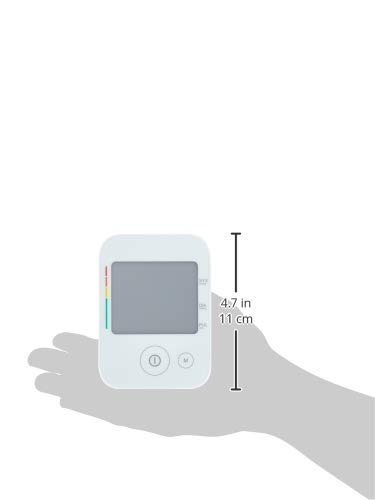
Figure 4.2: The compact size of the Gima 32901 monitor unit, measuring approximately 11 cm (4.7 inches) in height.
5. Setup
Follow these steps to prepare your blood pressure monitor for first use:
5.1. Battery Installation
- Locate the battery compartment on the back or bottom of the monitor unit.
- Open the battery compartment cover.
- Insert four (4) AA alkaline batteries (not included), ensuring the correct polarity (+/-) as indicated inside the compartment.
- Close the battery compartment cover securely.
5.2. Connecting the Arm Cuff
- Locate the air tube connector on the arm cuff.
- Insert the air tube connector firmly into the air jack located on the side of the monitor unit. Ensure a snug fit to prevent air leakage during measurement.
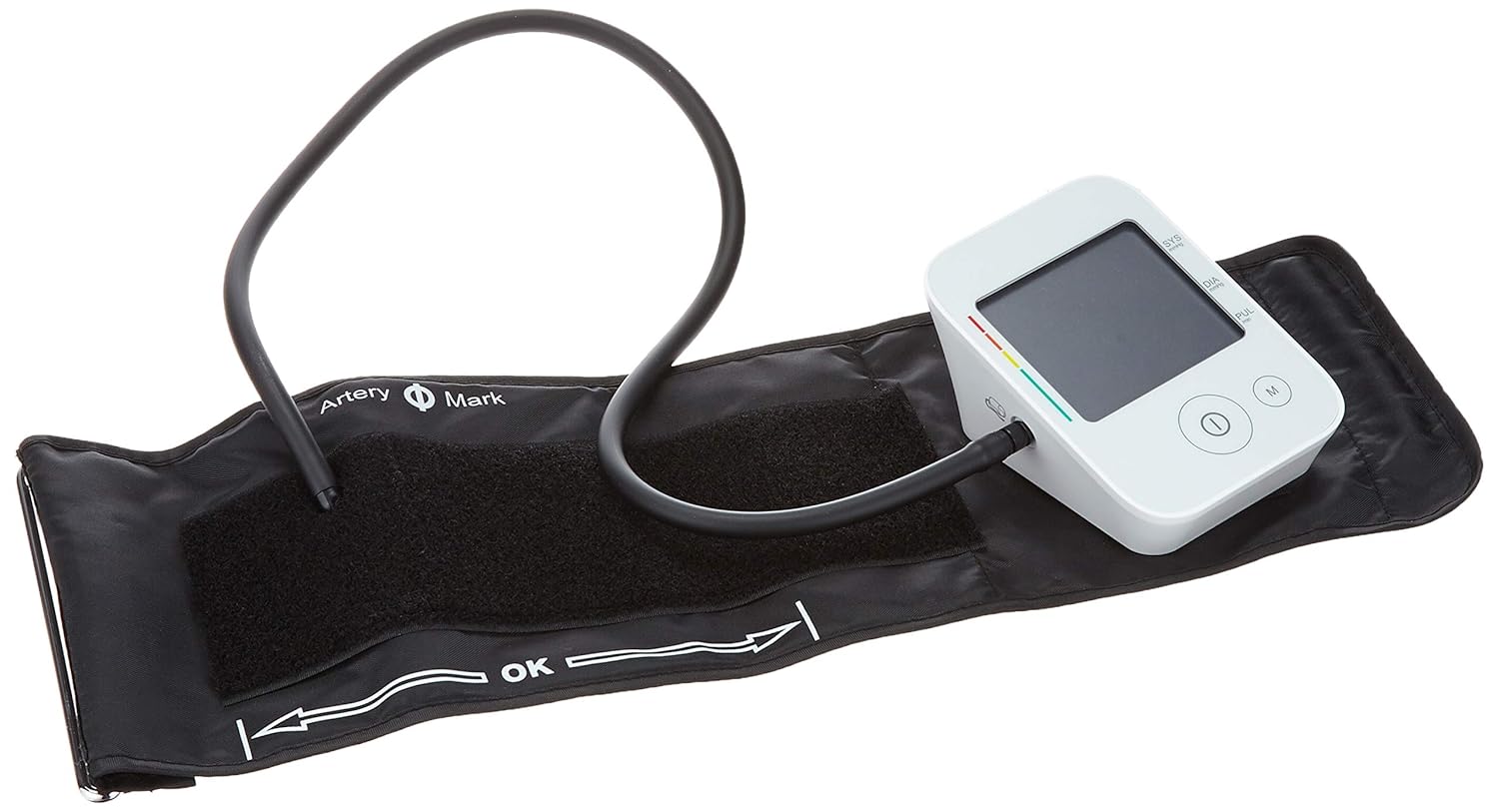
Figure 5.1: The arm cuff's air tube properly connected to the side port of the Gima 32901 monitor unit.
6. Operating Instructions
Follow these steps for accurate blood pressure measurement:
6.1. Before Measurement
- Avoid eating, drinking alcohol, smoking, exercising, and bathing for 30 minutes before measurement.
- Rest for at least 5 minutes before taking a measurement.
- Sit in a comfortable position with your back supported and feet flat on the floor. Do not cross your legs.
- Place your arm on a flat surface so the cuff is at heart level.
6.2. Applying the Arm Cuff
- Slide your left arm through the cuff loop. The air tube should run down the inside of your arm.
- Position the cuff so the bottom edge is approximately 1-2 cm (0.4-0.8 inches) above your elbow joint.
- Align the artery mark (usually a small circle or arrow) on the cuff with your brachial artery, which is typically on the inside of your arm.
- Wrap the cuff snugly around your upper arm, securing it with the hook-and-loop fastener. Ensure it is not too tight or too loose; you should be able to insert two fingers between the cuff and your arm.
Figure 6.1: Proper arm cuff placement on the left arm, indicating the position relative to the elbow and the brachial artery mark.
6.3. Taking a Measurement
- Once the cuff is correctly applied and you are in a relaxed position, press the Power button (①) to start the measurement.
- The cuff will automatically inflate. Remain still and silent during the measurement.
- After inflation, the cuff will slowly deflate, and your blood pressure (systolic and diastolic) and pulse rate will be displayed on the LCD.
- The device will automatically shut off after approximately 1 minute of inactivity to conserve battery life.
6.4. Memory Function
The Gima 32901 monitor can store up to 4 groups of 30 measurements each, including date and time.
- To view stored measurements, press the Memory button (M) when the device is off.
- Press the Memory button repeatedly to scroll through the stored readings.
- Consult the full user manual for detailed instructions on managing memory groups and clearing data, if applicable.
7. Maintenance
Proper care and maintenance will ensure the longevity and accuracy of your device:
- Cleaning: Wipe the monitor unit and cuff with a soft, dry cloth. If necessary, use a cloth lightly dampened with water or a mild detergent, then wipe dry immediately. Do not use abrasive cleaners or immerse the device in water.
- Storage: Store the device in its carrying case in a cool, dry place, away from direct sunlight, extreme temperatures, and humidity.
- Battery Replacement: When the low battery indicator appears on the display, replace all four AA batteries with new ones. Do not mix old and new batteries or different types of batteries. Remove batteries if the device will not be used for an extended period.
- Cuff Care: Do not wash the cuff. If it becomes soiled, wipe it clean as described above.
8. Troubleshooting
If you encounter issues with your blood pressure monitor, refer to the following common problems and solutions:
| Problem | Possible Cause | Solution |
|---|---|---|
| No display when powered on. | Batteries are dead or incorrectly inserted. | Replace batteries with new ones, ensuring correct polarity. |
| "E" or "Error" message on display. | Cuff not applied correctly, movement during measurement, or air leakage. | Reapply the cuff snugly. Remain still and silent. Check cuff connection to the monitor. |
| Inaccurate readings. | Improper cuff placement, not resting before measurement, or speaking during measurement. | Review "Operating Instructions" section for proper procedure. Ensure cuff is at heart level. |
| Cuff does not inflate or inflates too little. | Air tube disconnected or damaged, or cuff leakage. | Check that the air tube is securely connected to the monitor. Inspect cuff and tube for damage. |
If the problem persists after trying these solutions, please contact customer support.
9. Specifications
Technical specifications for the Gima 32901 Andon Digital Blood Pressure Monitor:
- Model Number: 32901
- Measurement Method: Oscillometric
- Display: Large LCD Digital Display
- Memory: 4 x 30 measurement groups with date and time
- Cuff Size: Standard Adult Cuff (22-30 cm)
- Power Source: 4 x AA Batteries (not included)
- Automatic Shut-off: Yes
- Package Dimensions: 18.03 x 12.19 x 9.4 cm (7.1 x 4.8 x 3.7 inches)
- Product Weight: Approximately 400 grams (0.88 lbs)
- Manufacturer: Gima
10. Warranty and Support
For warranty information or technical support, please contact the retailer or manufacturer directly. Keep your purchase receipt as proof of purchase.
Manufacturer: Gima
For further assistance, please visit the official Gima website or contact their customer service department.