
Introduction
Thank you for choosing the MobileSpec MBS11182 Premium Stereo Bluetooth Headphones. This flexible headset with retractable earbuds is designed to fit comfortably around your neck and stay put while you move. It features a built-in microphone and multiple function buttons on the neckpiece, allowing for a seamless switch between music and hands-free calls. This manual provides detailed instructions for setup, operation, maintenance, and troubleshooting to ensure optimal performance and longevity of your device.
Product Overview
Features
- Flexible neck style headphones with retractable earbuds
- Bluetooth® technology for quick and easy pairing to compatible devices
- Built-in microphone and multiple function buttons on the neck piece
- Recharge capability with included detachable charging cable
- Seamlessly switch between music and hands-free talking and more
What's in the Box
- MobileSpec MBS11182 Premium Stereo Bluetooth Headphones
- User Manual
- Detachable Charging Cable
- Extra Ear Tips (various sizes)

Image: MobileSpec MBS11182 Bluetooth Headphones in neckband form with earbuds retracted.

Image: MobileSpec MBS11182 Bluetooth Headphones with the retractable earbuds fully extended.

Image: MobileSpec MBS11182 Bluetooth Headphones folded into a compact shape for easy storage.
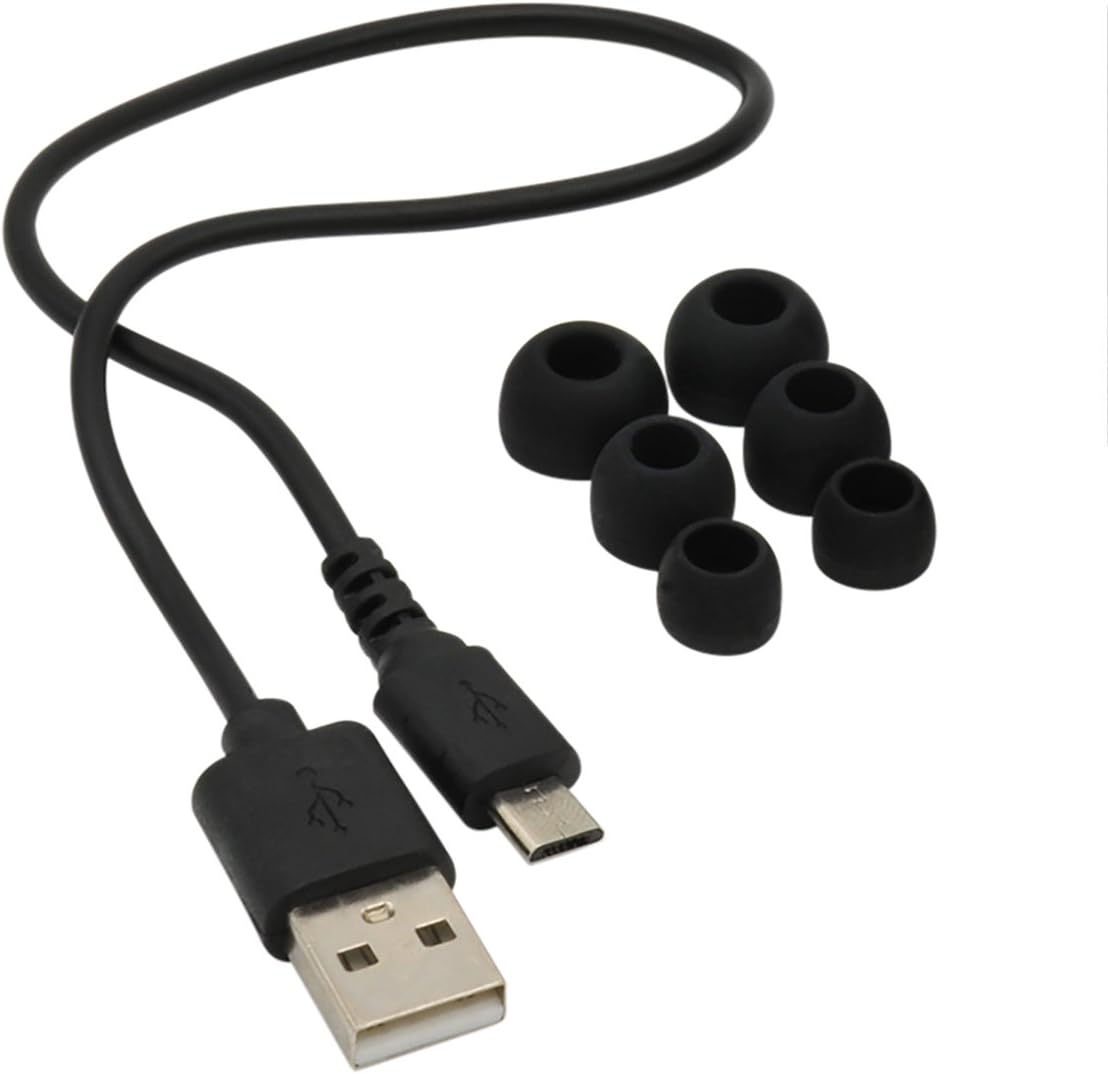
Image: The included detachable charging cable and a set of various sized ear tips.

Image: The retail packaging for the MobileSpec MBS11182 Premium Stereo Bluetooth Headphones.
Setup
1. Initial Charging
- Connect the included detachable charging cable to the charging port on the headphones.
- Plug the other end of the charging cable into a USB power source (e.g., computer USB port, USB wall adapter).
- The LED indicator will illuminate during charging. A full charge typically takes approximately 2.5 hours.
- Once fully charged, the LED indicator will change color or turn off, indicating charging is complete. Disconnect the cable.
2. Bluetooth Pairing
- Ensure the headphones are powered off.
- Press and hold the Power button (usually located on the neckpiece) until the LED indicator flashes rapidly, indicating pairing mode.
- On your Bluetooth-enabled device (smartphone, tablet, computer), go to the Bluetooth settings.
- Search for new devices. The headphones should appear as "MBS11182" or "MobileSpec Headphones".
- Select the headphones from the list to initiate pairing.
- Once successfully paired, the LED indicator on the headphones will stop flashing and may turn solid blue or off, and your device will confirm the connection.
- If prompted for a passcode, enter "0000" (four zeros).
Operating Instructions
Controls Overview
The MobileSpec MBS11182 features intuitive controls located on the neckpiece for easy access to various functions.
| Button/Function | Action | Description |
|---|---|---|
| Power On/Off Switch | Slide Switch | Slides to turn the headphones on or off. |
| Volume Up (+) | Short Press | Increases volume. |
| Volume Down (-) | Short Press | Decreases volume. |
| Next Track | Long Press (+) | Skips to the next song. |
| Previous Track | Long Press (-) | Goes back to the previous song. |
| Multi-function Button (MFB) | Short Press | Play/Pause music; Answer/End calls. |
| Multi-function Button (MFB) | Long Press | Reject incoming call; Activate voice assistant (if supported by device). |
| Retractable Earbuds | Pull/Press Button | Pull earbuds out to extend; Press the retraction button to retract them into the neckpiece. |
Maintenance
Cleaning Your Headphones
- Use a soft, dry, lint-free cloth to wipe the surface of the headphones.
- For ear tips, remove them from the earbuds and clean with a mild soap solution if necessary, then rinse thoroughly and dry completely before reattaching.
- Do not use abrasive cleaners, alcohol, or chemical solvents, as these may damage the surface or internal components.
Storage
- When not in use, store the headphones in a cool, dry place, away from direct sunlight and extreme temperatures.
- Ensure the earbuds are fully retracted to prevent damage to the wires.
Battery Care
- To preserve battery life, avoid fully discharging the battery frequently.
- Charge the headphones regularly, even if not used for extended periods.
Troubleshooting
If you encounter issues with your MobileSpec MBS11182 headphones, please refer to the following common problems and solutions:
| Problem | Possible Cause | Solution |
|---|---|---|
| Headphones do not power on. | Low battery. | Charge the headphones fully (approx. 2.5 hours). |
| Cannot pair with device. | Headphones not in pairing mode; Device's Bluetooth is off; Too far from device. | Ensure headphones are in pairing mode (flashing LED). Turn Bluetooth on your device. Move headphones closer to the device (within 10 meters). Try unpairing and re-pairing. |
| No sound or low sound. | Volume too low on headphones or device; Not properly connected. | Increase volume on both headphones and connected device. Ensure headphones are correctly paired and connected. |
| Sound distortion. | Interference; Device too far. | Move away from other wireless devices. Reduce distance between headphones and device. |
| Earbuds do not retract smoothly. | Debris in mechanism; Wire tangle. | Gently clear any visible debris. Ensure the wire is not twisted before retracting. Do not force retraction. |
Specifications
| Feature | Detail |
|---|---|
| Model Name | MobileSpec MBS11182 |
| Connectivity Technology | Wireless (Bluetooth) |
| Bluetooth Version | 5.0 |
| Bluetooth Range | Up to 10 meters (33 feet) |
| Charging Time | Approx. 2.5 hours |
| Material | Plastic |
| Color | Black |
| Item Weight | 6.7 ounces (approx. 0.42 lbs) |
| Product Dimensions | 1.8 x 7.6 x 9 inches |
| Ear Placement | In Ear |
| Form Factor | Neckband |
| Noise Control | Passive Noise Cancellation |
| UPC | 092533036366 |
Warranty Information
MobileSpec products are designed and manufactured to the highest quality standards. This product is covered by a limited warranty provided by MobileSpec. For specific warranty terms, conditions, and duration, please refer to the warranty card included with your purchase or visit the official MobileSpec website. Please retain your proof of purchase for warranty claims.
Customer Support
For further assistance, technical support, or inquiries regarding your MobileSpec MBS11182 Premium Stereo Bluetooth Headphones, please contact MobileSpec customer service. When contacting support, please have your product model number (MBS11182) and proof of purchase readily available.
You may find additional resources and contact information by visiting the official Mobile Spec website.