
Introduction
Thank you for choosing the VOKING VK750III Remote TTL Camera Flash Speedlite. This professional speedlite is designed to provide versatile lighting solutions for your photography, compatible with Nikon DSLR cameras. It features multiple flash modes, wireless control, and a flexible head for optimal light direction. This manual provides detailed instructions for safe operation, setup, and maintenance of your VK750III speedlite.
Safety Precautions
- Do not disassemble or attempt to repair the unit yourself. Refer all servicing to qualified personnel.
- Keep the unit dry. Do not expose to rain, moisture, or high humidity.
- Do not touch the flash head immediately after firing, as it can be hot.
- Use only specified batteries (4 AA size batteries). Ensure correct polarity when inserting.
- Keep out of reach of children.
- Avoid direct eye exposure to the flash, especially at close range, as it can impair vision.
Package Contents
Please check to ensure all items are present in your package:
- VOKING VK750III Speedlite Unit
- Hot Shoe Stand
- Protective Pouch
- Warranty Card
- Instruction Manual (this document)
Product Overview
Familiarize yourself with the main components and controls of your VK750III speedlite.

Figure 1: Front and side view of the VOKING VK750III Speedlite, showing the LCD display and flash head.

Figure 2: Detailed views of the VK750III, including the built-in diffuser, battery compartment, and hot shoe mount.
Key Components:
- Flash Head: Emits light, can be rotated and tilted.
- LCD Display: Shows current settings, mode, and battery status.
- Control Buttons: MODE, ZOOM, SET, Directional buttons (Up, Down, Left, Right), PILOT, ON/OFF.
- Hot Shoe Mount: For attaching the speedlite to your camera.
- Battery Compartment: Holds 4 AA batteries.
- Built-in Wide Panel and Diffuser: Located within the flash head for light modification.
Setup
1. Battery Installation
- Open the battery compartment cover located on the side of the speedlite.
- Insert 4 AA size batteries, ensuring correct polarity (+/-) as indicated inside the compartment.
- Close the battery compartment cover securely.
2. Mounting to Camera
- Slide the speedlite's hot shoe mount into your camera's hot shoe slot.
- Tighten the locking ring or lever on the speedlite's hot shoe to secure it firmly to the camera.
- Ensure the speedlite is properly seated and locked to prevent accidental detachment.
Operating Modes
The VK750III offers various flash modes to suit different photographic needs. Press the MODE button to cycle through the available modes.
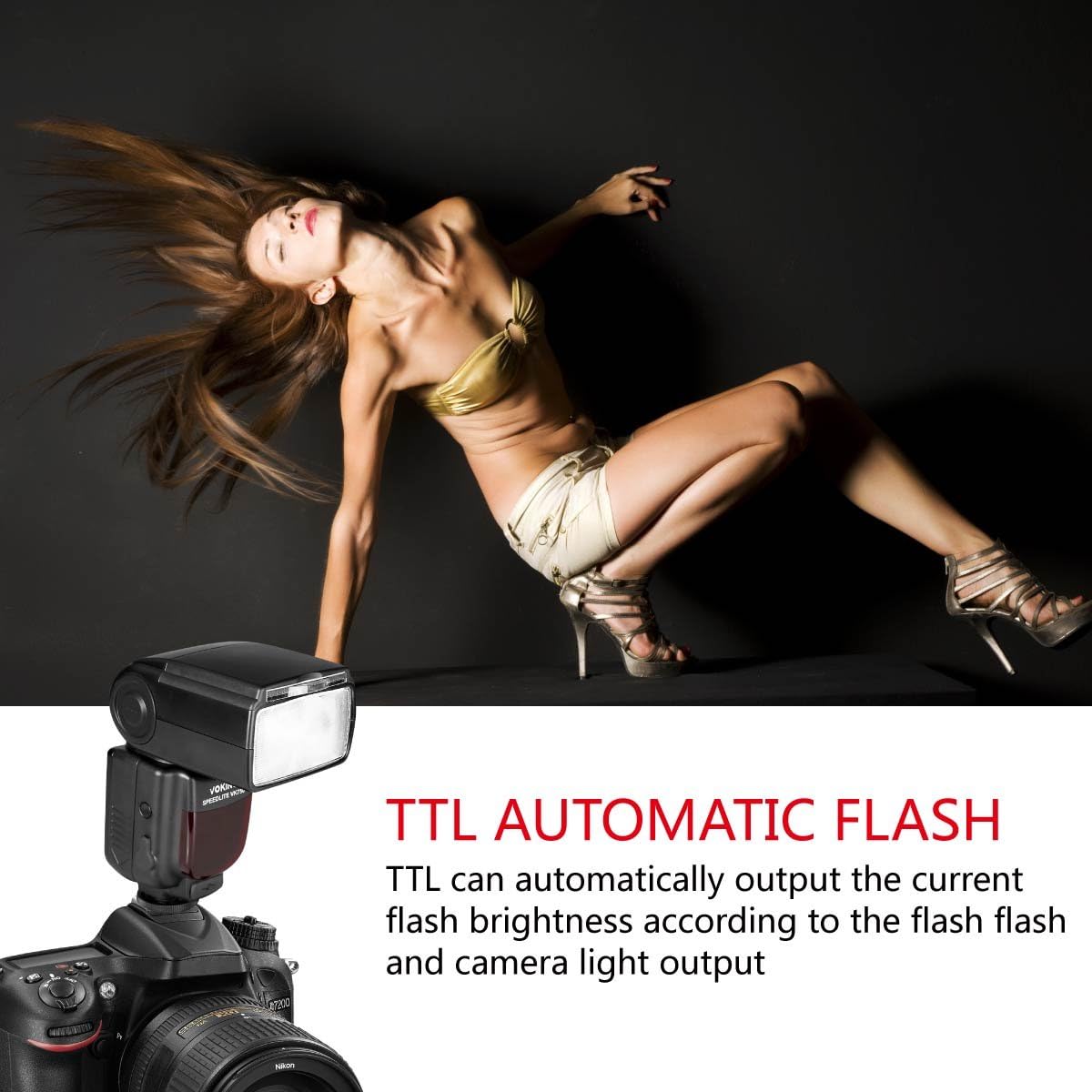
Figure 3: The VK750III Speedlite in TTL Automatic Flash mode, mounted on a DSLR camera.
- TTL (Through-The-Lens) Mode: The flash automatically outputs the correct brightness based on the camera's metering system. This is ideal for quick and accurate exposure in various lighting conditions.
- M (Manual) Mode: Allows you to manually set the flash output power from full power (1/1) down to 1/128 power in 1/3 stop increments. This mode offers precise control over lighting.
- MULTI (Stroboscopic) Mode: Fires a series of rapid flashes during a single exposure, creating a stroboscopic effect for capturing multiple movements of a subject in one frame. You can set the flash frequency, number of flashes, and flash output.
- S1/S2 (Optical Slave) Mode:
- S1 Mode: The flash will fire in sync with the first flash from a master flash. Suitable for manual flash or TTL flash systems without pre-flash.
- S2 Mode: The flash will ignore the pre-flash from a master TTL flash and fire in sync with the main flash. Useful for working with cameras that use a pre-flash for red-eye reduction or TTL metering.
- REMOTE Mode: Enables wireless triggering of the flash. Refer to your camera's manual or specific wireless trigger instructions for detailed setup.
Sync Modes:
- Front-Curtain Sync: The flash fires immediately after the shutter opens. This is the standard sync mode.
- Rear-Curtain Sync: The flash fires just before the shutter closes. This creates a streaking effect behind moving subjects, emphasizing motion.
Advanced Features
Flash Head Rotation and Bounce
The VK750III flash head offers extensive flexibility for directing light, allowing for bounce flash techniques to create softer, more natural-looking illumination.
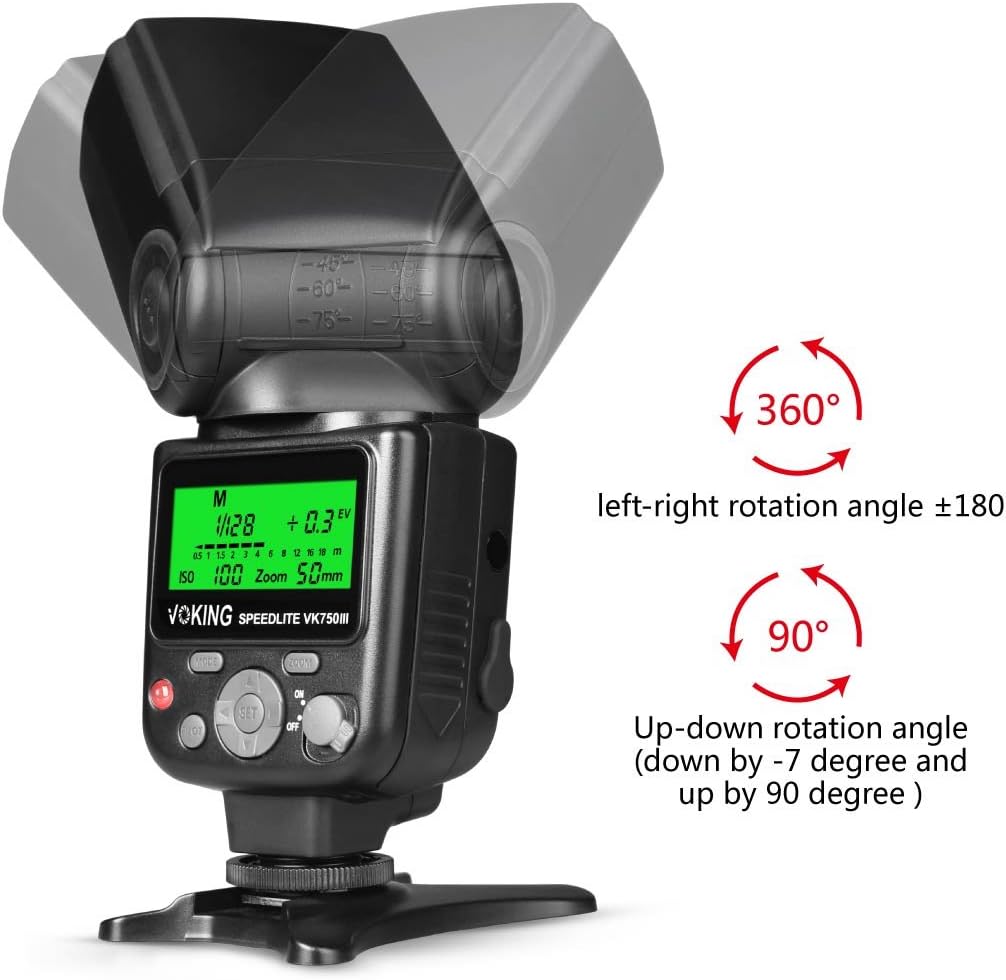
Figure 4: Illustration of the VK750III's flash head rotation capabilities: 360° horizontal and 90° vertical.
- Vertical Rotation Angle: 0-90 degrees (can tilt down by -7 degrees and up by 90 degrees).
- Horizontal Rotation Angle: 0-270 degrees (180 degrees left-right).
Zoom Function
The flash zoom head can be adjusted to match the focal length of your lens, optimizing light coverage. Press the ZOOM button to adjust the zoom setting manually or set it to auto-zoom.
Flash Exposure Compensation (FEC)
Adjust the flash output relative to the camera's metered exposure. This allows for fine-tuning the flash brightness to achieve desired effects. Use the directional buttons to adjust FEC when in TTL mode.
LED-Assistive Preview Focus
The built-in LED light assists the camera's autofocus system in low-light conditions, ensuring sharper focus before the flash fires.
Memory Function
The speedlite retains your last used settings even after being powered off, allowing for quick resumption of your preferred configuration.
Temperature Detection Function
Monitors the internal temperature of the flash to prevent overheating during rapid firing, protecting the unit and ensuring longevity.
Troubleshooting
| Problem | Possible Cause | Solution |
|---|---|---|
| Flash does not fire. |
|
|
| Flash output is too dark/bright. |
|
|
| Slow recycle time. |
|
|
| Flash overheats. |
|
|
Specifications
Detailed technical specifications for the VOKING VK750III Speedlite.

Figure 5: A comprehensive table outlining the technical specifications of the VK750III Speedlite.
| Product Model | VK750III |
| Flash Type | Professional Speedlite |
| Circuit Design | Insulated Gate Bipolar Transistor (IGBT) |
| Guide Number (GN) | 58 meters (ISO 100, 105mm) |
| Flash Modes | TTL, M, MULTI, S1, S2, REMOTE |
| Flash Coverage | 18-180mm (14mm with wide panel) |
| Color Temperature | 5600K |
| Flash Duration | 1/200s - 1/20000s |
| Power Supply | 4 AA size batteries |
| Recycle Time | Approx. 3 seconds |
| Lighting Times | 100-1500 times (with AA alkaline cell used) |
| Weight | Approx. 350g |
| Dimensions (L x W x H) | Approx. 190 x 60 x 78mm |
| Compatible Mountings | Nikon |
| Connectivity Technology | Wireless (Optical Pulse) |
Maintenance
- Clean the flash unit with a soft, dry cloth. Do not use solvents or abrasive cleaners.
- Remove batteries if the unit will not be used for an extended period to prevent leakage.
- Store the speedlite in its protective pouch in a cool, dry place, away from direct sunlight and extreme temperatures.
- Keep the hot shoe contacts clean and free from dust or debris.
Warranty and Support
The VOKING VK750III Speedlite comes with a limited warranty. Please refer to the included warranty card for specific terms and conditions. For technical support, service, or inquiries, please contact your retailer or the manufacturer directly. Contact information can typically be found on the warranty card or the VOKING official website.