1. Introduction
This manual provides essential instructions for the safe and efficient use of your TMC CAMILLA 3100 Catalytic Gas Heater. Please read this manual thoroughly before installation, operation, or maintenance. Keep this manual for future reference.
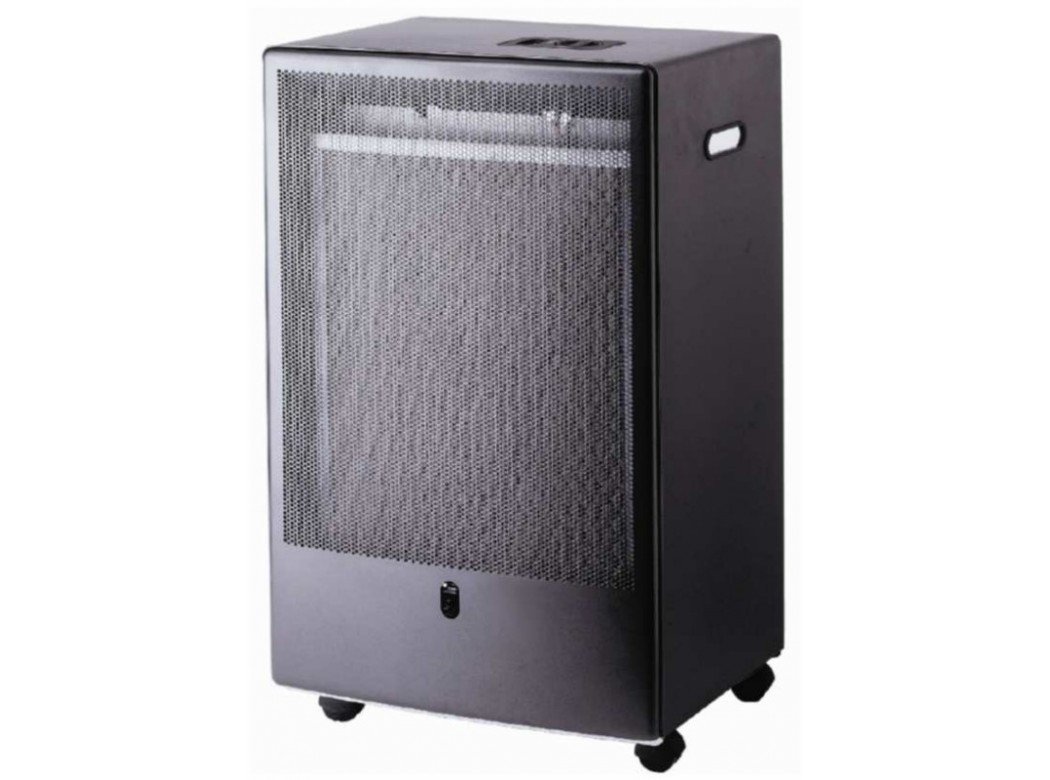
Image 1: The TMC CAMILLA 3100 Catalytic Gas Heater. This image shows the front view of the heater, highlighting its compact design and catalytic panel.
2. Safety Information
Always adhere to local regulations and safety standards when operating gas appliances. Failure to follow these instructions can result in fire, explosion, property damage, personal injury, or death.
- Ensure adequate ventilation in the operating area.
- Do not use or store flammable materials near the heater.
- Keep children and pets away from the heater during operation.
- Regularly check gas connections for leaks using a soapy water solution.
- Never leave the heater unattended while in operation.
3. Setup and Installation
3.1 Unpacking
Carefully remove the heater from its packaging. Inspect for any damage during transit. Retain packaging for future transport or storage.
3.2 Gas Cylinder Connection
- Ensure the gas cylinder valve is closed.
- Connect the gas regulator to the cylinder valve, ensuring a tight seal.
- Connect the other end of the gas hose to the heater's gas inlet.
- Check all connections for leaks using a leak detection spray or soapy water. Bubbles indicate a leak.
3.3 Placement
Place the heater on a stable, level surface, away from combustible materials. Maintain a minimum clearance of 1 meter (3 feet) from walls, furniture, and curtains.
4. Operating Instructions
4.1 Starting the Heater
- Open the gas cylinder valve slowly.
- Press and hold the control knob, then turn it to the desired heat setting (e.g., low, medium, high).
- While holding the knob, press the igniter button repeatedly until the pilot flame ignites.
- Continue to hold the control knob for 10-20 seconds after ignition to allow the thermocouple to heat up. Release the knob; the burner should remain lit.
- If the burner does not remain lit, repeat the ignition process.
4.2 Adjusting Heat Output
Rotate the control knob to select different heat settings as required. The catalytic panel will glow, indicating heat emission.
4.3 Shutting Down the Heater
- Turn the control knob to the "OFF" position.
- Close the gas cylinder valve completely.
- Allow the heater to cool down before moving or storing.
5. Maintenance
Regular maintenance ensures the longevity and safe operation of your heater.
- Cleaning: Ensure the heater is cool and disconnected from the gas supply. Wipe the exterior with a damp cloth. Do not use abrasive cleaners.
- Gas Hose and Regulator: Inspect the gas hose and regulator annually for cracks, wear, or damage. Replace if necessary.
- Catalytic Panel: Keep the catalytic panel free from dust and debris. Do not touch the panel during or immediately after operation.
- Storage: When not in use for extended periods, disconnect the gas cylinder and store the heater in a dry, well-ventilated area.
6. Troubleshooting
| Problem | Possible Cause | Solution |
|---|---|---|
| Heater does not ignite. | Gas cylinder empty or valve closed. Gas hose kinked or blocked. Igniter faulty. | Check gas supply and open valve. Inspect and clear hose. Contact qualified service personnel. |
| Pilot flame goes out after releasing knob. | Thermocouple not heated sufficiently. Faulty thermocouple. | Hold knob longer (10-20 seconds). Contact qualified service personnel. |
| Smell of gas. | Gas leak. | Immediately close gas cylinder valve. Ventilate area. Check all connections for leaks. Do not operate until leak is resolved. |
7. Specifications
| Brand: | TMC |
| Model Number: | 71193 (CAMILLA 3100) |
| Heat Output: | 3.4 kW |
| Product Dimensions (L x W x H): | 46.5 x 3 x 80 cm |
| Item Weight: | 99.8 g |
| ASIN: | B075NNTXBK |
8. Warranty Information
This product comes with a standard manufacturer's warranty. Please refer to the warranty card included with your purchase for specific terms and conditions. Keep your proof of purchase for warranty claims.
9. Customer Support
For technical assistance, spare parts, or service inquiries, please contact your retailer or the manufacturer's customer service department. Refer to the contact information provided with your product documentation.


