
1. Important Safeguards
When using electrical appliances, basic safety precautions should always be followed to reduce the risk of fire, electric shock, and injury to persons, including the following:
- Read all instructions before using the humidifier.
- Always place the humidifier on a firm, flat, level surface.
- Keep the power cord away from heated surfaces.
- Do not operate the humidifier if the cord or plug is damaged.
- Do not use outdoors. This humidifier is for indoor use only.
- Always unplug the humidifier before filling, cleaning, or moving it.
- Do not block air openings.
- Do not immerse the humidifier in water or other liquids.
- Use only clean, cool tap water. Distilled water is recommended to minimize white dust.
- Keep out of reach of children.
2. Product Overview
The Ontel Breathe Easy Humidifier is designed to provide a comfortable environment by adding moisture to the air. It features ultra-cool mist, whisper-quiet operation, a built-in filtration system, an auto-off timer, a 1.2-gallon water tank, and an adjustable nozzle for directed mist output.

Image: The Ontel Breathe Easy Humidifier, showcasing its sleek design and mist output.
3. Setup
3.1 Unpacking
- Carefully remove the humidifier from its packaging.
- Remove all packing materials and ensure all components are present.
- Inspect the humidifier for any damage. Do not use if damaged.
3.2 Placement
- Place the humidifier on a firm, flat, waterproof surface at least 6 inches (15 cm) away from walls and appliances.
- Ensure the mist output is not directed at furniture, walls, or electronics.
- Avoid placing on carpet or rugs.
3.3 Filling the Water Tank
- Ensure the humidifier is unplugged.
- Remove the top cover of the water tank.
- Fill the water tank directly from the top opening with clean, cool tap water. Do not exceed the maximum fill line.
- Replace the top cover securely.

Image: A person filling the humidifier's water tank from the top, demonstrating the easy-fill feature.
4. Operating Instructions
4.1 Powering On/Off
- Plug the power cord into a standard electrical outlet.
- Press the Power button (⚡) on the control panel to turn the humidifier on. The indicator light will illuminate.
- Press the Power button again to turn the humidifier off.
4.2 Adjusting Mist Level
- While the humidifier is on, press the Mist Level button (≡) repeatedly to cycle through different mist output settings (Low, Medium, High).
- The current mist level will be indicated on the display.
4.3 Using the Timer Function
- Press the Timer button (⏱) to set the operating time.
- Each press will increase the timer setting (e.g., 1 hour, 2 hours, up to 12 hours).
- The humidifier will automatically turn off once the set time has elapsed.
4.4 Adjustable Nozzle
- The mist nozzle can be rotated 360 degrees to direct the mist flow in any desired direction.
- The nozzle can also be extended vertically to increase the mist height.
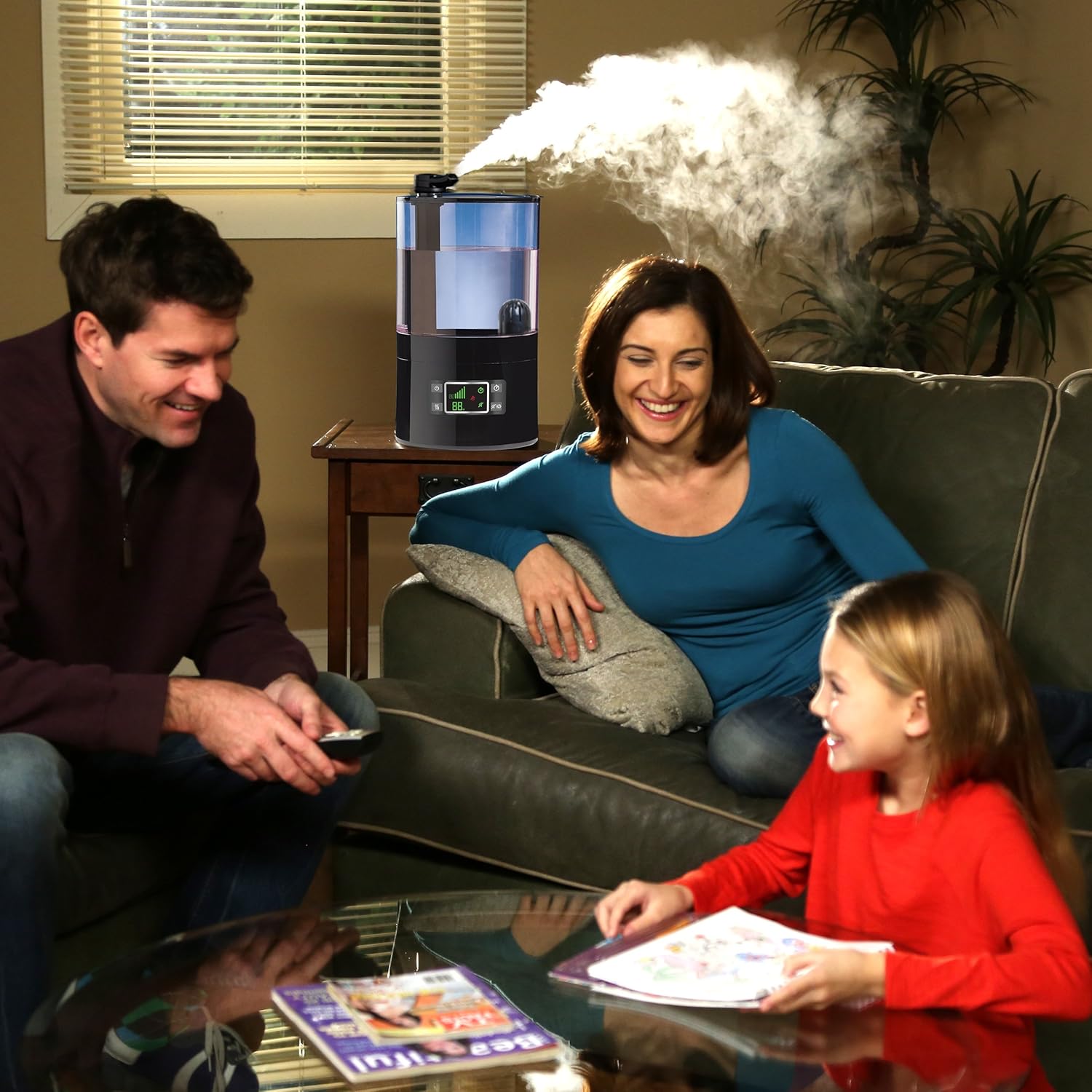
Image: The humidifier operating in a living room, demonstrating its ability to blend into a home environment while providing mist.

Image: The humidifier placed on a nightstand in a bedroom, with its adjustable nozzle extended for optimal mist dispersion.
5. Maintenance and Cleaning
Regular cleaning is essential for optimal performance and to prevent mineral buildup and bacterial growth.
5.1 Daily Maintenance
- Unplug the humidifier.
- Empty any remaining water from the tank and base.
- Rinse the tank and base with fresh water.
- Wipe all surfaces dry with a clean cloth.
5.2 Weekly Cleaning (Mineral Deposits)
- Unplug the humidifier.
- Remove the water tank and empty it.
- Pour 1 cup of undiluted white vinegar into the water tank and base. Let it soak for 20 minutes.
- Use a soft brush or cloth to clean mineral deposits from the tank and ultrasonic nebulizer.
- Rinse the tank and base thoroughly with clean water until the vinegar smell is gone.
5.3 Filter Maintenance
The humidifier includes a built-in filtration system to help purify the water. While specific filter replacement instructions are not provided, regular cleaning of the tank and using distilled water can extend the life of the internal components.

Image: An internal diagram of the humidifier, highlighting the filtration mechanism and mist generation process.
5.4 Storage
- Before storing, ensure the humidifier is clean and completely dry.
- Store in a cool, dry place.
6. Troubleshooting
| Problem | Possible Cause | Solution |
|---|---|---|
| No mist output |
|
|
| Loud noise during operation |
|
|
| Water leakage |
|
|
| White dust around humidifier |
|
|
7. Specifications
| Feature | Detail |
|---|---|
| Brand | Ontel |
| Model Number | BE-MC2 |
| Operation Mode | Automatic |
| Item Weight | 4.18 Pounds (1.9 kg) |
| Room Type | Bedroom |
| Voltage | 120 Volts (AC) |
| UPC | 735541602245 |
| Product Dimensions | 7.09 x 9.06 x 12.6 inches (18 x 23 x 32 cm) |
| Capacity | 1.2 Gallons (4.5 Liters) |
8. Warranty and Support
For warranty information or customer support, please refer to the product packaging or contact Ontel customer service directly. Keep your purchase receipt as proof of purchase.
Contact information for support can typically be found on the manufacturer's website or on the product's retail packaging.


