
1. Introduction
This manual provides detailed instructions for the proper setup, operation, and maintenance of your DAC Patient Alert & Personal Alarm, Model HCA001. This device is designed to serve two primary functions: to alert caregivers when a patient moves from a bed or chair, and to function as a personal security alarm for immediate protection.
Please read these instructions carefully before using the device to ensure safe and effective operation.

Image 1: The DAC Patient Alert & Personal Alarm, Model HCA001, shown in its original retail packaging. The packaging highlights its multi-purpose functionality as both a patient alert and a personal alarm.
2. Safety Information
- Battery Safety: Always use the specified 17-volt battery. Do not mix old and new batteries, or different types of batteries. Dispose of used batteries responsibly according to local regulations.
- Choking Hazard: Keep small parts, such as the battery and clips, out of reach of children and individuals who may ingest them.
- Alarm Volume: The alarm produces a loud 110dB sound. Avoid prolonged exposure to the alarm at close range to prevent potential hearing discomfort.
- Intended Use: This device is an alert system and not a substitute for direct supervision or professional medical care.
- Water Exposure: The device is not waterproof. Avoid exposure to water or excessive moisture.
3. Package Contents
Please verify that all items are present in your package:
- DAC Patient Alert & Personal Alarm Unit (HCA001)
- 48-inch Adjustable Cord with Alligator Clip and Snap Clip
- 8-inch Accessory Strap with Buckle
- Alarm Mount with Clip or Double-Sided Tape (pre-attached or separate)
Note: A 17-volt battery is required and is not included in the package.
4. Setup
4.1 Battery Installation
- Locate the battery compartment on the back of the alarm unit.
- Carefully open the battery compartment cover.
- Insert one 17-volt battery, ensuring the polarity (+/-) matches the indicators inside the compartment.
- Close the battery compartment cover securely.
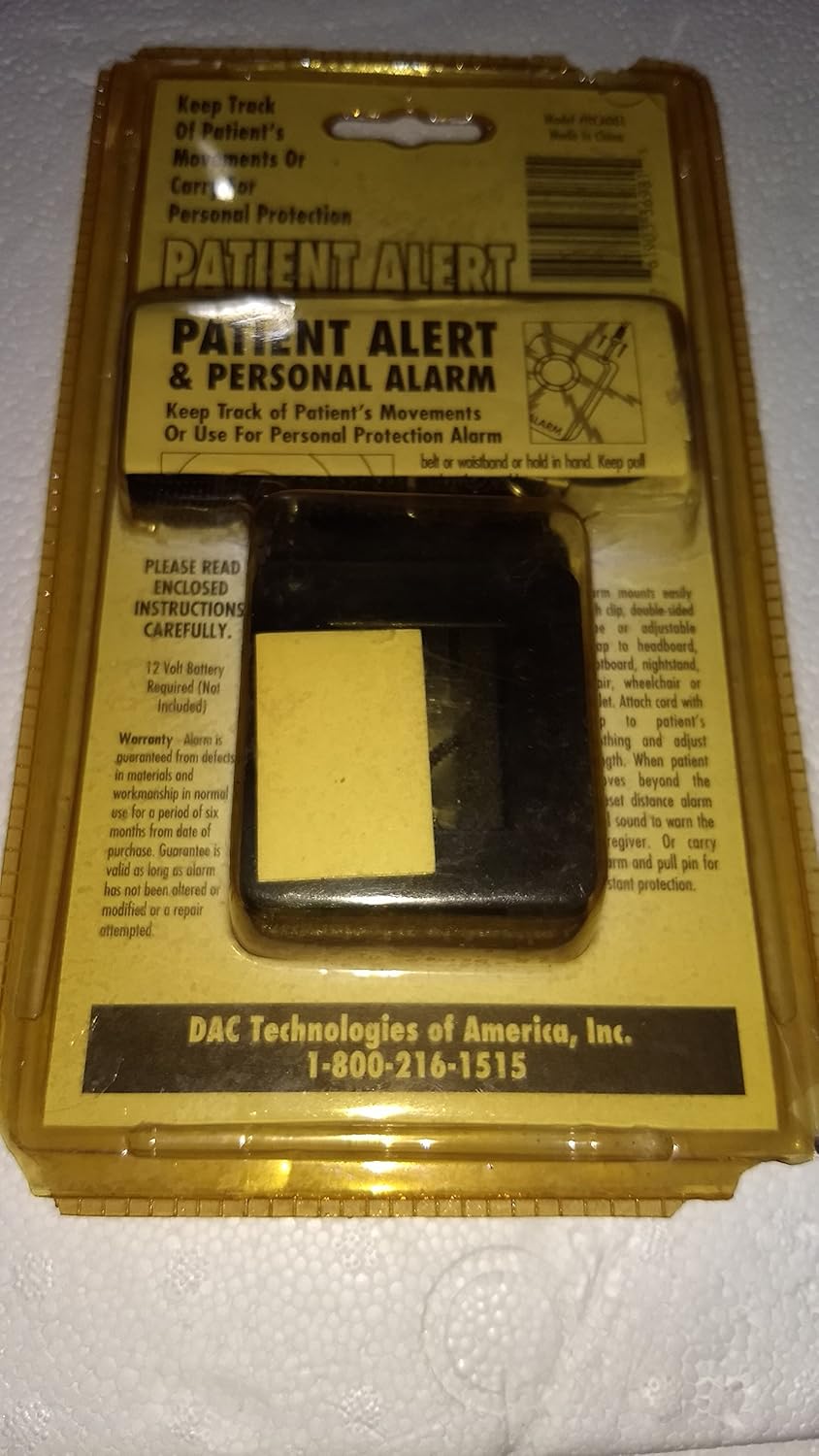
Image 2: The back of the DAC Patient Alert & Personal Alarm packaging, illustrating details such as battery requirements (17 Volt Battery Required, Not Included) and warranty information.
4.2 Mounting Options
The alarm unit offers several versatile mounting options:
- Integrated Clip: The alarm unit features a built-in clip on its back, allowing it to be easily attached to clothing, a belt, or other thin edges.
- Double-Sided Tape: For more permanent placement on flat surfaces like walls, bed frames, or furniture, use the provided double-sided tape on the alarm mount. Ensure the surface is clean and dry before application.
- Accessory Strap: The 8-inch accessory strap with a buckle can be used to secure the alarm to larger objects or limbs, providing a flexible attachment solution.
5. Operating Instructions
5.1 Patient Alert Mode
This mode is designed to alert caregivers when a patient moves or attempts to exit a bed or chair.
- Attach the Cord: Securely attach the 48-inch adjustable cord to the patient's clothing or a bedsheet using the alligator clip or snap clip.
- Connect to Alarm: Insert the other end of the cord (the pin) into the designated jack on the alarm unit.
- Position the Alarm: Place the alarm unit in a location where the caregiver can easily hear it, such as near the bed, chair, or on a bedside table. Ensure the cord has enough slack for comfortable patient movement but will pull out if the patient attempts to leave the monitored area.
- Activation: When the patient moves sufficiently to pull the cord's pin out of the alarm unit, the 110dB alarm will sound.
- Resetting the Alarm: To silence the alarm, re-insert the pin firmly into the alarm unit's jack.
5.2 Personal Alarm Mode
This mode provides a loud alarm for personal protection in emergency situations.
- Carry the Alarm: Keep the alarm unit readily accessible, for example, clipped to your belt, bag, or held in your hand.
- Activation: In an emergency, pull the cord's pin completely out of the alarm unit. The 110dB alarm will sound immediately.
- Resetting the Alarm: To silence the alarm, re-insert the pin firmly into the alarm unit's jack.
6. Maintenance
6.1 Cleaning
To clean the alarm unit, wipe it with a soft, dry cloth. Do not use abrasive cleaners, solvents, or immerse the unit in water.
6.2 Battery Replacement
When the alarm sound becomes weak or fails to activate, it is time to replace the 17-volt battery. Follow the battery installation steps outlined in Section 4.1.
7. Troubleshooting
- Alarm does not sound:
- Check if the 17-volt battery is installed correctly and is not depleted. Replace if necessary.
- Ensure the pin is fully removed from the jack when attempting to activate the alarm.
- Alarm sounds weakly:
- The battery may be low. Replace the 17-volt battery.
- False alarms in Patient Alert Mode:
- Ensure the cord is securely attached to the patient's clothing and the alarm unit.
- Adjust the cord length to provide sufficient slack for normal movement without accidental dislodgement.
8. Specifications
- Model: HCA001
- Power Source: 1 x 17-volt battery (not included)
- Alarm Volume: 110 dB
- Cord Length: 48 inches (adjustable)
- Accessory Strap Length: 8 inches
- Functions: Patient Alert, Personal Protection Alarm
9. Warranty Information
This DAC Patient Alert & Personal Alarm (Model HCA001) is guaranteed against defects in materials and workmanship in normal use for a period of six (6) months from the date of purchase. This warranty is valid only if the alarm has not been altered or modified, or if a repair attempt has not been made by unauthorized personnel.
Please retain your proof of purchase for warranty claims.
10. Contact and Support
For technical assistance, warranty claims, or further inquiries, please contact:
DAC Technologies of America Inc
Customer Support: 1-800-216-1515