
1. Product Overview
The Mophie Universal Wireless Charge Pad (15W) provides fast and convenient wireless charging for a wide range of Qi-enabled devices. Its sleek design and included power adapter make it a versatile charging solution for your home or office.
- Universal Compatibility: Charges Qi-enabled devices including iPhone, Samsung Galaxy, and Google Pixel.
- Rapid 15W Charging: Delivers up to 15W of wireless charging power.
- Case-Friendly Charging: Charges through lightweight cases up to 3mm thick.
- Ready-to-Use: Includes a Mophie power adapter for immediate use.
- Sleek & Secure Design: Features a premium fabric finish and anti-slip rubber ring.

Image: Front view of the Mophie Universal Wireless Charge Pad, showcasing its compact and sleek design.
2. What's Included
Your Mophie Universal Wireless Charge Pad package contains the following items:
- Mophie Universal Wireless Charge Pad
- USB-C to USB-C Cable (1 meter)
- 30W USB-C Wall Charger (Power Adapter)
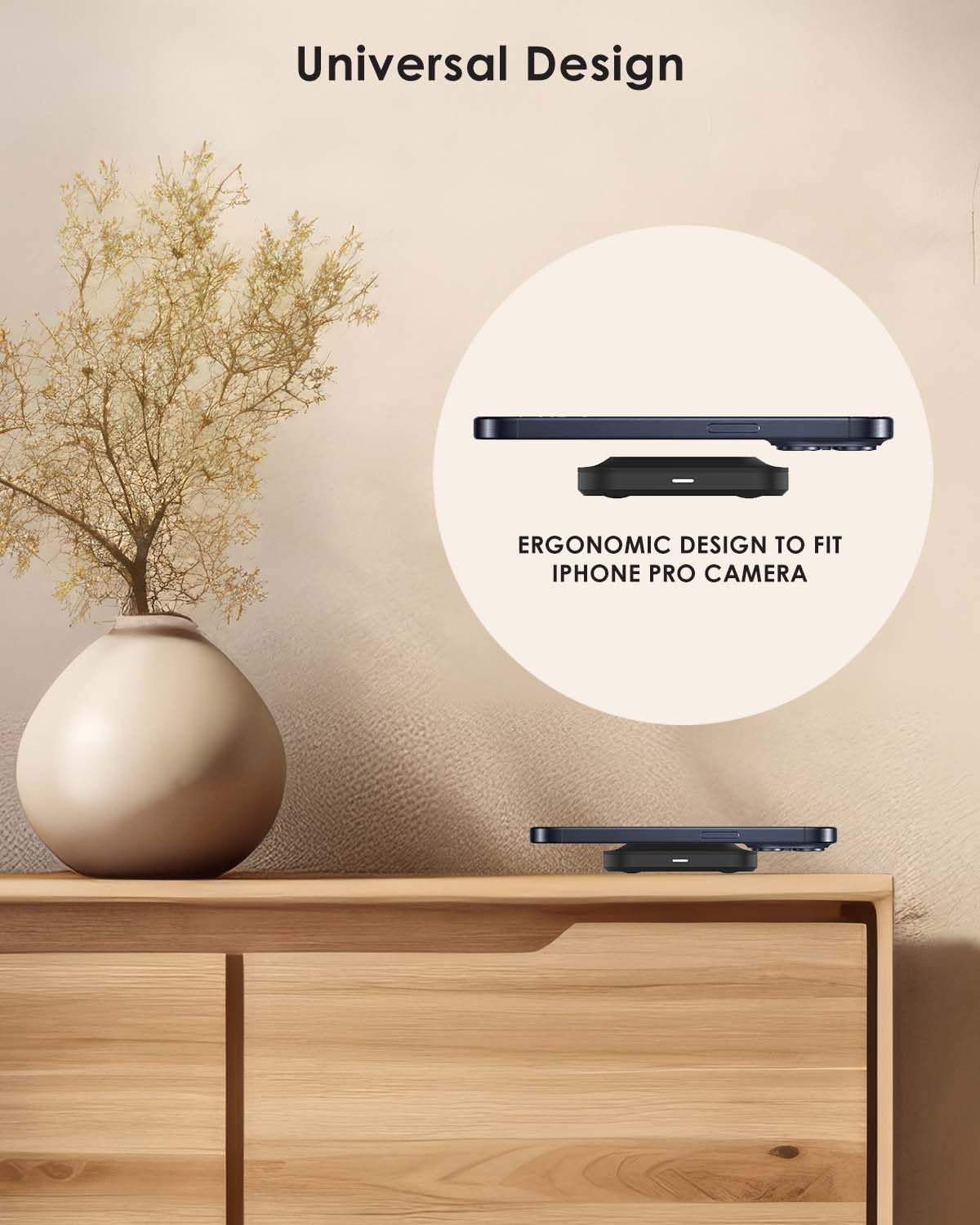
Image: The Mophie wireless charge pad, a 1-meter USB-C to USB-C cable, and a 30W USB-C wall charger, all included in the package.
Video: A brief demonstration of unboxing the Mophie wireless charge pad, showing the included components and how they are packaged.
3. Setup Instructions
Follow these steps to set up your Mophie Universal Wireless Charge Pad:
- Connect the USB-C cable to the USB-C port on the back of the Mophie wireless charge pad.
- Connect the other end of the USB-C cable to the 30W USB-C wall charger.
- Plug the wall charger into a power outlet.
- Place the Mophie wireless charge pad on a flat, stable surface.
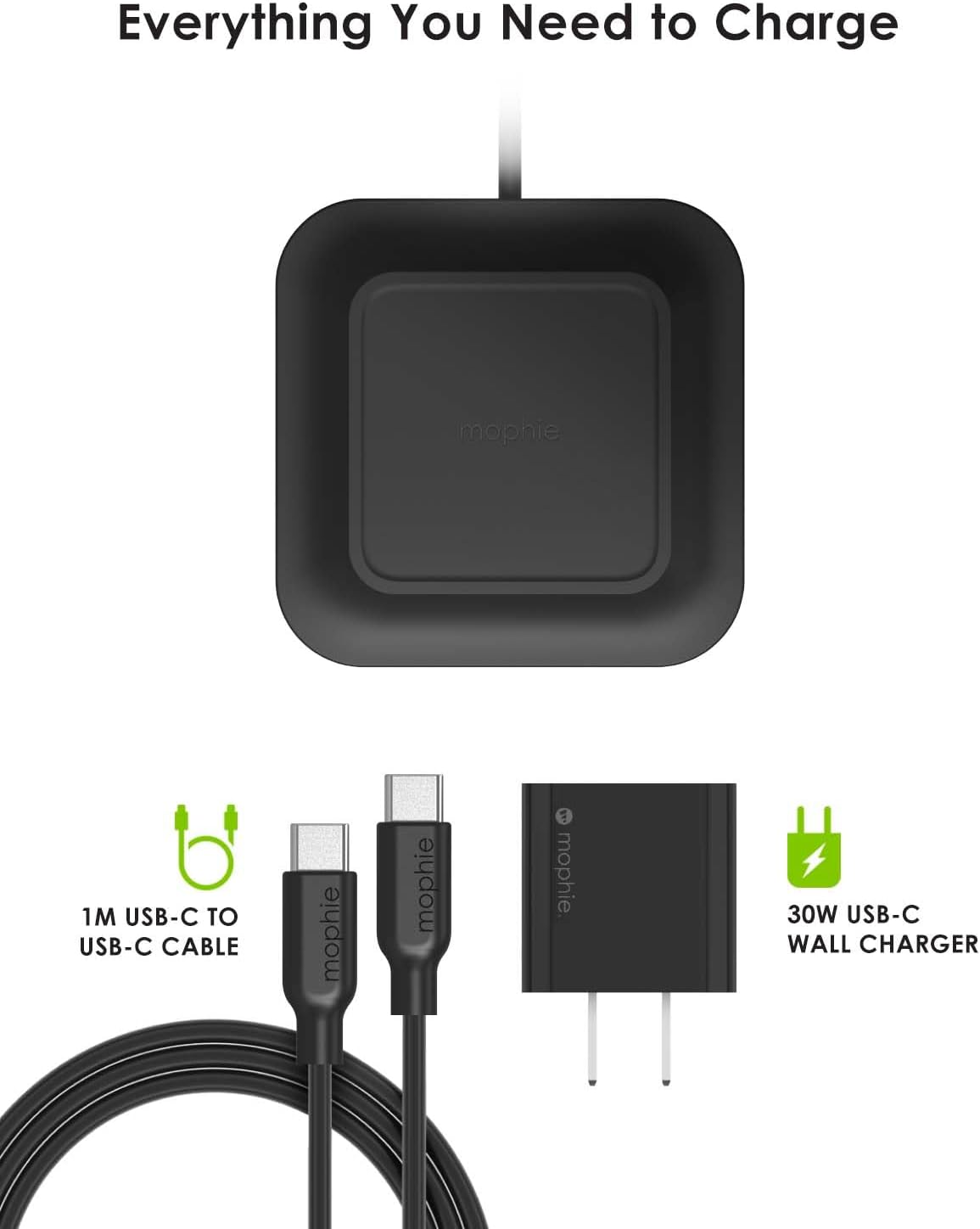
Image: The underside of the Mophie wireless charge pad, highlighting the USB-C input port and anti-slip feet.
4. Operating Instructions
To charge your Qi-enabled device:
- Ensure the charge pad is properly connected to power.
- Place your Qi-enabled device (e.g., smartphone, earbuds) directly onto the center of the Mophie wireless charge pad.
- The LED charging indicator on the front of the pad will illuminate to confirm that charging has begun. Your device's screen may also indicate charging.
- For optimal charging, ensure your device is centered on the pad. The pad is designed to charge through lightweight cases up to 3mm thick.

Image: A smartphone placed on the Mophie wireless charge pad, showing the device's screen indicating active wireless charging.
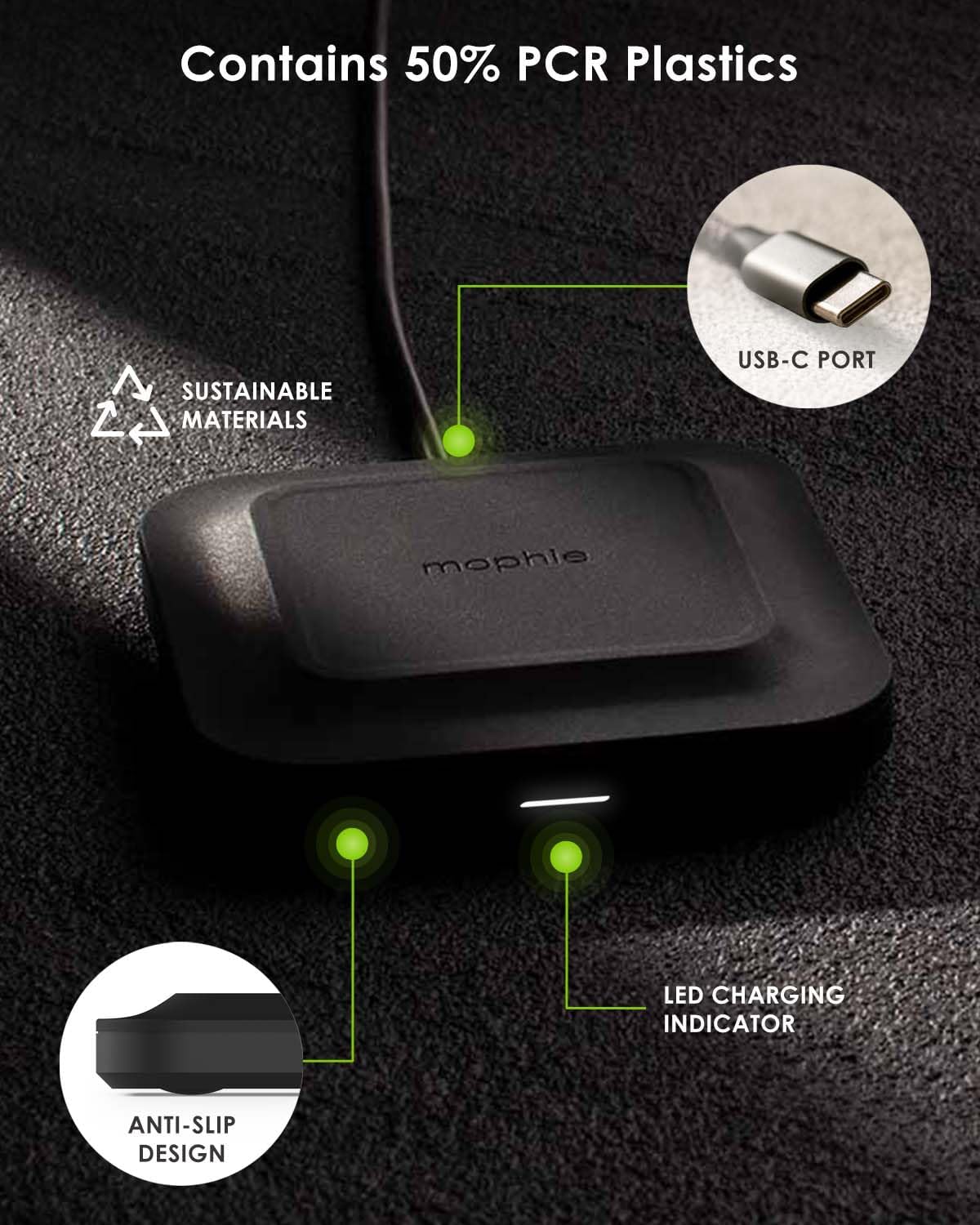
Image: The Mophie wireless charge pad is capable of charging devices through lightweight protective cases.
Video: A close-up view of a phone being placed on the Mophie wireless charge pad, demonstrating the LED indicator lighting up to confirm charging.
5. Device Compatibility & Charging Capacities
The Mophie Universal Wireless Charge Pad is compatible with a wide range of Qi-enabled devices. Charging speeds may vary depending on the device model and its wireless charging capabilities.
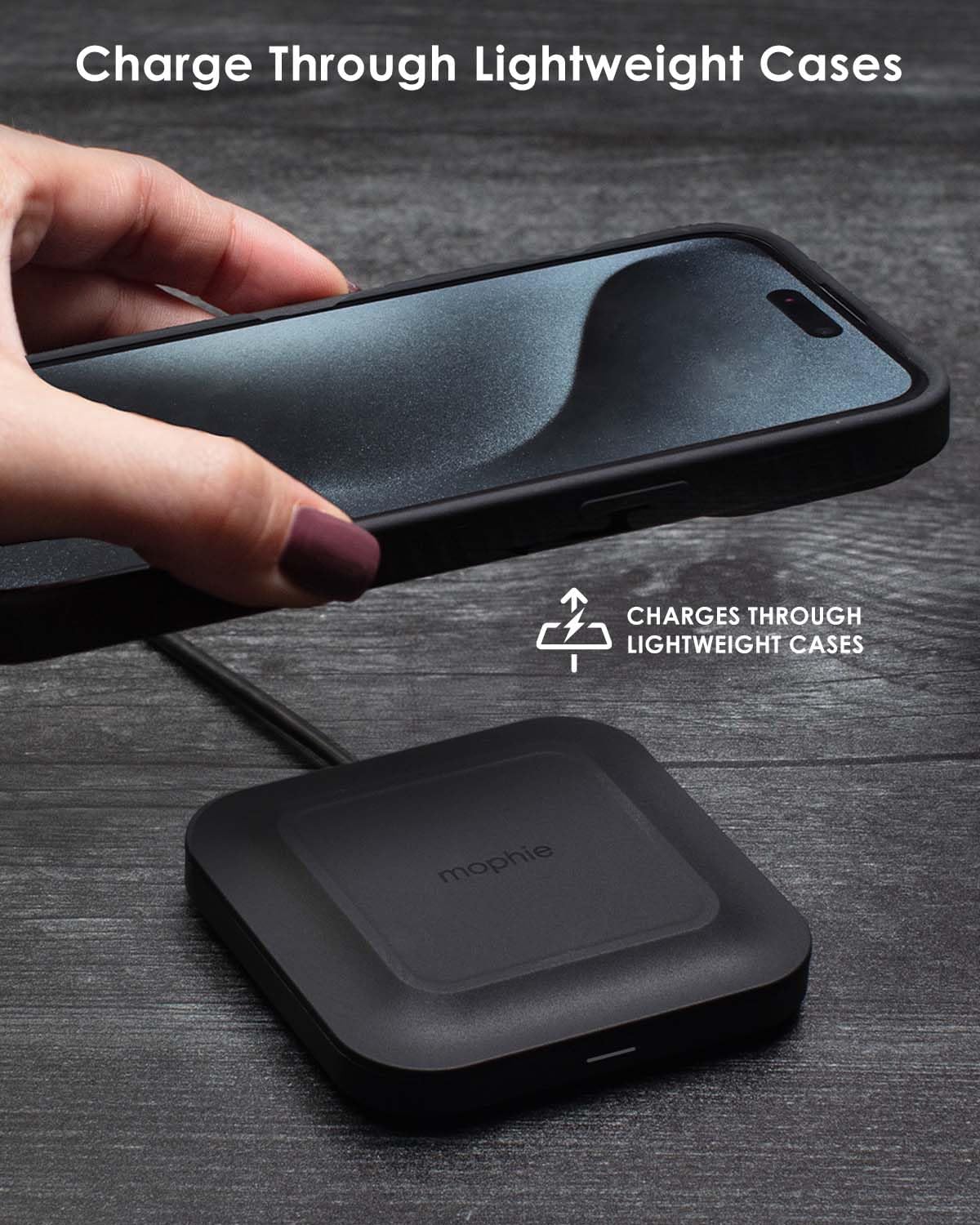
Image: This chart details the wireless charging capacities for different devices, including various iPhone models, Samsung Galaxy phones, Google Pixel phones, and earbuds.
6. Design Features
The Mophie Universal Wireless Charge Pad is designed for both functionality and aesthetics:
- Ergonomic Design: Shaped to fit various phone models, including those with prominent camera bumps.
- Anti-Slip Design: Features a rubberized surface and feet to keep both the pad and your device securely in place.
- Sustainable Materials: Constructed with 50% Post-Consumer Recycled (PCR) plastics.
Image: The Mophie wireless charge pad's universal design allows it to accommodate various smartphone models, including those with larger camera modules.
7. Maintenance
To ensure the longevity and optimal performance of your Mophie wireless charge pad:
- Keep the charging surface clean and free of dust or debris. Use a soft, dry cloth for cleaning.
- Avoid exposing the device to extreme temperatures, moisture, or harsh chemicals.
- Do not attempt to disassemble or repair the charge pad yourself. Contact customer support if service is required.
8. Troubleshooting
If you encounter issues with your Mophie Universal Wireless Charge Pad, refer to the following common solutions:
- Device Not Charging:
- Ensure your device is Qi-enabled.
- Verify the device is centered on the charge pad. Slight adjustments may be needed.
- Check if your phone case is thicker than 3mm. Remove the case to test if it interferes with charging.
- Confirm the power adapter is securely plugged into both the wall outlet and the charge pad.
- LED Indicator Not Illuminating:
- This indicates the pad is not receiving power or not detecting a compatible device. Check all connections.
- Try a different power outlet.
- Slow Charging:
- Ensure your device supports 15W fast wireless charging. Older devices may charge at slower speeds.
- Avoid using the device while it is charging, as this can slow down the charging process.
9. Specifications
| Brand | mophie |
| Connector Type | USB Type C |
| Compatible Devices | iPhone 17 Pro Max, iPhone 17 Pro, iPhone Air, iPhone 17, iPhone 16, iPhone 16 Plus, iPhone 16 Pro, iPhone 16 Pro Max, iPhone 16e, iPhone 15, iPhone 15 Plus, iPhone 15 Pro, iPhone 15 Pro Max, Samsung Galaxy S25, Samsung Galaxy S25 Plus, Samsung Galaxy S25 Ultra, Samsung Galaxy S24 Ultra, Samsung Galaxy S24 Plus, Samsung Galaxy S24, Samsung Galaxy S23, Samsung Galaxy S23 Plus, Samsung Galaxy S23 Ultra, Samsung Galaxy S22, Samsung Galaxy S22 Plus, Samsung Galaxy S22 Ultra, Samsung Galaxy Z Fold7, Samsung Galaxy Z Flip7, Samsung Galaxy Z Flip7 FE, Samsung Galaxy Z Fold6, Samsung Galaxy Z Flip6, Google Pixel 10 Pro Fold, Google Pixel 10 Pro XL, Google Pixel 10 Pro, Google Pixel 10, Google Pixel 9, Google Pixel 9 Pro, Google Pixel 9 Pro XL, Google Pixel 9 Pro Fold, Nintendo Switch 2, Nintendo Switch, Nintendo Switch Lite, Motorola Razr+ (2024), Motorola Razr (2024), Motorola Moto G Power 5G (2024), Google Pixel Fold, Google Pixel 7, Google Pixel 7 Pro, Google Pixel 7a, Google Pixel 8, Google Pixel 8 Pro, Samsung Galaxy Z Fold5, Samsung Galaxy Z Fold4, Samsung Galaxy Z Fold3, Samsung Galaxy Z Flip5, Samsung Galaxy Z Flip4, Samsung Galaxy Z Flip3, Google Pixel Fold, Google Pixel 7, Google Pixel 7 Pro, Google Pixel 7a, Google Pixel 8, Google Pixel 8 Pro, Samsung Galaxy Z Fold5, Samsung Galaxy Z Fold4, Samsung Galaxy Z Fold3, Samsung Galaxy Z Flip5, Samsung Galaxy Z Flip4, Samsung Galaxy Z Flip3, Motorola Edge (2023), Motorola Edge (2022), Motorola Razr+ (2023), Amazon Fire HD 10, Amazon Fire HD 8, Amazon Fire 7 , Samsung Galaxy Tab S8, M, Samsung Galaxy Tab S7, Samsung Galaxy Tab S9, Galaxy Tab S9 Plus, Galaxy Tab S9 Ultra, SAMSUNG Galaxy Tab S6 Lite, SAMSUNG Galaxy Tab A7 Lite, Microsoft Surface Pro 28 |
| Included Components | mophie power adapter |
| Special Feature | Charging Indicator, Fast Charging, Wireless Charging |
| Color | Black |
| Input Voltage | 12 Volts |
| Total USB Ports | 1 |
| Wattage | 15 watts |
10. Warranty and Support
The Mophie Universal Wireless Charge Pad comes with a manufacturer's warranty. For detailed warranty information, product support, or to register your product, please visit the official Mophie website or contact their customer service directly. Keep your proof of purchase for warranty claims.
Official Mophie Website: Visit the mophie Store on Amazon


