
1. Product Overview
The Nerf Modulus Mediator Blaster is a pump-action, clip-fed dart blaster designed for customizable play. It features slam-fire action and is part of the Nerf Modulus system, allowing for various accessory attachments.

Figure 1.1: Nerf Modulus Mediator Blaster with 6-dart clip and 6 Official Nerf Elite darts.
2. Setup
2.1 Unboxing and Initial Assembly
Carefully remove all components from the packaging. The Nerf Modulus Mediator Blaster comes with the blaster unit, a 6-dart clip, and 6 Official Nerf Elite darts.
2.2 Loading Darts into the Clip
- Hold the 6-dart clip with the open end facing upwards.
- Insert the Official Nerf Elite darts one by one into the clip until it is full. Ensure darts are inserted correctly to prevent jamming.

Figure 2.1: Loading darts into the 6-dart clip.
2.3 Inserting the Clip into the Blaster
- Pull the priming handle on the blaster all the way back until it clicks.
- Insert the loaded 6-dart clip into the side-loading port on the blaster until it clicks securely into place.
- Push the priming handle forward to chamber a dart.

Figure 2.2: Inserting the loaded clip into the blaster.
3. Operating Instructions
3.1 Priming and Firing
- Ensure the blaster is loaded with a dart clip (as per Section 2.3).
- Pull the priming handle all the way back and then push it all the way forward. This action chambers a dart.
- Aim the blaster at your target.
- Pull the trigger to fire a dart.
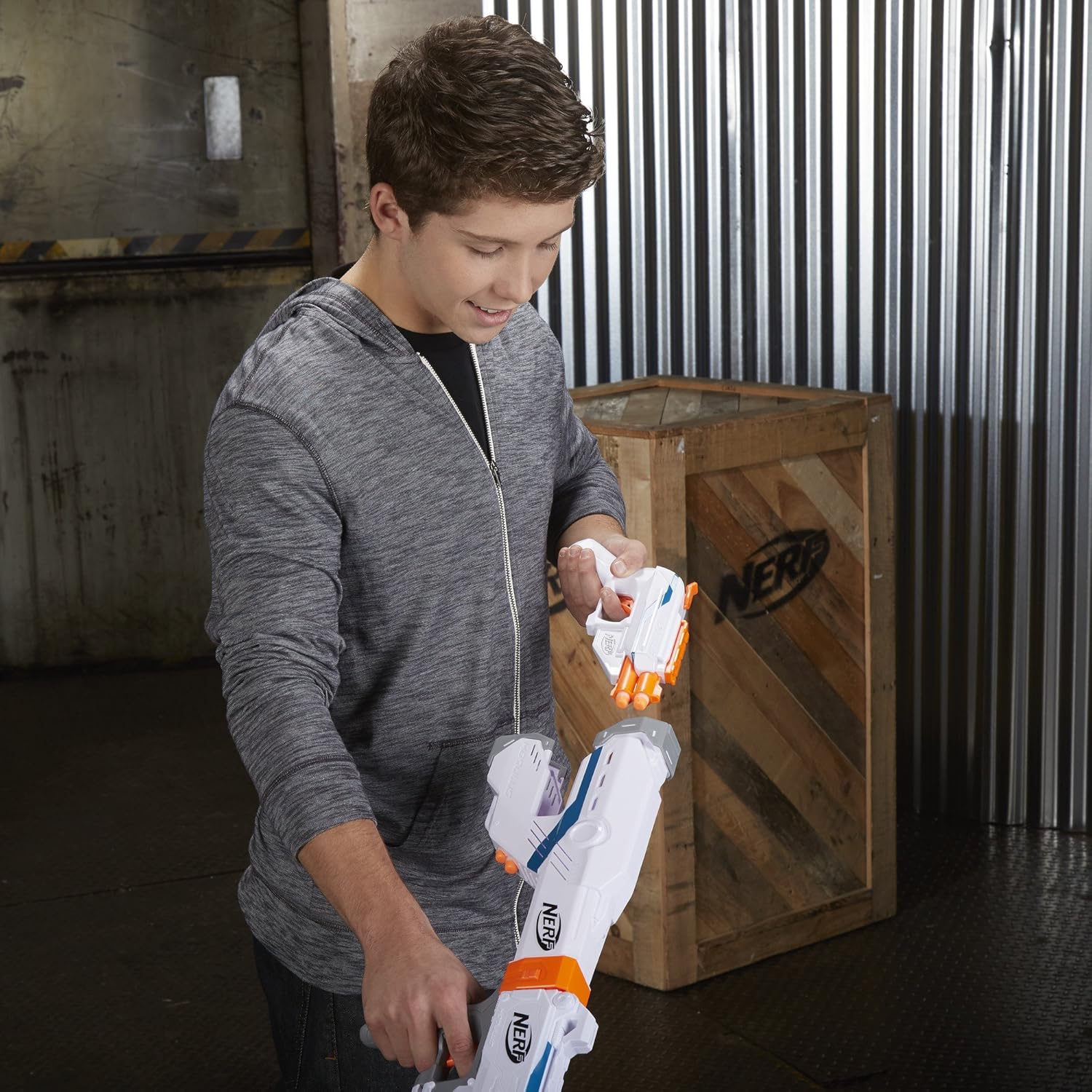
Figure 3.1: Firing the Nerf Modulus Mediator Blaster.
3.2 Slam-Fire Action
For rapid-fire action, hold down the trigger and continuously pump the priming handle back and forth. This will rapidly fire darts until the clip is empty.
Video 3.1: This video demonstrates the loading, priming, and firing mechanisms of the Nerf Modulus Mediator Blaster, including the slam-fire feature.
4. Customization Options
The Nerf Modulus Mediator Blaster is designed for customization with various Nerf Modulus accessories (sold separately). It features tactical rails and attachment points.
4.1 Attaching Modulus Accessories
- Tactical Rails: The blaster has two tactical rails on the top and bottom for attaching scopes, grips, or other rail-compatible accessories.
- Barrel Attachment Point: The front of the blaster allows for the attachment of Modulus barrel extensions.
- Stock Attachment Point: The rear of the blaster has a point for attaching Modulus stocks.

Figure 4.1: A fully customized Nerf Modulus Mediator Blaster with various attachments.

Figure 4.2: Attaching a Modulus stock to the blaster.
5. Maintenance
Regular maintenance ensures optimal performance and longevity of your blaster.
- Cleaning: Wipe the blaster with a dry cloth to remove dust and debris. Do not use water or cleaning solutions, as this may damage internal components.
- Dart Care: Use only Official Nerf Elite darts. Inspect darts for damage (tears, bends) before use. Damaged darts can affect performance and cause jams. Store darts in a clean, dry place.
6. Troubleshooting
6.1 Dart Jams
If a dart jams:
- Ensure the blaster is not primed.
- Remove the dart clip from the blaster.
- Carefully inspect the dart loading area and barrel for any lodged darts.
- Gently remove any jammed darts. Do not force them, as this can damage the blaster or darts.
- Re-insert the clip and prime the blaster. If the jam persists, repeat the steps.
7. Specifications
| Feature | Detail |
|---|---|
| Model Number | E0016F07 |
| Brand | Nerf |
| Mechanism | Pump-Action, Clip-Fed |
| Dart Type | Official Nerf Elite Darts |
| Clip Capacity | 6 Darts |
| Material | Plastic |
| Item Weight | 0.62 Kilograms |
| Item Dimensions | 2.24 x 14.25 x 8.27 inches |
| Recommended Age | 8 years and up |
8. Safety Information
- EYEWEAR RECOMMENDED: Always wear protective eyewear when using this blaster.
- Do not aim at eyes or face.
- Use only Official Nerf darts. Do not modify darts or blaster.
- Keep away from small children due to small parts and potential choking hazards.
9. Warranty and Support
This product comes with no manufacturer's warranty as per product specifications. For any product-related inquiries or support, please refer to the official Nerf website or contact their customer service department.
For additional information, visit the Nerf Store on Amazon.
