
1. Introduction
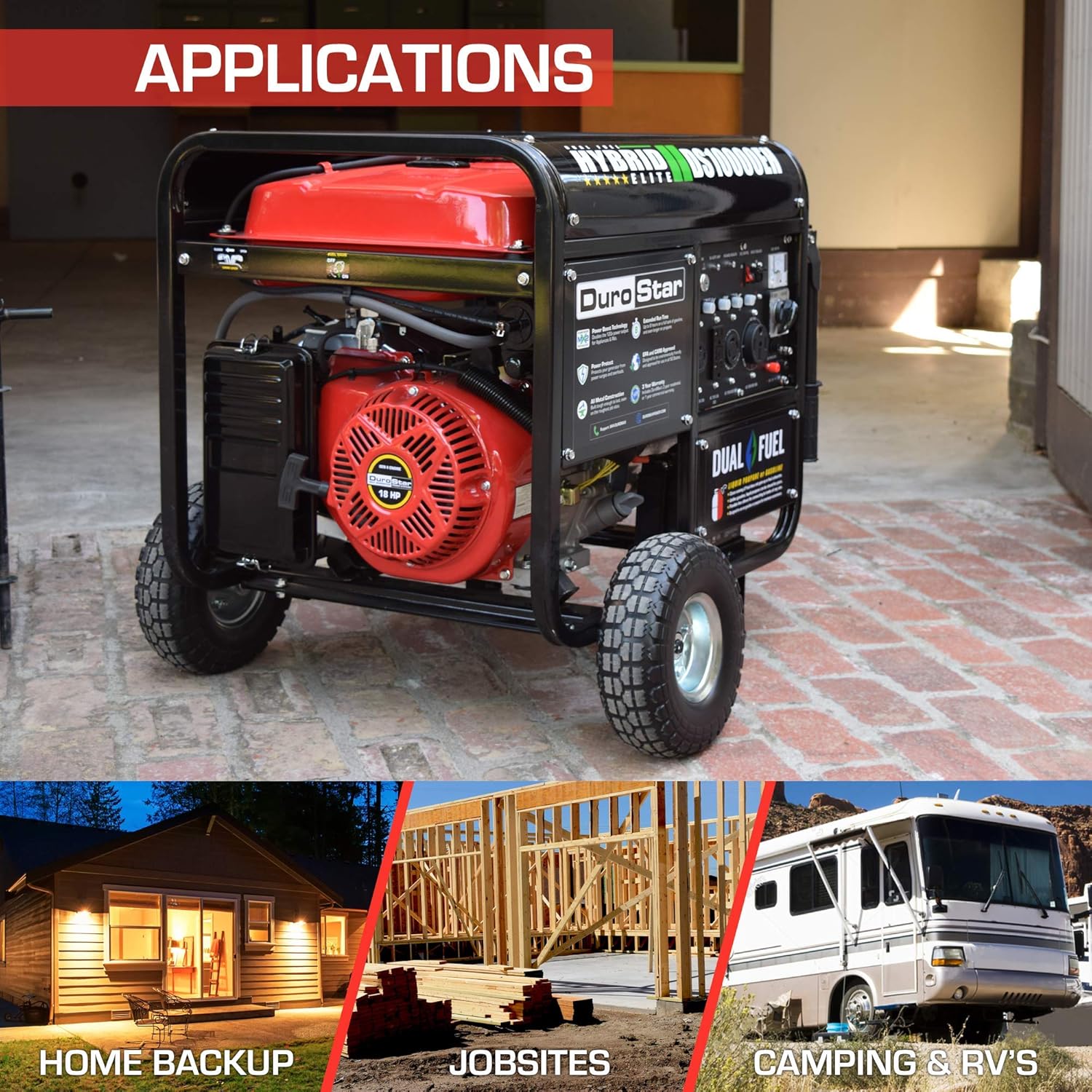
This manual provides essential information for the safe and efficient operation, maintenance, and troubleshooting of your DuroStar DS10000EH Dual Fuel Portable Generator. This unit is designed to provide reliable power using either gasoline or liquid propane, making it suitable for various applications including home backup and RV use.
The DS10000EH offers 10,000 starting watts and 8,000 running watts, powered by a robust 439cc OHV engine. It features MX2 Technology for flexible 120V and 240V output, an electric start, and a comprehensive power panel with multiple outlets.

Video 1.1: An overview of the DuroStar DS10000EH Dual Fuel Portable Generator's features and benefits.
2. Safety Guidelines
Always prioritize safety when operating the generator. Failure to follow these guidelines can result in serious injury or death.
- Carbon Monoxide Hazard: Never operate the generator indoors or in partially enclosed areas. Generators produce carbon monoxide, an odorless, colorless, and deadly gas. Operate only outdoors, far away from windows, doors, and vents.
- Fire Hazard: Gasoline and propane are highly flammable. Refuel only when the engine is off and cool. Do not smoke or use open flames near the generator or fuel. Store fuel in approved containers in a well-ventilated area.
- Electrical Shock Hazard: Do not operate the generator in wet conditions. Ensure all electrical connections are secure and properly grounded. Never connect the generator directly to your home's electrical system without a transfer switch installed by a qualified electrician.
- Hot Surfaces: The generator's engine and muffler become very hot during operation and remain hot for some time after shutdown. Avoid contact to prevent burns.
- Children and Pets: Keep children and pets away from the generator at all times.
- Personal Protective Equipment: Wear appropriate safety gear, such as gloves and eye protection, when handling the generator or performing maintenance.
3. Unpacking and Initial Setup
3.1 What's in the Box
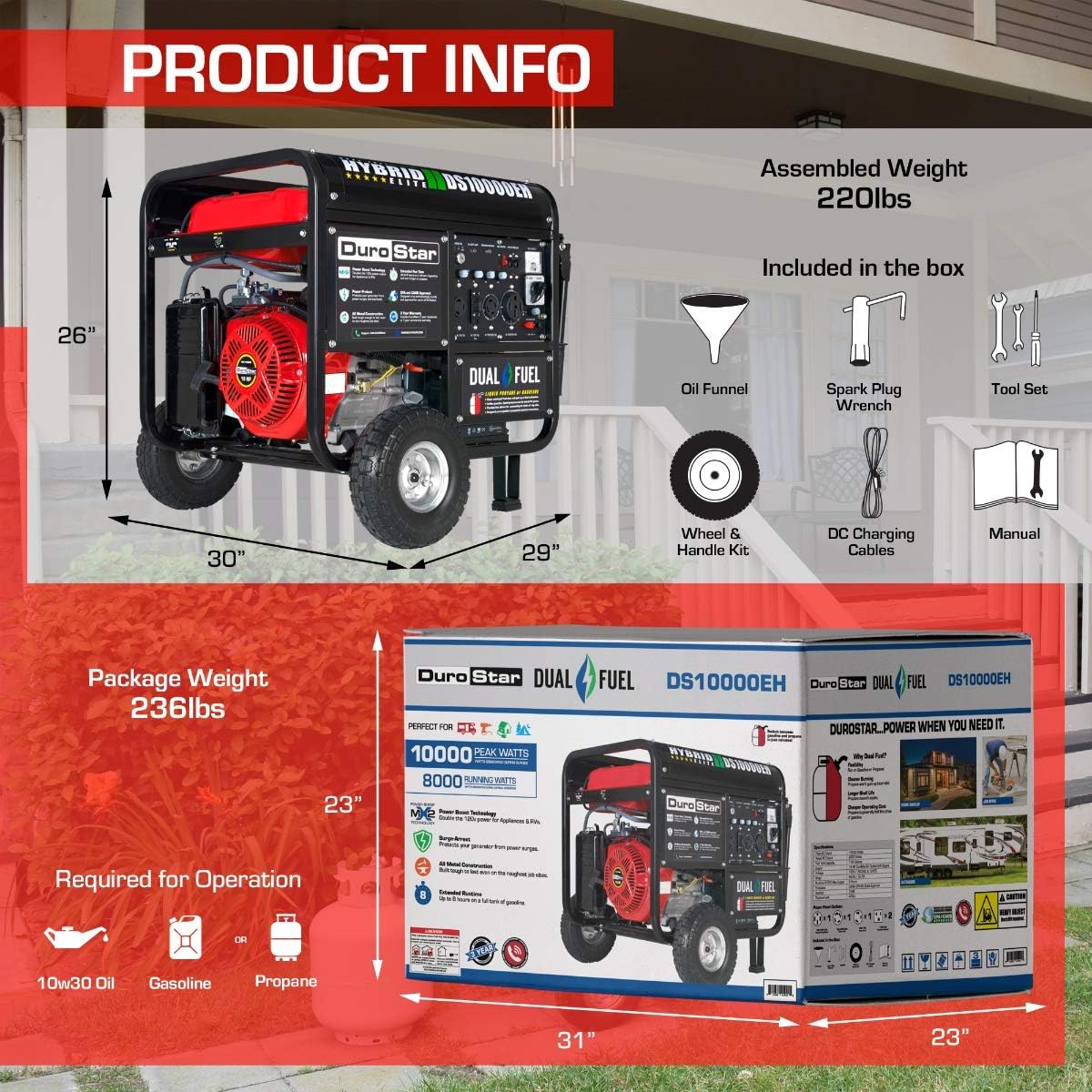
Upon receiving your DuroStar DS10000EH generator, carefully unpack all components. The package should include:
- DuroStar DS10000EH Electric Start Generator
- Wheel Kit
- Generator Tool Kit (including spark plug wrench)
- Oil Funnel
- DC Charging Cables
- DuroStar Operating Manual
3.2 Wheel and Handle Assembly
Attach the included wheel kit and handles to the generator frame. Refer to the detailed instructions in the DuroStar Operating Manual for specific steps. This will facilitate easier movement of the 238-pound unit.

3.3 Adding Engine Oil
Before first use, the engine must be filled with oil. Use 10W-30 oil. Locate the oil fill cap/dipstick, remove it, and use the provided oil funnel to add the recommended amount of oil. Do not overfill. Check the oil level regularly.
4. Fueling Instructions
The DuroStar DS10000EH is a dual fuel generator, capable of running on either gasoline or liquid propane.
4.1 Gasoline Fueling
- Ensure the generator is off and cool before adding gasoline.
- Use fresh, unleaded gasoline with an octane rating of 87 or higher.
- The fuel tank capacity is 8.3 gallons. Fill the tank slowly to prevent spills, leaving some space for expansion.
- Securely replace the fuel cap.

4.2 Propane Fueling
- Ensure the generator is off and cool.
- Connect a standard propane tank (not included) to the generator's propane inlet using a certified propane hose.
- Ensure all connections are tight to prevent leaks. Check for leaks using a soapy water solution.
- Open the valve on the propane tank slowly.

5. Operating Procedures
5.1 Control Panel Overview
Familiarize yourself with the generator's control panel before operation.
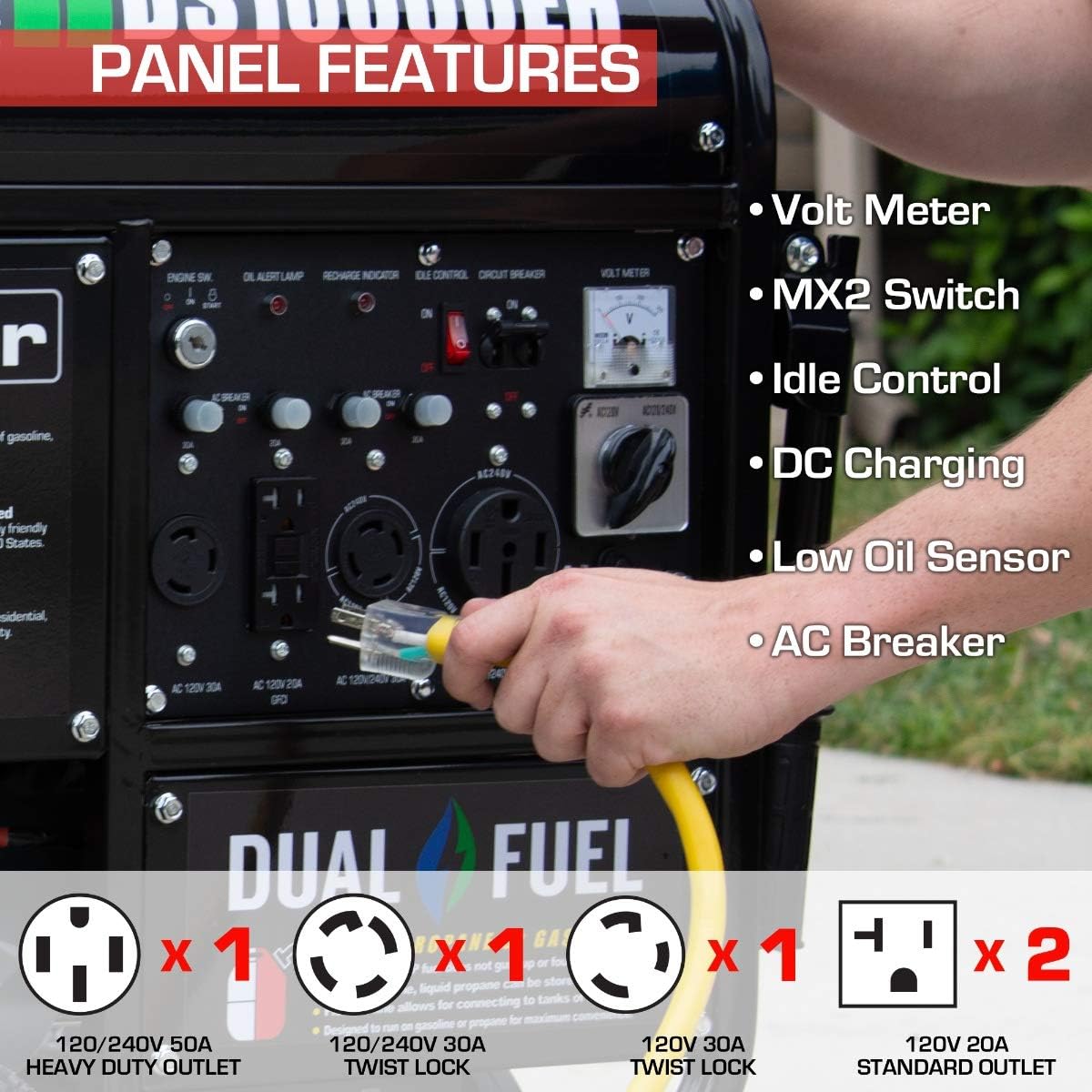
The panel includes:
- Voltmeter
- MX2 Switch (for 120V/240V selection)
- Idle Control
- DC Charging Posts
- Low Oil Sensor indicator
- AC Breakers
- Various outlets: (2) 120V household GFCI, (1) 120V 30A twist lock, (1) 240V 30A, (1) 240V 50A
5.2 Starting the Generator (Electric Start)
- Ensure the generator is on a level surface, outdoors, and away from any structures.
- Verify the engine oil level is correct.
- Select your desired fuel source (gasoline or propane) using the fuel selector switch.
- Open the fuel valve for gasoline or the propane tank valve for propane.
- Turn the engine switch to the 'ON' position.
- Press and hold the electric start button until the engine starts. If it doesn't start immediately, release the button and try again after a few seconds.
- Allow the engine to warm up for a few minutes before connecting electrical loads.
5.3 Connecting Electrical Loads
- Ensure the total wattage of connected appliances does not exceed the generator's running wattage (8,000 watts).
- Plug appliances directly into the appropriate outlets on the control panel.
- For 120V/240V operation, utilize the MX2 Technology switch as needed.
- Never overload the generator.
Video 5.1: A detailed guide on setting up and operating the DuroStar DS10000EH generator.
5.4 Shutting Down the Generator
- Disconnect all electrical loads from the generator.
- Allow the generator to run for a few minutes without load to cool down.
- Close the fuel valve (for gasoline) or the propane tank valve (for propane).
- Turn the engine switch to the 'OFF' position.
6. Maintenance
Regular maintenance is crucial for the longevity and reliable performance of your generator. Always ensure the generator is off and cool before performing any maintenance.
6.1 Engine Oil
- Check oil level before each use.
- Change oil after the first 20 hours of operation, then every 100 hours or annually.
6.2 Air Filter
- Inspect the air filter every 50 hours or monthly.
- Clean or replace the air filter as needed, especially in dusty conditions.
6.3 Spark Plug
- Inspect the spark plug every 100 hours or annually.
- Clean or replace the spark plug if it is fouled or damaged. Use the provided spark plug wrench.
6.4 Fuel System
- Drain the fuel tank and carburetor if storing the generator for more than 30 days.
- Alternatively, use a fuel stabilizer to prevent fuel degradation.
7. Troubleshooting
This section addresses common issues you might encounter with your generator.
| Problem | Possible Cause | Solution |
|---|---|---|
| Engine will not start | No fuel, low oil, spark plug issue, battery dead (for electric start) | Check fuel level, add oil, inspect/replace spark plug, charge/replace battery. |
| No power output | Circuit breaker tripped, overloaded, faulty connection | Reset circuit breakers, reduce load, check connections. |
| Engine runs rough | Stale fuel, dirty air filter, spark plug issue | Drain old fuel and add fresh, clean/replace air filter, inspect/replace spark plug. |
8. Product Specifications
Detailed technical specifications for the DuroStar DS10000EH generator.
- Brand: DuroStar
- Model Name: Dual Fuel Portable Generator - 10000 Watt - (DS10000EH)
- Starting Wattage: 10,000 Watts
- Running Wattage: 8,000 Watts
- Fuel Type: Gasoline / Propane
- Engine Type: 4 Stroke, 439cc OHV Engine
- Tank Volume: 8.3 Gallons (Gasoline)
- Voltage: 120 Volts / 240 Volts (with MX2 Technology)
- Total Power Outlets: 5 (2x 120V GFCI, 1x 120V 30A Twist Lock, 1x 240V 30A, 1x 240V 50A)
- Special Feature: Electric Start
- Item Weight: 238 Pounds
- Product Dimensions: 32"L x 25"W x 24"H
- Material: Metal
- UPC: 811640014421

9. Warranty Information
The DuroStar DS10000EH generator typically comes with a limited warranty covering defects in materials and workmanship. Please refer to the specific warranty documentation included with your product for full terms, conditions, and registration details. A 3-year warranty is generally offered for this product.
10. Customer Support
For technical assistance, parts, or warranty inquiries, please contact DuroMax customer support. Have your model number (DS10000EH) and serial number ready when contacting support.
You can often find contact information on the official DuroMax website or within the included DuroStar Operating Manual.


