Introduction
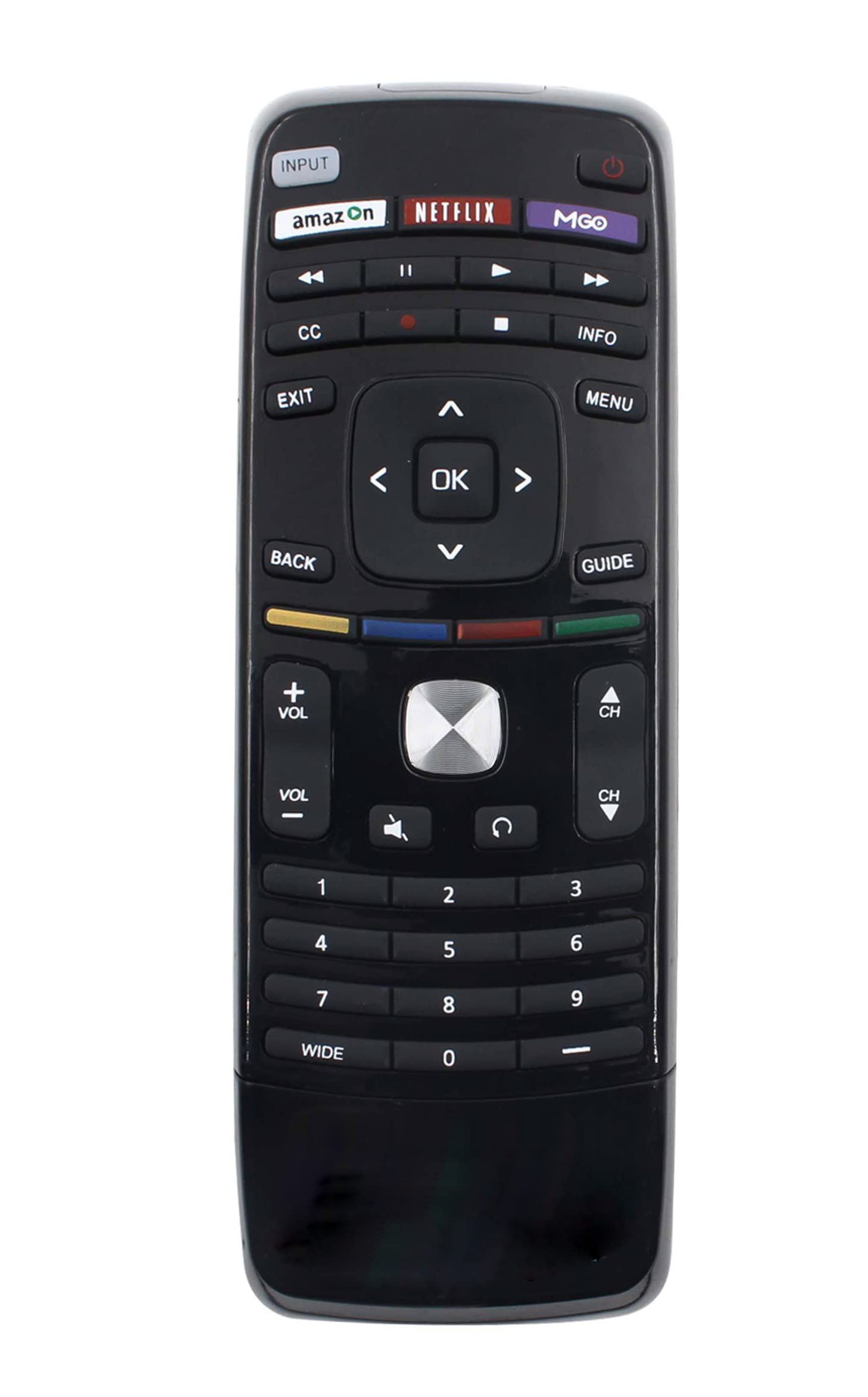
This manual provides instructions for the JustFine Replacement Remote Control, designed for seamless compatibility with various Vizio LED LCD HDTV models, including E500I-A1, E241IA1W, E550IB2, E550IB2E, E551DA0, E420IA0, E420I-B0, and E500DA0. This remote offers direct functionality for your Vizio TV, including dedicated buttons for NETFLIX and M-GO services.
Setup Instructions
Battery Installation
The JustFine Replacement Remote Control is pre-programmed and requires no additional setup or coding. Simply insert batteries to begin use.
- Locate the battery compartment cover on the back of the remote control.
- Press down on the tab and slide the cover off.
- Insert two new AAA batteries, ensuring the positive (+) and negative (-) terminals align correctly with the markings inside the compartment.
- Slide the battery cover back into place until it clicks securely.
This image displays the rear view of the remote control, highlighting the battery compartment. The cover is designed to slide off for battery insertion.
Initial Use
Once batteries are installed, the remote is ready for immediate use with your compatible Vizio TV. Point the remote directly at your television's infrared receiver.
Operating the Remote Control
The remote control provides standard functions for navigating your Vizio TV. Familiarize yourself with the button layout for optimal use.
- Power: Turns the TV on or off.
- Volume Up/Down: Adjusts the sound level.
- Channel Up/Down: Changes TV channels.
- Navigation (Arrow) Buttons: Used to move through menus and selections.
- OK/Enter: Confirms selections.
- Back/Exit: Returns to the previous screen or exits a menu.
- NETFLIX: Direct access button for the Netflix streaming service.
- M-GO: Direct access button for the M-GO streaming service (if supported by your TV model).
Care and Maintenance
To ensure the longevity and optimal performance of your remote control, follow these maintenance guidelines:
- Cleaning: Wipe the remote with a soft, dry cloth. Avoid using liquid cleaners or abrasive materials.
- Battery Replacement: Replace batteries when the remote's response becomes sluggish or stops working. Always replace both batteries at the same time with new ones of the same type (AAA).
- Storage: Store the remote in a dry place away from extreme temperatures and direct sunlight.
- Avoid Drops: Protect the remote from physical impact, as drops can damage internal components.
Troubleshooting
If you encounter issues with your remote control, refer to the following troubleshooting steps:
| Problem | Solution |
|---|---|
| Remote is not responding. |
|
| Certain buttons do not work. |
|
| Remote works intermittently. |
|
Product Specifications
| Feature | Detail |
|---|---|
| Product Dimensions | 8 x 2 x 0.5 inches |
| Item Weight | 2.72 ounces |
| Compatible Devices | Vizio LED LCD HDTVs (E500I-A1, E241IA1W, E550IB2, E550IB2E, E551DA0, E420IA0, E420I-B0, E500DA0) |
| Power Source | 2 x AAA Batteries (not included) |
| Special Feature | Ergonomic design, Pre-programmed |
| Color | Black |
Warranty and Support
This product is sold with a money-back guarantee and a 30-day quality warranty. For any issues or support inquiries, please contact the seller directly. Hassle-free returns are available within the specified period.