
Introduction
This manual provides essential information for the proper installation, operation, and maintenance of your Quantum QPCD200 1 Inch VC Die Cast Compression Driver. Please read these instructions carefully before use to ensure optimal performance and longevity of the product. The Quantum QPCD200 is designed for high-fidelity audio applications, offering precise sound reproduction.
Product Overview
The Quantum QPCD200 is a 1-inch voice coil die-cast compression driver. It is engineered to deliver clear and powerful high-frequency audio. Key features include:
- High-quality die-cast construction for durability and acoustic performance.
- Designed for precise and sophisticated sound reproduction.
- Suitable for various car audio and professional sound applications.
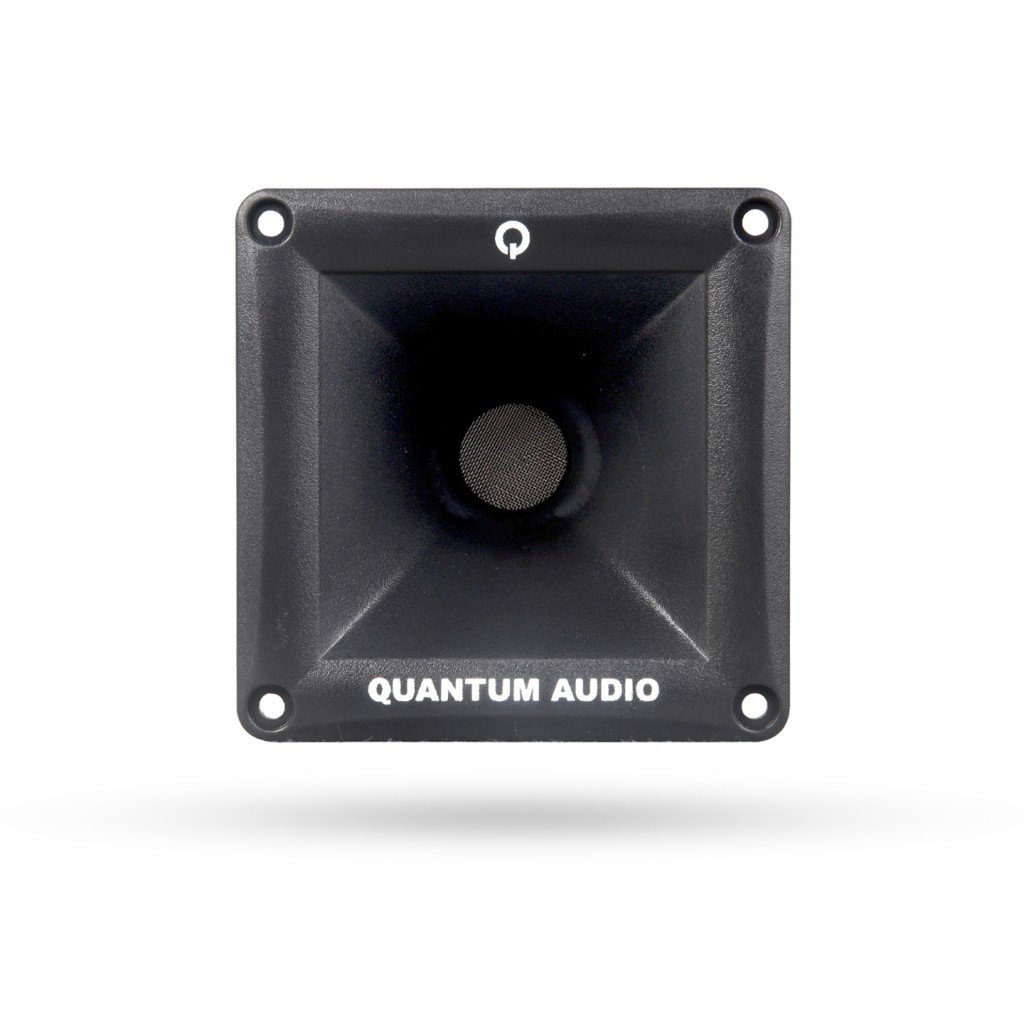
Figure 1: Front view of the Quantum QPCD200 1 Inch VC Die Cast Compression Driver. This image shows the driver's robust construction and design.
Setup and Installation
Proper installation is crucial for the performance and safety of your compression driver. It is recommended that installation be performed by a qualified professional.
- Safety First: Disconnect the vehicle's battery before beginning any electrical work to prevent short circuits or damage.
- Mounting Location: Choose a secure and appropriate mounting location that allows for proper sound dispersion and protects the driver from physical damage and moisture. Ensure there is adequate clearance behind the mounting surface.
- Wiring: Connect the positive (+) terminal of the compression driver to the positive output of your amplifier or crossover, and the negative (-) terminal to the negative output. Use appropriate gauge wiring for the power requirements. Ensure all connections are secure and insulated to prevent short circuits.
- Crossover Integration: A passive or active crossover network is essential to protect the compression driver from low frequencies and optimize its performance. Refer to your amplifier and crossover manual for proper settings. Do not connect the compression driver directly to a full-range amplifier output without a suitable crossover.
- Testing: After installation, reconnect the battery. Start with the amplifier volume at its lowest setting and gradually increase it, listening for clear sound and proper operation.
Operating Instructions
Once installed, the Quantum QPCD200 operates as part of your audio system. Follow these guidelines for optimal performance:
- Volume Control: Always adjust the volume gradually. Avoid operating the system at excessively high volumes for extended periods, as this can cause damage to the driver and other audio components.
- Equalization: Use your amplifier or head unit's equalizer settings to fine-tune the sound. Avoid extreme boosts in the high-frequency range, which can lead to distortion or damage.
- System Compatibility: Ensure that the power output of your amplifier matches the power handling capabilities of the QPCD200 to prevent underpowering or overpowering, both of which can cause damage.
Maintenance
The Quantum QPCD200 is designed for durability and requires minimal maintenance. However, following these simple steps can help ensure its longevity:
- Cleaning: Periodically wipe the exterior of the driver with a soft, dry cloth to remove dust. Do not use harsh chemicals, solvents, or abrasive cleaners.
- Inspection: Occasionally inspect the wiring connections to ensure they remain secure and free from corrosion.
- Environmental Protection: While robust, avoid exposing the driver to extreme temperatures, direct moisture, or excessive vibrations.
Troubleshooting
If you experience issues with your Quantum QPCD200, refer to the following common troubleshooting steps:
| Problem | Possible Cause | Solution |
|---|---|---|
| No sound from driver | Loose or incorrect wiring; amplifier off or in protect mode; faulty crossover setting; damaged driver. | Check all wiring connections; verify amplifier status; review crossover settings; if driver is damaged, professional repair or replacement may be needed. |
| Distorted sound | Volume too high; improper gain settings on amplifier; incorrect crossover frequency; damaged driver. | Reduce volume; adjust amplifier gain settings; verify crossover frequency is appropriate for the driver; inspect driver for physical damage. |
| Intermittent sound | Loose connections; intermittent short circuit; amplifier issues. | Check and secure all wiring connections; inspect for frayed wires or exposed conductors; consult amplifier manual for troubleshooting. |
If these steps do not resolve the issue, contact Quantum customer support or a qualified audio technician.
Specifications
The following are the technical specifications for the Quantum QPCD200 Compression Driver:
- Brand: Quantum
- Model Name: QPCD200
- Woofer Diameter: 1 Inch
- Product Weight: 2 Pounds (approximately 0.91 kg)
- Included Components: Car Speakers - Coaxials (Note: This refers to the general category, the product itself is a compression driver)
- Number of Items: 1
- Manufacturer: Quantum
- UPC/GTIN: 810219020030
Warranty and Support
Quantum products are manufactured to high-quality standards. For information regarding warranty coverage, terms, and conditions, please refer to the warranty card included with your purchase or visit the official Quantum website. For technical support, service, or replacement parts, please contact Quantum customer service through their official channels. Keep your purchase receipt as proof of purchase for warranty claims.


