1. Introduction
The Bosch GLM 42 BLAZE™ 135 Ft. Laser Measure is a compact and versatile tool designed for precise distance measurements. It features an easy-to-read backlit color display and a user-friendly interface to guide you through various measurement functions. This manual provides essential information for safe and effective use of your device.
2. Safety Information
WARNING: Read all safety warnings and all instructions. Failure to follow the warnings and instructions may result in electric shock, fire and/or serious injury.
- Laser Radiation: Do not stare into the laser beam. This is a Class 2 laser product.
- Keep the device out of reach of children.
- Do not attempt to modify or disassemble the device.
- Use only as specified in this manual.
3. Product Overview
The Bosch GLM 42 BLAZE™ is designed for ease of use and durability. It features a robust housing with soft grip areas for increased ruggedness. The backlit color display enhances visibility in various lighting conditions.

Figure 1: Front view of the Bosch GLM 42 BLAZE™ Laser Measure.

Figure 2: Key features and controls of the Bosch GLM 42 BLAZE™.
4. Setup
4.1 Battery Installation
The GLM 42 requires 2x AAA batteries (not included) for operation.
- Locate the battery compartment cover on the back of the device.
- Slide the cover open.
- Insert two AAA batteries, ensuring correct polarity (+/-) as indicated inside the compartment.
- Close the battery compartment cover securely.
5. Operating Instructions
5.1 Turning On/Off
- To turn on the device, press the red 'Measure' button.
- To turn off the device, press and hold the red 'Measure' button or the 'Clear' button.
5.2 Basic Measurement (Length)
- Turn on the device.
- Point the laser at the target surface.
- Press the red 'Measure' button once. The measurement will be displayed on the screen.
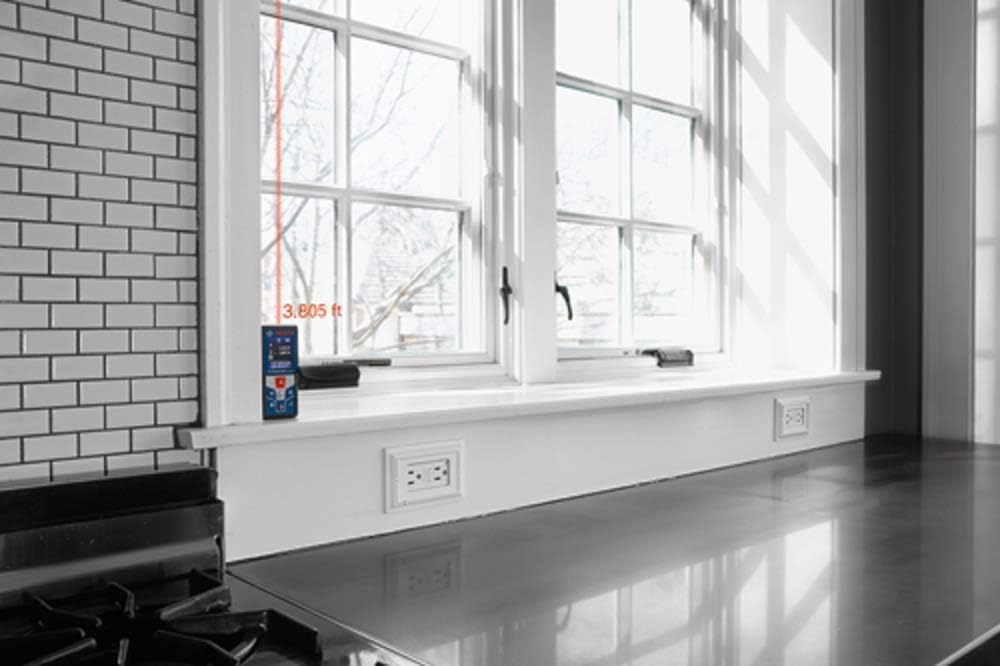
Figure 3: Taking a distance measurement with the laser dot visible on the target surface.

Figure 4: The device displaying a measurement result on its screen.
5.3 Measurement Functions
- Continuous Measurement: Activate continuous measurement mode to track distances in real-time as you move the device. This is useful for finding minimum/maximum distances or for layout tasks.
- Area Measurement: To calculate the area of a room, measure two perpendicular sides. The device will automatically calculate and display the area.
- Volume Measurement: For volume calculations, measure the length, width, and height. The device will compute the volume automatically.
- Indirect Height Measurement: Use indirect height measurement (Pythagorean theorem) to determine heights that cannot be measured directly, such as the height of a building or a wall section.
- Addition/Subtraction: The device allows you to add or subtract measurements directly. Use the '+' and '-' buttons to perform these calculations.
5.4 Advanced Features
- Measurement Storage: The GLM 42 can store up to 20 measurements for later recall.
- Units of Measurement: Switch between various units of measurement (e.g., feet, inches, meters) as needed for your project.
- Digital Bubble Vial: The integrated digital bubble vial provides a visual reference to ensure horizontal alignment during measurements.
6. Maintenance
- Cleaning: Clean the device regularly with a soft, damp cloth. Do not use harsh cleaning agents or solvents.
- Storage: Store the device in a dry, dust-free environment when not in use. Remove batteries if storing for extended periods.
7. Troubleshooting
- Device does not turn on: Check battery installation and ensure batteries are charged.
- Inaccurate measurements: Ensure the laser is pointed at a stable, non-reflective surface and that the device is held steady.
- Refer to the full manual for a comprehensive troubleshooting guide.
8. Specifications
| Feature | Specification |
|---|---|
| Product Dimensions | 30.48 x 15.24 x 10.16 cm |
| Item Model Number | GLM 42 |
| Brand | Bosch |
| Material | Plastic |
| Item Weight | 308 g |
| Water Resistance Level | Water Resistant (IP54) |
| Measuring Range | 135 feet |
| Accuracy | ±1/16 In. |
| Power Source | 2x AAA batteries (not included) |
9. Warranty and Support
For warranty information and technical support, please refer to the documentation included with your product or visit the official Bosch website. Ensure you have your product model number (GLM 42) and purchase details available when contacting support.


