
1. Introduction
This manual provides essential instructions for the safe and efficient use of your HUAWEI E5577s-324 Mobile WiFi device. Please read this manual thoroughly before operating the device and retain it for future reference.
2. Safety Information
Observe all safety precautions to ensure proper operation and to prevent damage to the device or injury. Keep the device away from water, extreme temperatures, and direct sunlight. Do not attempt to disassemble or modify the device. Use only approved accessories.
3. Package Contents
Verify that all items are present in your product package:
- HUAWEI E5577s-324 Mobile WiFi Device
- Rechargeable Battery
- USB Charging Cable
- Quick Start Guide / Warranty Card
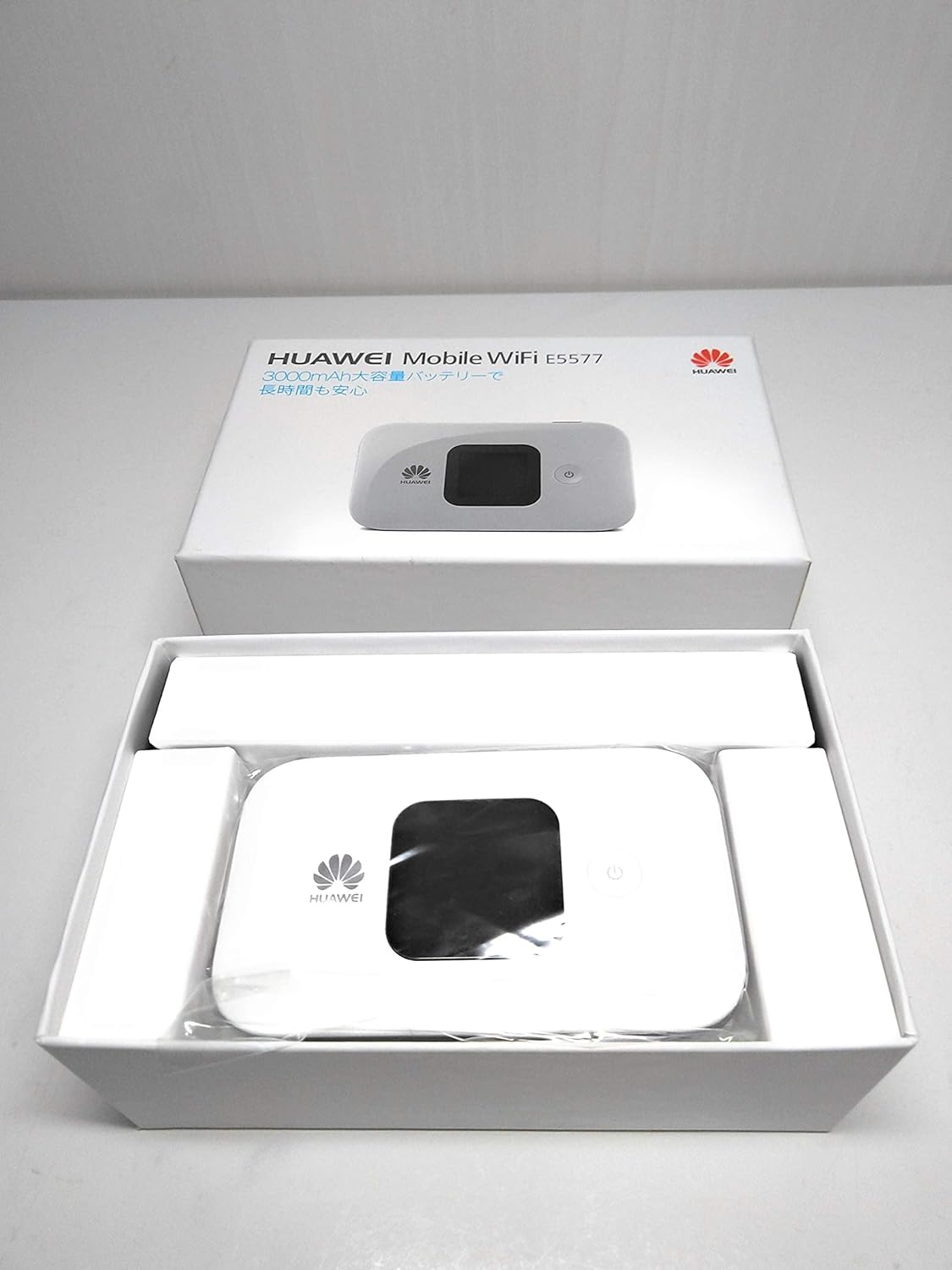

4. Device Overview
The HUAWEI E5577s-324 features a compact design with an LCD screen for status display, a power button, and a removable back cover for battery and SIM card access. Familiarize yourself with the device's physical components before proceeding with setup.
5. Setup
5.1. SIM Card Installation
- Remove the back cover of the device.
- Locate the SIM card slot.
- Insert your standard or micro SIM card into the slot with the gold contacts facing down and the notched corner aligned correctly.
- Ensure the SIM card is securely seated.
5.2. Battery Installation
- After installing the SIM card, insert the battery into its compartment, aligning the contacts.
- Replace the back cover until it clicks into place.
5.3. Powering On/Off
- To Power On: Press and hold the power button until the screen lights up.
- To Power Off: Press and hold the power button until the power-off option appears on the screen, then confirm.
6. Operating Instructions
6.1. Connecting to Wi-Fi
- Ensure your HUAWEI E5577s-324 is powered on.
- On your computer, smartphone, or tablet, search for available Wi-Fi networks.
- Select the network name (SSID) displayed on your Mobile WiFi's screen.
- Enter the Wi-Fi password (Key) also displayed on the device's screen.
- Once connected, you can access the internet.
6.2. Managing Settings
To manage advanced settings, such as changing the Wi-Fi name or password, accessing data usage statistics, or configuring network modes, open a web browser on a connected device and navigate to the device's web management interface (usually 192.168.8.1 or 192.168.1.1). Log in using the default username and password (typically 'admin' for both, or as indicated on the device label).
7. Maintenance
- Cleaning: Use a soft, dry cloth to clean the device. Avoid liquid cleaners.
- Storage: Store the device in a cool, dry place when not in use.
- Battery Care: To prolong battery life, avoid fully discharging the battery frequently. Charge the device regularly.
8. Troubleshooting
- No Network Connection:
- Ensure your SIM card is correctly inserted and active. Check if you have mobile data allowance. Try restarting the device.
- Cannot Connect to Wi-Fi:
- Verify the Wi-Fi password. Ensure the device is within range. Restart both the Mobile WiFi and the connecting device.
- Slow Internet Speed:
- Check your signal strength on the device's screen. Move to an area with better network coverage. Reduce the number of connected devices.
- Device Not Powering On:
- Ensure the battery is charged. Connect the device to a power source using the USB cable and try again.
9. Specifications
| Feature | Description |
|---|---|
| Brand | HUAWEI |
| Model | E5577s-324 |
| Connectivity Technology | Wi-Fi |
| Compatible Operating Systems | macOS (and other common OS for Wi-Fi connectivity) |
| Frequency Band Class | Triband (cellular network bands) |
| Control Method | Touch (on device), Remote (via web interface/app) |
| Package Dimensions | 15.5 x 9.9 x 6.1 cm |
| Weight | 290 g |
10. Warranty and Support
Your HUAWEI E5577s-324 Mobile WiFi device is covered by a manufacturer's warranty. Please refer to the warranty card included in your package for details regarding warranty terms and conditions. For technical support, software updates, or further assistance, please visit the official HUAWEI support website or contact their customer service.
Note: Product specifications and appearance are subject to change without prior notice.


