
1. Introduction
Thank you for choosing the PKPOWER AC DC Adapter Charger. This power supply is designed to provide reliable and efficient power to your Infocus Big Tab IF236A. This manual provides essential information for the safe and proper use of your new adapter.
2. Safety Information
Please read and understand all safety instructions before using this product. Failure to follow these instructions may result in electric shock, fire, or other hazards.
- Input Voltage: This adapter is designed for an input range of 100-240V, 50-60Hz. Ensure your power outlet matches these specifications.
- Protection Features: The adapter is equipped with OVP (Over Voltage Output Protection), OCP (Over Current Output Protection), and SCP (Short Circuit Output Protection) to safeguard your devices.
- Certifications: This product is CE, FCC, and RoHS certified, ensuring it meets high safety and environmental standards.
- Do not expose the adapter to water, rain, or excessive moisture.
- Avoid using the adapter in extremely hot or cold environments.
- Do not disassemble or modify the adapter. Refer all servicing to qualified personnel.
- Keep out of reach of children.
- Unplug the adapter from the power outlet when not in use for extended periods.
3. Package Contents
Verify that all items are present in your package:
- 1 x PKPOWER AC DC Adapter Unit
- 1 x AC Power Cord
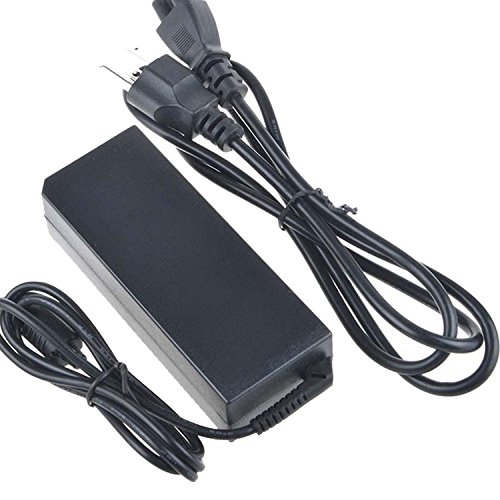
Image 1: The PKPOWER AC DC Adapter unit with its accompanying power cord.

Image 2: Another view of the PKPOWER AC DC Adapter and power cord, showing the connection points.
4. Setup
Follow these steps to set up your AC DC adapter:
- Connect the AC power cord firmly into the input port of the PKPOWER AC DC Adapter unit.
- Connect the output plug of the adapter (the smaller connector) into the power input port of your Infocus Big Tab IF236A.
- Plug the other end of the AC power cord into a standard wall electrical outlet (100-240V).
Ensure all connections are secure before proceeding.
5. Operating Instructions
Once properly connected, the adapter will begin supplying power to your Infocus Big Tab IF236A. If your device is off, it may power on or begin charging its internal battery. If your device is on, it will operate using the adapter's power and charge its battery if needed.
- Always ensure the adapter is connected to a compatible device to avoid damage.
- Disconnect the adapter from the wall outlet and your device when not in use.
6. Maintenance
Proper maintenance ensures the longevity and safe operation of your adapter:
- Cleaning: Use a soft, dry cloth to clean the adapter. Do not use liquid cleaners or aerosols.
- Storage: Store the adapter in a cool, dry place away from direct sunlight and extreme temperatures.
- Cable Care: Avoid bending or crimping the power cords excessively. Do not place heavy objects on the cables.
- Regularly inspect the adapter and cables for any signs of damage, such as frayed wires or cracked casings. Discontinue use if damage is found.
7. Troubleshooting
If you encounter issues with your adapter, refer to the following common problems and solutions:
- No Power to Device:
- Ensure the AC power cord is securely plugged into both the adapter and the wall outlet.
- Verify that the adapter's output plug is fully inserted into your Infocus Big Tab IF236A.
- Test the wall outlet with another device to confirm it is functional.
- Check for any visible damage to the adapter or cables.
- Device Not Charging:
- Confirm that the adapter is the correct model for your Infocus Big Tab IF236A.
- Ensure the device's charging port is clean and free of debris.
- If the device has a removable battery, ensure it is properly seated.
If the problem persists after trying these steps, please contact customer support.
8. Specifications
| Feature | Specification |
|---|---|
| Input Voltage | 100-240V AC, 50-60Hz |
| Certifications | CE, FCC, RoHS |
| Protection Features | OVP, OCP, SCP |
| Connector Type | Auxiliary |
| Color | Black |
| Manufacturer | PKPOWER |
| Compatible Devices | Infocus Big Tab IF236A (and other compatible devices) |
9. Warranty and Support
PKPOWER products are designed for reliability and performance. For any questions, concerns, or technical assistance, our friendly and reliable customer service team is available to respond to you within 24 hours.
Please refer to your purchase documentation for specific warranty details.