Introduction
Welcome to your WONDER BIBLE KJV Audio Player. This device provides the complete Old and New Testaments of the King James Version of the Bible in an audio format, along with 10 meditation music tracks. This manual will guide you through the setup, operation, and maintenance of your audio player, ensuring you can fully utilize its features.
Package Contents
Please verify that all items are present in your package:
- (1) WONDER BIBLE KJV Audio Player
- (1) USB Charging Cable
- (1) Instruction Manual (this document)

Image displays the WONDER BIBLE KJV Audio Player alongside its retail box, highlighting the device and its accessories.
Product Overview
The WONDER BIBLE KJV Audio Player is designed for ease of use. Familiarize yourself with its controls and features:

This image shows the front of the WONDER BIBLE KJV Audio Player, featuring a speaker grille, a digital display, a numeric keypad (0-9), and control buttons for menu (M), previous track, next track, play/pause, and power. A yellow cross design is prominent on the speaker grille.
Controls
- Numeric Keypad (0-9): Used to select specific books or chapters.
- M (Menu) Button: Accesses different modes or menus (e.g., Old Testament, New Testament, Meditation Music).
- Previous Track Button: Navigates to the previous chapter or track.
- Next Track Button: Navigates to the next chapter or track.
- Play/Pause Button: Starts or pauses audio playback.
- Power Button: Turns the device on or off.
- Volume Control: Located on the side of the device. Press '+' to increase volume, '-' to decrease volume.
- Earphone Jack: For private listening with standard 3.5mm earphones.
- USB Charging Port: For connecting the charging cable.
Setup
Charging the Device
Before first use, fully charge your WONDER BIBLE KJV Audio Player to ensure optimal battery performance.
- Connect the small end of the included USB charging cable to the USB charging port on the device.
- Connect the larger end of the USB charging cable to a compatible USB power adapter (not included) or a computer's USB port.
- The charging indicator light will illuminate. A full charge typically takes several hours.
- Once fully charged, the indicator light may change or turn off. Disconnect the device from the charging cable.
A fully charged battery provides up to 10 hours of continuous playback.
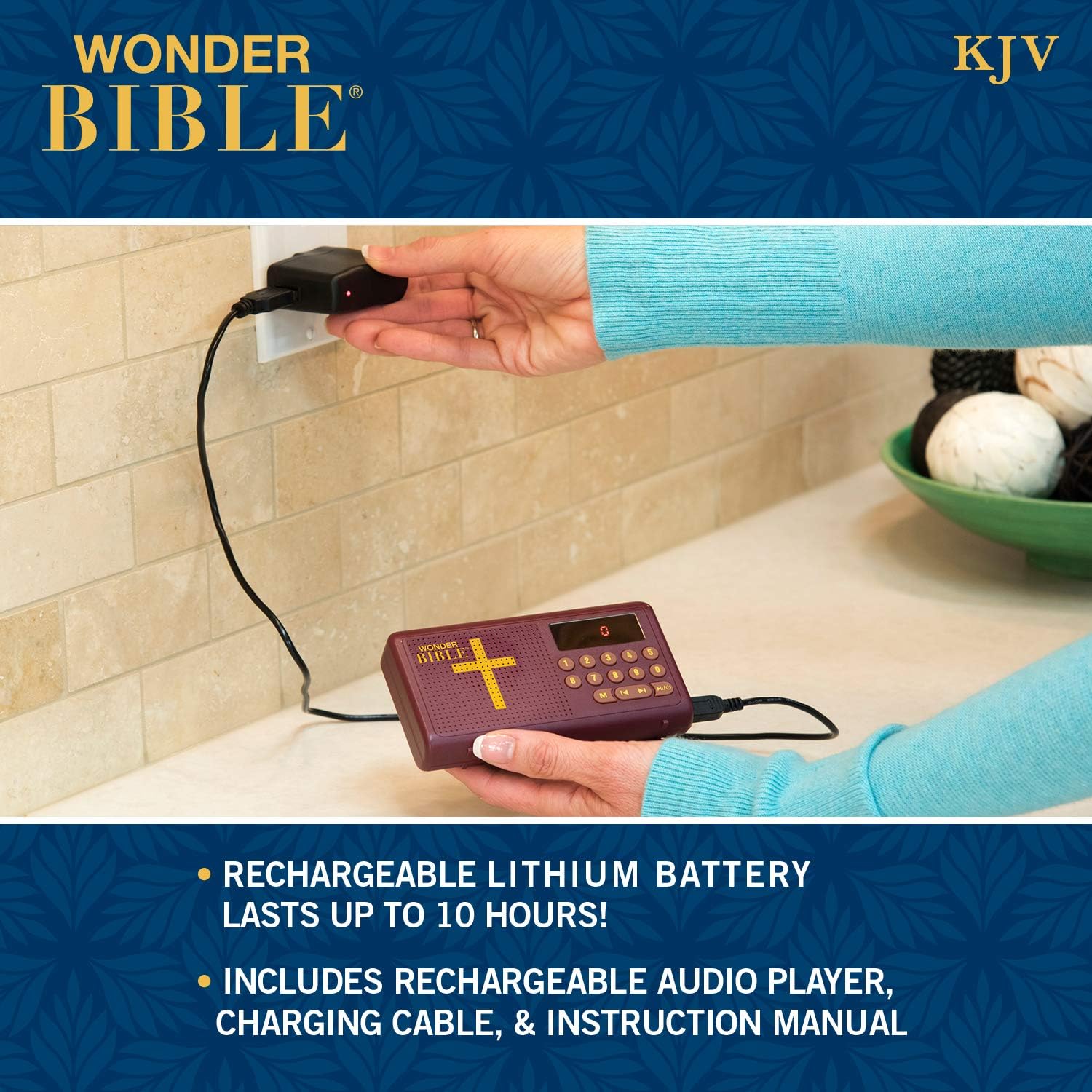
This image shows the WONDER BIBLE KJV Audio Player being charged. A USB cable connects the device to a wall adapter plugged into an electrical outlet.
Operating Instructions
Powering On/Off
To power on the device, press and hold the Power button until the screen illuminates. To power off, press and hold the Power button again until the screen turns off.
Navigating the Bible
The WONDER BIBLE KJV Audio Player allows easy navigation through the Old and New Testaments.
- Press the M (Menu) button to switch between Old Testament, New Testament, and Meditation Music modes. The current mode will be displayed on the screen.
- Once in the desired Testament mode, use the Numeric Keypad (0-9) to enter the number corresponding to the book you wish to hear. For example, to listen to Genesis (Book 1 of the Old Testament), press '1'.
- After selecting a book, you can use the Previous Track and Next Track buttons to navigate between chapters within that book.
- Press the Play/Pause button to start or pause playback.

The top image illustrates a user holding the WONDER BIBLE KJV Audio Player, demonstrating its portability and ease of handling. The bottom image shows the device resting in a car's console, indicating its suitability for listening while traveling.
Pause and Resume
To pause playback, press the Play/Pause button. To resume from where you left off, press the Play/Pause button again. The device is designed to remember your last listening position.
Adjusting Volume
Locate the volume control buttons on the side of the device. Press the '+' button to increase volume and the '-' button to decrease volume.
Listening to Meditation Music
To access the 10 meditation music tracks, press the M (Menu) button until you enter the Meditation Music mode. Use the Previous Track and Next Track buttons to select a track, then press Play/Pause to begin listening.

The top image shows a woman listening to the WONDER BIBLE KJV Audio Player while relaxing in bed. The bottom image depicts a child listening to the device on a couch, illustrating its suitability for various users and settings.
Maintenance
Cleaning
To clean your WONDER BIBLE KJV Audio Player, gently wipe the surface with a soft, dry, lint-free cloth. Do not use liquid cleaners, aerosols, or solvents, as these may damage the device.
Storage
Store the device in a cool, dry place away from direct sunlight and extreme temperatures. Avoid storing it in environments with high humidity or dust.
Troubleshooting
Device Does Not Power On
- Ensure the battery is fully charged. Connect the device to the USB charging cable and allow it to charge for at least 30 minutes before attempting to power it on again.
- Verify that the USB charging cable is securely connected to both the device and the power source.
No Audio Output
- Check the volume level. Increase the volume using the volume control buttons.
- If using earphones, ensure they are properly plugged into the earphone jack. Test with another pair of earphones if available.
- Ensure the device is not paused. Press the Play/Pause button.
Cannot Navigate Chapters/Books
- Ensure you are in the correct Testament mode (Old or New Testament) by pressing the M (Menu) button.
- Verify that you are entering valid book or chapter numbers using the numeric keypad. Refer to the included book list for correct numbering.
Specifications
| Feature | Detail |
|---|---|
| Model Number | WB011124 |
| Dimensions | 4.92 x 2.76 x 0.91 inches |
| Item Weight | 8.5 ounces |
| Battery Type | Lithium Metal (included) |
| Battery Life | Up to 10 hours |
| Memory Storage Capacity | 16 GB |
| Connectivity Technology | USB |
| Special Feature | Built-In Speaker |
| Screen Size | 1 Inches |
| Included Components | (1) Wonder Bible KJV Audio Player, (1) USB Charging Cable |
Warranty Information
For information regarding the product warranty, please refer to the documentation included with your purchase or contact WONDER BIBLE customer support directly. Warranty terms and conditions may vary.
Customer Support
If you require further assistance or have questions not covered in this manual, please visit the official WONDER BIBLE store or contact their customer service department for support.


