1. Product Overview
This document provides essential information for the installation, usage, and maintenance of your Hobart Dishwasher Dish Pin. This durable component is designed to ensure proper dish placement and washing efficiency within compatible Hobart dishwasher models.
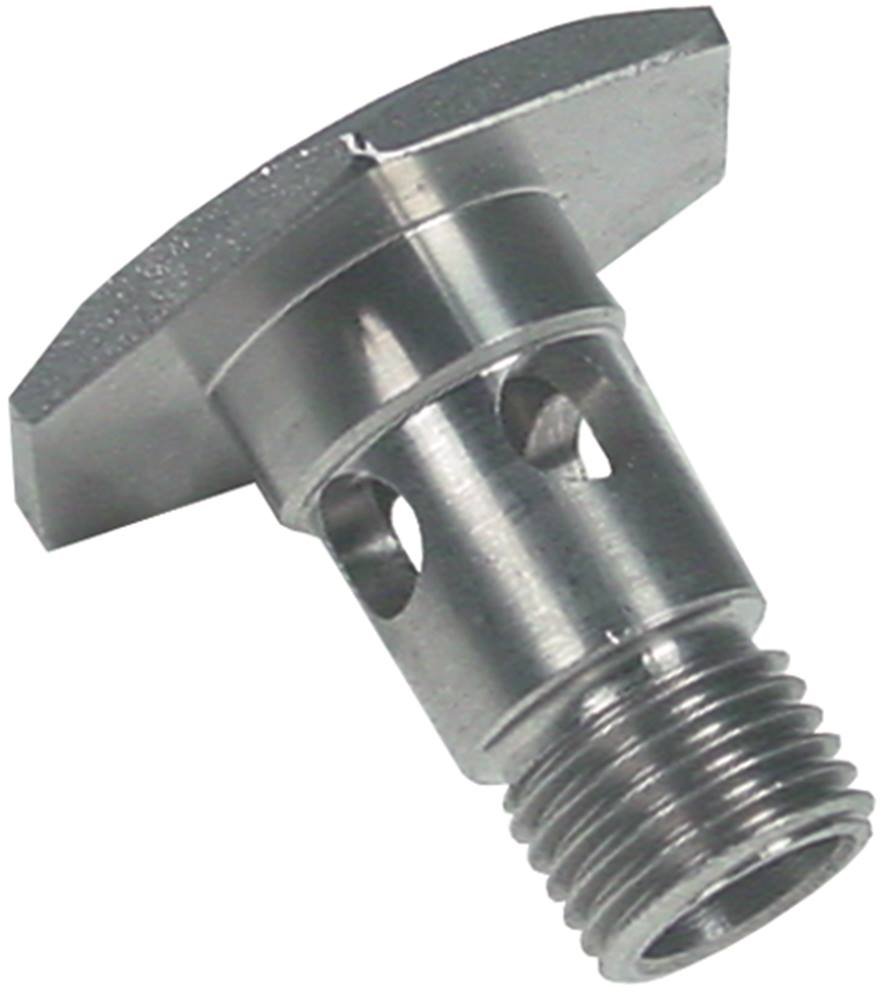
Image 1: Hobart Dishwasher Dish Pin. This image displays the robust construction of the dish pin, designed for secure dish placement in Hobart dishwashers.
2. Compatible Models
This dish pin is compatible with a range of Hobart dishwasher models, including:
- FX Series: FX15, FX30, FX40
- GX Series: GX60
- AMX Series
- AUXXT Series
- HX-ES Series
- HX-S Series
- AMX-ER Series
Always verify compatibility with your specific dishwasher model before installation.
3. Installation
The Hobart Dishwasher Dish Pin is designed for straightforward installation. Follow these general guidelines:
- Safety First: Ensure the dishwasher is turned off and disconnected from the power supply before attempting any installation or replacement.
- Locate Placement: Identify the designated slot or area within the dishwasher rack where the dish pin is to be installed or replaced.
- Insert Pin: Gently push the dish pin into its designated opening until it is securely seated. Ensure it is firm and does not wobble.
- Verify Security: Lightly tug on the installed pin to confirm it is properly locked in place and will not dislodge during operation.
- Power On: Once installation is complete, reconnect the dishwasher to the power supply and turn it on.
Note: For specific dishwasher models, consult your appliance's main instruction manual for detailed rack component installation diagrams.
4. Usage and Function
The primary function of the Hobart Dishwasher Dish Pin is to securely hold dishes, plates, and other kitchenware in an upright position within the dishwasher rack. This ensures optimal water spray coverage and efficient cleaning during the wash cycle.
- Proper Loading: Place dishes between the pins, ensuring they are stable and do not obstruct spray arms.
- Maximize Space: Utilize the pins to organize dishes efficiently, allowing for maximum loading capacity without compromising wash quality.
- Avoid Overloading: Do not force too many dishes onto the pins, as this can lead to poor cleaning results and potential damage to dishes or the dishwasher.
5. Maintenance
Regular maintenance of your dish pins helps prolong their lifespan and ensures continued optimal performance of your dishwasher.
- Regular Cleaning: Periodically inspect the dish pins for food debris or mineral buildup. Clean them with a soft brush and mild detergent if necessary.
- Check for Damage: Inspect pins for any signs of wear, bending, or breakage. Damaged pins should be replaced to prevent improper dish loading or potential damage to the dishwasher rack.
- Avoid Harsh Chemicals: Do not use abrasive cleaners or harsh chemicals on the dish pins, as this may degrade the material.
6. Troubleshooting
If you encounter issues related to the dish pins, consider the following:
- Dishes Not Secure: Ensure the dish pin is correctly installed and fully seated in its slot. If the pin is worn or damaged, replace it.
- Pin Appears Loose: Re-seat the pin firmly. If it continues to be loose, inspect the slot for damage or wear. A new pin might be required if the old one is no longer fitting snugly.
- Difficulty Inserting Pin: Check for any obstructions in the slot. Ensure you are using the correct type of dish pin for your dishwasher model.
For persistent issues or problems not related to the dish pin itself, refer to your main dishwasher appliance manual or contact Hobart customer support.
7. Specifications
| Manufacturer | Hobart |
| Manufacturer Reference | 4251391359567 |
| ASIN | B07569K3LW |
| Product Type | Dishwasher Dish Pin (Replacement Part) |
| Compatibility | Hobart FX, GX, AMX, AUXXT, HX-ES, HX-S, AMX-ER Series Dishwashers |
8. Warranty and Support
Specific warranty information for this individual replacement part is not provided in the product details. Please refer to your original Hobart dishwasher appliance documentation for warranty details pertaining to replacement parts, or contact Hobart customer service directly for assistance.
For technical support or inquiries, please contact your Hobart service provider or visit the official Hobart website.


