Introduction
The Syslux Holiday Projector Light is designed to provide dynamic and festive lighting for various occasions. Featuring 16 interchangeable slides, this projector is suitable for both indoor and outdoor use, offering a versatile solution for holiday and event decoration. Its robust construction ensures durability and performance in diverse weather conditions.
Safety Information
- Ensure the power supply is disconnected before installation or maintenance.
- Do not look directly into the light source to avoid eye damage.
- Keep the projector away from open flames or excessive heat sources.
- Ensure all connections are secure and waterproof caps are properly sealed for outdoor use.
- Do not attempt to disassemble or modify the projector, as this will void the warranty and may cause damage.
Package Contents
Verify that all items are present in the package:
- Holiday Projector Light unit
- Power adapter
- RF Remote Control
- Ground stake
- Flat base
- 16 interchangeable slides (e.g., Christmas, Halloween, Thanksgiving, Easter, Valentine's Day, Birthday, Snowflakes, Maple Leaf, Butterfly, etc.)
- Mounting screws

Image: Contents of the Syslux Holiday Projector Light package, showing the projector unit, remote control, power adapter, ground stake, flat base, and a selection of the 16 included slides.
Setup
1. Choosing an Installation Mode
The projector offers two primary installation methods:
- Ground Stake: For outdoor use, attach the ground stake to the projector and firmly insert it into the soil.
- Flat Base: For indoor use or mounting on a flat surface, attach the flat base. It can be placed on the ground or fixed to a wall or ceiling using screws.
2. Power Connection
Connect the power adapter to the projector and then plug it into a standard electrical outlet. The 26ft power cable allows for flexible placement.
3. Inserting Slides
To change the projection pattern, carefully open the slide compartment, insert the desired slide, and close the compartment securely. Ensure the slide is oriented correctly for proper projection.
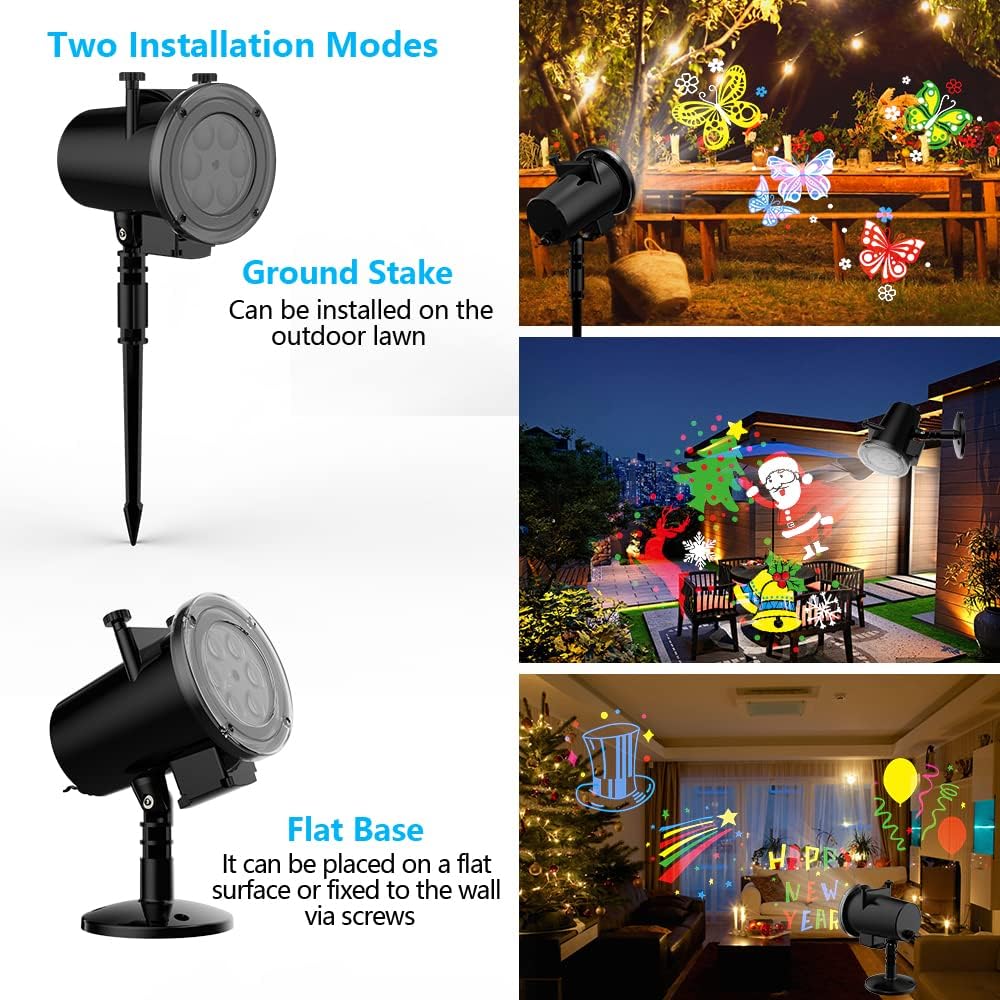
Image: The projector demonstrating its two installation modes: a ground stake for lawn placement and a flat base for surface or wall mounting.
Operating Instructions
1. Remote Control Functions
Use the RF remote control to manage the projector's settings. The remote has a range of up to 50ft.
- On/Off: Power the projector on or off.
- Speed Adjustment: Control the moving speed of the projected patterns.
- Flashing Speed: Adjust the flashing rate of the patterns.
- Breathe Mode: Activate a gentle breathing effect for the lights.
- Timer Setting: Set the projector to automatically turn off after 2, 4, or 6 hours.
2. Projection Distance and Coverage
For optimal brightness and visibility, place the projector 12 to 16 feet from the projection surface. The projector features a 270-degree adjustable head to direct the light as needed.
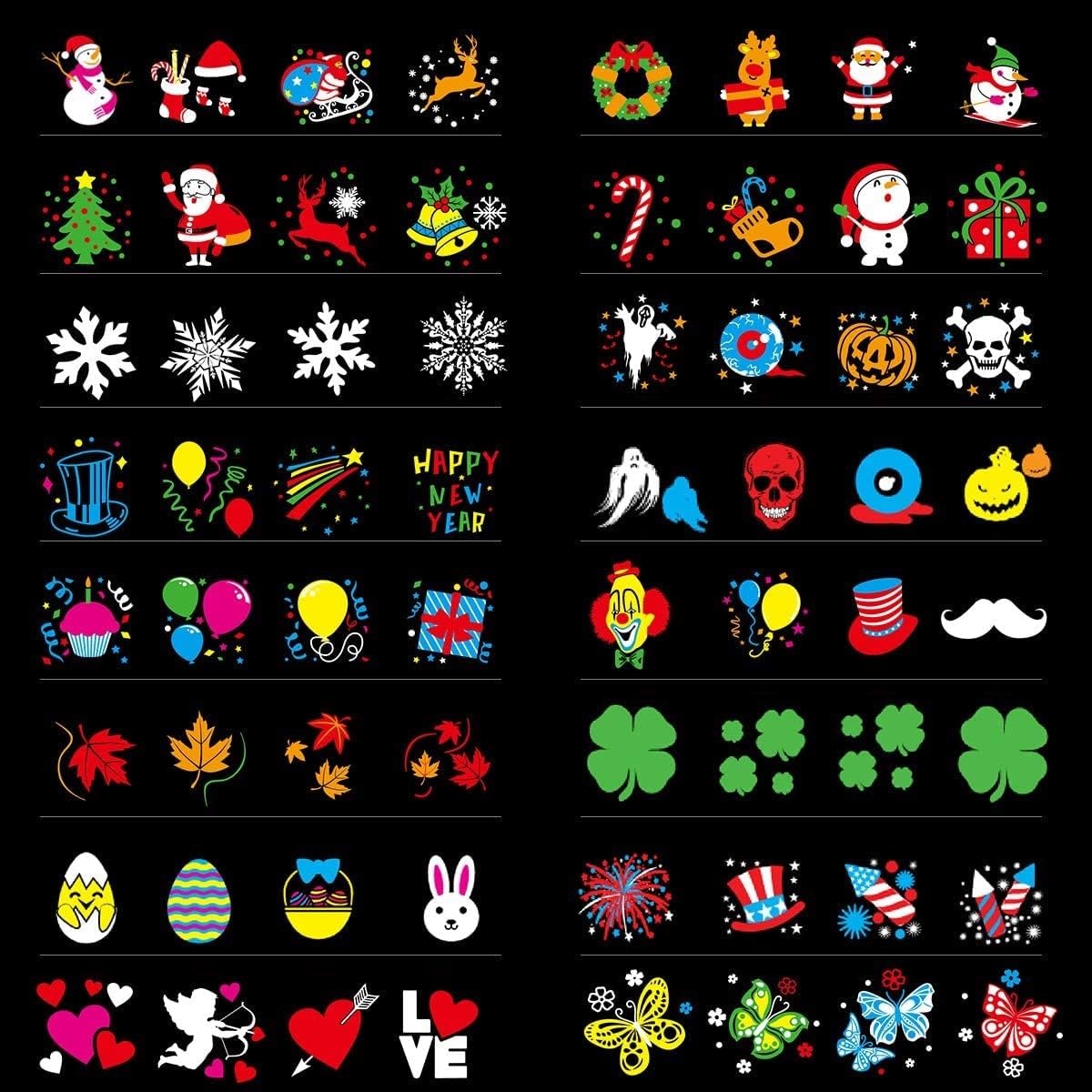
Image: A visual representation of the 16 distinct slides included with the projector, showcasing patterns for Christmas, Halloween, Easter, Thanksgiving, and other celebrations.
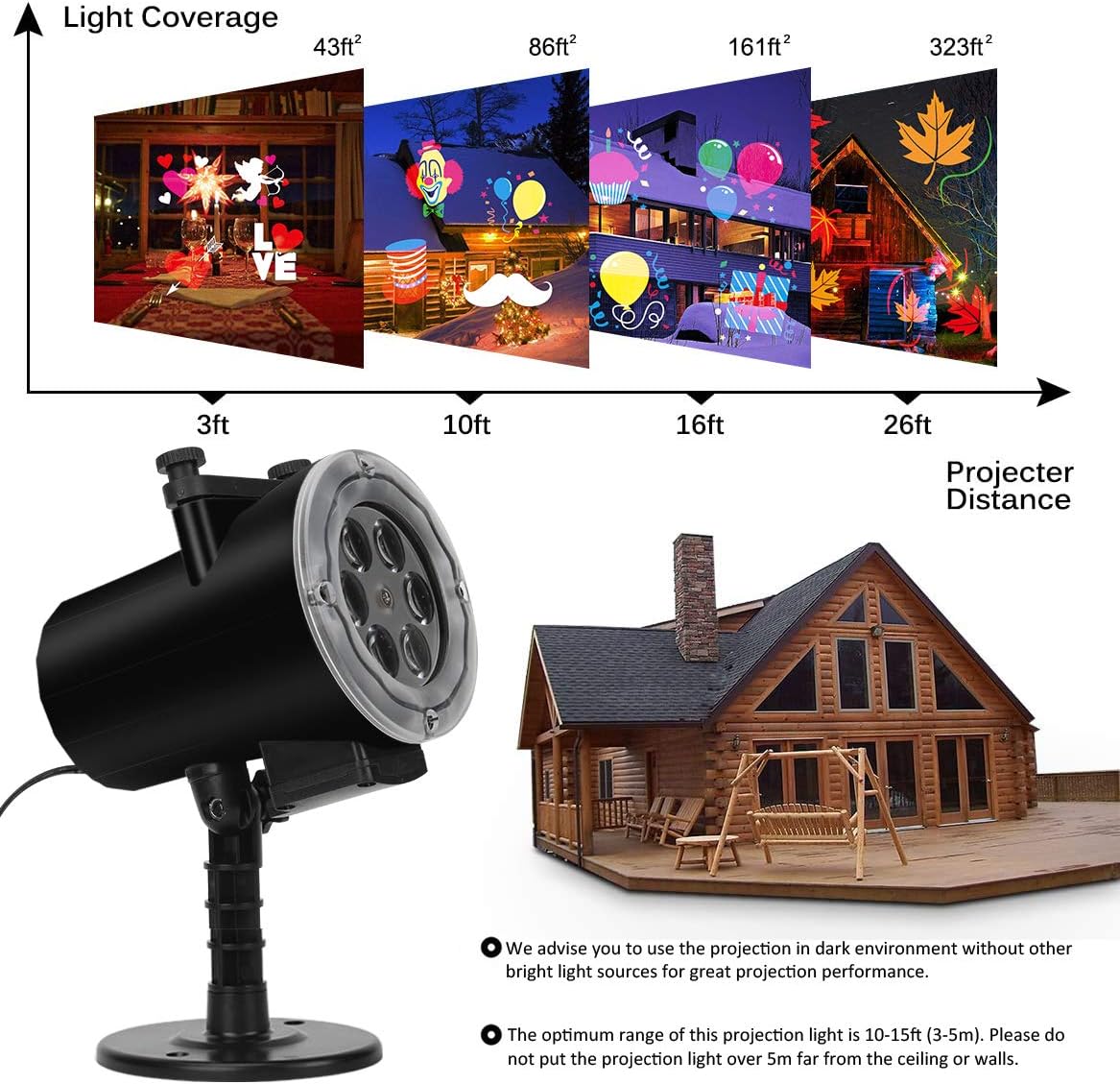
Image: A diagram illustrating the light coverage area at various projection distances, from 3ft to 26ft, with corresponding square footage.
Video: An official product video demonstrating the Syslux Holiday Projector Light in action, showcasing various holiday patterns projected outdoors and indoors, along with speed and flashing effects.
Video: An official product video highlighting the LED Projector Lights, demonstrating its waterproof capabilities and various projection modes for different holidays.
Maintenance
1. Cleaning
To maintain optimal performance, periodically clean the projector lens and housing with a soft, dry cloth. Avoid using abrasive cleaners or solvents.
2. Storage
When not in use, especially for extended periods or between seasons, store the projector in its original packaging in a dry place that is not exposed to extreme temperatures (too hot or too cold) or dampness. Remove slides and store them separately in a protective bag to prevent damage or fading.

Image: The projector shown in outdoor conditions, emphasizing its IP65 waterproof rating and suitability for operating temperatures between -4°F to 122°F.
Troubleshooting
- Projector Not Turning On: Ensure the power adapter is securely connected to both the projector and a working electrical outlet. Check if the remote control batteries need replacement.
- Images Not Moving/Spinning: If the projected images are static, check the remote control settings to ensure the motion or speed function is activated.
- Faded/Distorted Colors: Prolonged exposure to harsh outdoor elements can cause slides to fade. Store slides properly when not in use.
- Water Inside Projector: Although rated IP65 waterproof, ensure all seals and caps are properly secured, especially in heavy rain or snow. If water ingress occurs, discontinue use immediately and allow the unit to dry completely before attempting to use it again.
- Remote Control Not Responding: Replace the remote control batteries. Ensure there are no obstructions between the remote and the projector.
Specifications
| Feature | Specification |
|---|---|
| Brand | Syslux |
| Model | B07568C6DP |
| Material | Plastic |
| Light Source Type | LED (Light Emitting Diode) |
| Wattage | 9 Watts (Light Source), 10 Watts (Total) |
| Voltage | 120 Volts |
| Power Source | DC |
| Waterproof Rating | IP65 |
| Operating Temperature | -4°F to 122°F (-20°C to 50°C) |
| Dimensions (L x W x H) | 8.85" x 3.93" x 6.7" |
| Item Weight | 1.48 pounds |
| Mounting Type | Ground Mount, Wall Mount, Ceiling Mount, Base Mount |
| Number of Slides | 16 |
Warranty and Support
For warranty information or technical support, please refer to the contact details provided with your purchase or visit the official Syslux website. Keep your purchase receipt as proof of purchase.