
1. Introduction
This manual provides essential instructions for the safe and effective use of your PK Power AC DC Adapter. This adapter is designed to provide reliable power to compatible Fujifilm cameras, specifically the FINEPIX DX10 and AC-FV10D models. Please read this manual thoroughly before use and retain it for future reference.
2. Safety Information
Your PK Power AC DC Adapter is equipped with multiple safety features to protect your devices and ensure safe operation. Adhere to the following guidelines:
- OVP (Over Voltage Output Protection): Prevents damage to your device from excessive voltage.
- OCP (Over Current Output Protection): Protects against damage from excessive current flow.
- SCP (Short Circuit Output Protection): Safeguards against short circuits.
- Use the adapter indoors only. Do not expose it to rain, moisture, or extreme temperatures.
- Keep the adapter away from heat sources, direct sunlight, and flammable materials.
- Do not attempt to open, modify, or repair the adapter. Refer servicing to qualified personnel.
- Ensure the adapter is unplugged from the wall outlet when not in use or during electrical storms.
- Keep out of reach of children.
3. Package Contents
- 1 x PK Power AC DC Adapter
4. Setup Instructions
Follow these steps to set up your AC DC Adapter:
- Locate the power input port on your compatible Fujifilm FINEPIX DX10 or AC-FV10D camera.
- Connect the small output plug of the PK Power AC DC Adapter securely into the camera's power input port.
- Plug the adapter's AC input prongs into a standard wall electrical outlet. The adapter supports input voltages from 100-240V AC at 50/60Hz.
- Ensure all connections are firm and secure before powering on your device.
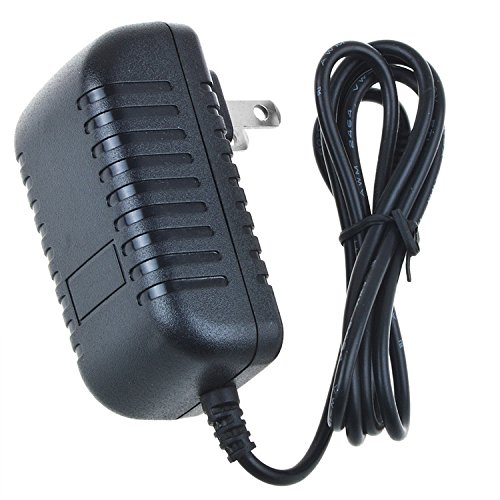
Image 1: PK Power AC DC Adapter showing the 2-pin US plug and the coiled output cable.
5. Operating Instructions
Once the adapter is correctly connected to both the wall outlet and your compatible device, it will automatically begin supplying power. No further operational steps are required for the adapter itself. Your device should now be powered or charging, depending on its design.

Image 2: PK Power AC DC Adapter, illustrating the robust connection point of the cable to the adapter unit.
6. Compatibility
This AC DC Adapter is specifically designed for and compatible with the following camera models:
- Fujifilm FINEPIX DX10
- Fujifilm AC-FV10D
- Other Fuji Photo Film FinePix cameras requiring similar power specifications (please verify your device's power requirements).
7. Specifications
| Feature | Detail |
|---|---|
| Brand | PKPOWER |
| Input Voltage | 100-240V AC, 50-60Hz |
| Connector Type | Auxiliary |
| Main Power Connector Type | 2 Pin (US Standard) |
| Compatible Devices | Fujifilm FINEPIX DX10, AC-FV10D |
| Color | Black |
| Special Feature | Travel |
| Specification Met | CE, RoHS |
| Power Source | Corded Electric |
| Mounting Type | Wall Mount |
| Manufacturer | PKPOWER |
| UPC | 716833242677 |
| ASIN | B0753TLH5Q |
8. Maintenance
To ensure the longevity and proper functioning of your adapter, follow these maintenance tips:
- Keep the adapter clean and dry. Use a soft, dry cloth to wipe off any dust or dirt.
- Avoid dropping the adapter or subjecting it to strong impacts.
- Store the adapter in a cool, dry place when not in use.
- Do not wrap the cable too tightly around the adapter, as this can damage the internal wires.
9. Troubleshooting
If you encounter issues with your adapter, refer to the following common troubleshooting steps:
- Device not powering on:
- Ensure the adapter is securely plugged into both the wall outlet and your device.
- Verify that the wall outlet is functional by testing it with another appliance.
- Confirm that your device is listed as compatible with this adapter.
- Adapter feels warm:
- It is normal for the adapter to feel slightly warm during operation. If it becomes excessively hot, disconnect it immediately and contact customer support.
- Intermittent power:
- Check all connections for looseness.
- Inspect the cable for any visible damage. If damaged, discontinue use and replace the adapter.
10. Warranty and Support
Warranty: This PK Power AC DC Adapter comes with a 1-year manufacturer warranty from the date of purchase. This warranty covers defects in materials and workmanship under normal use.
Customer Support: For any questions, technical assistance, or warranty claims, please contact PK-Power customer service. Our friendly and reliable customer service team aims to respond to your inquiries within 24 hours.