
Reebok RVJF-10101BK
Reebok Jet 100 Series Bike User Manual
Model: RVJF-10101BK
Introduction
The Reebok Jet 100 Series Bike is designed to provide an effective and versatile fitness experience in the comfort of your home. Featuring a 5.75-inch LCD console, this bike offers 32 levels of electronic resistance and 12 pre-set workout programs to challenge your cardiovascular fitness. This manual provides essential information for the safe and efficient use, assembly, operation, and maintenance of your exercise bike.

Figure 1: The Reebok Jet 100 Series Bike, showcasing its compact design and console.
Key Features
- 9 kg Flywheel: Provides a smooth and consistent pedaling motion.
- 32 Electronic Resistance Levels: Allows for precise control over workout intensity.
- 5.75" LCD Display: Clear display for tracking workout metrics.
- 12 Pre-Set Workouts + 3 Target Programs: Offers a variety of training options.
- HRC, Recovery & User Defined Function: Advanced features for personalized training.
- Vertical & Horizontal Seat Adjustment: Ensures a comfortable and ergonomic riding position.
- Comfort Saddle: Designed for extended workout comfort.
- Built-in Transport Wheels: Facilitates easy movement and storage.
- Integrated Hand Pulse Sensors: For convenient heart rate monitoring during exercise.
Setup and Assembly
Before assembly, ensure all parts are present and undamaged. It is recommended to assemble the bike in the area where it will be used due to its weight. Two people may be required for certain assembly steps.
Assembly Steps:
- Unpack Components: Carefully remove all parts from the packaging and lay them out.
- Attach Stabilizers: Secure the front and rear stabilizer bars to the main frame using the provided bolts and washers.
- Install Pedals: Attach the left and right pedals to their respective crank arms. Note that the left pedal is reverse-threaded.
- Mount Seat Post and Saddle: Insert the seat post into the frame and secure it. Attach the saddle to the seat post.
- Assemble Handlebar Post and Handlebars: Connect the handlebar post to the main frame. Attach the handlebars to the handlebar post.
- Connect Console Cables: Carefully connect the console cables from the main frame to the console.
- Mount Console: Secure the console to the handlebar post.
- Final Checks: Ensure all bolts are tightened and the bike is stable before first use.

Figure 2: Overview of the Reebok Jet 100 Series Bike, illustrating its main components for assembly.
Operating Instructions
Familiarize yourself with the console and its functions before beginning your workout.
Console Overview:

Figure 3: Close-up view of the 5.75-inch LCD console, showing various display metrics and control buttons.
The console displays key workout data such as Speed, Time, Distance, Calories, and Pulse. It features buttons for FULL RESET, RECOVERY, DOWN, MODE, UP, RESET, and START/STOP.
Starting a Workout:
- Power On: The console will activate when you begin pedaling or press any button.
- Select Program: Use the UP/DOWN buttons to navigate through the 12 pre-set programs (P1-P12) or select a target program (Time, Distance, Calories). Press MODE to confirm your selection.
- Adjust Resistance: Use the UP/DOWN buttons to increase or decrease the electronic resistance level (1-32) during your workout.
- Start/Stop: Press the START/STOP button to begin or pause your workout.
- Heart Rate Monitoring: Grip the integrated hand pulse sensors on the handlebars to display your heart rate on the console.

Figure 4: A user interacting with the console of the Reebok Jet 100 Series Bike, demonstrating ease of use.

Figure 5: Close-up of the integrated hand pulse sensors on the handlebars, used for heart rate monitoring.
Adjustments
Proper adjustment of the bike ensures comfort, safety, and workout effectiveness.
Seat Adjustment:
The seat can be adjusted both vertically and horizontally to accommodate various user heights and preferences. Loosen the adjustment knob, slide the seat to the desired position, and then firmly tighten the knob to secure it.

Figure 6: Detailed view of the seat adjustment mechanism, highlighting the knob for vertical and horizontal positioning.

Figure 7: A user demonstrating the process of adjusting the seat height and position on the exercise bike.
Pedal Straps:
Adjust the pedal straps to ensure your feet are securely positioned on the pedals. This prevents your feet from slipping during intense workouts and maintains proper pedaling form.
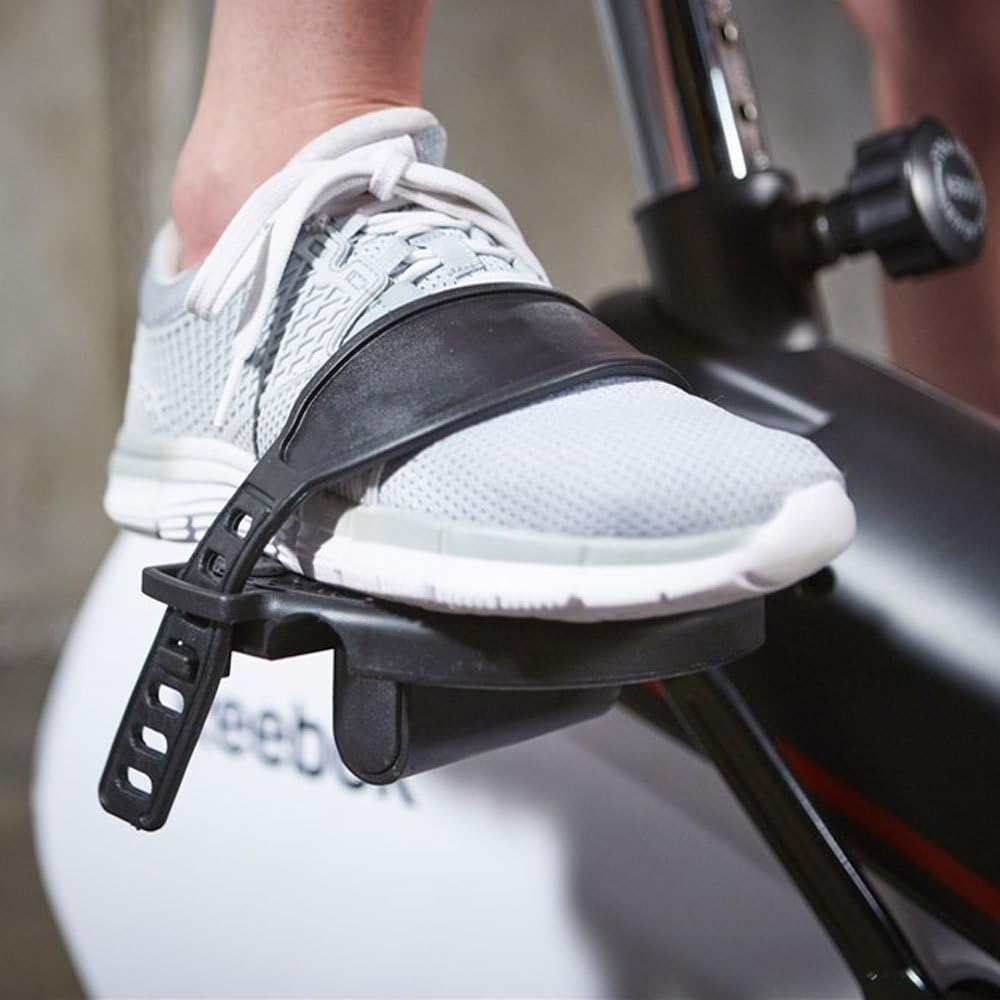
Figure 8: Close-up of the pedal and adjustable strap, designed to secure the user's foot during exercise.
Maintenance
Regular maintenance will prolong the life of your Reebok Jet 100 Series Bike and ensure safe operation.
- Cleaning: Wipe down the bike with a damp cloth after each use to remove sweat and dust. Avoid abrasive cleaners.
- Check Connections: Periodically check all bolts and nuts to ensure they are securely tightened. Loose connections can affect performance and safety.
- Lubrication: The internal mechanisms are generally maintenance-free. Refer to specific instructions if any squeaking or unusual noises occur.
- Storage: Store the bike in a dry, cool place away from direct sunlight and extreme temperatures. Use the built-in transport wheels to move the bike easily.
Troubleshooting
This section addresses common issues you might encounter with your exercise bike.
- No Display on Console: Ensure all console cables are securely connected. Check if the console batteries (if applicable) need replacement.
- Inconsistent Resistance: Verify that the resistance cable is properly connected and not obstructed. If the issue persists, contact customer support.
- Unusual Noises: Check all bolted connections for tightness. Lubricate any moving parts that appear to be causing friction, if accessible and recommended by the manufacturer.
- Heart Rate Monitor Not Working: Ensure your hands are firmly gripping both pulse sensors. Skin contact must be consistent.
Specifications
| Feature | Specification |
|---|---|
| Product Dimensions | 102 x 51 x 134 cm |
| Item Weight | 31.8 kg |
| Item Model Number | RVJF-10101BK |
| Colour | Black |
| Display Type | LCD |
| Drive System | Belt |
| Material | Metal |
| Number Of Programs | 19 (including pre-set and target programs) |
| Power Source | Pedal-powered (non-electric) |
| Special Features | Distance Traveled Monitor, Heart Rate Monitor |
| Resistance Mechanism | Electronic |
| Maximum Height | 95 Centimeters (approximate seat height) |
Safety Information
Please read and understand all safety precautions before using the Reebok Jet 100 Series Bike.
- Consult a physician before starting any new exercise program.
- Always wear appropriate exercise attire and footwear.
- Ensure the bike is placed on a level surface with adequate clear space around it.
- Keep children and pets away from the bike during operation.
- Do not exceed the maximum user weight limit (if specified).
- Stop exercising immediately if you feel faint, dizzy, or experience pain.
- Perform regular maintenance checks as outlined in this manual.
Warranty and Support
For information regarding the product warranty, please refer to the warranty card included with your purchase or visit the official Reebok fitness equipment website. For technical support, spare parts, or any other inquiries, please contact Reebok customer service through their official channels. Keep your purchase receipt as proof of purchase for warranty claims.
Related documentsRVJF-10101BK


Ask a question about this manual
Ask about setup, troubleshooting, compatibility, parts, safety, or missing instructions. Manuals+ will review the question and use this page’s manual context to help answer it.