1. Introduction
This manual provides detailed instructions for the safe and effective use of your Braun IRT6500US ThermoScan 5 Ear Thermometer. This device utilizes professional technology to ensure accurate temperature measurements, offering a fast, gentle, and easy-to-use experience for infants, children, and adults.
The ear canal is an optimal site for temperature measurement due to its close proximity to the eardrum, which shares the blood supply of the brain's temperature control center. This allows for a more accurate reflection of the body's core temperature.
2. Important Safety Information
- Always read the instructions carefully before use.
- Do not allow children to take their own temperatures.
- Do not use the thermometer for purposes other than measuring human body temperature.
- Consult your physician if you observe symptoms such as unexplained irritability, vomiting, diarrhea, dehydration, changes in appetite or activity, or seizure, even in the absence of fever.
- Do not drop the thermometer or expose it to heavy shocks.
- Keep the thermometer and its components out of reach of children.
- Statements regarding dietary supplements have not been evaluated by the FDA and are not intended to diagnose, treat, cure, or prevent any disease or health condition.
3. Product Overview
The Braun IRT6500US ThermoScan 5 Ear Thermometer is designed for precise and comfortable temperature readings. Key features include:
- Professional Technology: Ensures accuracy with every measurement.
- Pre-warmed Tip Technology: Minimizes the cooling effect of the tip inside the ear canal, providing consistent accuracy.
- Unique Positioning System: Uses a light and beep to confirm proper positioning in the ear.
- Memory Function: Recalls the last temperature reading for easy tracking.
- Disposable Lens Filters: Essential for maintaining accuracy and hygiene.
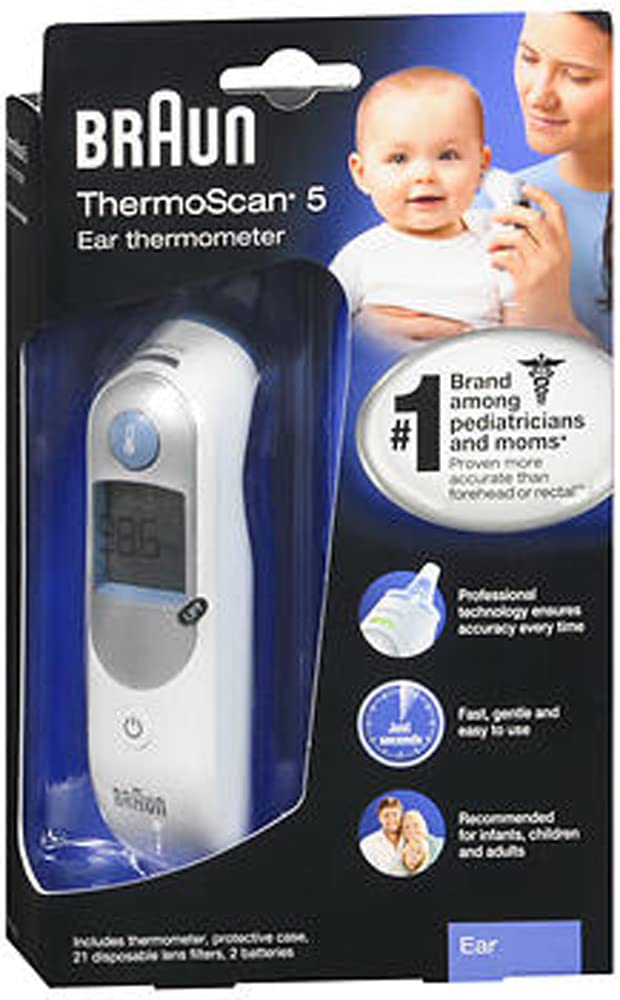
Image 1: Braun IRT6500US ThermoScan 5 Ear Thermometer with its protective case and a pack of disposable lens filters.
4. Setup
4.1. Battery Installation
Your Braun ThermoScan 5 thermometer comes with 2 AA alkaline batteries included. To install or replace batteries:
- Open the battery compartment cover located at the bottom of the thermometer.
- Insert the 2 AA batteries, ensuring correct polarity (+ and -).
- Close the battery compartment cover securely.
4.2. Attaching a New Lens Filter
Always attach a new, clean disposable lens filter before each measurement to ensure accuracy and hygiene.
- Remove the thermometer from its protective case.
- Press the ejector button to remove any used lens filter.
- Place the thermometer probe into a new lens filter from the box.
- Push until it clicks into place.
5. Operating Instructions
5.1. Taking a Temperature Measurement
- Ensure a new, clean lens filter is attached to the thermometer probe.
- Press the 'On' button. The display will show the last temperature reading.
- Gently insert the probe snugly into the ear canal.
- Wait for the unique positioning system to confirm proper placement with a light and a beep.
- Press and release the 'Measure' button.
- A long beep indicates the measurement is complete. The temperature will be displayed.
- Remove the thermometer from the ear.
- Press the ejector button to remove and discard the used lens filter.
5.2. Memory Function
The thermometer automatically stores the last temperature reading. To recall it, simply turn on the thermometer, and the previous reading will be displayed briefly before it's ready for a new measurement.
6. Maintenance and Cleaning
6.1. Replacing Lens Filters
Always replace disposable lens filters after each use to maintain accuracy and hygiene. Replacement lens filters are available for purchase separately.
6.2. Cleaning the Thermometer
The thermometer itself can be cleaned by wiping it with a soft, dry cloth. Do not immerse the thermometer in water or any other liquid. For the probe tip, use an alcohol swab or cotton swab moistened with alcohol to gently wipe the surface. Allow it to dry completely before use.
7. Troubleshooting
- Inaccurate Readings: Ensure a new, clean lens filter is properly attached. Check for proper positioning in the ear canal. Avoid taking measurements immediately after bathing or exercising.
- No Display/Low Battery Indicator: Replace the 2 AA alkaline batteries. Ensure batteries are inserted with correct polarity.
- Error Message: Refer to the specific error code in the full manual (if available) or contact customer support. Often, an error can be resolved by turning the device off and on again, or by replacing the lens filter.
- Missing Components: If your product did not include expected items like batteries or ear filters, please contact the retailer or manufacturer directly.
8. Specifications
- Model: IRT6500US
- Power Source: 2 AA Alkaline Batteries (included)
- Product Dimensions: 12 x 12 x 6 inches; 14.39 ounces
- Reusability: Reusable (with disposable lens filters)
- Additional Features: High Accuracy
- Product Care Instructions: Wipe Clean
9. Warranty and Support
For warranty information, product registration, or customer support, please refer to the documentation included in your product packaging or visit the official Braun website. Keep your purchase receipt as proof of purchase for warranty claims.


