
1. Introduction
This manual provides detailed instructions for the safe and efficient installation, operation, and maintenance of the Zoeller M212 Builder Series 1/2 HP Sewage Pump. This robust pump is designed for handling sewage and effluent, featuring a reliable integrated vertical switch, a durable cast iron motor housing, and an engineered plastic base. Adhering to these instructions will ensure optimal performance and longevity of your pump.
Key features of the Zoeller M212 pump include:
- Reliable integrated vertical switch for automatic operation.
- Performance up to 19.5 feet Total Dynamic Head (TDH).
- Engineered plastic base for stability and corrosion resistance.
- Corrosion-resistant, powder-coated epoxy paint finish.
- Rugged cast iron motor housing for durability.
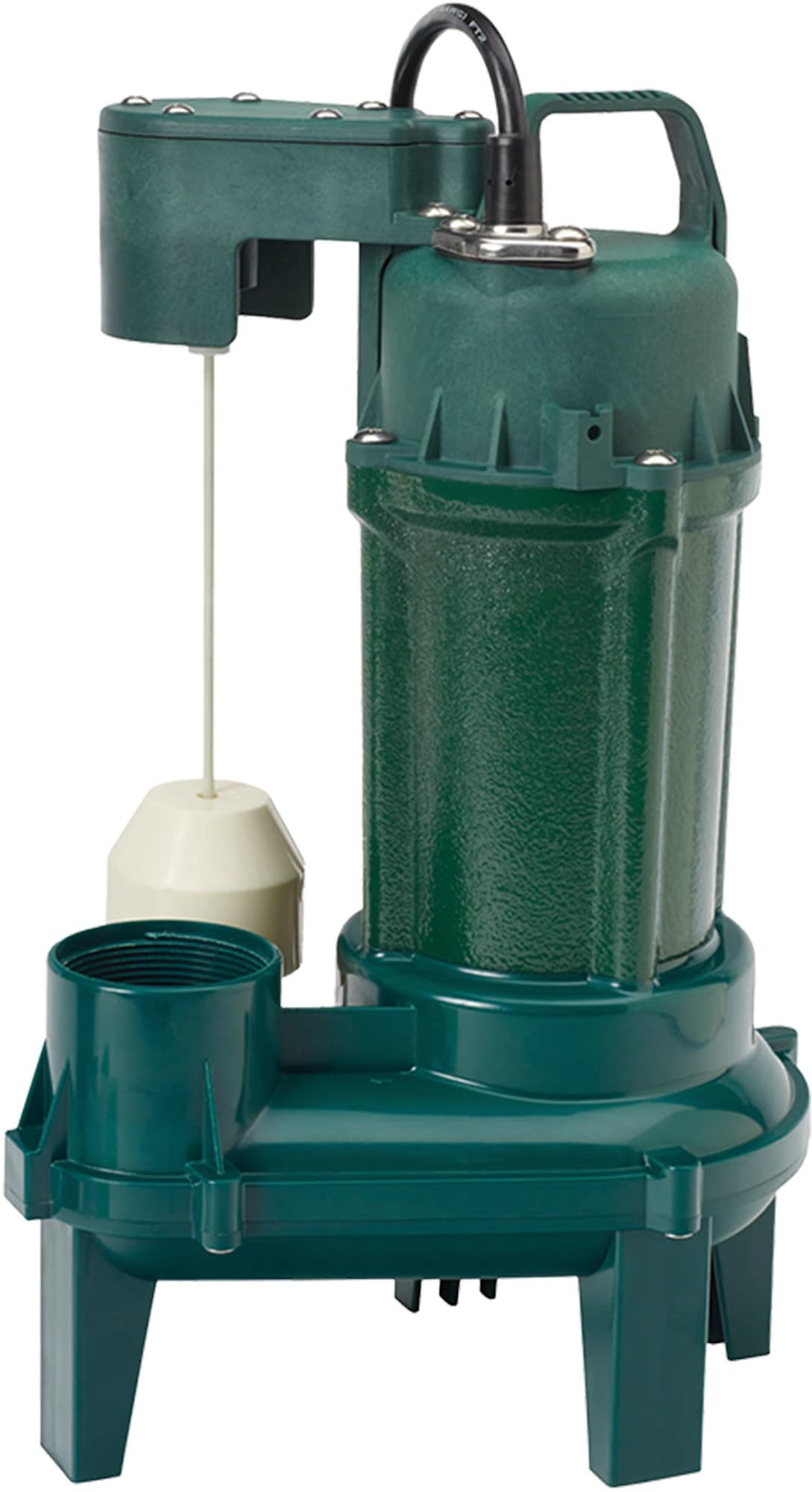
Figure 1: Zoeller M212 Builder Series 1/2 HP Sewage Pump. This image shows the pump's main body, the integrated vertical float switch mechanism, and the discharge port.
2. Safety Information
Read all instructions carefully before installing, operating, or performing maintenance on this pump. Failure to follow these instructions could result in serious injury, death, or property damage.
- Electrical Hazard: Always disconnect power to the pump before handling or servicing. Ensure the power supply is properly grounded and protected by a Ground Fault Circuit Interrupter (GFCI).
- Risk of Electric Shock: Do not operate the pump with a damaged cord or plug. Do not immerse the power cord in water.
- Explosion Hazard: Do not use this pump in areas containing flammable liquids or explosive gases.
- Personal Injury: Wear appropriate personal protective equipment (PPE) such as gloves and eye protection when working with sewage.
- Proper Installation: Ensure the pump is installed according to local plumbing and electrical codes. Consult a qualified professional if unsure.
- Temperature Limits: Do not pump liquids hotter than 104°F (40°C).
3. Setup and Installation
Proper installation is crucial for the efficient and safe operation of your Zoeller M212 sewage pump. Follow these steps carefully:
- Inspection: Upon receipt, inspect the pump for any shipping damage. Report any damage immediately to your supplier.
- Location: Install the pump in a sump basin or pit that is adequately sized for the expected flow and allows for proper float switch operation. The basin must be free of debris.
- Discharge Piping: Connect the pump to the discharge piping using a 2-inch NPT (National Pipe Thread) connection. Use a check valve in the discharge line to prevent backflow into the sump. A union should be installed above the check valve for easy pump removal.
- Ventilation: Ensure the sump basin is properly vented according to local codes.
- Electrical Connection:
- The pump requires a 115 Volts (AC) power supply.
- Connect the pump to a dedicated circuit protected by a properly sized fuse or circuit breaker and a Ground Fault Circuit Interrupter (GFCI).
- Ensure the power cord is not stretched, pinched, or subjected to sharp objects.
- Do not use extension cords.
- Float Switch Adjustment: The integrated vertical float switch controls the pump's on/off cycles. Ensure the float can move freely without obstruction within the sump basin. Adjust the tether length if necessary to achieve desired on/off levels, ensuring the pump turns on before the basin overflows and turns off before it runs dry.
- Testing: After installation, fill the sump basin with water to test the pump's operation. Verify that the pump turns on, discharges water, and turns off correctly when the water level drops. Check for any leaks.
4. Operating Instructions
The Zoeller M212 sewage pump is designed for automatic operation via its integrated vertical float switch. Once properly installed and connected to power, the pump will activate and deactivate based on the water level in the sump basin.
- Automatic Operation: The pump will automatically turn on when the liquid level rises to activate the float switch and will turn off when the liquid level drops below the float's off point.
- Manual Override (for testing only): To manually test the pump, carefully lift the float switch to its "on" position. The pump should activate. Release the float to allow it to return to its "off" position, and the pump should deactivate. Do not operate the pump manually for extended periods or when the sump is dry.
- Continuous Monitoring: Periodically check the sump basin to ensure the pump is operating as expected and that the float switch is not obstructed.
5. Maintenance
Regular maintenance helps ensure the longevity and reliable performance of your Zoeller M212 pump. Always disconnect power before performing any maintenance.
- Monthly Inspection:
- Check the sump basin for excessive buildup of solids or debris that could obstruct the float switch or pump intake.
- Verify that the float switch moves freely and is not tangled or stuck.
- Listen for unusual noises during pump operation, which could indicate a problem.
- Cleaning: If debris or solids accumulate, carefully remove the pump from the basin (after disconnecting power) and clean the intake screen and impeller area. Use caution as sewage can contain harmful bacteria.
- Power Cord: Inspect the power cord for any signs of damage, fraying, or wear. Replace the pump if the cord is damaged.
- Check Valve: Periodically check the check valve in the discharge line to ensure it is functioning correctly and preventing backflow.
6. Troubleshooting
This section provides solutions to common issues you might encounter with your Zoeller M212 sewage pump. For problems not listed here, contact a qualified service technician.
| Problem | Possible Cause | Solution |
|---|---|---|
| Pump does not run | No power; tripped GFCI/breaker; float switch stuck; motor failure. | Check power supply; reset GFCI/breaker; ensure float moves freely; consult service technician. |
| Pump runs but does not pump water | Clogged intake/impeller; air lock; discharge pipe blockage; check valve stuck closed. | Disconnect power, clear intake/impeller; relieve air lock; clear discharge pipe; inspect/replace check valve. |
| Pump runs continuously | Float switch stuck in "on" position; leaky check valve; continuous inflow. | Ensure float moves freely; inspect/replace check valve; address continuous water source. |
| Pump cycles too frequently | Float switch set too close; undersized sump basin; leaky check valve. | Adjust float switch settings; consider larger sump; inspect/replace check valve. |
7. Specifications
Technical specifications for the Zoeller M212 Builder Series 1/2 HP Sewage Pump:
| Specification | Value |
|---|---|
| Brand | Zoeller |
| Model Number | 212-0001 |
| Horsepower | 0.5 HP |
| Voltage | 115 Volts (AC) |
| Material | Cast Iron / Thermoplastic |
| Maximum Flow Rate | 82 Gallons Per Minute |
| Maximum Lifting Height (TDH) | 19.5 Feet |
| Discharge Size | 2 inches |
| Item Weight | 17.6 Pounds |
| Power Source | Corded Electric |
| Product Dimensions (L x W x H) | 1"L x 1"W x 1"H (Note: These dimensions may be generic; refer to product packaging for exact measurements) |
8. Warranty and Support
Zoeller Pump Company stands behind its products. For specific warranty information, please refer to the warranty card included with your product or visit the official Zoeller website. Keep your purchase receipt as proof of purchase.
For technical assistance, troubleshooting beyond this manual, or to inquire about replacement parts, please contact Zoeller customer support. When contacting support, please have your pump's model number (212-0001) and serial number available.
Manufacturer: Zoeller
Website: www.zoellerpumps.com


