
1. Introduction
Thank you for choosing the Beautyrest Fleece Electric Blanket and Throw Combo. This manual provides essential information for the safe and efficient use of your new heated bedding set. Please read all instructions carefully before use and retain this manual for future reference.
2. Product Overview
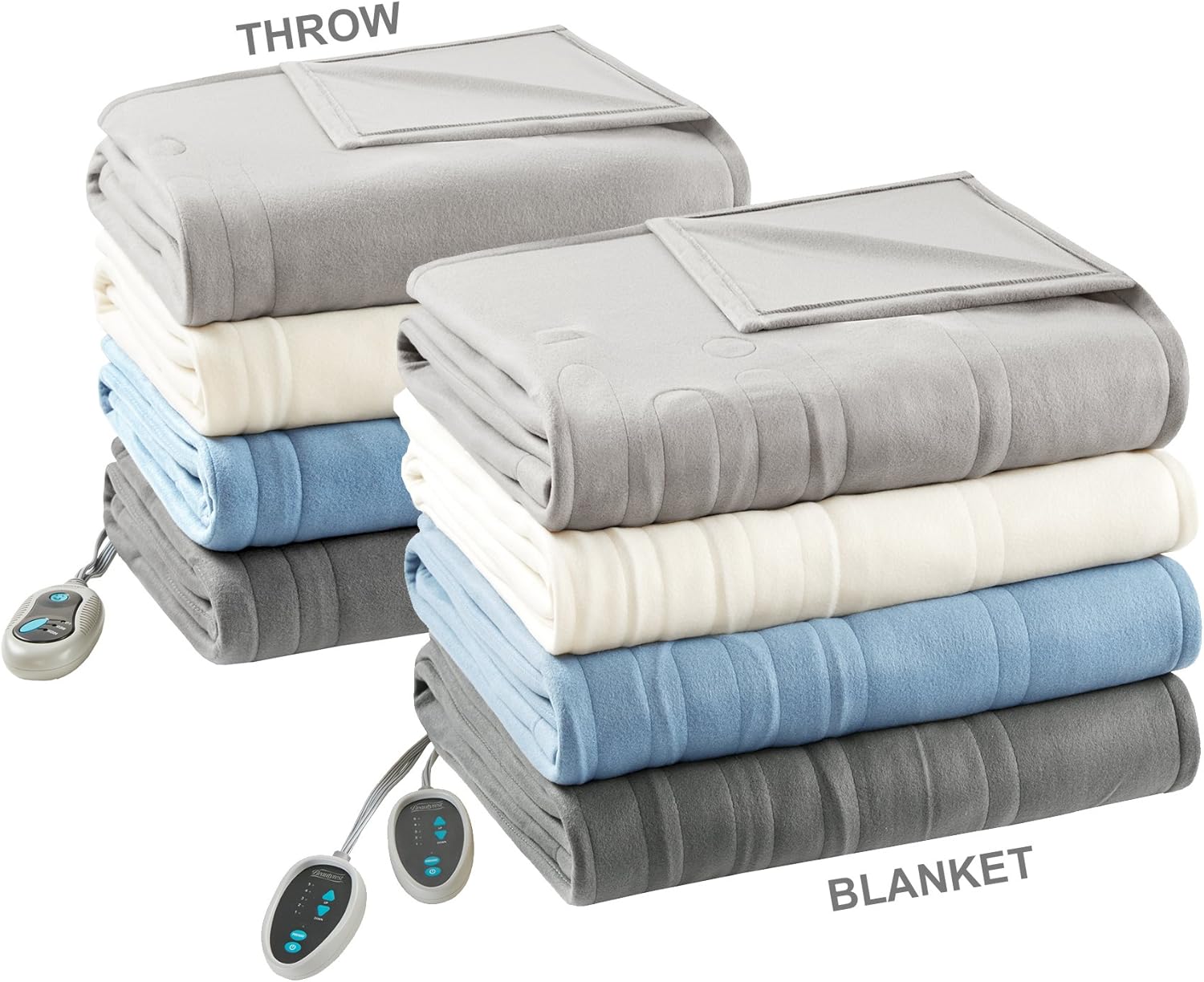
Your Beautyrest Fleece Electric Blanket and Throw Combo includes two ultra-soft heated items designed for comfort and warmth:
- Heated Blanket: Full size, measuring 80" x 84", with a 5-setting heat controller.
- Heated Throw: Measuring 50" x 60", with a 3-setting heat controller.
Both items are made from 100% fleece (polyester) for a soft and cozy feel. They feature an auto shut-off function for safety and are UL/ETL certified.

3. Setup
Before using your heated blanket or throw, please follow these steps:
- Unpack: Carefully remove the blanket/throw and controller(s) from the packaging.
- Inspect: Check the blanket/throw and power cord for any damage. Do not use if damaged.
- Connect Controller: Locate the connector on the blanket/throw. Align the controller's plug with the connector and push firmly until it clicks into place. Ensure a secure connection.
- Position: Lay the heated blanket flat on your bed, ensuring it does not hang over the sides. For the heated throw, position it comfortably on a couch or chair. Avoid bunching or folding the heated area.
- Plug In: Plug the power cord into a 110-120 volt @ 60Hz electrical outlet.
Note: For queen and larger sizes, the heated blanket comes with dual controllers, allowing individual temperature control for each side of the bed.
4. Operating Instructions
Your Beautyrest heated blanket and throw are designed for easy operation. Each unit has its own controller.
Using the Controller:
- Power On/Off: Press the "ON/OFF" button to turn the unit on or off.
- Adjust Heat Setting: Use the "UP" and "DOWN" arrows (or "LOW" and "HIGH" buttons on the throw controller) to select your desired heat level. The heated blanket has 5 settings, and the heated throw has 3 settings.
- Preheat Function (Blanket Only): The heated blanket controller may include a preheat option to quickly warm the blanket before use.
- Auto Shut-off: For safety, both the heated blanket and throw feature an automatic shut-off after 2 hours of continuous use.

5. Care and Maintenance
Proper care will ensure the longevity and performance of your Beautyrest heated blanket and throw.
Washing Instructions:
- Disconnect: Always disconnect the power cord from the wall outlet and detach the controller(s) from the blanket/throw before washing.
- Pre-soak (Optional): For best results, pre-soak the blanket/throw for 15 minutes in mild soap and cold water.
- Machine Wash: Machine wash on a gentle cycle in cold water. Wash alone to prevent damage from other items.
- Rinse: Rinse on a normal cycle.
- Tumble Dry: Tumble dry on low heat. Ensure the blanket/throw is completely dry before reconnecting the controller or storing.
- Do NOT: Do not bleach, iron, dry clean, or use a wringer.
Always refer to the care label on your product for specific instructions.
6. Troubleshooting
If your heated blanket or throw is not functioning correctly, please check the following common issues:
- No Heat / Blinking 'F' on Controller:
- Ensure the power cord is securely plugged into a working electrical outlet.
- Verify that the controller is firmly connected to the blanket/throw. Disconnect and reconnect the controller to ensure a proper connection.
- Unit Not Turning On:
- Check if the power outlet is functional by plugging in another appliance.
- Confirm the controller is properly connected to the blanket/throw and the power cord is plugged into the wall.
- Uneven Heating:
- Ensure the blanket/throw is laid flat and not bunched, folded, or tucked in.
- Allow sufficient time for the unit to heat up evenly.
If the issue persists after checking these points, please refer to the warranty section for support.
7. Specifications
| Feature | Description |
|---|---|
| Brand | Beautyrest |
| Model Number | BR54-0841 |
| Material | 100% Fleece (Polyester) |
| Heated Blanket Dimensions | Full, 80"L x 84"W |
| Heated Throw Dimensions | 50"L x 60"W |
| Heated Blanket Settings | 5 heat settings |
| Heated Throw Settings | 3 heat settings |
| Auto Shut-off | 2 hours (for both blanket and throw) |
| Safety Certification | UL/ETL Certified |
| EMF Emissions | Virtually Zero |
| Power Supply | 110-120 volt @ 60Hz |
8. Warranty and Support
Your Beautyrest Fleece Electric Blanket and Throw Combo is backed by a 5-year manufacturer's warranty. This warranty covers defects in materials and workmanship under normal use.
For warranty claims, product support, or further assistance, please contact Beautyrest customer service. Keep your proof of purchase for all warranty claims.
Please note that the warranty does not cover damage caused by misuse, abuse, or failure to follow care instructions.


