
S7 arc200
S7 ARC-200 DC Inverter Welder User Manual
Comprehensive guide for setup, operation, maintenance, and troubleshooting.
1. Product Overview
The S7 ARC-200 DC Inverter Welder is a compact yet powerful welding machine designed for both DIY enthusiasts and professional applications. It features a 110V plug and delivers up to 200Amp power, making it suitable for welding various ferrous metals.

Figure 1: S7 ARC-200 DC Inverter Welder and included accessories, including the electrode holder and ground clamp.
This machine is compatible with a wide range of electrodes, including AWS E6013, E7018, E7014, and E6011, in sizes from 1/16" to 1/8" (1.6mm-3.2mm). Its energy-efficient design allows for extended use, and its portable nature ensures versatility across different work environments.
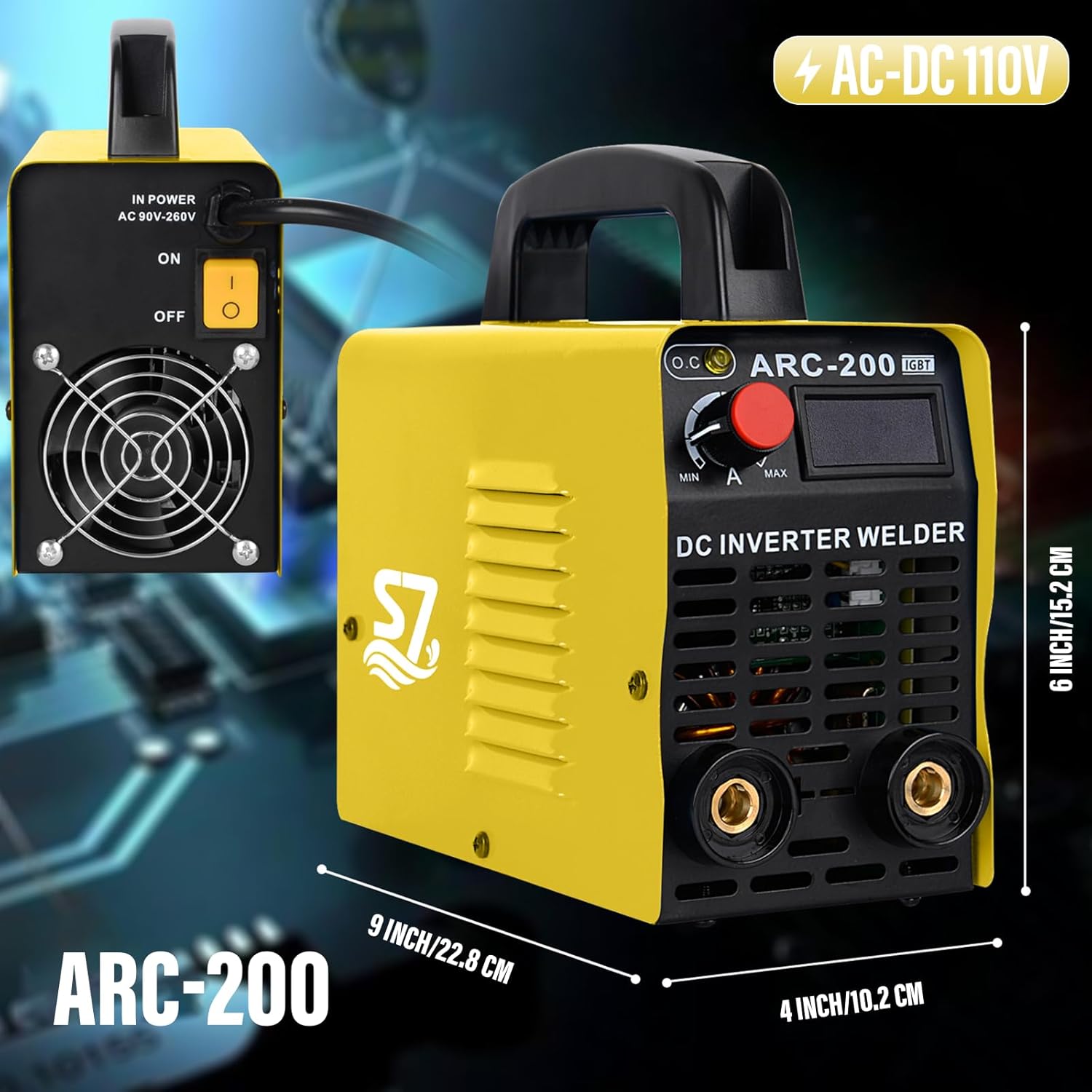
Figure 2: Dimensions of the S7 ARC-200 DC Inverter Welder, highlighting its compact size for portability.
2. Safety Information
Always prioritize safety when operating welding equipment. Failure to follow safety precautions can result in serious injury or death.
- Personal Protective Equipment (PPE): Always wear a welding helmet with appropriate shade, flame-resistant clothing, welding gloves, and safety shoes.
- Ventilation: Ensure adequate ventilation to avoid inhaling welding fumes. Work in a well-ventilated area or use fume extraction equipment.
- Fire Prevention: Keep a fire extinguisher nearby. Remove all flammable materials from the welding area. Be aware of hot metal and sparks.
- Electrical Safety: Ensure the welding machine is properly grounded. Do not operate in wet conditions. Inspect cables and connections for damage before each use.
- Eye and Skin Protection: Welding arc emits intense UV and IR radiation that can cause severe burns to eyes and skin.
- Children and Bystanders: Keep children and unauthorized personnel away from the welding area.
3. Setup
- Unpacking: Carefully remove the welding machine and all accessories from the packaging. Inspect for any shipping damage.
- Power Connection: Connect the 110V power plug to a suitable power outlet. Ensure the outlet can handle the machine's power requirements.
- Electrode Holder Connection: Connect the electrode holder cable to the positive (+) terminal on the front panel of the welder.
- Ground Clamp Connection: Connect the ground clamp cable to the negative (-) terminal on the front panel of the welder. Securely attach the ground clamp to the workpiece or welding table, ensuring good electrical contact.
- Electrode Insertion: Insert the desired welding electrode into the electrode holder. Ensure it is firmly gripped.
Video 1: S7 Powerful 200Amp ARC Stick Welder for Beginners - Setup and Operation.
4. Operating Instructions
The S7 ARC-200 is designed for ease of use, even for beginners.
- Power On: Turn on the welding machine using the power switch located on the rear panel. The LCD display on the front will illuminate, showing the current amperage setting.
- Adjust Amperage: Use the red dial on the front panel to adjust the welding amperage. The display will show the selected amperage. Refer to electrode manufacturer guidelines for recommended amperage settings for your specific electrode and material thickness.
- Start Welding: Bring the electrode into contact with the workpiece to initiate the arc. Maintain a consistent arc length and travel speed for optimal weld quality.
- Electrode Compatibility: This machine is compatible with AWS E6013, E7018, E7014, and E6011 electrodes.
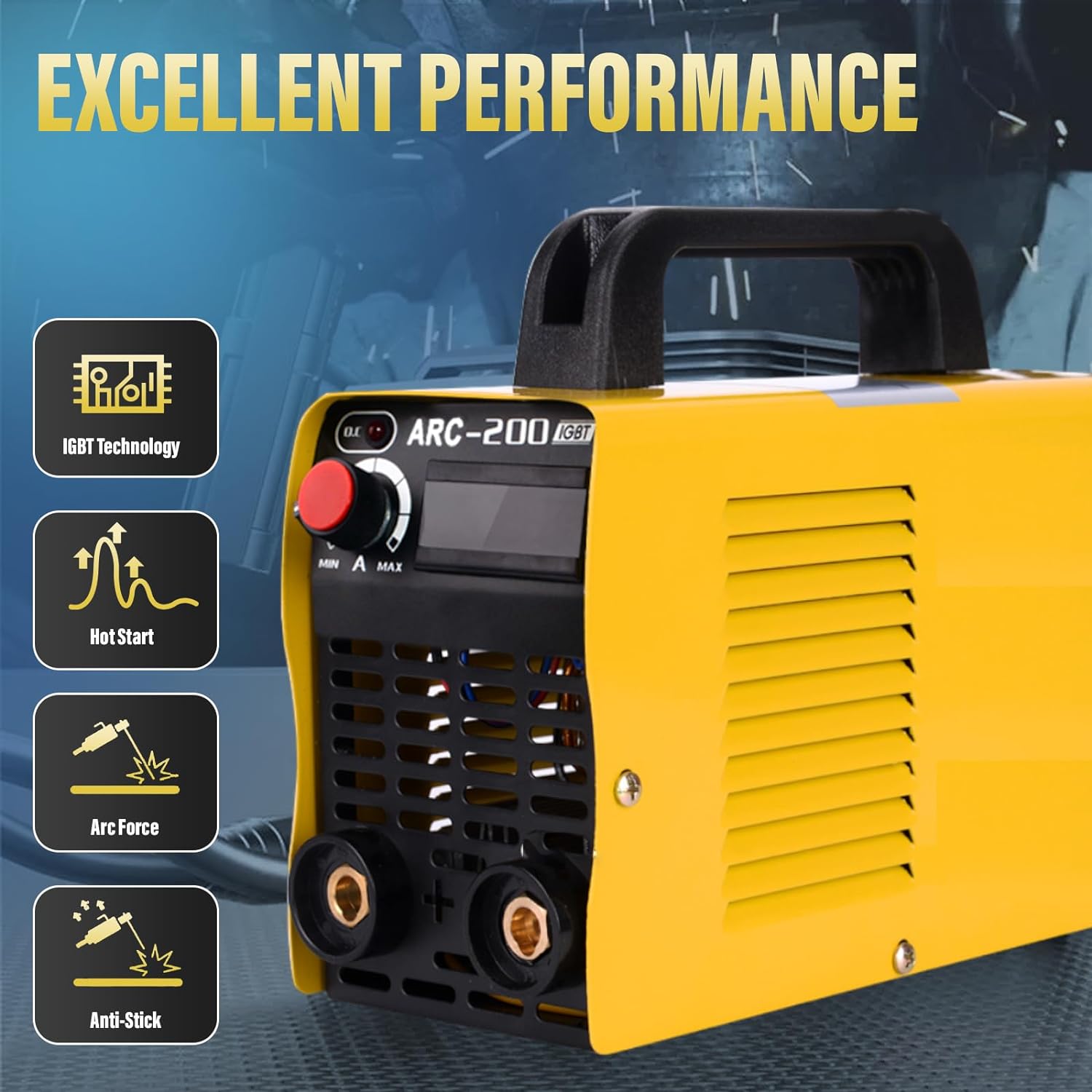
Figure 3: Key performance features of the S7 ARC-200, including IGBT Technology, Hot Start, Arc Force, and Anti-Stick functions for improved welding performance.
The machine's features like Hot Start assist in easier arc ignition, Arc Force helps prevent the electrode from sticking, and Anti-Stick reduces the chance of the electrode fusing to the workpiece.

Figure 4: The S7 ARC-200 is capable of welding a wide range of metals, including cast iron, mild steel, sheet metal, and square pipe.
5. Maintenance
Regular maintenance ensures the longevity and optimal performance of your welding machine.
- Cleaning: Periodically clean the internal components using compressed air to remove dust and debris. Ensure the machine is unplugged before cleaning.
- Cable Inspection: Regularly inspect welding cables, electrode holder, and ground clamp for any signs of wear, cuts, or damage. Replace damaged components immediately.
- Ventilation Grilles: Keep the ventilation grilles clear of obstructions to ensure proper airflow and prevent overheating.
- Storage: Store the welding machine in a dry, clean environment away from excessive dust and moisture when not in use.
6. Troubleshooting
If you encounter issues with your S7 ARC-200 welder, refer to the following common problems and their solutions:
| Problem | Possible Cause | Solution |
|---|---|---|
| No Arc / Difficulty Starting Arc | Poor ground connection, incorrect amperage setting, damp electrode, power supply issue. | Ensure ground clamp has good contact. Adjust amperage. Use dry electrodes. Check power supply. |
| Electrode Sticking | Amperage too low, incorrect arc length, improper electrode angle. | Increase amperage. Maintain proper arc length. Adjust electrode angle. |
| Overheating Indicator On | Exceeded duty cycle, poor ventilation, blocked air vents. | Allow machine to cool down. Ensure proper ventilation. Clear air vents. |
| Poor Weld Quality | Incorrect amperage, improper technique, wrong electrode type for material. | Adjust amperage. Practice welding technique. Use appropriate electrode. |
7. Specifications
| Feature | Detail |
|---|---|
| Model Number | ARC-200 |
| Input Voltage | 110 Volts (AC-DC 110V ±15%) |
| Current Range | 20-200 Amps |
| Compatible Electrodes | AWS E6013, E7018, E7014, E6011 |
| Electrode Sizes | 1/16" - 1/8" (1.6mm - 3.2mm) |
| Item Weight | 7.56 pounds |
| Product Dimensions | 12 x 8 x 9 inches |
| Manufacturer | WIN-WIN |
| Protection Grade | IP21S |
8. Warranty and Support
The S7 welding machine comes with a 2-year warranty, ensuring consistent and reliable performance. For any questions, technical assistance, or warranty claims, please contact S7 customer support.
You can also visit the S7 Store on Amazon for more product information and support resources.
A PDF version of the user manual is also available for download: User Manual (PDF).
Related documentsarc200


Ask a question about this manual
Ask about setup, troubleshooting, compatibility, parts, safety, or missing instructions. Manuals+ will review the question and use this page’s manual context to help answer it.