
1. Product Overview
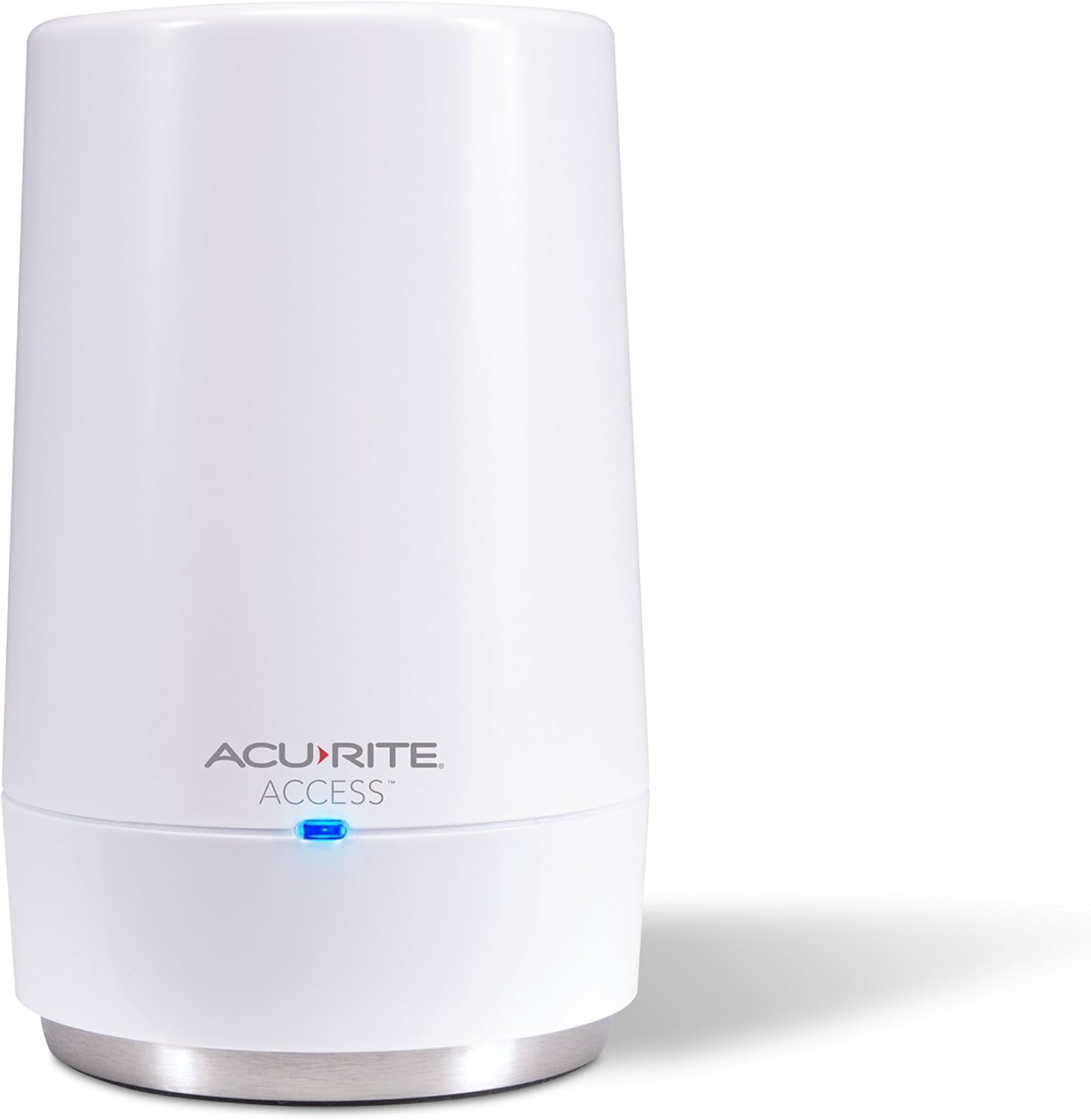
The AcuRite Access device connects your compatible AcuRite sensors and weather stations to the My AcuRite online platform. This system allows you to monitor your indoor and outdoor environments remotely using a smartphone, tablet, or desktop browser. The My AcuRite platform provides an easy-to-read dashboard for viewing trends and current conditions such as temperature, humidity, wind, lightning, UV, and water leak detection.
Key functionalities include:
- Remote monitoring of environmental conditions from anywhere.
- Creation of custom alerts for significant changes in conditions.
- Compatibility with Amazon Alexa and Google Assistant for voice commands.
- Ability to connect up to seven compatible AcuRite devices.
- Data backup during power outages and internal memory for logging readings.
- Option to share weather data with Weather Underground.

2. Setup Guide
Follow these steps to set up your AcuRite Access device:
- Unpack Contents: Verify that all components are present: AcuRite Access unit, power adapter, Ethernet cable, and Quick Start Guide.
- Connect Power: Plug the power adapter into the AcuRite Access unit and then into a standard electrical outlet.
- Connect to Network: Connect one end of the Ethernet cable to the AcuRite Access unit and the other end to an available LAN port on your internet router.
- Install Backup Batteries (Optional but Recommended): For power outage protection, install 3 AA alkaline batteries (not included) into the battery compartment. This allows the unit to continue logging data for up to 12 hours during a power interruption.
- Download My AcuRite App: Download the free My AcuRite app from your device's app store or visit www.acurite.com/myacurite to create an account and register your device.
- Register Device: Follow the in-app instructions to register your AcuRite Access device and connect your compatible AcuRite sensors.
3. Operating Instructions
Once set up, the AcuRite Access device continuously collects data from your connected sensors and uploads it to the My AcuRite cloud platform. You can interact with this data and manage your system through the My AcuRite app or web interface.
3.1. My AcuRite Dashboard
The My AcuRite dashboard provides a comprehensive view of your environmental data. You can access it via:
- Smartphone/Tablet App: Available for iOS and Android devices.
- Web Browser: Log in to your account at www.acurite.com/myacurite.
The dashboard displays real-time readings, historical data, and trends for all connected sensors. You can customize the view to prioritize the information most relevant to you.

3.2. Custom Alerts
Set up personalized alerts to receive notifications on your smartphone or email when specific conditions are met. This feature helps you stay informed about critical changes, such as:
- Temperature exceeding or falling below a set threshold.
- High humidity levels indicating potential mold risk.
- Water leak detection from compatible sensors.
- High wind speeds or significant rainfall.
3.3. Weather Underground Integration
With a compatible outdoor AcuRite device, you can share your local weather data with the Weather Underground online community. This provides rapid-fire updates and allows you to compare your local conditions with nearby stations.
3.4. Voice Assistant Compatibility
The AcuRite Access is compatible with Amazon Alexa and Google Assistant. You can ask your voice assistant for current environmental conditions by linking your My AcuRite account.

3.5. Product Video
Watch this video for a visual guide on the AcuRite Access and its functionalities:
4. Maintenance
To ensure optimal performance and longevity of your AcuRite Access device, consider the following maintenance guidelines:
- Cleaning: Gently wipe the device with a soft, damp cloth. Avoid using abrasive cleaners or solvents.
- Battery Replacement: If using backup batteries, replace them annually or when the My AcuRite app indicates low battery status. Use high-quality alkaline batteries.
- Firmware Updates: Ensure your device's firmware is up-to-date. The My AcuRite app will typically notify you of available updates.
- Environmental Conditions: Place the device in a location with stable temperature and humidity, away from direct sunlight, extreme heat, or moisture.
5. Troubleshooting
If you encounter issues with your AcuRite Access device, refer to the following common troubleshooting steps:
- No Data on My AcuRite:
- Verify the AcuRite Access unit is powered on and the blue LED indicator light is active.
- Ensure the Ethernet cable is securely connected to both the Access unit and your internet router.
- Check your internet connection.
- Confirm that your compatible AcuRite sensors are properly installed and transmitting data.
- Intermittent Connectivity:
- Relocate the AcuRite Access unit closer to your internet router if possible.
- Ensure there are no significant obstructions (thick walls, large metal objects) between the Access unit and your sensors.
- Restart your internet router and the AcuRite Access unit.
- Alerts Not Received:
- Check your My AcuRite app notification settings and your phone's system notification settings.
- Verify that the alert conditions are correctly configured in the My AcuRite app.
- Power Outage Data Loss:
- Ensure backup batteries are installed and are fresh. The device can log up to 12 hours of data during an outage if batteries are present.
- Once power is restored, the logged data will be uploaded to My AcuRite.
For further assistance, visit the AcuRite support website or consult the full product manual.
6. Specifications
| Feature | Detail |
|---|---|
| Brand | AcuRite |
| Model Number | 09155M |
| Connectivity Technology | Ethernet |
| Power Source | Battery Powered (for backup), AC Adapter |
| Special Feature | Customizable Alerts, Remote Monitoring |
| Product Dimensions | 2.5"D x 2.7"W x 4.5"H |
| Item Weight | 4.8 ounces |
| Included Components | Access unit, power adapter, Ethernet cable, quick start guide |
| Sensor Technology | Ultrasonic, Thermistor, Capacitive (Note: Refers to compatible sensors, not the Access unit itself) |
| Display Type | No display (relies on My AcuRite app/web) |
| UPC | 072397091558 |
7. Support & Warranty
For technical support, frequently asked questions, and warranty information, please visit the official AcuRite website:
Please have your model number (09155M) available when contacting support.


