
Armitron 40/8417BLU
Armitron Sport Digital Chronograph Watch User Manual
Model: 40/8417BLU
Welcome
Thank you for choosing the Armitron Sport Digital Chronograph Watch. This timepiece is designed for durability and functionality, featuring a digital display with multiple functions including time, date, chronograph, lap time, alarm, military time, and a backlight. This manual provides detailed instructions to help you set up, operate, and maintain your watch.
Initial Setup
Unboxing
Carefully remove your watch from its packaging. Inspect the watch for any visible damage. Ensure all protective films are removed from the display and case back before use.
First Use
Your watch comes with a pre-installed battery. If the display is blank, press any button to activate it. If the display remains blank, the battery may need replacement (refer to the Maintenance section).

Image: Front view of the Armitron Sport Digital Chronograph Watch in blue, showing the digital display and side buttons.
Operating Instructions
Button Functions
- ADJ (Adjust) Button: Used to enter and exit setting modes, and to confirm selections.
- MODE Button: Used to cycle through different modes (Time, Chronograph, Alarm, Date).
- STOP/START Button: Used to start/stop functions in chronograph mode, and to adjust values in setting modes.
- EL (Electroluminescent) Button: Activates the backlight for the display.
Setting Time and Date
- From the normal time display, press and hold the ADJ button until the seconds begin to flash.
- Press the MODE button to cycle through the settings: Seconds > Hour > Minute > Year > Month > Day.
- Use the STOP/START button to adjust the flashing value.
- Once all settings are correct, press the ADJ button to exit the setting mode.
Using the Chronograph (Stopwatch)
- Press the MODE button until 'CHRONO' or 'STW' appears on the display.
- Press the STOP/START button to begin timing.
- Press the STOP/START button again to pause timing. Press again to resume.
- To reset the chronograph, press the ADJ button while the chronograph is paused.
Setting the Alarm
- Press the MODE button until 'ALARM' or 'AL' appears on the display.
- Press and hold the ADJ button until the alarm hour begins to flash.
- Use the STOP/START button to adjust the hour. Press MODE to move to minutes.
- Use the STOP/START button to adjust the minutes.
- Press the ADJ button to exit the alarm setting mode.
- To turn the alarm on/off, press the STOP/START button while in alarm mode (without holding ADJ).
Backlight Function
Press the EL button to illuminate the display for approximately three seconds, allowing for visibility in low-light conditions.
Video: A 21-second demonstration of the Armitron Sport Digital Chronograph Watch, showcasing its design and digital display from various angles.

Image: The Armitron Sport Digital Chronograph Watch worn on a wrist, illustrating its size and fit.
Care and Maintenance
To ensure the longevity and optimal performance of your Armitron Sport watch, follow these care guidelines:
- Cleaning: Wipe the watch regularly with a soft, damp cloth. Avoid using harsh chemicals or abrasive materials.
- Storage: Store your watch in a cool, dry place away from direct sunlight and extreme temperatures when not in use.
- Battery Replacement: The watch uses 1 Lithium Metal battery. When the display dims or functions become erratic, it may be time for a battery replacement. It is recommended to have the battery replaced by a qualified watch technician to ensure proper sealing and water resistance.
Water Resistance
Your Armitron Sport watch is water resistant to 165 feet (50 meters). This means it is suitable for short periods of recreational swimming, but not for diving or snorkeling. Avoid operating buttons while the watch is submerged in water.

Image: A water resistance chart explaining different levels of water resistance for watches, highlighting 50M (165FT) as suitable for swimming.
Troubleshooting Guide
| Problem | Possible Cause | Solution |
|---|---|---|
| Display is blank or dim. | Low battery. | Replace battery. |
| Time/Date is incorrect. | Not set correctly or reset. | Follow 'Setting Time and Date' instructions. |
| Buttons are unresponsive. | Watch may be in a locked mode or battery is very low. | Try pressing ADJ button to exit any mode. If issue persists, replace battery. |
| Water inside watch. | Exceeded water resistance limits or buttons pressed underwater. | Immediately take to a qualified watch repair center. Do not attempt to dry it yourself. |
Product Specifications
| Feature | Detail |
|---|---|
| Model Number | 40/8417BLU |
| Movement | Quartz |
| Display Type | Digital (Reverse LCD) |
| Case Material | Plastic/Resin |
| Case Diameter | 38mm |
| Strap Material | Silicone (Double Injected) |
| Water Resistance | 50M (165 Feet) |
| Functions | Date, Chronograph, Lap Time, Alarm, Military Time, Backlight |
| Battery | 1 Lithium Metal battery (included) |
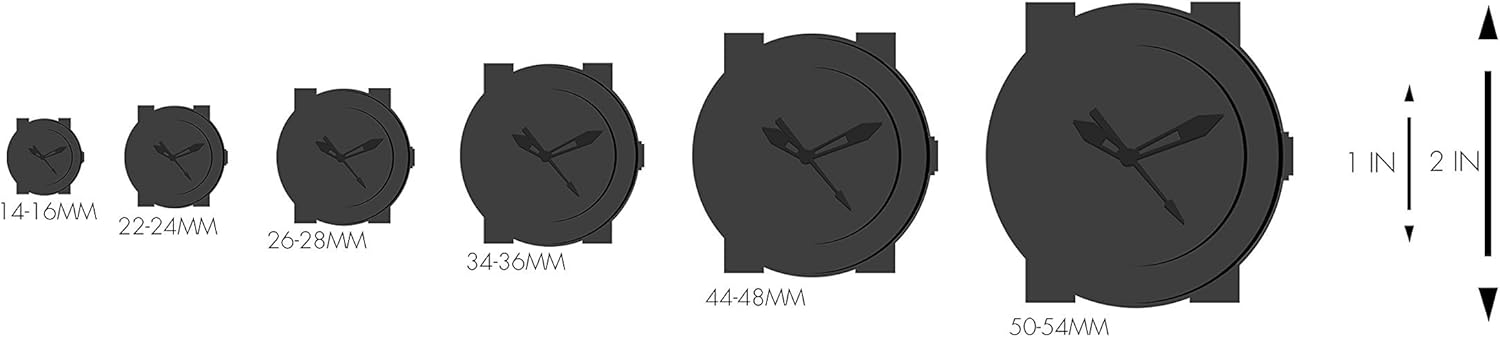
Image: A chart illustrating various watch case diameters (14-16mm to 50-54mm) for size comparison.
Warranty Information
Your Armitron Sport watch is covered by a limited warranty. For detailed information regarding warranty coverage, terms, and conditions, please refer to the official warranty document.
Customer Support
For further assistance, product inquiries, or to explore other Armitron products, please visit the official Armitron store.
Related documents40/8417BLU


Ask a question about this manual
Ask about setup, troubleshooting, compatibility, parts, safety, or missing instructions. Manuals+ will review the question and use this page’s manual context to help answer it.