
T POWER TP- Nakyma W002 Gosvor ZT2002
Contents
T POWER 12.6V Charger User Manual
Model: TP- Nakyma W002 Gosvor ZT2002
1. Introduction
This user manual provides comprehensive instructions for the T POWER 12.6V Charger. This power supply is designed to provide reliable and efficient charging for compatible cordless robotic swimming pool vacuum cleaners, including specific models from Nakyma, Lydsto, and Gosvor. Please read this manual thoroughly before using the product to ensure proper operation and safety.
2. Safety Information
Your T POWER charger is equipped with multiple safety features to protect both the device and the connected equipment. Adhering to these safety guidelines is crucial for preventing damage and ensuring user safety.
- Always ensure the charger's output voltage (12.6V) matches the input requirements of your device. Note that the vacuum's battery voltage (e.g., 11.1V or 22.2V) is not the charger's voltage.
- Do not expose the charger to water or excessive moisture.
- Avoid using the charger if the cord or plug is damaged.
- Do not attempt to disassemble or modify the charger.
- Unplug the charger from the power outlet when not in use or during electrical storms.

Image: Visual representation of the charger's safety protection features, including short circuit, overheating, overcurrent, electrostatic, magnetic field, and overvoltage protection.
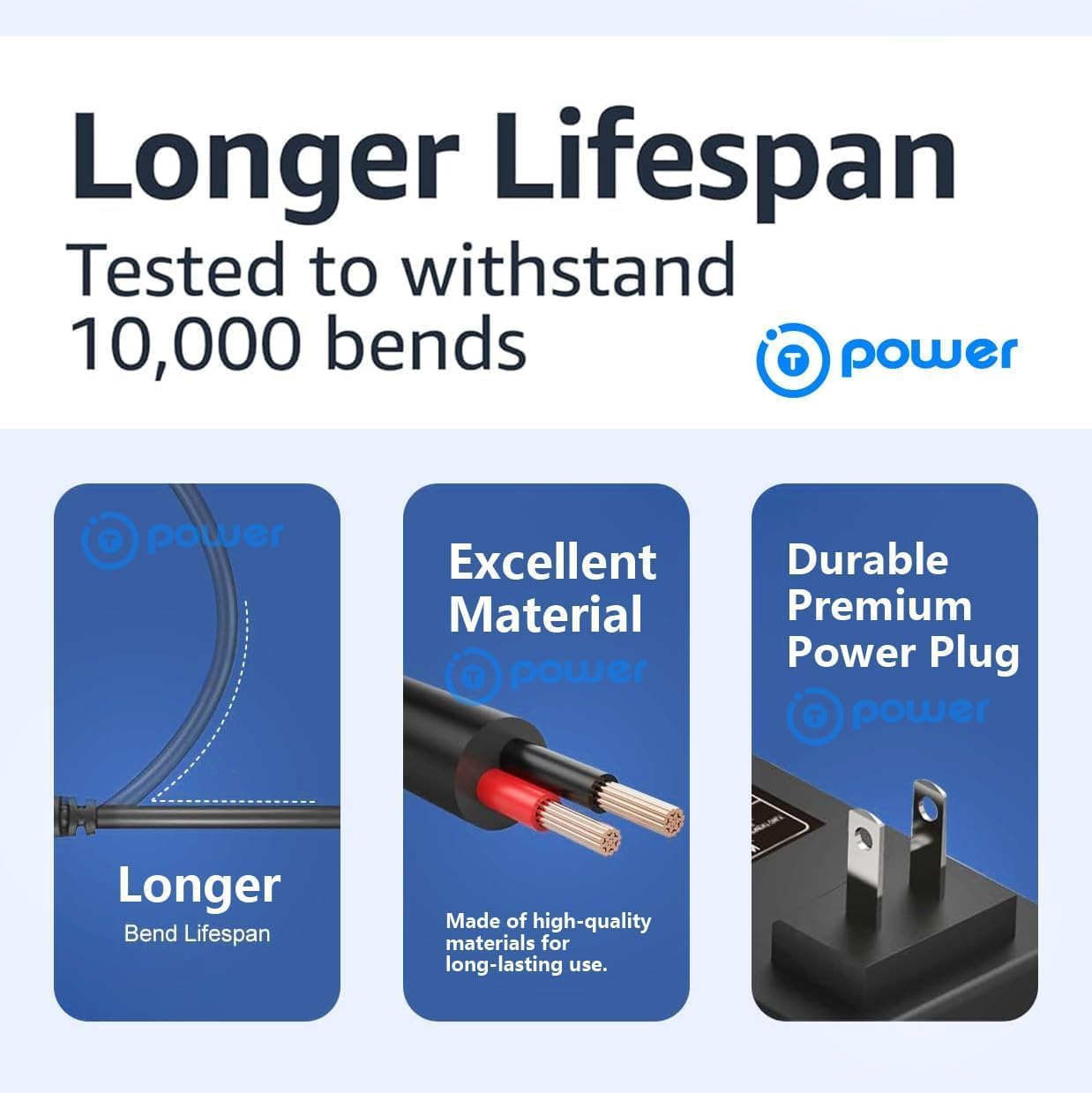
Image: Diagram illustrating the superior safety features of the T POWER adapter, such as over-current, over-temperature, over-voltage, and short circuit protection, along with quality certification and a reinforced power cord.
3. Product Overview
The T POWER 12.6V Charger is a robust power supply designed for specific robotic pool cleaners. It features a durable construction and an integrated microchip to prevent overcharging and other malfunctions, thereby prolonging battery life.
3.1. Components
- Charger Unit: The main power adapter with a standard AC input plug.
- Output Cable: A durable DC cord with a compatible connector for your pool vacuum.

Image: The T POWER 12.6V charger unit and its accompanying power cord, showcasing the design and connector type.
3.2. Key Features
- Input Voltage: AC 100V - 240V (Worldwide compatible).
- Output Voltage: 12.6V.
- Smart Chip Technology: Prevents overcharging and extends battery lifespan.
- LED Indicator: Provides charging status at a glance.
- Durable Construction: Tested to withstand 10,000 bends for a longer lifespan.

Image: Close-up of the T POWER charger showing the LED indicator and its various states: green flashing for charging, solid green for fully charged, fast red flash for defective, and slow red flash for temperature anomaly.
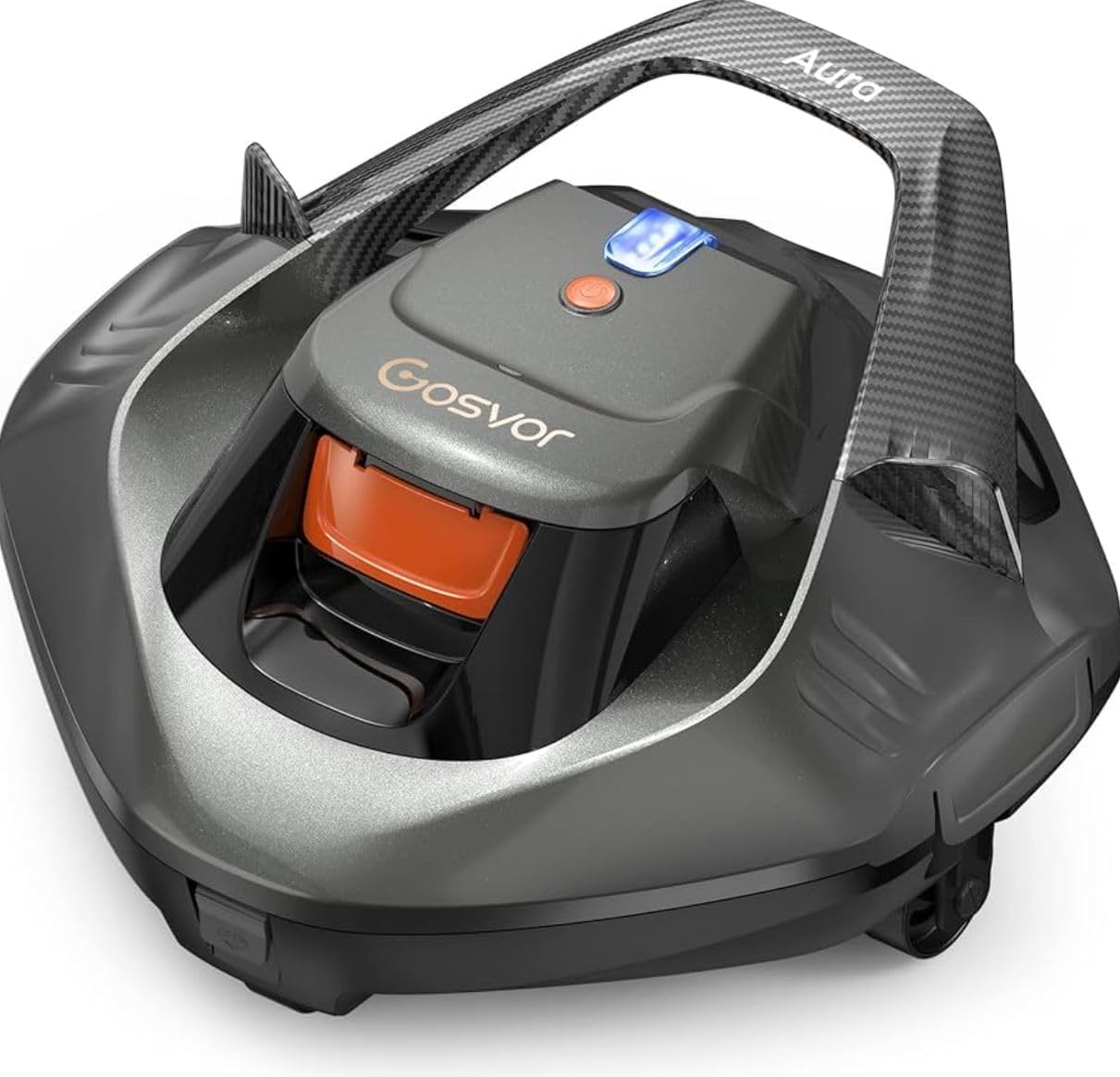
Image: Illustration highlighting the durability features of the T POWER charger, including its longer bend lifespan (tested to 10,000 bends), excellent material quality, and durable premium power plug.
3.3. Compatible Devices
This charger is compatible with the following cordless robotic automatic swimming pool vacuum cleaners:
- Nakyma Model DFC/RB/W002 (11.1V 5000mAh Li-ion Battery 30W)
- Lydsto S3 Model YM-S3-01 YMS301 (15000mAh Li-ion Battery IPX8 Waterproof)
- Gosvor Model Pivot (22.2V 2600mAh Li-ion Battery 90W)
Important: Always verify your device's model number and power requirements match this charger's specifications before use.

Image: A Nakyma brand cordless robotic swimming pool vacuum cleaner, one of the compatible devices for this charger.

Image: A Gosvor Model Pivot cordless robotic swimming pool cleaning robot, another compatible device for this charger.
4. Setup
- Verify Compatibility: Before connecting, ensure that your pool vacuum cleaner's model number and power input requirements (especially voltage) are compatible with the T POWER 12.6V charger. Refer to your vacuum's manual for its specific charging voltage.
- Connect to Device: Insert the output connector of the T POWER charger firmly into the charging port of your cordless robotic pool vacuum cleaner.
- Connect to Power Outlet: Plug the AC input plug of the charger into a standard AC 100V-240V wall outlet.
- Observe LED Indicator: Once connected, the charger's LED indicator will illuminate to show the charging status.
5. Operating Instructions
The T POWER charger operates automatically once connected. The LED indicator provides visual feedback on the charging process.
5.1. LED Indicator Status
- Green Light Flashing: The device is currently charging.
- Green Light Solid: The device is fully charged. You may disconnect the charger.
- Red Light Flashes Fast: Indicates a defective state. Disconnect the charger and the device immediately.
- Red Light Flashes Fast & Slow: Indicates a temperature anomaly. Disconnect the charger and the device and allow them to cool down in a well-ventilated area.
The smart chip technology in the charger will automatically stop charging once the battery is full to prevent overcharging.
6. Maintenance
Proper maintenance ensures the longevity and optimal performance of your T POWER charger.
- Cleaning: Disconnect the charger from the power outlet and the device before cleaning. Use a soft, dry cloth to wipe the surface. Do not use liquid cleaners or abrasive materials.
- Storage: Store the charger in a cool, dry place away from direct sunlight and extreme temperatures.
- Cable Care: Avoid bending or crimping the power cord excessively. Do not place heavy objects on the cord.
7. Troubleshooting
If you encounter issues with your T POWER charger, refer to the following common problems and solutions:
| Problem | Possible Cause | Solution |
|---|---|---|
| Charger LED is off, device not charging. | No power from outlet; loose connection; incompatible device. | Check power outlet with another device. Ensure all connections are secure. Verify device compatibility with charger. |
| Red light flashing fast. | Defective charger or device. | Disconnect immediately. Contact customer support if the issue persists after re-connecting. |
| Red light flashing fast & slow. | Temperature anomaly (overheating). | Disconnect charger and device. Allow to cool down in a well-ventilated area. Ensure proper airflow during use. |
| Device not fully charging. | Battery issue with device; charger not providing sufficient power. | Ensure the charger is compatible with your device's battery capacity. If the issue persists, the device's battery may need servicing. |
If the problem persists after attempting these solutions, please contact T POWER customer support.
8. Specifications
| Feature | Detail |
|---|---|
| Brand | T POWER |
| Model | TP- Nakyma W002 Gosvor ZT2002 |
| Input Voltage Range | AC 100V - 240V |
| Output Voltage | 12.6V |
| Amperage | 1 Amps |
| Connector Type | 2-Pin |
| Product Dimensions | 10.16 x 10.16 x 5.08 cm |
| Item Weight | 113.4 g (4 Ounces) |
| Manufacturer | T POWER with nakyma lydsto gosvor pivot against IV -SC CE/FCC/RoHS certified |
9. Warranty and Support
9.1. Warranty Information
- 30-Day Return Policy: You may return your undamaged product within 30 days of purchase for a full refund for any reason.
- 1-Year Limited Manufacturer Warranty: T POWER provides a 1-year limited warranty covering quality-related issues. Easy exchange for a replacement is available.
9.2. Technical Support
For technical assistance, inquiries, or if you received the wrong item or the adapter tip doesn't fit your device, please contact T POWER customer support. They are available to help with any questions or concerns regarding your charger.
Contact information for T-Power CA (Seller): Visit Seller Profile on Amazon.ca
Documents and downloads
Ask a question about this manual
Ask about setup, troubleshooting, compatibility, parts, safety, or missing instructions. Manuals+ will review the question and use this page’s manual context to help answer it.