
MASTOP SK 1103
MASTOP Binary Matrix Blue LED Digital Waterproof Watch SK 1103 User Manual
Model: SK 1103
1. Introduction
This manual provides instructions for the MASTOP Binary Matrix Blue LED Digital Waterproof Watch, model SK 1103. This timepiece features a unique binary time display, a durable stainless steel construction, and is designed for daily use. Please read this manual thoroughly to understand the watch's functions and ensure proper operation and maintenance.

Figure 1: Front view of the MASTOP Binary Matrix Blue LED Digital Watch.
2. Initial Setup
2.1 Adjusting the Watch Band
The watch features a stainless steel band with a foldover clasp. To ensure a comfortable fit, the band may need to be adjusted by removing or adding links.
- A link bar remover tool is typically included with the watch for this purpose.
- Carefully use the tool to push out the pins from the links you wish to remove.
- Reassemble the band by inserting the pins back into place.
- Caution: Band adjustment can be delicate. If you are unsure, it is recommended to seek assistance from a professional jeweler to avoid damaging the watch band or the spring bars.

Figure 2: Side view showing watch buttons and band links for adjustment.
3. Operation
3.1 Reading the Time (Binary Display)
The MASTOP Binary Matrix Watch displays time using a unique LED binary system. The display is not continuously lit to conserve battery life.
- To view the time, press the button located on the side of the watch case. The LEDs will illuminate.
- The left column of LEDs represents the hours (HR), from 1 to 12.
- The right column of LEDs represents the minutes (MIN), in increments of 5, from 05 to 60.
- Each lit LED corresponds to the number next to it. For example, if the LED next to '09' is lit in the HR column, the hour is 9. If the LED next to '35' is lit in the MIN column, the minutes are 35.

Figure 3: Illuminated binary display showing hours and minutes.
3.2 Setting the Time
Specific instructions for setting the time are typically provided with the watch. Generally, digital watches with two buttons operate as follows:
- Press the top button (often labeled 'A' or 'Light') to activate the display.
- Press and hold the bottom button (often labeled 'B' or 'Mode') until the hour display begins to flash.
- Use the top button to adjust the hour.
- Press the bottom button again to switch to minute adjustment.
- Use the top button to adjust the minutes.
- Press the bottom button one more time to confirm and exit the setting mode.
Note: Refer to the specific instructions that came with your watch for precise button functions and setting procedures, as these can vary slightly between models.
4. Maintenance
4.1 Water Resistance
This watch is water resistant to 3 ATM (30 meters / 98 feet). This means it can withstand daily splashes, rain, and accidental immersion in water.
- Do NOT press any buttons while the watch is submerged in water.
- It is NOT suitable for swimming, showering, diving, or snorkeling.
- Avoid prolonged exposure to water.
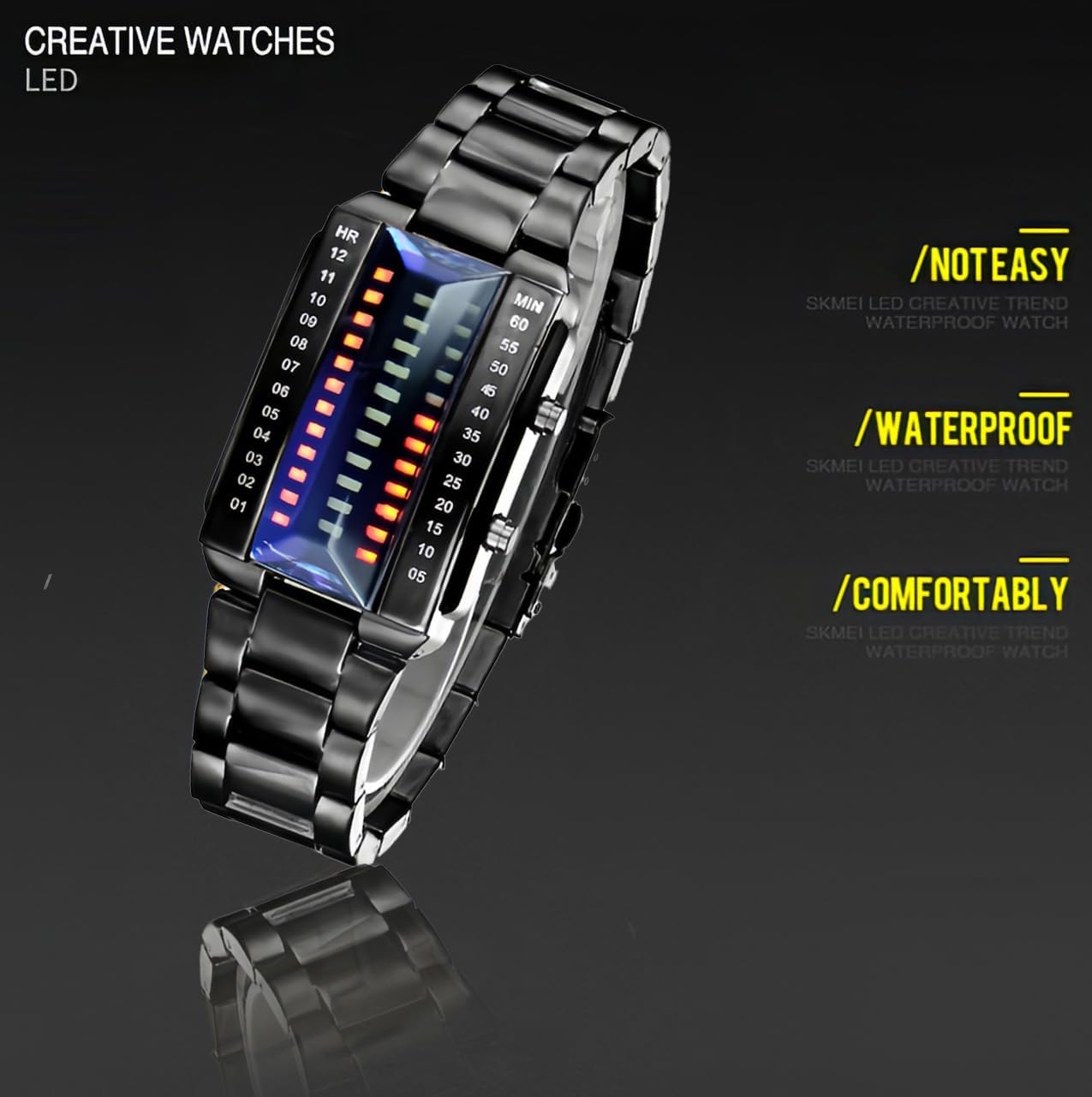
Figure 4: Watch highlighting its waterproof capability.
4.2 Cleaning
To clean your watch, wipe it gently with a soft, dry cloth. For stubborn dirt, a slightly damp cloth can be used, followed by immediate drying. Avoid using harsh chemicals or abrasive materials.
4.3 Battery Replacement
The watch is powered by a CR2032 battery. When the display becomes dim or stops functioning, the battery may need replacement.
- Battery replacement should ideally be performed by a qualified watch technician to ensure proper sealing and maintain water resistance.
- If replacing yourself, carefully open the watch back, replace the battery with a new CR2032, and ensure the back is securely closed.
5. Troubleshooting
| Problem | Possible Cause | Solution |
|---|---|---|
| Display does not light up. | Battery is low or depleted. | Replace the CR2032 battery (refer to Section 4.3). |
| Time is inaccurate. | Time not set correctly or internal movement issue. | Reset the time (refer to Section 3.2). If the problem persists after resetting, contact customer support. |
| Watch band is difficult to adjust. | Pins are stiff or tool is not used correctly. | Apply gentle, even pressure with the link remover tool. If difficulty persists, seek professional assistance from a jeweler. |
6. Specifications
- Model Number: SK 1103
- Display Type: Binary Matrix Blue LED Digital
- Case Material: Stainless Steel
- Band Material: Stainless Steel
- Clasp Type: Foldover Clasp
- Water Resistance: 3 ATM (30 meters / 98 feet)
- Dial Case Diameter: 40mm (1.57 inches)
- Dial Case Thickness: 12mm (0.47 inches)
- Band Width: 23mm (0.9 inches)
- Band Length: 220mm (8.66 inches)
- Watch Weight: 140g (5 oz)
- Battery Type: CR2032

Figure 5: Watch dimensions for reference.
7. Warranty and Support
For warranty information or customer support regarding your MASTOP watch, please refer to the documentation included with your purchase or contact the retailer directly.
Related Documents - SK 1103
 |
KRAUSE Anlegeleiter Bedienungsanleitung - Sicherheits- und Montagehinweise Offizielle Bedienungsanleitung für KRAUSE Anlegeleitern. Erfahren Sie alles über die sichere Montage, Verwendung, Wartung und Lagerung der KRAUSE-Leitermodelle. |
 |
Sontec Instruments Orthopedic Surgical Instruments Catalog Explore the comprehensive catalog of Sontec Instruments' high-quality orthopedic surgical instruments, including specialized tools, storage cases, and cleaning accessories. Learn about instrument care and repair. |
 |
Инструкция по эксплуатации DEGEN DE 1103: Полное руководство пользователя Подробное руководство пользователя для портативного радиоприемника DEGEN DE 1103. Описание функций, настроек, спецификаций и советов по использованию. |
 |
SDHQ Built ARB Twin Extension Harness Installation Guide and Packing List Comprehensive installation instructions and packing list for the SDHQ Built ARB Twin Extension Harness (Model: SDHQ-02-1103-ARB). Includes parts, tools, step-by-step guidance, and wiring diagrams for automotive applications. |
 |
Invensys TC-1101, TC-1102, TC-1103 Series Two-Position Electric Room Thermostats General Instructions General instructions for Invensys TC-1101, TC-1102, and TC-1103 Series two-position electric room thermostats, covering applications, specifications, installation, calibration, and maintenance. |
 |
Honeywell Waterproof Fire Chest User Guide User guide for Honeywell Waterproof Fire Chests, covering setup, operation, care, and safety features for models 1101, 1102, 1103, 1104, 1106, and 1108. Includes instructions on unlocking, locking, and proper use. |
Ask a question about this manual
Ask about setup, troubleshooting, compatibility, parts, safety, or missing instructions. Manuals+ will review the question and use this page’s manual context to help answer it.