1. Introduction
This manual provides comprehensive instructions for the safe and efficient installation, operation, and maintenance of the Orno Unique Retractable Power Strip, Model OR-AE-13109G. This device is designed to offer convenient and discreet access to two 230V AC power outlets and two USB charging ports, ideal for integration into desks, countertops, or other furniture.
2. Safety Instructions
Please read and understand all safety instructions before installing or using this product. Failure to follow these instructions may result in electric shock, fire, or serious injury.
- Professional Installation Recommended: Due to the internal wiring requirements, installation should ideally be performed by a qualified electrician. If you are not experienced with electrical wiring, seek professional assistance.
- Power Disconnection: Always disconnect power at the main circuit breaker before performing any installation, maintenance, or wiring work.
- Voltage and Amperage: Do not exceed the maximum rated load of 16A and 230V for the AC outlets. Overloading can cause overheating and fire.
- Moisture Protection: Do not expose the device to water, moisture, or high humidity. This product is intended for indoor use only in dry environments.
- Ventilation: Ensure adequate ventilation around the unit to prevent overheating. Do not obstruct the housing.
- Damage Inspection: Do not use the device if it appears damaged in any way. Contact customer support for assistance.
- Modification: Do not attempt to disassemble, modify, or repair the unit yourself. This will void the warranty and may pose a safety risk.
- Grounding: Ensure the device is properly grounded according to local electrical codes.
3. Product Overview
The Orno Unique Retractable Power Strip is designed for seamless integration into various surfaces, providing convenient power access when needed and retracting discreetly when not in use.
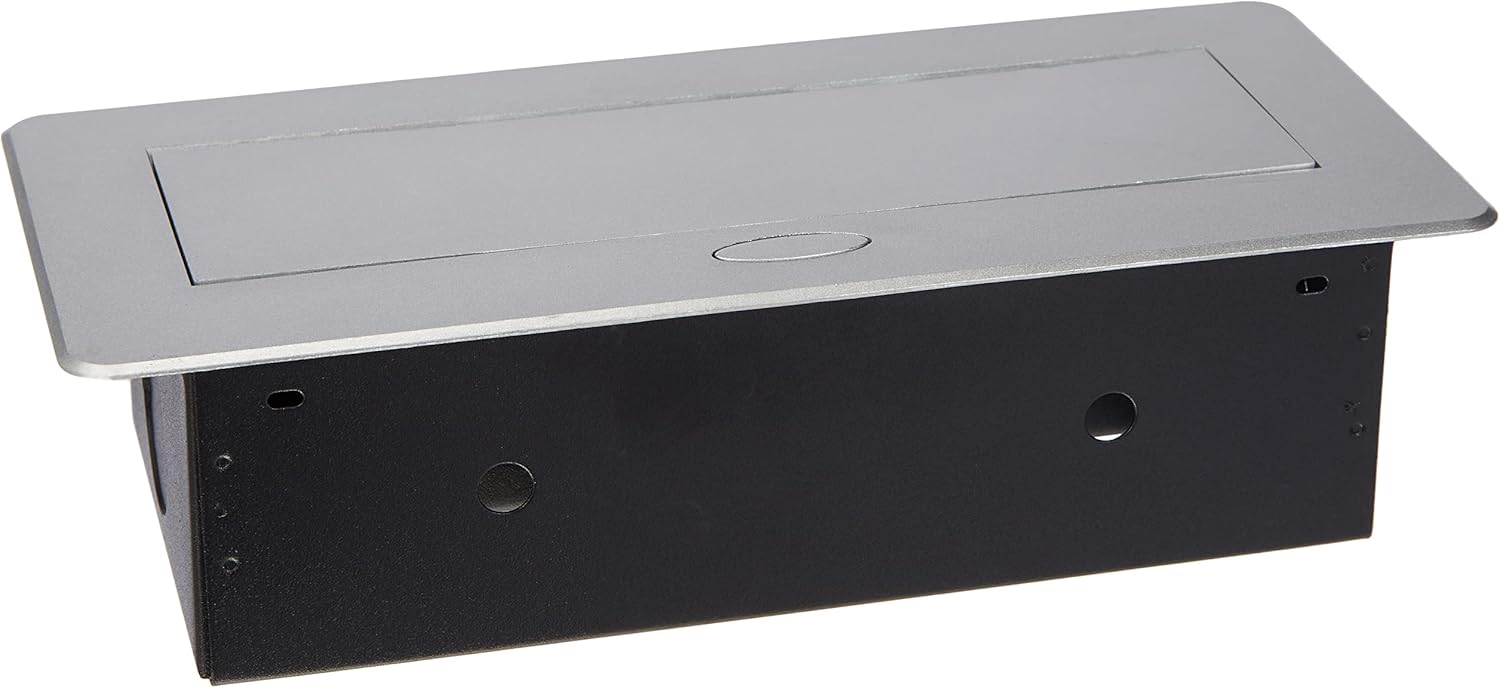
Figure 3.1: Retracted Unit Top View
This image shows the power strip fully retracted, flush with the surface. The silver-colored top cover blends seamlessly into modern furniture or countertops, providing a discreet power solution when not in use.
Components:
- Retractable Housing: The main body that houses the electrical components and allows for vertical movement.
- Top Cover: The visible part of the unit when retracted, featuring a soft-opening mechanism.
- 230V AC Sockets: Two standard power outlets for connecting electrical appliances.
- USB Charging Ports: Two USB ports for charging compatible devices like smartphones and tablets.
- Mounting Brackets/Flange: For securing the unit to the installation surface.
4. Setup and Installation
The installation of this retractable power strip requires a rectangular cut-out in the mounting surface and internal wiring. Please proceed with caution.

Figure 4.1: Underside View with Wiring Access
This image displays the underside of the power strip, revealing the robust housing and the area where electrical connections are made. Note the absence of pre-cabling, requiring manual wiring.
Installation Steps:
- Prepare the Mounting Surface: Choose a suitable location on your desk or countertop. Ensure there is sufficient space below the surface for the unit's housing.
- Create the Cut-out: Carefully measure and create a rectangular cut-out in the mounting surface. Refer to the product's packaging or a technical drawing for precise dimensions. A clean, precise cut is essential for a flush fit.
- Internal Wiring (Critical Step):
- Disconnect Power: Ensure the main power supply to the installation area is completely disconnected at the circuit breaker.
- Access Terminals: The unit requires manual wiring as it does not come pre-cabled. Access the internal wiring terminals, which may be challenging to reach.
- Connect Wires: Connect the live (L), neutral (N), and ground (PE) wires from your electrical supply to the corresponding terminals within the power strip. Ensure all connections are secure and comply with local electrical codes. The terminals may be difficult to access, requiring careful manipulation.
- Verify Connections: Double-check all wiring connections for tightness and correct polarity. Loose connections can lead to hazards.
- Insert the Unit: Carefully insert the power strip into the prepared cut-out from the top.
- Secure the Unit: Use the provided mounting brackets or screws to firmly secure the power strip to the underside of the mounting surface. Ensure it is stable and does not wobble.
- Restore Power: Once installation is complete and all connections are verified, restore power at the main circuit breaker.
5. Operating Instructions
Using the Orno Retractable Power Strip is straightforward once installed.

Figure 5.1: Extended Unit with Sockets and USB Ports
This image provides a detailed view of the power strip in its extended state. It clearly shows the two standard 230V AC power outlets and the two USB charging ports, ready for use.
Extending the Power Strip:
- Gently press down on the center of the top cover. The soft-opening mechanism will engage, and the unit will slowly rise from the surface.
- Pull the unit up until it locks into its fully extended position.
Using the Sockets and USB Ports:
- 230V AC Sockets: Plug your electrical appliances into the two available 230V sockets. Ensure the total power consumption does not exceed 16A.
- USB Charging Ports: Connect your USB-compatible devices (e.g., smartphones, tablets) to the two USB ports for charging.
Retracting the Power Strip:
- Unplug all devices from the sockets and USB ports.
- Gently press down on the top cover of the extended unit. The unit will slowly retract back into the mounting surface until it is flush.
6. Maintenance
Regular maintenance ensures the longevity and safe operation of your power strip.
- Cleaning: Disconnect power before cleaning. Use a soft, dry cloth to wipe the exterior surfaces. Do not use abrasive cleaners, solvents, or excessive moisture.
- Inspection: Periodically inspect the unit for any signs of damage, loose connections, or wear. If any issues are found, discontinue use and consult a qualified technician.
- Mechanism Check: Ensure the retraction mechanism operates smoothly. Do not force the unit if it gets stuck.
7. Troubleshooting
If you encounter problems with your Orno Retractable Power Strip, refer to the following common issues and solutions:
- No Power from Sockets/USB Ports:
- Check if the main power supply to the unit is active (e.g., circuit breaker is ON).
- Ensure the unit is fully extended and locked into position.
- Verify that the connected appliance or device is functioning correctly.
- If recently installed, re-check internal wiring connections (with power disconnected).
- Unit Does Not Retract/Extend Smoothly:
- Ensure no cables or objects are obstructing the mechanism.
- Clean any dust or debris from around the moving parts.
- Do not force the mechanism. If it remains stiff, contact support.
- Overheating:
- Immediately unplug all devices and disconnect power.
- Check if the total load connected to the sockets exceeds the maximum rating (16A).
- Ensure adequate ventilation around the unit.
- If overheating persists, discontinue use and seek professional inspection.
8. Specifications

Figure 8.1: Product Label with Specifications
This image displays the underside of the power strip, revealing the robust housing and the product label. The label provides important technical specifications and the model number, OR-AE-13109G, which identifies this specific unit.
| Feature | Specification |
|---|---|
| Brand | Orno |
| Model Number | OR-AE-13109G |
| AC Sockets | 2 x 230V AC |
| USB Ports | 2 x USB (Type A) |
| Voltage | 230 Volts |
| Amperage | 16 A (Maximum) |
| Material | Plastic, Metal |
| Color | Grey / Silver |
| Special Features | Retractable, Soft-opening mechanism, USB charging |
| Compatible Devices | Laptops, Smartphones, Tablets, other USB-powered devices |
| Country of Origin | Germany |
| International Article Code | 05902560322064 |
9. Warranty Information
Warranty terms and conditions may vary by region and retailer. Please retain your proof of purchase. For detailed warranty information, consult your retailer or visit the official Orno website.
10. Support
For technical assistance, troubleshooting not covered in this manual, or general inquiries, please contact Orno customer service or your local distributor. Contact information can typically be found on the manufacturer's website or product packaging.


