
1. Product Overview
The GUESS Classic Chronograph Quartz Watch W1055G1 is a men's timepiece featuring a black dial, stainless steel case, and a durable rubber strap. It is equipped with a quartz movement, a chronograph function, and a date display. The watch is designed for daily wear and offers water resistance up to 50 meters (5 ATM).
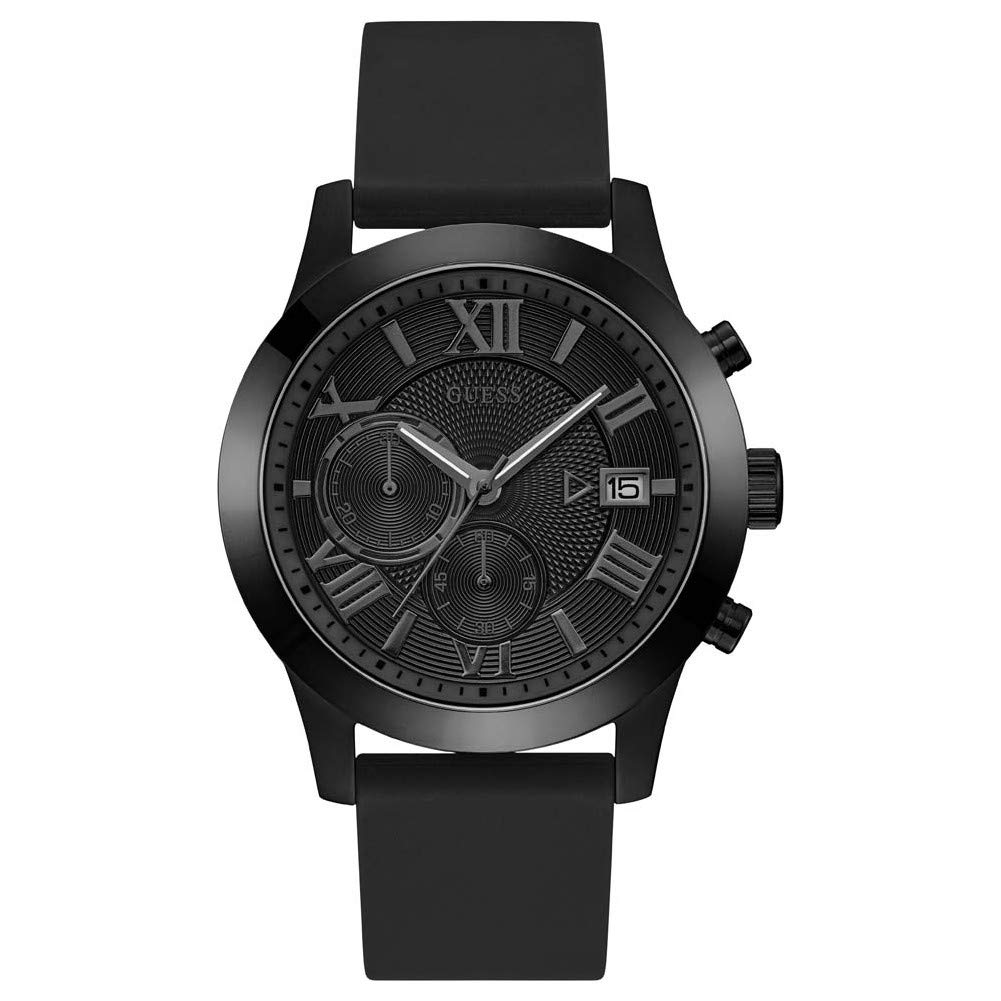
Image 1.1: Front view of the GUESS Classic Chronograph Quartz Watch W1055G1, showcasing the black dial, chronograph sub-dials, and luminous hands.
Key Features:
- Quartz movement for accurate timekeeping.
- Chronograph function for measuring elapsed time.
- Date display.
- Luminous hands for visibility in low light.
- Durable stainless steel case and scratch-resistant mineral crystal.
- Comfortable black silicone strap with a buckle clasp.
- Water resistant up to 5 ATM (50 meters / 165 feet).
2. Setup and Initial Use
2.1 Unboxing
Upon receiving your GUESS W1055G1 watch, carefully remove it from its packaging. Ensure all protective films are removed from the watch face and case back. The watch is delivered in an original gift box and includes a warranty card.
2.2 Setting the Time
- Pull the crown (center knob on the side of the watch) out to position 2.
- Rotate the crown to move the hands clockwise until the correct time is displayed. Ensure to account for AM/PM if setting the date simultaneously.
- Push the crown back into position 0 to start the watch.

Image 2.1: Side view of the watch, illustrating the crown and chronograph pushers used for setting and operating functions.
2.3 Setting the Date
- Pull the crown out to position 1.
- Rotate the crown either clockwise or counter-clockwise (depending on the movement) until the correct date appears in the date window.
- Once the date is set, push the crown back into position 0.
- Note: Avoid setting the date between 9 PM and 3 AM, as this can interfere with the automatic date change mechanism. If the date needs adjustment during this period, first set the time outside this range, adjust the date, then reset the time.
3. Operating the Chronograph
The chronograph function allows you to measure elapsed time independently of the main time display.
- Starting the Chronograph: Press the upper pusher (A) to start the chronograph. The chronograph second hand will begin to move.
- Stopping the Chronograph: Press the upper pusher (A) again to stop the chronograph. The elapsed time will be indicated by the chronograph hands.
- Resetting the Chronograph: After stopping, press the lower pusher (B) to reset all chronograph hands to their zero positions.
- Split Time (if applicable): Some chronographs allow for split time measurement. Refer to specific movement instructions if your model supports this. For basic operation, use start, stop, and reset.
Important: Ensure the crown is fully pushed in (position 0) when operating the chronograph to maintain water resistance.
4. Maintenance and Care
4.1 Cleaning Your Watch
- Wipe the watch case and strap regularly with a soft, dry cloth to remove dust and perspiration.
- For the silicone strap, a damp cloth with mild soap can be used, followed by thorough drying.
- Avoid using harsh chemicals, solvents, or abrasive cleaners, as these can damage the watch's finish or strap material.
4.2 Water Resistance
This watch is water resistant up to 5 ATM (50 meters / 165 feet). This means it is suitable for short periods of recreational swimming, showering, or washing hands. It is not suitable for diving, snorkeling, or high-impact water sports.
- Always ensure the crown is fully pushed in before any contact with water.
- Do not operate the crown or pushers while the watch is wet or submerged.
- After exposure to saltwater, rinse the watch with fresh water and dry it thoroughly.
4.3 Battery Replacement
The watch is powered by a quartz movement, which requires a battery. When the battery runs low, the watch may stop or the second hand may jump in irregular intervals (End-of-Life indicator). Battery replacement should be performed by a qualified watch technician to ensure proper sealing and maintain water resistance.
5. Troubleshooting
If you encounter any issues with your GUESS W1055G1 watch, please refer to the following common problems and solutions:
- Watch Not Running:
- Check if the crown is fully pushed in (position 0).
- The battery may need replacement. Consult a professional watch repair service.
- Date Not Changing Correctly:
- Ensure the time is set correctly, accounting for AM/PM. The date typically changes around midnight.
- Avoid setting the date between 9 PM and 3 AM.
- Chronograph Hands Not Resetting to Zero:
- Press the lower pusher (B) firmly after stopping the chronograph.
- If hands are misaligned, some quartz chronographs allow for manual adjustment. Consult a professional if unsure.
- Condensation Under Crystal:
- This indicates a potential breach in water resistance. Avoid further water exposure and seek immediate professional service.
For issues not covered here, or if problems persist, please contact GUESS customer support or an authorized service center.
6. Specifications
| Feature | Detail |
|---|---|
| Model Number | W1055G1 |
| Movement Type | Quartz |
| Case Material | Stainless Steel |
| Case Diameter | 45 mm |
| Case Thickness | 12 mm |
| Strap Material | Silicone |
| Strap Width | 22 mm |
| Dial Color | Black |
| Crystal Type | Mineral |
| Water Resistance | 5 ATM (50 meters / 165 feet) |
| Functions | Chronograph, Date, Hour, Minute, Second |
| Weight | 90 grams |
| Clasp Type | Buckle |
7. Warranty and Support
7.1 Warranty Information
This GUESS watch comes with a 2-year warranty from the date of purchase. The warranty covers manufacturing defects in materials and workmanship under normal use. It does not cover damage resulting from improper handling, accidents, unauthorized repairs, or normal wear and tear (e.g., battery, strap, crystal damage).
Please retain your proof of purchase and the included warranty card for any warranty claims.
7.2 Customer Support
For service, repairs, or further assistance, please contact GUESS customer support or visit an authorized GUESS service center. Contact details can typically be found on the official GUESS website or on your warranty card.
When contacting support, please have your watch model number (W1055G1) and purchase details readily available.

Image 7.1: View of the watch's black silicone strap and buckle clasp, designed for secure and comfortable wear.


