
Introduction
This manual provides essential information for the safe and efficient operation, installation, and maintenance of your hOmeLabs Compact Countertop Dishwasher. Please read it thoroughly before using the appliance and keep it for future reference.
The hOmeLabs Compact Countertop Dishwasher is an Energy Star certified appliance designed for small households, apartments, or offices with limited space. It offers convenient dishwashing with multiple wash cycle options and a 6 standard place setting capacity.
Product Overview
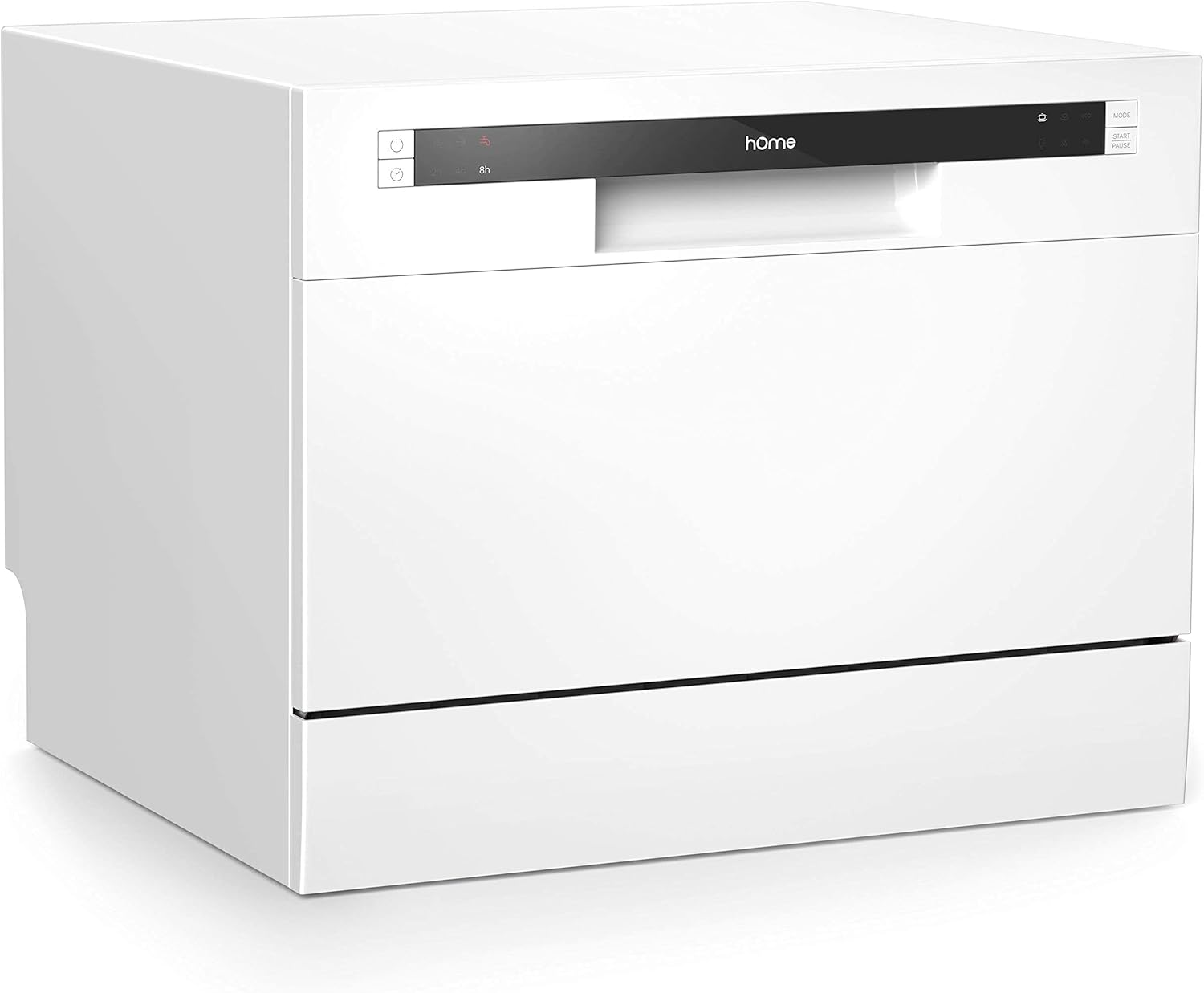
Figure 1: Front angled view of the hOmeLabs Compact Countertop Dishwasher, showcasing its compact design and white finish.
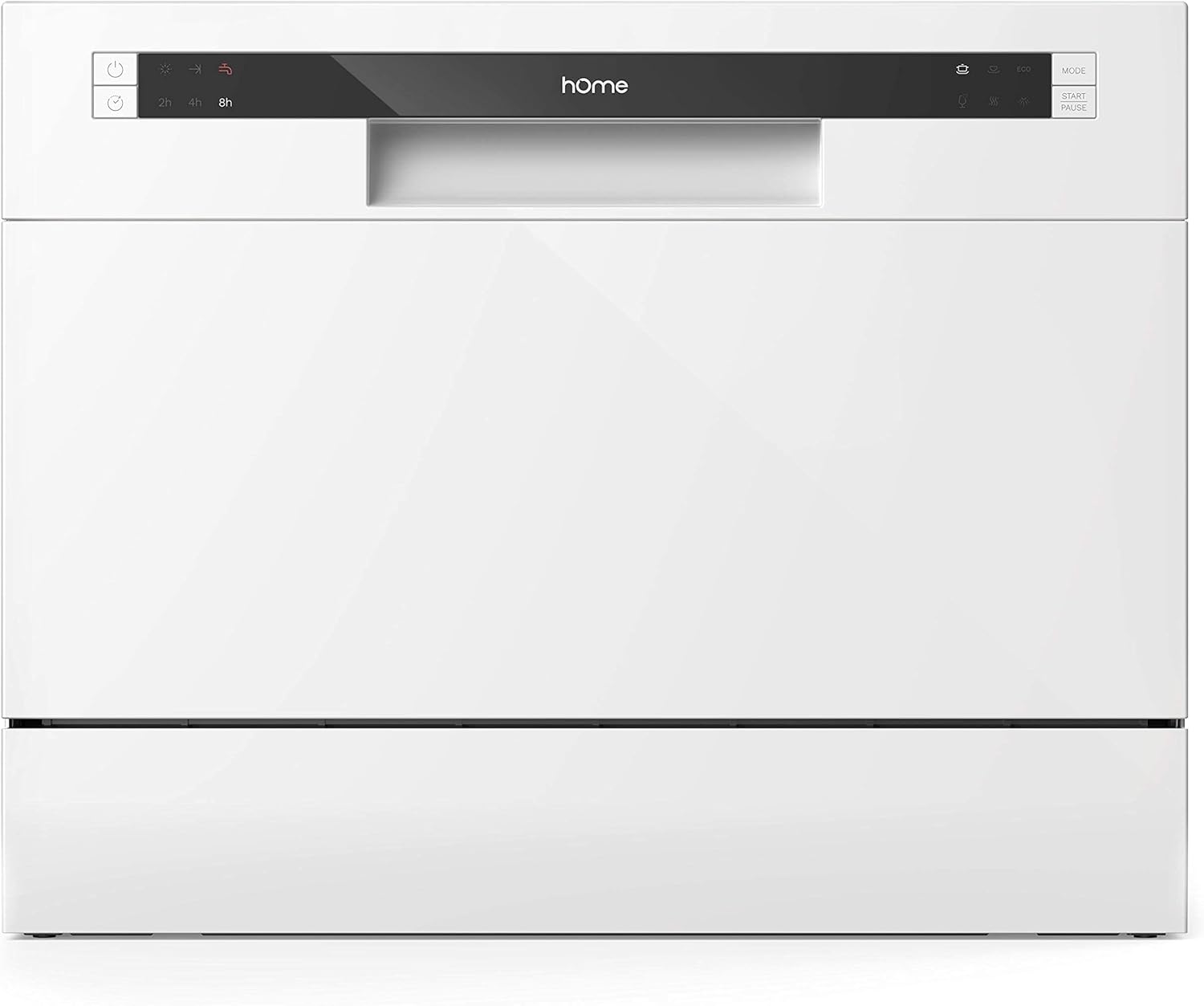
Figure 2: Front view of the dishwasher, highlighting the control panel and sleek design.

Figure 3: Interior view of the dishwasher, demonstrating its 6 standard place setting capacity with dishes, bowls, and cutlery loaded.
Setup and Installation
The hOmeLabs Compact Countertop Dishwasher is designed for easy setup. It includes a quick connect assembly for water lines.
Unpacking
- Carefully remove the dishwasher from its packaging.
- Inspect the appliance for any shipping damage. Report any damage to your retailer immediately.
- Ensure all accessories are present: inlet hose, drain hose, faucet adapter, dish rack, silverware basket, filter, power cord, rinse aid dispenser, and user manual.
Placement
Place the dishwasher on a stable, level countertop or tabletop near a water source and drain. Ensure adequate clearance around the unit for ventilation and door opening.

Figure 4: The compact dishwasher positioned on a kitchen countertop, demonstrating its suitability for small spaces.
Water Connection
Connect the inlet hose to a compatible faucet using the provided faucet adapter. The adapter is compatible with round-shaped faucet outlets with removable aerators, and 55/64"-27 male or 15/16"-27 female threads underneath.
Connect the drain hose to a sink or designated drain point. Ensure the drain hose is properly secured to prevent leaks.
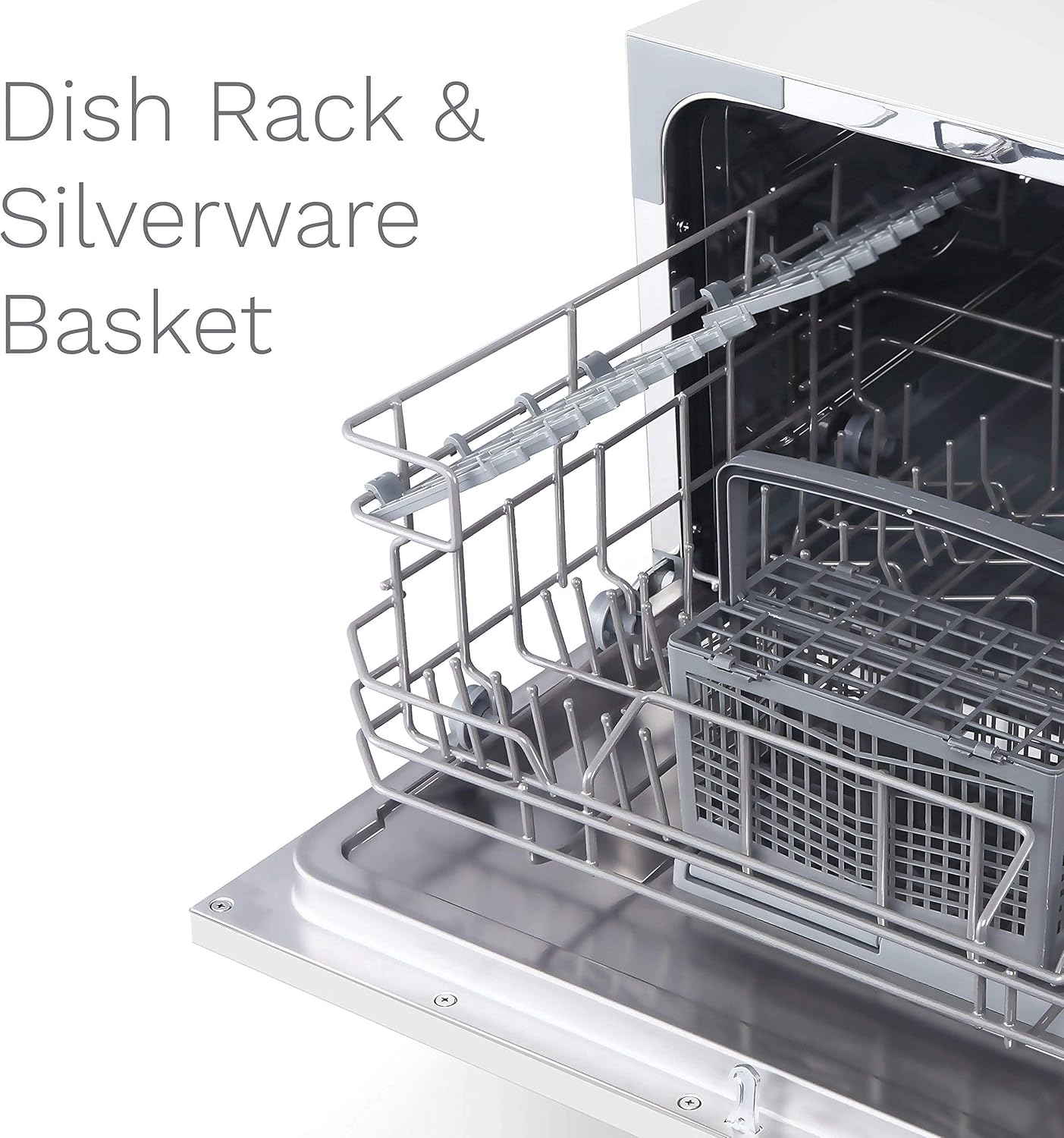
Figure 5: Close-up view of the faucet adapter, illustrating its design for quick connection to various faucet types.
Power Connection
Plug the power cord into a grounded 120 Volt electrical outlet. Ensure the outlet meets the electrical requirements of the appliance.
Operating Instructions
The dishwasher features a user-friendly control panel with light indicators for easy operation.

Figure 6: Detailed view of the control panel, showing the various wash cycle options and indicator lights.
Loading Dishes
Load dishes into the dish basket and cutlery into the silverware basket. Ensure dishes do not block the spray arms or detergent dispenser.

Figure 7: Close-up of the dish rack and silverware basket, illustrating how they are positioned inside the dishwasher for optimal loading.
Adding Detergent and Rinse Aid
Add appropriate dishwasher detergent to the dispenser. Fill the rinse aid dispenser with rinse aid specifically designed for automatic dishwashers. An indicator light will illuminate when the rinse aid needs refilling.
Selecting a Wash Cycle
The dishwasher offers 6 wash cycle options:
- Heavy: For heavily soiled dishes and pots.
- Normal: For regularly soiled dishes.
- ECO: Energy-saving cycle for normal loads.
- Glass: Gentle cycle for delicate glassware.
- Speed: Quick wash for lightly soiled dishes.
- Rinse: For rinsing dishes that will be washed later.
Use the program selector on the control panel to choose your desired cycle.
Starting and Pausing a Cycle
Press the Start/Pause button to begin the selected wash cycle. Press it again to pause the cycle if needed. The Delay button light allows you to postpone the wash cycle for 2, 4, or 8 hours.
Maintenance
Regular maintenance ensures optimal performance and longevity of your dishwasher.
Cleaning the Filter
The dishwasher is equipped with a filter system. Regularly clean the filter to prevent food particles from recirculating and affecting wash performance. Refer to the detailed instructions in the included user manual for filter removal and cleaning.
Refilling Rinse Aid
Monitor the rinse aid indicator light. When it signals low rinse aid, refill the dispenser with rinse aid specifically designed for automatic dishwashers. This helps in drying dishes quickly and preventing water spots.
Exterior and Interior Cleaning
- Wipe the exterior with a damp cloth. Do not use abrasive cleaners.
- Clean the interior periodically to remove any residue or odors. A dishwasher cleaner can be used for deep cleaning.
Troubleshooting
Before contacting customer support, please refer to the following common issues and their solutions.
| Problem | Possible Cause | Solution |
|---|---|---|
| Dishwasher does not start | Power cord not plugged in; Door not closed properly; Circuit breaker tripped. | Ensure power cord is securely plugged in; Close the door firmly until it latches; Check and reset the circuit breaker. |
| Dishes are not clean | Improper loading; Clogged spray arms; Insufficient detergent; Clogged filter. | Reload dishes correctly; Clean spray arm nozzles; Use recommended amount of detergent; Clean the filter. |
| Water spots on dishes | No rinse aid; Low rinse aid level; Hard water. | Refill rinse aid dispenser; Adjust rinse aid setting; Consider using a water softener if water is very hard. |
| Unusual noise during operation | Dishes interfering with spray arm; Foreign object in pump. | Rearrange dishes; Inspect and remove any foreign objects from the pump area. |
Specifications
Detailed technical specifications for the hOmeLabs Compact Countertop Dishwasher.

Figure 8: Dimensions of the hOmeLabs Compact Countertop Dishwasher, showing its height, depth, and width.
| Feature | Detail |
|---|---|
| Brand | hOmeLabs |
| Model Number | HME010033N |
| Form Factor | Freestanding |
| Installation Type | Countertop |
| Capacity | 6 Place Settings |
| Product Dimensions (D x W x H) | 43.7D x 49.8W x 54.9H Centimetres (17.2 x 19.6 x 21.6 inches) |
| Item Weight | 44 Pounds |
| Voltage | 120 Volts |
| Operating Frequency | 60 Hz |
| Cycle Options | Heavy, Normal, ECO, Glass, Speed, Rinse |
| Number of Settings | 6 |
| Special Feature | Energy Star Certified |
| Color | White |
| Controls Type | Touch |
| Material | Stainless Steel (Interior) |
| Included Components | Dish Rack & Silverware Basket, Faucet Adapter, Filter, Inlet & Drain Hose, Power Cord, Rinse Aid Dispenser, User Manual |

Figure 9: Energy Guide label for the hOmeLabs Compact Countertop Dishwasher (Model HME010033N), indicating estimated yearly energy cost and electricity use.
Warranty and Support
For warranty information and customer support, please refer to the warranty card included with your product or visit the official hOmeLabs website. Keep your purchase receipt as proof of purchase for any warranty claims.
For technical assistance or service inquiries, please contact hOmeLabs customer service through their official channels.


