
RCF ART 710A
RCF ART 710A 1400W 10-inch Active 2-way Speaker User Manual
Model: ART 710A
Introduction
This manual provides essential information for the safe and efficient operation of your RCF ART 710A active 2-way speaker. Please read this manual thoroughly before using the product to ensure proper setup, operation, and maintenance. Retain this manual for future reference.

Figure 1: Front view of the RCF ART 710A active speaker, showcasing its robust grille and RCF logo.
Important Safety Information
- Power Supply: Ensure the power supply voltage matches the requirements specified on the unit. Use only the provided power cord.
- Ventilation: Do not block ventilation openings. Ensure adequate airflow around the unit to prevent overheating.
- Moisture: Do not expose the unit to rain or moisture. Avoid placing liquids on or near the speaker.
- Placement: Place the speaker on a stable, level surface or mount it securely using appropriate hardware.
- Servicing: Refer all servicing to qualified service personnel. Do not attempt to open or repair the unit yourself.
- Hearing Protection: Prolonged exposure to high sound pressure levels can cause permanent hearing damage. Use hearing protection when operating at high volumes.
Key Features
- 1400W Peak Power, 700W RMS
- 10-inch Woofer, 1-inch Compression Driver
- FiRPHASE Technology for linear response
- Integrated DSP with equalization, phase control, soft limiting, crossover, and speaker protections
- Class D Amplifiers
- Frequency Response: 50 Hz - 20 kHz
- Maximum SPL: 129 dB
Setup
1. Unpacking
Carefully remove the speaker from its packaging. Inspect the unit for any signs of damage that may have occurred during transit. Retain the original packaging for future transport or storage.
2. Placement and Mounting
The ART 710A can be used as a main front-of-house speaker, a stage monitor, or mounted on a pole. Ensure the speaker is placed on a stable surface or securely mounted.
- Pole Mounting: Use a standard 35mm speaker pole. Ensure the pole is rated to support the speaker's weight (approximately 37 lbs / 16.8 kg).
- Floor Placement: For stage monitor applications, position the speaker at the desired angle.
- Suspension: If suspending the speaker, consult a qualified professional and use appropriate rigging hardware.
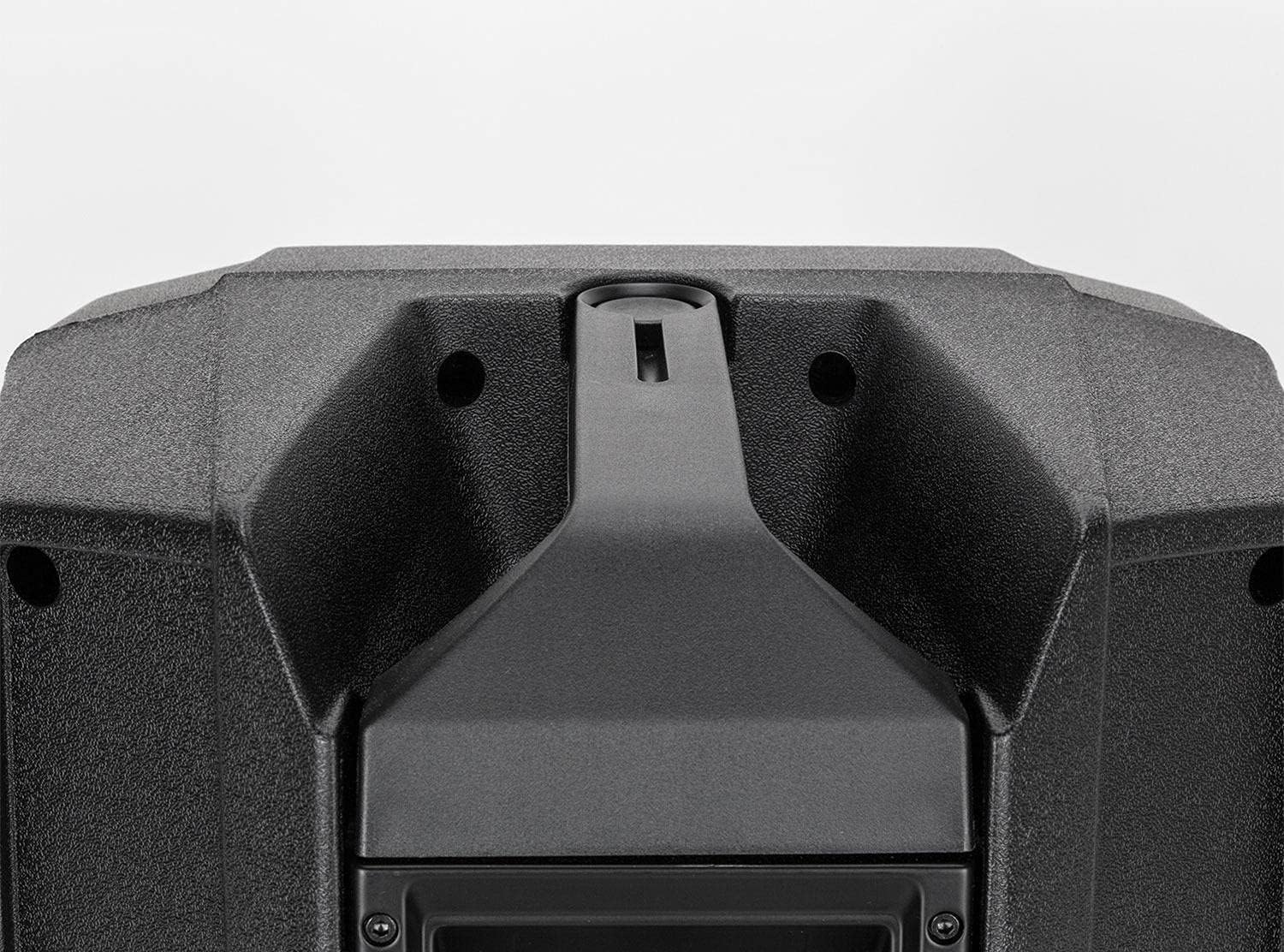
Figure 2: Top view of the RCF ART 710A, highlighting the integrated pole mount socket for stand placement.
3. Connections
Refer to the rear panel for all input and output connections.

Figure 3: Rear panel of the RCF ART 710A, displaying XLR inputs, output, volume control, and power connection.
- Audio Input: Connect your audio source (mixer, instrument, etc.) to the BALANCED INPUT using an XLR cable.
- Audio Output (Link): Use the BALANCED OUTPUT to link to another speaker or audio device.
- Power Input: Connect the provided power cord to the AC INPUT socket.
- Input Sensitivity Switch: Adjust for microphone or line-level signals.
- Volume Control: Adjust the overall output level of the speaker.
Operating Instructions
1. Powering On/Off
- Ensure all connections are secure and the volume control is set to minimum before powering on.
- Flip the POWER SWITCH to the "ON" position. The power indicator LED will illuminate.
- To power off, set the volume to minimum, then flip the POWER SWITCH to "OFF".
2. Adjusting Volume and Input Sensitivity
- Start with the VOLUME control at its minimum setting.
- Set the INPUT SENSITIVITY switch according to your source: "MIC" for microphone level signals, "LINE" for line level signals (e.g., mixer output).
- Gradually increase the VOLUME control to the desired listening level. Monitor the signal LEDs to avoid clipping (distortion).
3. DSP Functions (Internal Processing)
The ART 710A features an integrated Digital Signal Processor (DSP) that manages equalization, phase control, soft limiting, crossover, and speaker protections automatically. There are no user-adjustable DSP parameters directly on the unit. The system is optimized for a linear response and balanced sound.
Maintenance
- Cleaning: Clean the speaker cabinet with a soft, dry cloth. Do not use abrasive cleaners or solvents.
- Grille: Periodically check the front grille for dust or debris and gently clean if necessary to maintain optimal sound dispersion.
- Storage: When not in use for extended periods, store the speaker in a dry, temperate environment, ideally in its original packaging or a protective cover.
- Inspection: Regularly inspect power cables and audio cables for any signs of wear or damage. Replace damaged cables immediately.
Troubleshooting
| Problem | Possible Cause | Solution |
|---|---|---|
| No sound output |
|
|
| Distorted sound |
|
|
| Hum or noise |
|
|
Technical Specifications
| Feature | Detail |
|---|---|
| Model | RCF ART 710A |
| Speaker Type | Active 2-way Speaker |
| Power Output | 1400W Peak, 700W RMS |
| Woofer | 10-inch |
| Compression Driver | 1-inch |
| Frequency Response | 50 Hz - 20 kHz |
| Max SPL | 129 dB |
| DSP Features | FiRPHASE Technology, EQ, Phase Control, Soft Limiting, Crossover, Protections |
| Amplifier Type | Class D |
| Input Connectors | XLR |
| Output Connectors | XLR |
| Dimensions (H x W x D) | 22.3 x 15.4 x 13.9 inches (56.6 x 39.1 x 35.3 cm) |
| Weight | 37 lbs (16.8 kg) |
| Power Source | Corded Electric |
Warranty Information
RCF products are covered by a limited warranty against defects in materials and workmanship. The specific terms and duration of the warranty may vary by region and product. Please refer to the official RCF website or your local distributor for detailed warranty information and registration procedures. Keep your proof of purchase for warranty claims.
Customer Support
For technical assistance, service, or spare parts, please contact RCF customer support or your authorized RCF dealer. You can find contact information on the official RCF website:
When contacting support, please have your product model (ART 710A) and serial number ready. The serial number is located on the rear panel of the speaker.
Related documentsART 710A


Ask a question about this manual
Ask about setup, troubleshooting, compatibility, parts, safety, or missing instructions. Manuals+ will review the question and use this page’s manual context to help answer it.