
1. Introduction
This manual provides essential instructions for the safe and efficient use of your ABENIC 12V Super Polymer 20000mAh Lithium-Ion Battery Pack. Please read this manual thoroughly before operating the device and retain it for future reference.
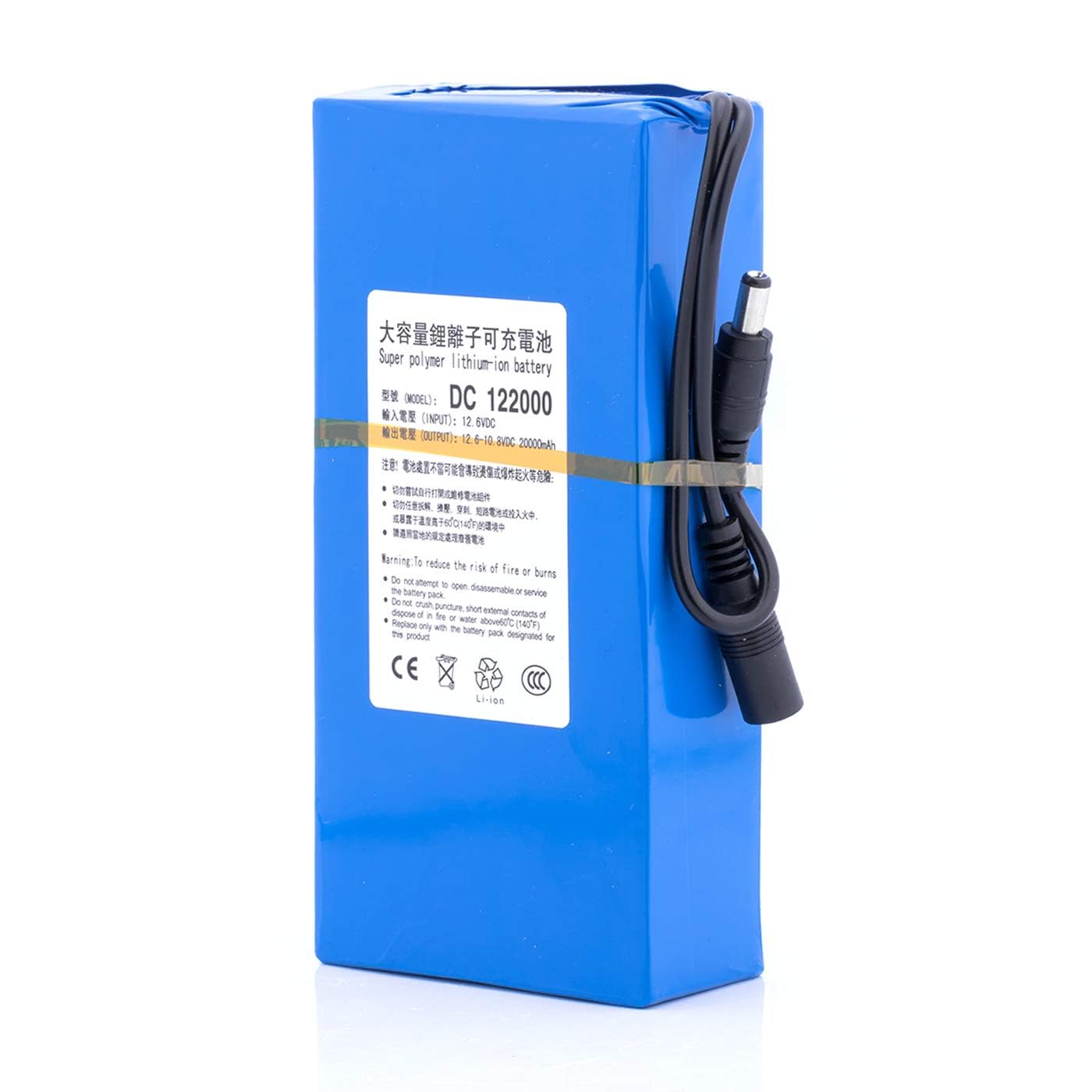
Image 1.1: ABENIC 12V 20000mAh Lithium-Ion Battery Pack with indicated dimensions (157mm length, 76mm width, 37mm height, 540g weight).
2. Safety Information
WARNING: Failure to follow these safety instructions may result in fire, electric shock, injury, or damage to the product or property.
- Do not attempt to open, disassemble, or service the battery pack.
- Do not crush, puncture, short external contacts, or dispose of in fire or water.
- Avoid exposing the battery to extreme temperatures (high or low) or direct sunlight.
- Keep the battery away from children.
- Ensure the battery is charged using only the specified 12.6V/1A AC charger.
- This battery pack includes built-in protection against over-charge, over-discharge, over-voltage, over-current, and short circuits. However, proper handling is still crucial.
- If the battery shows signs of bulging, leakage, or damage, discontinue use immediately and dispose of it properly according to local regulations.
3. Product Features
- High Capacity: 20000mAh Lithium-Ion battery for extended power supply.
- Safety Protections: Integrated circuits protect against over-charge, over-discharge, over-voltage, over-current, and short circuits.
- Wide Compatibility: Suitable for most 12V devices within 2A (24W) power consumption.
- Versatile Applications: Powers wireless cameras, personal processing systems, PDA personal data assistants, communication systems, walkie-talkies, digital cameras, camcorders, video cameras, Bluetooth devices, CD/MD players, portable DVDs, MP3 players, smart cards, aviation models, drones, telescopes, electronic organs, smart robots, fishing lamps, Spectra S2 Breast Pump, probe lights, and signal tools.

Image 3.1: The battery pack highlighting its 20000mAh capacity and Lithium-Ion Polymer composition.
4. Package Contents
- 1 x ABENIC 12V 20000mAh Lithium-Ion Battery Pack
- 1 x 12.6V/1A AC Charger

Image 4.1: The ABENIC battery pack and its dedicated 12.6V/1A AC charger, illustrating the 5.5x2.1mm male and female connectors.
5. Setup and Charging Instructions
Follow these steps to properly charge your ABENIC battery pack. Refer to the image below for visual guidance on each step.
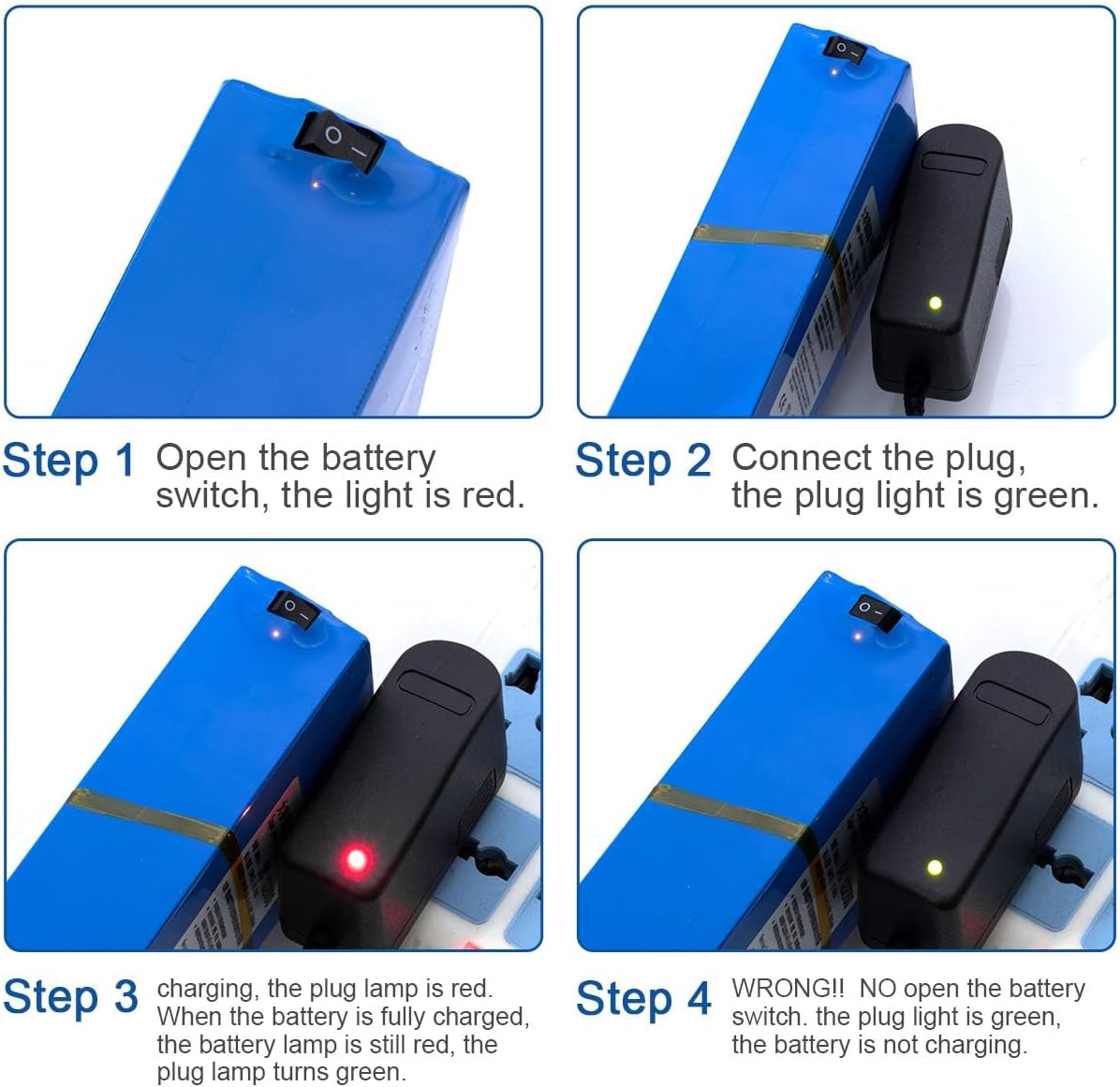
Image 5.1: Visual guide for charging the ABENIC battery pack, illustrating the correct sequence and indicator lights for each step.
- Step 1: Turn on the battery switch. Locate the power switch on the battery pack and slide it to the "ON" position (indicated by "-"). The indicator light on the switch will turn red. (Refer to the top-left panel of Image 5.1).
- Step 2: Connect the charger. Plug the 12.6V/1A AC charger into a power outlet. Connect the charger's output plug to the battery pack's input port. The indicator light on the charger will turn green, indicating it is ready to charge. (Refer to the top-right panel of Image 5.1).
- Step 3: Monitor charging. While charging, the indicator light on the charger will be red. Once the battery is fully charged, the charger's indicator light will turn green. The battery's switch light will remain red. (Refer to the bottom-left panel of Image 5.1).
- Important Note: Ensure the battery switch is in the "ON" position ("-") during charging. If the battery switch is off, the charger's light may turn green, but the battery will not charge. This is an incorrect charging method. (Refer to the bottom-right panel of Image 5.1).
6. Operating Instructions
To use the ABENIC battery pack to power your devices:

Image 6.1: Close-up view of the battery pack's power switch, showing the "ON" (-) and "OFF" (O) positions.
- Ensure the battery pack is sufficiently charged.
- Connect your 12V device (within 2A/24W) to the output port of the battery pack.
- Slide the power switch on the battery pack to the "ON" position (indicated by "-"). The red indicator light will illuminate, signifying that the battery is supplying power.
- When finished, slide the power switch to the "OFF" position ("O") to conserve battery life.
7. Applications
The ABENIC 12V 20000mAh Lithium-Ion Battery Pack is designed for a wide range of 12V electronic devices, including but not limited to:
- Wireless cameras and surveillance systems
- Portable DVD players, MP3 players, CD/MD players
- Digital cameras, camcorders, video cameras
- Personal processing systems, PDA personal data assistants
- Personal communication systems, walkie-talkies, Bluetooth devices
- Aviation models, drones, telescopes
- Electronic organs, smart robots
- Fishing lamps, Spectra S2 Breast Pump, probe lights, signal tools
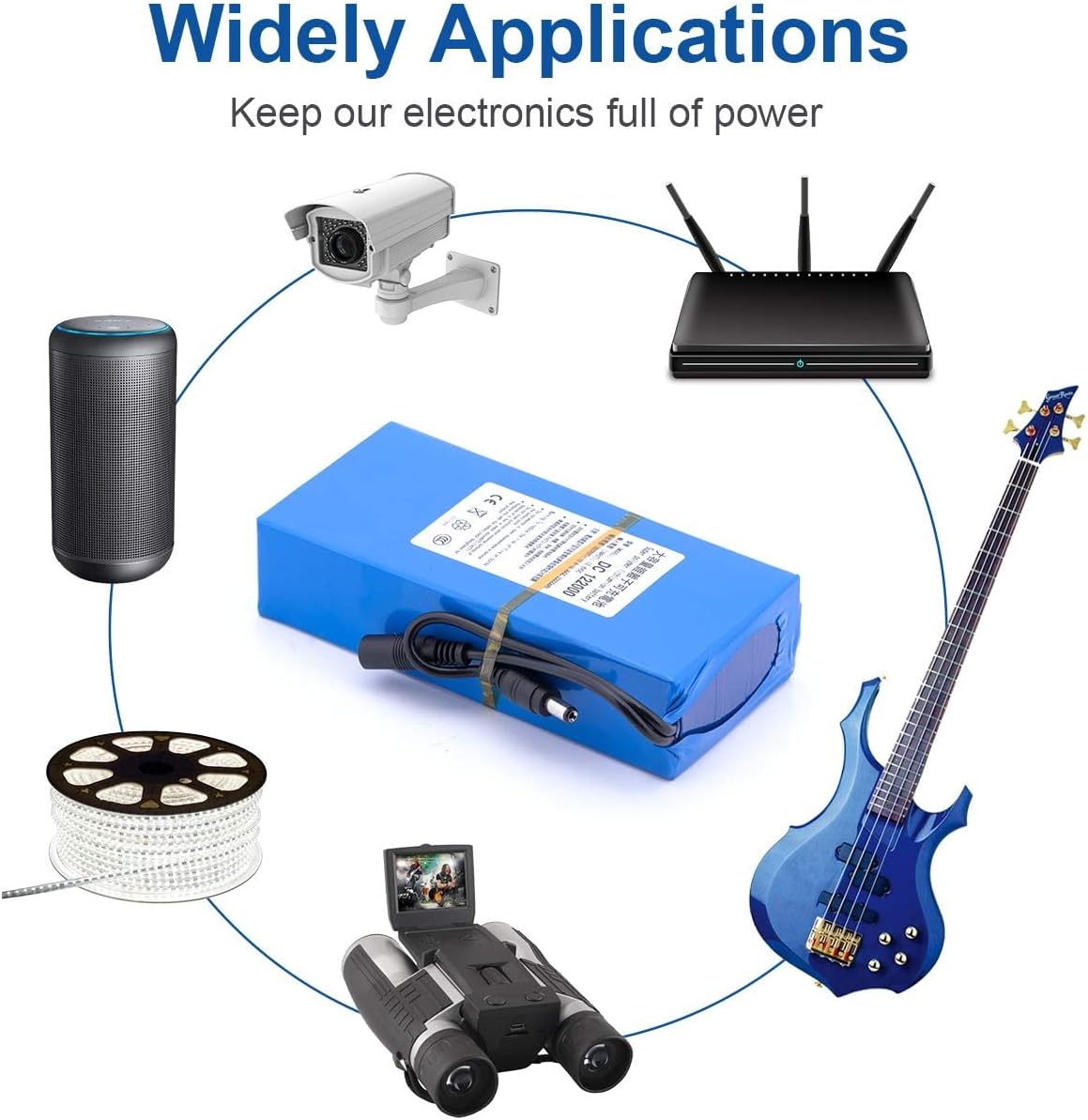
Image 7.1: Examples of devices compatible with the ABENIC battery pack, demonstrating its wide range of applications.
8. Maintenance
- Store the battery pack in a cool, dry place away from direct sunlight and extreme temperatures.
- Avoid fully discharging the battery for prolonged periods. Recharge it periodically if not in use.
- Clean the battery pack with a dry, soft cloth. Do not use liquid cleaners.
- If the battery is not used for an extended period, charge it to approximately 50-70% before storage.
9. Troubleshooting
- Battery not charging:
- Ensure the battery's power switch is in the "ON" position ("-") during charging.
- Verify that the charger is properly connected to both the power outlet and the battery pack.
- Check if the charger's indicator light changes from green (ready) to red (charging) when connected to the battery with the switch on.
- Confirm you are using the original 12.6V/1A AC charger provided with the battery.
- Battery not powering devices:
- Ensure the battery pack is sufficiently charged.
- Verify the battery's power switch is in the "ON" position ("-").
- Check that your device is compatible with a 12V power supply and does not exceed 2A (24W) power consumption.
- Ensure the connection between the battery and your device is secure.
- Battery appears swollen or bulging:
- Discontinue use immediately. A swollen battery indicates a serious safety risk. Do not attempt to charge or use it. Dispose of the battery properly according to local hazardous waste regulations. This can be caused by improper charging, prolonged storage in extreme conditions, or internal cell degradation.
10. Specifications
| Model Number | DC122000 |
| Model Name | DC12V |
| Brand | ABENIC |
| Battery Cell Composition | Lithium Polymer |
| Battery Capacity | 20000 Milliamp Hours (mAh) |
| Voltage | 12 Volts |
| Amperage | 2 Amps (Output) |
| Reusability | Rechargeable |
| Item Dimensions (L x W x H) | 6.18 x 2.99 x 1.46 inches (approx. 157 x 76 x 37 mm) |
| Battery Weight | 297 Grams |
| Charger Input | 12.6V/1A AC Charger (included) |
| UPC | 614070041032 |
11. Warranty and Support
For warranty information or technical support, please contact ABENIC customer service. Refer to your purchase documentation for specific warranty terms and contact details.
You can also visit the ABENIC Store on Amazon for more information.