
Introduction
The Garmin Edge 1030 is a 3.5-inch GPS cycling computer designed for comprehensive navigation, performance tracking, and cycling awareness. This manual provides essential information for setting up, operating, maintaining, and troubleshooting your device to ensure optimal performance during your rides.

Image: The Garmin Edge 1030 GPS Cycling Computer, displaying a route map on its screen.
What's in the Box
Verify that all components are present in your product packaging:
- Garmin Edge 1030 Device
- Extended Out-Front Mount
- Standard Mount
- Tether
- USB Cable
- Manuals
Setup
Mounting the Device
The Edge 1030 includes both an extended out-front mount and a standard mount. Choose the mount that best suits your bicycle and riding preference.
- Securely attach the chosen mount to your bicycle's handlebars or stem using the provided rubber bands or screws.
- Align the tabs on the back of the Edge 1030 with the notches on the mount.
- Press down slightly and twist the device clockwise until it locks into place.
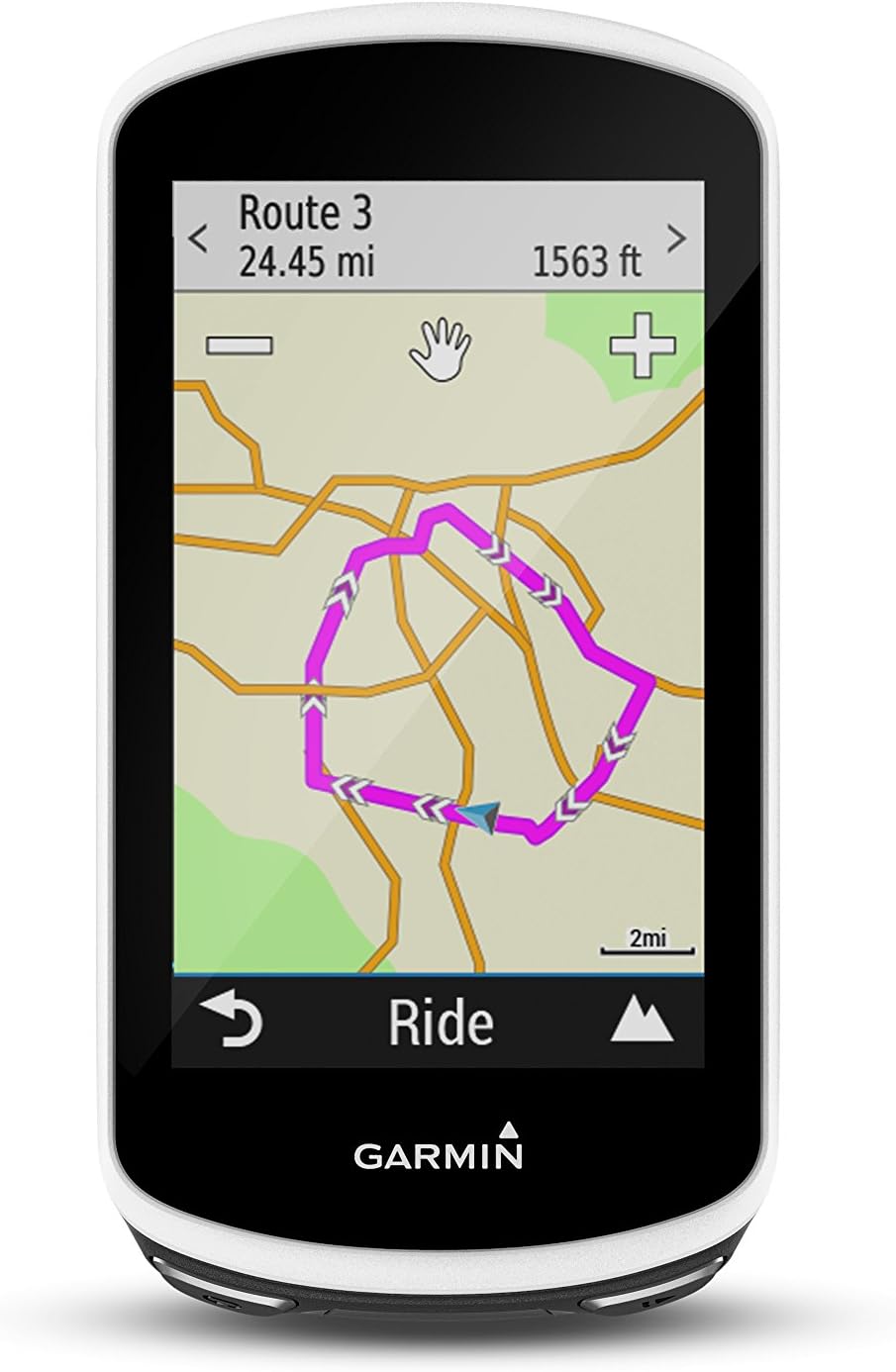
Image: Front view of the Garmin Edge 1030 displaying a detailed route map.
Charging the Device
Before initial use, fully charge the Edge 1030. The device uses a Lithium Ion battery with an approximate life of 20 hours.
- Connect the small end of the included USB cable to the USB port on the Edge 1030.
- Connect the large end of the USB cable to a USB charging adapter or a computer USB port.
- The device will display a charging indicator. Allow the device to charge completely.
Pairing Sensors
The Edge 1030 supports ANT and Bluetooth connectivity for various sensors (e.g., heart rate monitors, speed sensors, cadence sensors).
- Ensure your sensor is awake and within range of the Edge 1030.
- From the main menu, select Settings > Sensors > Add Sensor.
- Select the sensor type and follow the on-screen prompts to complete the pairing process.
Operating the Device
Powering On/Off
- To power on, press and hold the power button located on the side of the device.
- To power off, press and hold the power button, then select Power Off on the screen.
Touchscreen Navigation
The Edge 1030 features a 3.5-inch LCD touchscreen with a resolution of 282 x 470 pixels. Navigate menus and interact with features by tapping, swiping, and dragging.

Image: The main menu screen of the Garmin Edge 1030, showing options for Navigation, Training, History, and My Stats.
Starting a Ride
- From the home screen, select the desired activity profile (e.g., Road, Mountain).
- Wait for the GPS signal to be acquired.
- Press the Start button to begin recording your ride data.
Navigation Features
The Edge 1030 includes advanced navigation capabilities:
- Trendline Popularity Routing: Uses billions of miles of Garmin Connect ride data to suggest optimal on- and off-road routes.
- Garmin Cycle Map: Preloaded map with turn-by-turn directions and new navigation alerts for sharp curves.
- Course Creation: Create and follow courses directly on the device or import from Garmin Connect.

Image: Angled view of the Garmin Edge 1030 displaying a map with overlaid performance data such as VO2 Max and Training Load.
Connected Features
When paired with a compatible smartphone, the Edge 1030 offers connected features:
- Rider-to-Rider Messaging: Send prewritten messages to other Garmin Edge users in your group.
- GroupTrack: Allows you to keep track of other riders in your group in real-time.
- Smart Notifications: Receive call and text alerts on your device.
- Automatic Uploads: Sync your ride data to Garmin Connect via Wi-Fi or Bluetooth.
Training Features
Enhance your training with integrated features:
- Strava Live Segments: Compete against your personal best or other riders on real-time segments.
- TrainingPeaks App: Access complete workouts from your coach directly on the device.
- Performance Metrics: Track VO2 Max, Training Load, Recovery Time, and Functional Threshold Power (FTP).

Image: The Training Status screen on the Garmin Edge 1030, displaying 'Optimal' training load with a numerical value.

Image: Another Training Status screen on the Garmin Edge 1030, showing VO2 Max, Recovery time, and FTP metrics.
Incident Detection
The Edge 1030 features built-in incident detection. In the event of an incident, the device can send an automated message with your location to pre-selected emergency contacts. This feature requires the device to be paired with a compatible smartphone with cellular data coverage.
Maintenance
Cleaning the Device
- Clean the device using a cloth dampened with a mild detergent solution.
- Wipe the device dry.
- Avoid chemical cleaners and solvents that can damage plastic components.
Battery Care
- Avoid exposing the device to extreme temperatures, as this can shorten battery life.
- Store the device in a cool, dry place when not in use.
- Charge the device regularly, even if not used frequently, to maintain battery health.
Software Updates
Periodically check for software updates to ensure your device has the latest features and improvements. Updates can typically be performed via Garmin Express on your computer or through the Garmin Connect app on your smartphone.
Troubleshooting
If you encounter issues with your Garmin Edge 1030, consider the following common solutions:
- Device not powering on: Ensure the device is fully charged. Connect it to a power source using the USB cable.
- GPS signal not acquired: Ensure you are in an open area with a clear view of the sky. Allow several minutes for the device to acquire satellites.
- Sensors not connecting: Check that sensors are awake and have fresh batteries. Re-pair sensors through the device settings.
- Touchscreen unresponsive: Perform a soft reset by holding the power button until the device restarts.
- Data sync issues: Ensure your device is connected to Wi-Fi or Bluetooth and that the Garmin Connect app is running on your smartphone.
For more detailed troubleshooting, refer to the official Garmin support resources or the full user manual available online.
Specifications
| Brand | Garmin |
| Model Number | 010-01758-20 |
| Product Dimensions | 2.3"L x 0.8"W x 4.5"H |
| Item Weight | 8 ounces |
| Screen Size | 3.5 Inches |
| Display Type | LCD |
| Battery Life | 20 Hours |
| Battery Cell Composition | Lithium Ion |
| Sensor Type | GPS Sensor |
| Connectivity Technology | ANT, Bluetooth, Wi-Fi |
| International Protection Rating | IP54 |
| Human Interface Input | Buttons, Touchscreen |
| Scanner Resolution | 282 x 470 pixels |
| UPC | 753759173784, 753759173746 |
Warranty and Support
For warranty information, please refer to the documentation included with your Garmin Edge 1030 or visit the official Garmin website. Garmin provides customer support for product assistance, technical issues, and service inquiries.
You can also find the official user manual in PDF format here.