
Introduction
Thank you for choosing the DEWENWILS 24-Hour Indoor Mechanical Outlet Timer. This device is designed to simplify your daily routines by automatically controlling the power supply to your electrical appliances. With its easy-to-use mechanical dial and durable construction, you can efficiently manage lighting, appliances, and more, saving energy and enhancing convenience.
Package Contents
Your package should contain the following items:
- Two (2) DEWENWILS 24-Hour Indoor Mechanical Outlet Timers

The package includes two individual mechanical outlet timers, each designed for independent operation.
Features
- SCHEDULE YOUR DEVICES EASILY - With the fully programmable timer setting, you can turn on/off your devices at a minimum of 30-minute intervals in a 24-hour cycle, using 48 pushpins to adjust the amount of time the device is on
- SUPER EASY TO USE - Simply dial it to the current time, press down the notches that indicate the duration you want the timer to be ON, and your devices will be scheduled. The 2 grounded outlets on the sides allow you to plug in two cords simultaneously.
- VERSATILE FOR MULTIPLE DEVICES - The parcel comes with 2 indoor timers, Rated 120VAC, 60Hz, 15A for resistance load and general use, 1875W for tungsten load. The 24-Hour timer is ideal for using with your lamps, Christmas Tree & Lights, fish, bearded dragon tanks, and holiday decorations, etc.
- SAVE YOUR TIME AND BILL - The socket timer are perfect for automatically turning your electrical devices on and off at the selected and scheduled time, saving your energy and electrical bill for your home or office.
- DURABLE & REALIBLE TIMER - Featuring fireproof ABS material, durable construction, and ETL listed, our Dewenwils AC plug in mechanical timer is guaranteed for safety and quality

The timer features a mechanical dial with push-down pins, allowing for precise 30-minute interval programming.
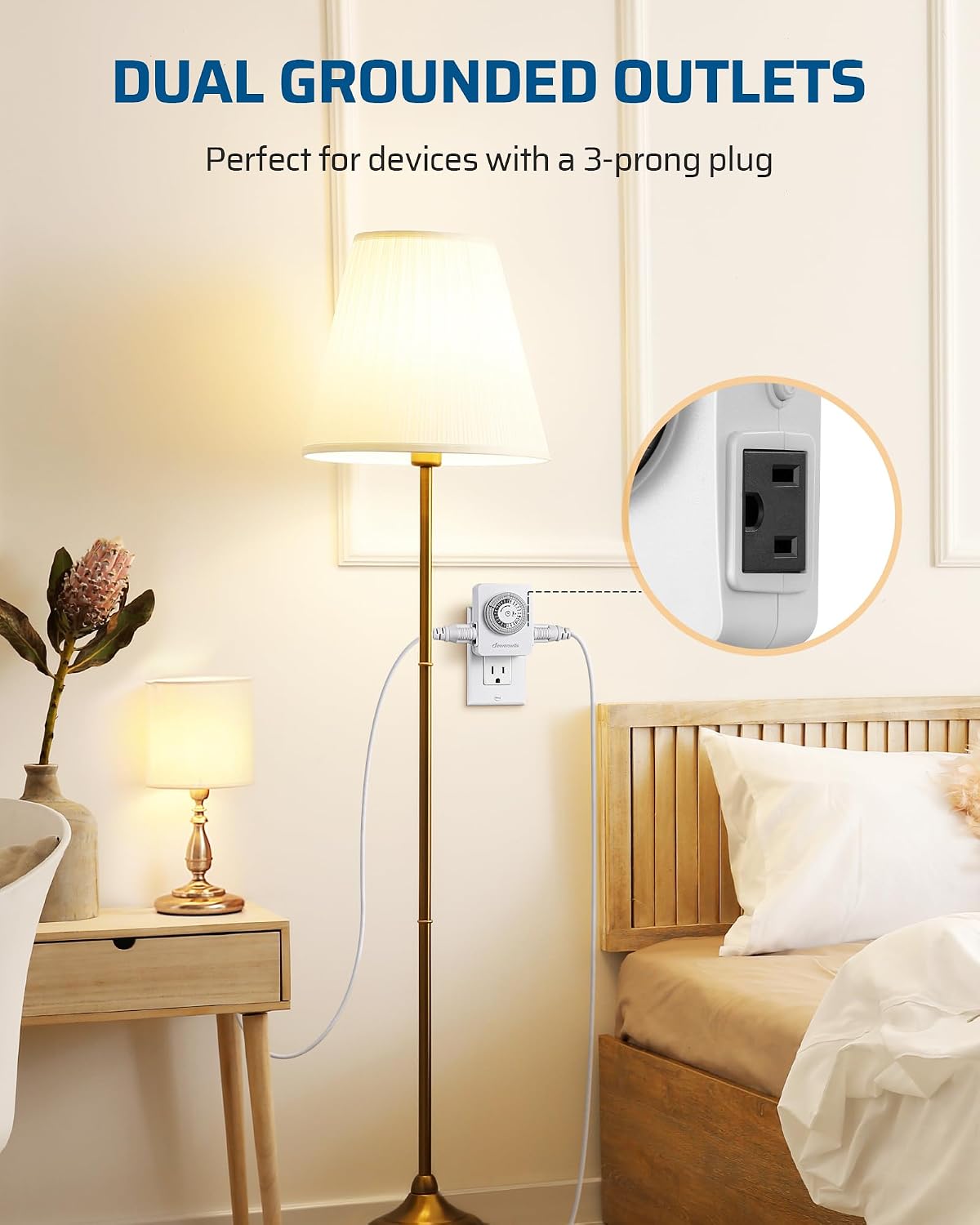
Equipped with two grounded outlets, the timer can control two devices simultaneously, ideal for 3-prong plugs.

Its compact design (2.5 inches wide, 3.1 inches high, 1.4 inches deep) ensures it does not block adjacent outlets.

The timer is versatile and suitable for a wide range of indoor appliances, including lamps, Christmas lights, aquariums, and grow lights.
Setup Instructions
Setting up your DEWENWILS mechanical timer is a straightforward process:
- Rotate the time dial until the pointer on the face of the dial points to the current time of day.
- Push down the segments (pins) from the edge of the dial that correspond to the duration you want the device to be ON. Each segment represents 30 minutes. Leave pins up for OFF periods.
- Set the master switch on the side of the timer to the "TIMER ON" position.
- Plug the timer into a standard 120VAC, 60Hz grounded wall outlet.
- Plug your desired appliance(s) into the grounded outlets on the sides of the timer.

This image illustrates the key components for setup: the programmable dial, the convenient side switch for manual override, and the dual grounded outlets.
Operating Instructions
Once set up, the timer will automatically cycle your connected devices according to your programmed schedule. The 24-hour cycle allows for daily repetition of your settings.
To manually override the timer, use the side switch to turn the connected devices ON or OFF independently of the programmed schedule.

The timer is designed for daily repeated cycles, ensuring your devices turn on and off consistently at programmed times.
Maintenance
To ensure optimal performance and longevity of your DEWENWILS timer, follow these simple maintenance guidelines:
- Keep the timer clean and free from dust and debris. Use a dry, soft cloth for cleaning.
- Do not expose the timer to water or excessive moisture. It is designed for indoor use only.
- Avoid dropping the timer or subjecting it to strong impacts.
- Ensure the timer is unplugged from the wall outlet before performing any cleaning or maintenance.
Troubleshooting
If you encounter issues with your DEWENWILS timer, consider the following common troubleshooting steps:
| Problem | Possible Cause | Solution |
|---|---|---|
| Device does not turn ON/OFF as programmed | Incorrect time setting on dial | Rotate the dial to match the current time. |
| Device does not turn ON/OFF as programmed | Pins not correctly pushed down/up | Ensure pins are fully pushed down for ON times and fully up for OFF times. |
| Device does not turn ON/OFF as programmed | Side switch is in manual override position | Set the side switch to the "TIMER ON" position. |
| No power to connected device | Timer not fully plugged into wall outlet | Ensure the timer is securely plugged into a working wall outlet. |
| No power to connected device | Connected device not fully plugged into timer | Ensure the device's plug is securely inserted into the timer's outlet. |
| Timer dial is not rotating | Timer is not receiving power | Check the wall outlet and ensure the timer is properly plugged in. |
If problems persist, please contact DEWENWILS customer support.
Specifications
| Attribute | Value |
|---|---|
| Brand | DEWENWILS |
| Model | B074L2ZLQQ |
| Color | White |
| Material | Acrylonitrile Butadiene Styrene |
| Item Weight | 0.66 Pounds (10.6 ounces) |
| Number of settings | 2 |
| UPC | 611901251790 |
| Manufacturer | Dewenwils |
| Package Dimensions | 4.49 x 4.02 x 2.87 inches |
| Voltage Rating | 120VAC, 60Hz |
| Current Rating | 15A (Resistance Load & General Use) |
| Power Rating | 1875W (Tungsten Load) |
| Safety Certification | ETL Listed |
Warranty and Support
For warranty information and customer support, please refer to the contact details provided on the product packaging or visit the official DEWENWILS website. Keep your purchase receipt for warranty claims.