
Introduction
This manual provides detailed instructions for the setup, operation, and maintenance of your Amazon Basics Fire Resistant Security Safe, Model YB-50YLA-F. Please read this manual thoroughly before using the safe to ensure proper function and security.

Image: Front view of the Amazon Basics Fire Resistant Security Safe, closed, showcasing the electronic keypad and handle.
Safety Information
- Always keep the backup keys in a secure location away from the safe.
- Do not store the backup keys inside the safe.
- Ensure the safe is placed on a stable, level surface.
- This safe is fire-resistant but not water-resistant. Protect it from water exposure.
- The safe is heavy. Exercise caution and seek assistance when moving or installing to prevent injury.
Package Contents
- Amazon Basics Fire Resistant Security Safe
- Backup Keys (2)
- Mounting Bolts (for securing the safe)
- Instruction Manual
Setup
1. Unpacking and Placement
- Carefully remove the safe from its packaging. Due to its weight (approximately 66.8 lbs / 30.38 kg), it is recommended to have assistance.
- Inspect the safe for any damage. If damaged, contact customer support.
- Choose a secure and discreet location for your safe. Ensure the surface is strong enough to support the safe's weight.
- For easier handling during installation, the safe door can be removed. Consult the manual for specific instructions on door removal and reattachment if necessary.

Image: The security safe positioned inside a closet, demonstrating a typical placement for discreet storage.
2. Battery Installation
The electronic keypad requires 4 AA alkaline batteries (not included).
- Locate the battery compartment on the back of the keypad.
- Open the battery compartment cover.
- Insert 4 new AA alkaline batteries, ensuring correct polarity (+/-).
- Close the battery compartment cover securely.
3. Initial Opening (Factory Code)
Upon first use, the safe can be opened using the factory default code, typically found in a small sticker or card included with the safe. If not available, use the backup key.
- Enter the factory code (e.g., "1234").
- Press the "#" (pound) key.
- Within 5 seconds, turn the handle clockwise to open the safe door.
4. Securing the Safe (Mounting)
For enhanced security, the safe can be bolted to a floor or wall. Mounting bolts are included.
- Open the safe door and locate the pre-drilled mounting holes inside.
- Position the safe in the desired location and mark the drilling points through the holes.
- Move the safe and drill pilot holes into the floor or wall using an appropriate drill bit for your surface type.
- Reposition the safe over the drilled holes.
- Insert the mounting bolts through the safe's interior and secure them tightly. Ensure washers are used on the inside of the safe for a secure fit.
Operating Instructions
1. Setting Your Personal Code
You can set a personal code between 4 and 8 digits long.
- With the safe door open, press the red reset button located on the inside of the door (usually near the hinge). A beep will sound, and the yellow indicator light on the keypad will illuminate.
- Enter your desired 4-8 digit personal code.
- Press the "*" (asterisk) key to confirm. A confirmation beep will sound, and the yellow light will turn off.
- Test your new code with the door open before closing it. Enter your new code, then press "#". The green light should illuminate, allowing you to turn the handle.
2. Opening the Safe with Your Code
- Enter your personal 4-8 digit code.
- Press the "#" (pound) key.
- The green light will illuminate. Within 5 seconds, turn the handle clockwise to open the safe door.
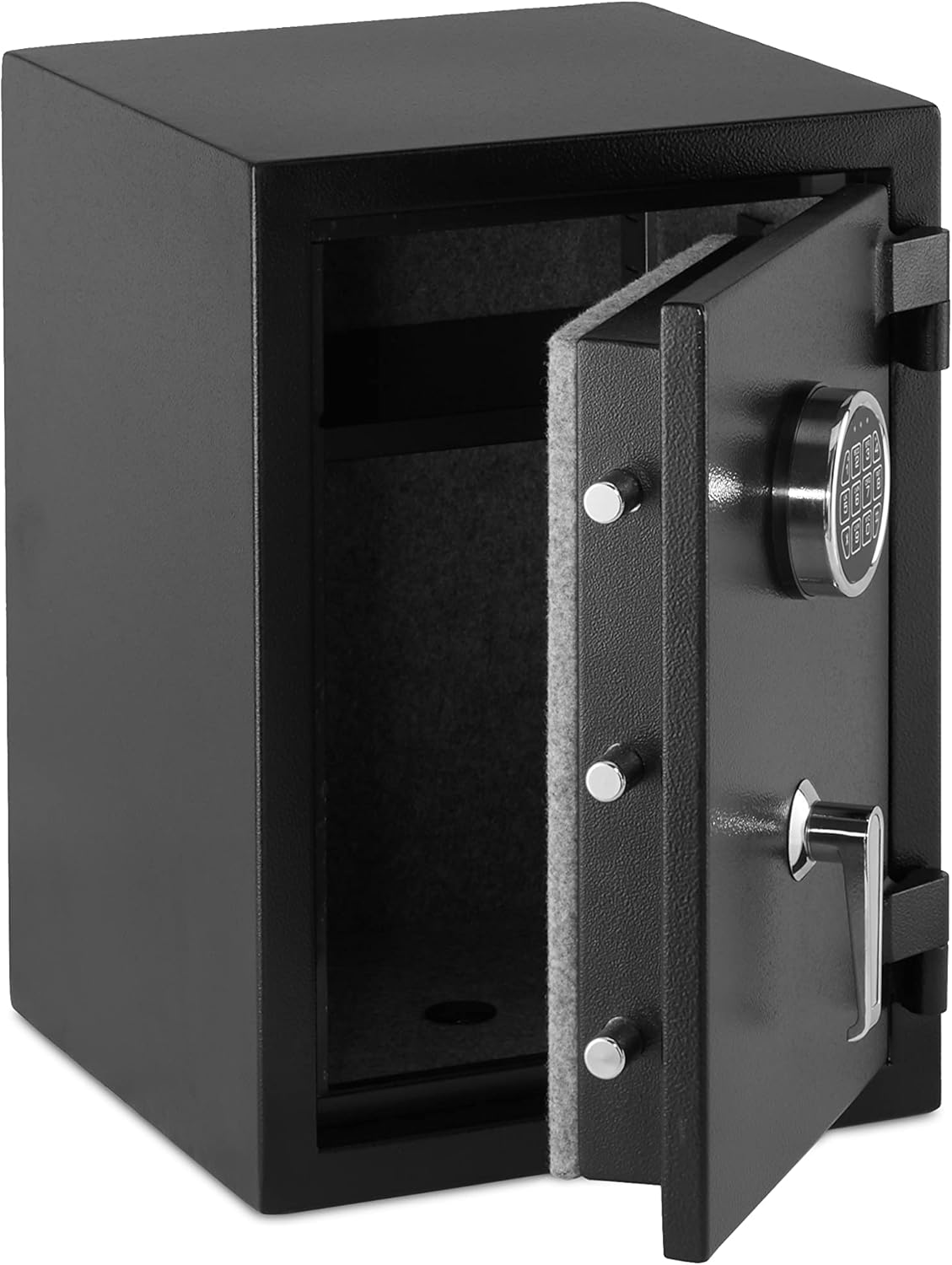
Image: The security safe with its door open, revealing the interior and the electronic keypad on the outside of the door.
3. Locking the Safe
To lock the safe, simply close the door and turn the handle counter-clockwise until it clicks into the locked position. The safe will automatically lock.
Important: Ensure the handle is in the open position when retrieving items. If the handle returns to the locked position while the door is open, you will need to re-enter your code to close and lock the safe.
4. Using the Backup Key
In case of battery failure, forgotten code, or electronic keypad malfunction, the safe can be opened with the backup key.
- Locate the keyhole cover on the keypad panel.
- Remove the cover.
- Insert the backup key and turn it clockwise.
- While holding the key turned, rotate the handle clockwise to open the safe door.
- Once open, remove the key.
Maintenance
1. Battery Replacement
When the battery power is low, the red light will illuminate along with the green light after entering the correct security code. This indicates it's time to replace the batteries.
- Replace all 4 AA alkaline batteries simultaneously.
- Your programmed code will not be lost during battery replacement.
2. Cleaning
Wipe the exterior of the safe with a soft, damp cloth. Avoid abrasive cleaners or solvents that could damage the finish or keypad.
Troubleshooting
Safe Does Not Open with Code
- Incorrect Code: Ensure you are entering the correct personal code followed by the "#" key.
- Low Batteries: If the red and green lights illuminate together after entering the code, the batteries are low. Replace all 4 AA alkaline batteries.
- Keypad Malfunction: If the keypad is unresponsive or damaged, use the backup key to open the safe.
Door Does Not Lock
- Handle Position: Ensure the handle is fully turned counter-clockwise after closing the door.
- Obstruction: Check for any items obstructing the door from closing completely.
- Solenoid Binding: In rare cases, the internal locking mechanism (solenoid) might bind. Try opening and closing the door a few times, ensuring the handle moves freely. If the issue persists, contact customer support.
Keypad Feels Flimsy
The keypad is constructed from plastic. While designed for durability under normal use, avoid excessive force or impact. If the keypad becomes damaged, the backup keys can still be used for access.
Specifications
| Feature | Detail |
|---|---|
| Brand | Amazon Basics |
| Model Number | YB-50YLA-F |
| Capacity | 1.24 Cubic Feet (35 Liters) |
| External Dimensions (W x D x H) | 14.17" x 13.8" x 19.67" (36 cm x 35 cm x 50 cm) |
| Internal Dimensions (W x D x H) | Approx. 12.1" x 9.7" x 18.3" (30.8 cm x 24.6 cm x 46.4 cm) |
| Item Weight | 66.8 lbs (30.38 kg) |
| Material | Alloy Steel |
| Lock Type | Electronic Keypad with Backup Key |
| Fire Resistance | Complies with modified UL 72 Standard for 20 minutes at 1200°F |
| Water Resistance | Not Water Resistant |
| Batteries Required | 4 x AA Alkaline (not included) |
| UPC | 841710196207 |

Image: A diagram illustrating the external and internal dimensions of the safe in both inches and centimeters.

Image: The security safe highlighting its fire-resistant feature, stating compliance with modified UL 72 Standard for 20 minutes at 1200 degrees Fahrenheit.
Warranty Information
This Amazon Basics Fire Resistant Security Safe is backed by an Amazon Basics limited 1-year warranty. For details regarding warranty coverage and claims, please refer to the warranty documentation included with your purchase or visit the official Amazon Basics support page.
Customer Support
If you encounter any issues or have questions not covered in this manual, please contact Amazon Basics customer support. You can typically find support contact information on the Amazon product page or through your Amazon account's order history.
For further assistance, visit the Amazon Basics Store.


