Introduction
These true wireless earbuds feature a minimal design for a secure fit. Digital Noise Cancelling technology allows for an immersive audio experience, while Smart Listening adapts noise cancellation levels based on your activity. The included chargeable case provides up to 9 hours of uninterrupted listening.
What's in the Box
- Charging Case
- USB Cable (1)
- Earbuds (Long Hybrid silicone rubber earbuds: SS, S, M, L x2; Fitting Supporters: M, L x2; Triple-Comfort Earbuds: S, M, L x2)
Product Overview
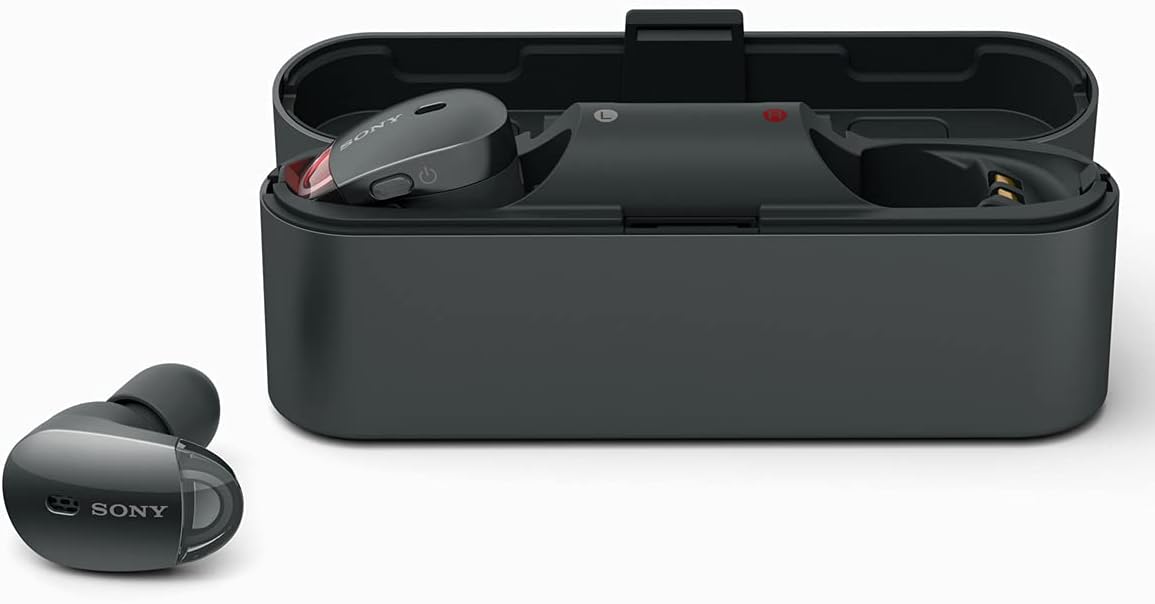
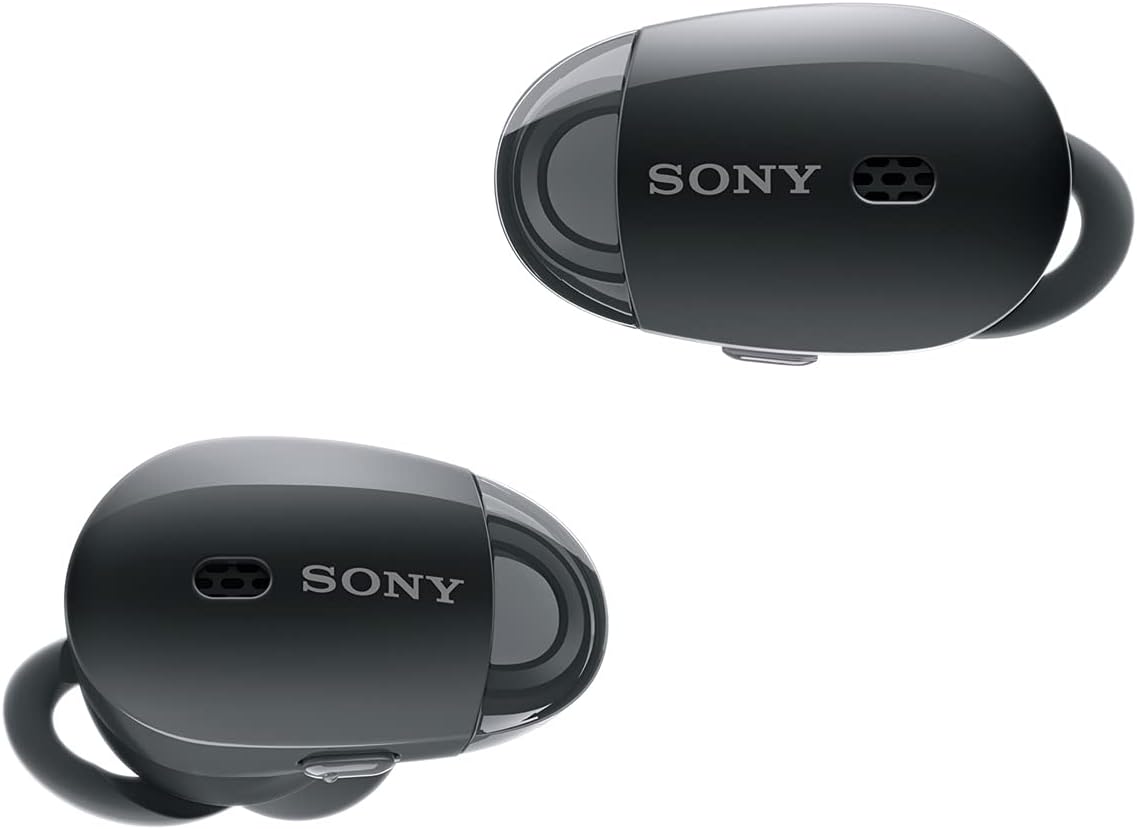

Setup
1. Charging the Earbuds and Case
Before initial use, fully charge the earbuds and the charging case. Place the earbuds into the charging case. Connect the USB cable to the charging case and a power source. The indicator light on the case will show charging status. A full charge provides up to 9 hours of battery life.
2. Pairing with a Device
To pair the headphones with your device via Bluetooth:
- Ensure the earbuds are in the charging case and the case lid is open.
- On your device, enable Bluetooth and search for available devices.
- Select "WF-1000X" from the list to complete pairing.
For quick pairing with NFC-enabled devices, simply touch the device to the N-Mark on the charging case.
3. Sony | Headphones Connect App
Download the Sony | Headphones Connect app from your device's app store (Android/iOS). This app allows you to customize ambient sound settings, adjust noise cancelling levels, and access other smart listening features.
Operating Instructions
Digital Noise Cancelling and Ambient Sound Mode
The WF-1000X features Digital Noise Cancelling to minimize distractions. Utilize the Sony | Headphones Connect app to adjust noise cancelling levels or activate Ambient Sound Mode. Ambient Sound Mode allows you to hear important sounds from your surroundings without removing the earbuds, ideal for situations requiring awareness.
Hands-Free Calling
Make and receive calls hands-free using the left earpiece. Simply tap the earpiece to answer or end a call. The integrated microphone ensures clear communication.
Smart Listening by Adaptive Sound Control
This feature automatically detects your activity (e.g., walking, traveling, waiting) and adjusts the ambient sound settings accordingly. Configure preferences within the Sony | Headphones Connect app.
Maintenance
Cleaning
- Regularly wipe the earbuds and charging case with a soft, dry cloth.
- Remove ear tips and clean any earwax or debris from the speaker mesh using a small, soft brush.
- Ensure all components are completely dry before placing earbuds back into the charging case.
Storage
Store the earbuds in their charging case when not in use to protect them and ensure they remain charged. Avoid exposing the device to extreme temperatures, humidity, or direct sunlight.
Troubleshooting
No Sound or Intermittent Connection
- Ensure both earbuds are charged.
- Verify Bluetooth is enabled on your device and the earbuds are paired.
- Try re-pairing the earbuds with your device.
- Move closer to your device to avoid interference.
Noise Cancelling Not Effective
- Ensure the ear tips are correctly sized and provide a snug fit in your ears.
- Adjust noise cancelling settings via the Sony | Headphones Connect app.
Cannot Make/Receive Calls
- Confirm the earbuds are connected to your phone for calls.
- Check microphone settings on your connected device.
Specifications
| Feature | Detail |
|---|---|
| Model Name | WF-1000X |
| Connectivity Technology | Bluetooth |
| Wireless Communication Technology | Bluetooth, NFC |
| Included Components | Headphone |
| Material | Rubber, Silicone |
| Specific Uses For Product | Travel, Mobility, Commuting, Exercise |
| Charging Time | 1.5 Hours |
| Compatible Devices | Smartphones, Tablets, Laptops, Desktops, Bluetooth-enabled Devices |
| Control Type | Control |
| Cable Feature | Without Cable |
| Item Weight | 9.12 ounces |
| Water Resistance Level | Water Resistant |
| Control Method | App |
| Number of Items | 1 |
| Battery Life | 9 Hours |
| Audio Driver Type | Dynamic Driver |
| Bluetooth Range | 10 Meters |
| Bluetooth Version | 4.1 |
| Carrying Case Material | Plastic |
| Carrying Case Color | Black |
| Audio Driver Size | 6 Millimeters |
| Earpiece Shape | Rounded Tips |
| Input Device Interface | Bluetooth |
| Generation | 1 |
| Special Feature | Wireless |
| Manufacturer | Sony |
| Product Dimensions | 4.96 x 2.36 x 6.02 inches |
| Ear Placement | In Ear |
| Form Factor | In Ear |
| Noise Control | Active Noise Cancellation |
Warranty and Support
For warranty information and customer support, please refer to the documentation included with your product or visit the official Sony support website. Keep your proof of purchase for any warranty claims.


