
Introduction
The AODELAN Wireless Shutter Release Remote Control (Model ADL-PEBBLE-S) provides both wireless and wired control over your compatible Sony camera's shutter functions. This device is designed to minimize camera shake and enable various shooting modes from a distance, enhancing your photographic capabilities.
What's Included
The package typically includes the following components:
- Transmitter Unit
- Receiver Unit
- Connection Cables (S6 for Sony & Minolta Remote Terminal, S8 for Sony Multi/Micro USB Terminal)
- Lanyard
- CR2032 Battery (for transmitter)
- AAA Batteries (2 pcs, for receiver)

Image: Package contents including transmitter, receiver, cables, lanyard, and batteries.
Setup
1. Battery Installation
Transmitter: Open the battery compartment on the back of the transmitter. Insert one CR2032 battery with the positive (+) side facing up. Close the compartment securely.
Receiver: Open the battery compartment on the back of the receiver. Insert two AAA batteries, ensuring correct polarity (+/-). Close the compartment securely.

Image: Battery installation for transmitter (CR2032) and receiver (2xAAA), and connection cable types.
2. Connecting to Camera
Connect the appropriate cable (S6 or S8, depending on your camera model) from the receiver unit to your camera's remote terminal. Ensure the connection is firm.
3. Powering On
Turn on both the transmitter and receiver units. The indicator lights should illuminate, confirming they are powered on and ready for use.
Operating Modes
The remote control supports various shooting functions:
- Autofocus: Half-press the shutter button on the transmitter to activate autofocus.
- Single Shot: Fully press the shutter button on the transmitter to take a single photo.
- Delayed Release: Use the delay function on your camera or remote (if available) to trigger the shutter after a set time.
- Continuous Shooting: Hold down the shutter button on the transmitter for continuous shots.
- Bulb Mode (Long Exposure): For long exposure photography, set your camera to Bulb mode. Press and hold the shutter button on the transmitter to keep the shutter open, then release to close it.

Image: Bulb setting for long exposure photography.

Image: Continuous shooting mode for capturing action.
Wireless Operation
The remote operates using 2.4 GHz digital radio technology, providing a stable working distance of up to 80 meters (262 feet) with anti-interference capabilities.
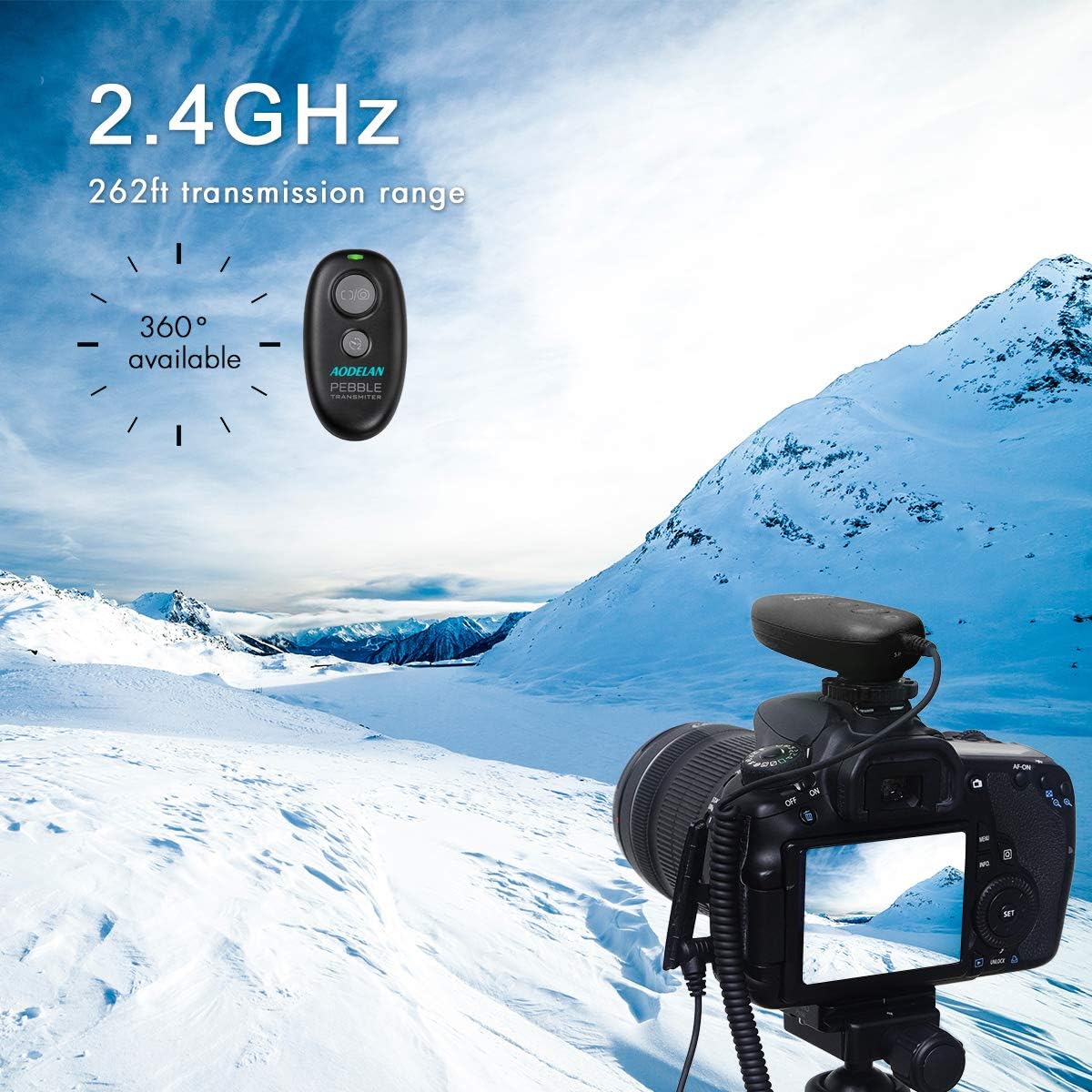
Image: 2.4GHz wireless transmission range.
Wired Operation
The receiver unit can also be used as a wired shutter release without batteries, providing a direct connection to your camera for basic shutter control.
Compatibility
This AODELAN Wireless Shutter Release is compatible with a wide range of Sony and Konica Minolta cameras, including but not limited to:
- Sony Alpha Series: a9 II, a6100, a6600, a7R IV, a6400, a9, a99II, a99V, a77II, a6500, a6300, a6000, a5000, a5100, a3000, a7sII, a7s, a7III, a7RIII, a7RII, a7R, a7II, a7, a68, a58, a99, a77, a67, a65, a57, a55, a37, a35, a33, a900, a850, a700, a580, a560, a550, a500, a450, a400, a350, a300, a200, a100
- Sony NEX Series: NEX-3N
- Sony DSC-RX Series: DSC-RX0, RX1RII, RX10, RX10II, RX10III, RX10 IV, RX100II, RX100III, RX100IV, RX100V, RX100 VI
- Sony HX Series: HX300, HX400, HX400V, HX50V, HX50, HX60V, HX60, HX90, HX90V, HX80
- Sony ILCE/DSC-QX Series: ILCE-QX1, DSC-QX30, DSC-WX500
- Konica Minolta: DIMAGE A2, A1, 9, 7Hi, 7i, 7, 5, 4, 3, DYNAX 7D, 5D
Specifications
| Brand | AODELAN |
| Model Name | ADL-PEBBLE-S |
| Connectivity Technology | Radio Frequency (2.4 GHz) |
| Max Range | 80 Meters (262 feet) |
| Compatible Devices | Camera |
| Number of Buttons | 2 |
| Controller Type | Button Control |
| Transmitter Battery | 1 x CR2032 (included) |
| Receiver Battery | 2 x AAA (included) |
| Item Dimensions (LxWxH) | 6.7L x 3.6W x 1.3H cm |
Maintenance
To ensure the longevity and optimal performance of your AODELAN Wireless Shutter Release, follow these maintenance guidelines:
- Cleaning: Use a soft, dry cloth to clean the exterior of the transmitter and receiver. Avoid using liquid cleaners or solvents.
- Battery Replacement: Replace batteries when the indicator light dims or the remote's response becomes inconsistent. Always use fresh batteries of the specified type.
- Storage: Store the remote control in a cool, dry place away from direct sunlight and extreme temperatures. If storing for an extended period, remove the batteries to prevent leakage.
- Cable Care: Handle connection cables carefully. Avoid sharp bends or excessive pulling to prevent damage to the wires and connectors.
Troubleshooting
If you encounter issues with your AODELAN Wireless Shutter Release, refer to the following common troubleshooting steps:
- Remote Not Responding:
- Check if both the transmitter and receiver are powered on.
- Ensure batteries are correctly installed and have sufficient charge. Replace if necessary.
- Verify that the connection cable between the receiver and camera is securely attached.
- Confirm that your camera's remote control settings are enabled.
- Limited Range or Interference:
- Ensure there are no major obstructions between the transmitter and receiver.
- Avoid operating near strong electromagnetic fields or other 2.4 GHz devices that might cause interference.
- Check battery levels, as low power can affect range.
- Camera Not Focusing:
- Ensure the camera is set to an autofocus mode.
- Half-press the shutter button on the transmitter to initiate autofocus before fully pressing for the shot.
- Shutter Not Releasing:
- Confirm the camera is not in a mode that prevents shutter release (e.g., full memory card, no lens attached, or specific menu settings).
- If using wired mode, ensure the receiver is connected correctly and functioning.
If problems persist after attempting these steps, please contact AODELAN customer support for further assistance.
Warranty and Support
AODELAN products are designed for reliability and performance. For information regarding warranty coverage, product registration, or technical support, please refer to the warranty card included with your product or visit the official AODELAN website. Keep your purchase receipt as proof of purchase for any warranty claims.


