1. Introduction
Thank you for purchasing the Panasonic SD-MDX100-K Home Bakery. This manual provides essential information for the safe and efficient operation, maintenance, and troubleshooting of your new appliance. Please read these instructions thoroughly before use and keep them for future reference.
2. Important Safety Information
To prevent personal injury and property damage, always follow basic safety precautions when using electrical appliances. This includes, but is not limited to:
- Read all instructions before operating the appliance.
- Do not touch hot surfaces. Use oven mitts or gloves when handling hot parts.
- To protect against electric shock, do not immerse the cord, plugs, or appliance in water or other liquid.
- Close supervision is necessary when any appliance is used by or near children.
- Unplug from outlet when not in use and before cleaning. Allow to cool before putting on or taking off parts.
- Do not operate any appliance with a damaged cord or plug, or after the appliance malfunctions or has been damaged in any manner.
- Do not use outdoors.
- Do not let cord hang over edge of table or counter, or touch hot surfaces.
- Do not place on or near a hot gas or electric burner, or in a heated oven.
- Extreme caution must be used when moving an appliance containing hot oil or other hot liquids.
- Do not use the appliance for other than intended use.
- This appliance is for household use only.
3. Package Contents
Please check that all items are present and in good condition:
- Panasonic SD-MDX100-K Home Bakery Unit
- Bread Pan
- Kneading Blade
- Measuring Cup
- Measuring Spoon
- Instruction Manual (this document)
- Recipe Book
4. Product Overview
Familiarize yourself with the components of your Panasonic Home Bakery.

Figure 4.1: Top View of the Home Bakery. This image shows the top lid of the Panasonic SD-MDX100-K Home Bakery, highlighting the sleek black finish and the control panel area.
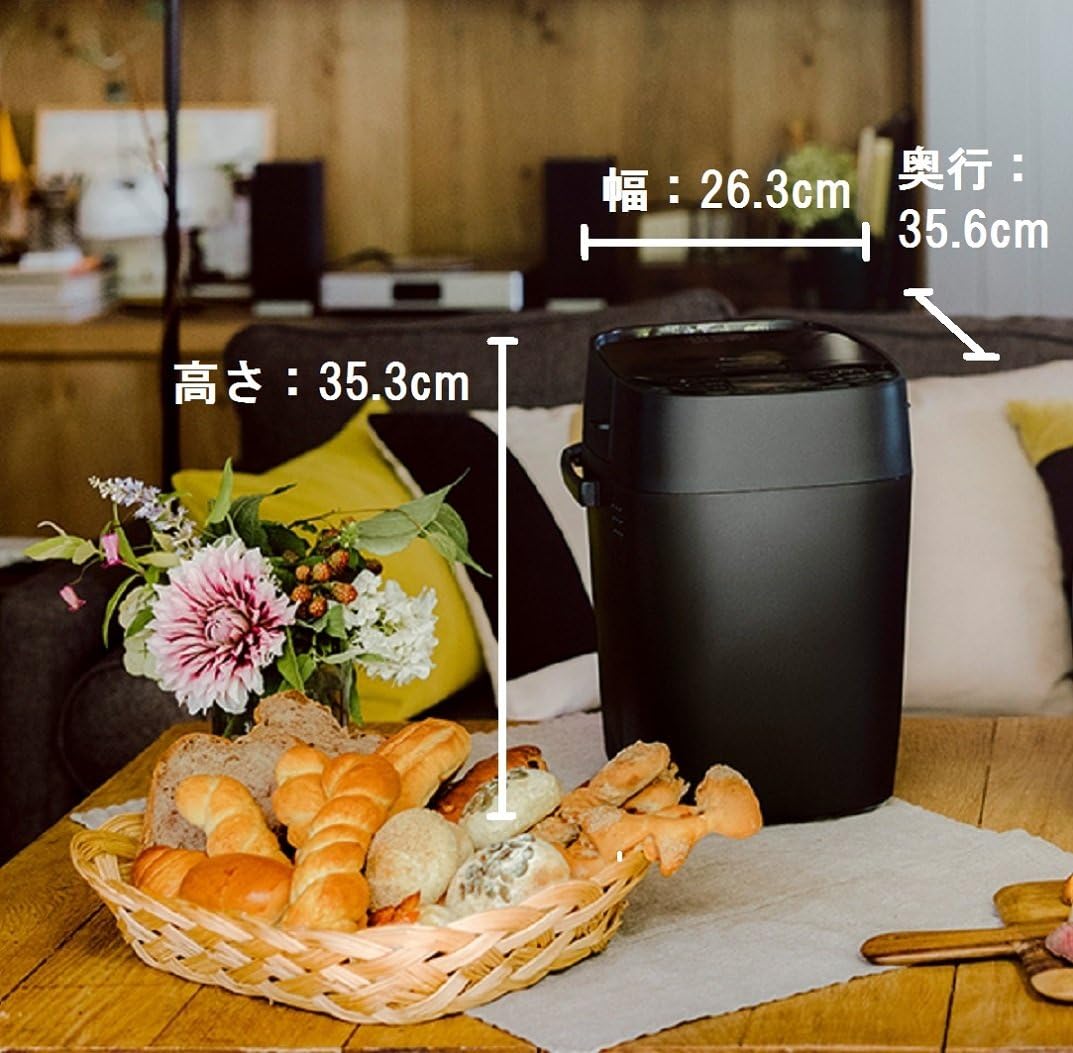
Figure 4.2: Control Panel. This image displays the detailed control panel with buttons for menu selection, crust color, dough type, program, level, timer settings (hour/minute), start, and cancel functions.

Figure 4.3: Product Dimensions. This image illustrates the dimensions of the Panasonic Home Bakery: Width 26.3cm, Depth 35.6cm, Height 35.3cm, shown in a home setting next to a basket of bread.
5. Setup
- Unpacking: Carefully remove the home bakery and all accessories from the packaging. Retain packaging for future transport or storage.
- Placement: Place the appliance on a stable, flat, heat-resistant surface, away from direct sunlight and heat sources. Ensure adequate ventilation around the unit.
- Cleaning: Before first use, wipe the exterior of the unit with a damp cloth. Wash the bread pan and kneading blade with warm, soapy water, rinse thoroughly, and dry completely.
- Install Kneading Blade: Insert the kneading blade onto the shaft inside the bread pan. Ensure it is securely seated.
- Insert Bread Pan: Place the bread pan into the baking chamber of the home bakery. Press down firmly until it clicks into place.
- Power Connection: Plug the power cord into a grounded 100V AC electrical outlet. The appliance is designed for 100 Volts (AC) operation.
6. Operating Instructions
This section outlines the general steps for baking bread using your Panasonic Home Bakery.
6.1 Basic Bread Making Process
- Add Ingredients: Add liquid ingredients first, followed by dry ingredients, and finally yeast. Refer to your recipe book for precise measurements and order. Ensure the kneading blade is in place.
- Select Menu: Close the lid. Press the "Menu" button to select your desired program (e.g., Basic Bread, Whole Wheat, Dough).
- Adjust Settings: Use the "Crust Color" button to choose light, medium, or dark crust. If applicable, select dough type or other specific settings.
- Start Baking: Press the "Start" button. The machine will begin the kneading process.
- Automatic Ingredient Dispenser (if applicable): If your recipe includes nuts, fruits, or other additions, the machine will automatically dispense them at the appropriate time.
- Completion: Once baking is complete, the machine will beep. Press "Cancel" and unplug the unit.
- Remove Bread: Using oven mitts, carefully remove the bread pan from the machine. Invert the pan to release the bread onto a wire rack to cool. Remove the kneading blade from the bread if it remains embedded.
6.2 Dough Making Stages
The Panasonic SD-MDX100-K features advanced control over the kneading, fermentation, and baking stages, allowing for precise results. The machine can automatically handle various dough types.
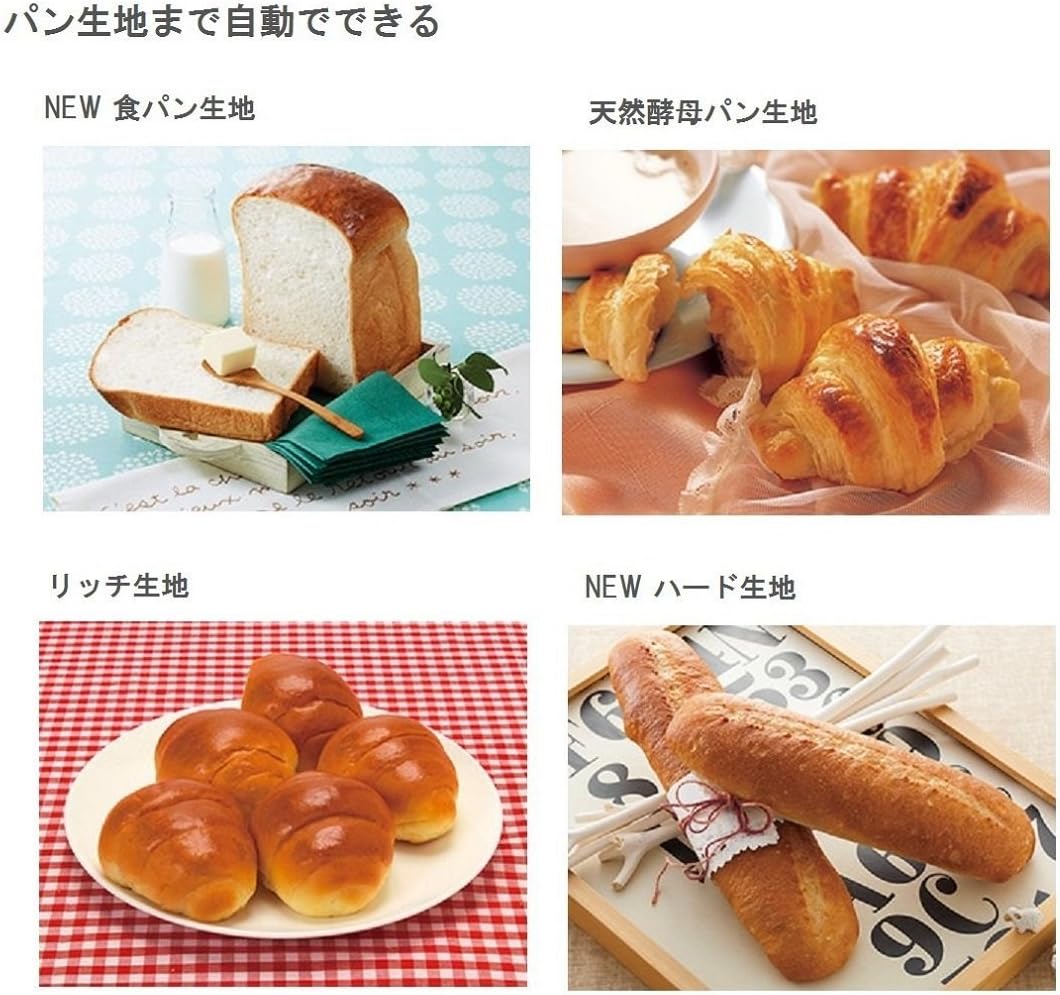
Figure 6.1: Dough Processing Stages. This image illustrates the three key stages within the bread pan: Kneading (top, showing raw dough), Fermentation (bottom left, showing risen dough), and Baking (bottom right, showing a golden-brown baked loaf).
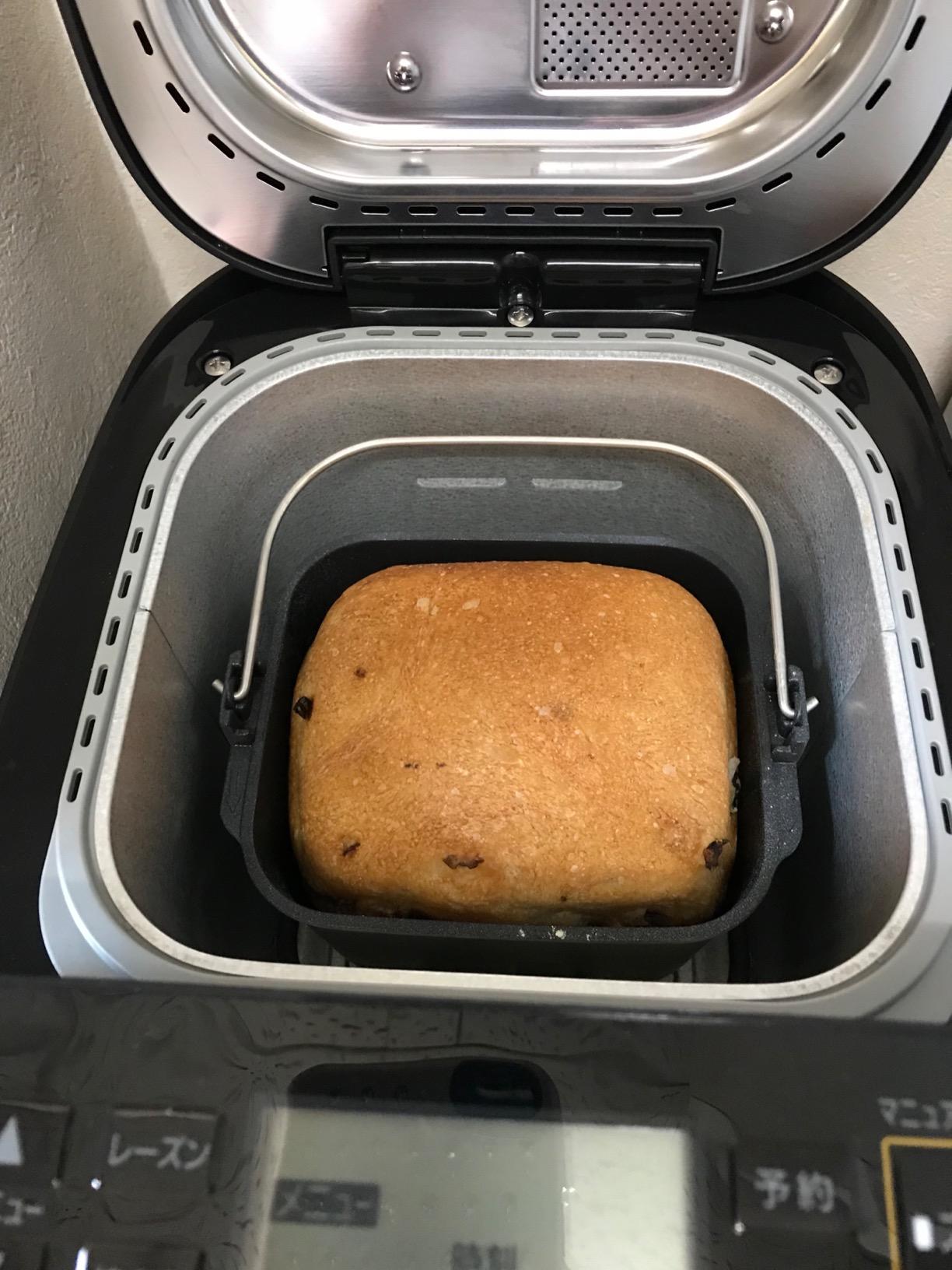
Figure 6.2: Various Bread Dough Types. This image showcases different types of bread that can be made, including standard bread dough, natural yeast bread dough, rich dough, and hard dough, demonstrating the versatility of the machine.
7. Maintenance and Cleaning
Regular cleaning ensures optimal performance and extends the life of your home bakery. Always unplug the appliance and allow it to cool completely before cleaning.
- Bread Pan and Kneading Blade: Wash with warm, soapy water. Do not use abrasive cleaners or scouring pads. Rinse and dry thoroughly. The product care instructions specify "Hand Wash Only".
- Interior of Baking Chamber: Wipe with a damp cloth. Remove any crumbs or residue. Do not immerse the unit in water.
- Exterior: Wipe with a soft, damp cloth. Do not use harsh chemicals or abrasive materials.
- Lid: Clean the inside of the lid with a damp cloth. Ensure the automatic dispenser (if present) is free of residue.
8. Troubleshooting
If you encounter issues with your home bakery, refer to the table below for common problems and solutions.
| Problem | Possible Cause | Solution |
|---|---|---|
| Bread does not rise. | Expired yeast, incorrect water temperature, too much salt, or incorrect ingredient measurements. | Check yeast expiration date. Use lukewarm water (around 105-115°F / 40-46°C). Ensure accurate measurements of all ingredients. |
| Bread is too dense. | Too much flour, not enough liquid, or insufficient kneading. | Measure ingredients precisely. Ensure the kneading blade is properly installed. |
| Bread pan sticks. | Residue buildup or pan not properly seated. | Clean the bread pan thoroughly. Ensure the pan is correctly inserted and locked into place. |
| Machine does not start. | Not plugged in, power outage, or lid not closed properly. | Check power connection. Ensure the lid is securely closed. |
For issues not listed here, please contact customer support.
9. Specifications
- Model Number: SD-MDX100-K
- Brand: Panasonic
- Voltage: 100 Volts (AC)
- Wattage: 430 watts
- Item Weight: 6.1 Kilograms (13.42 pounds)
- Package Dimensions: 15.67 x 15.35 x 11.73 inches
- Product Care: Hand Wash Only (for bread pan and kneading blade)
- Date First Available: August 3, 2017
10. Warranty and Customer Support
For warranty information and details on how to obtain service, please refer to the warranty card included with your product or visit the official Panasonic website for your region. Keep your purchase receipt as proof of purchase.
If you require further assistance or have questions not covered in this manual, please contact Panasonic customer support.
Panasonic Official Website: www.panasonic.com


