1. Introduction
This manual provides instructions for the proper installation, use, and maintenance of the ECR4Kids ELR-15513-BL Replacement Toddler Seats. These seats are designed for use with compatible ECR4Kids Interactive Children's Tables. Please read this manual thoroughly before use to ensure safe and correct operation.
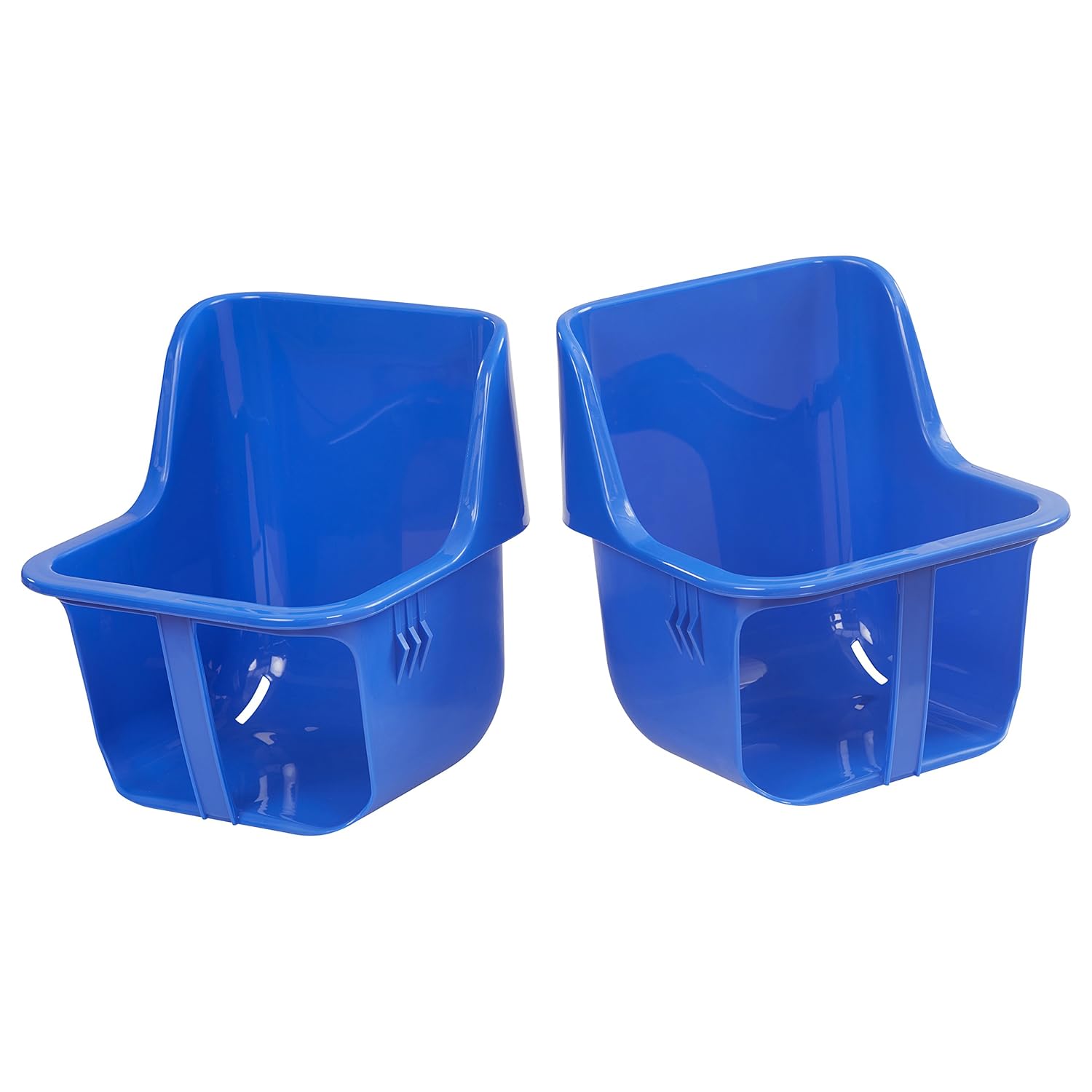
Image 1.1: Two ECR4Kids ELR-15513-BL Replacement Toddler Seats.
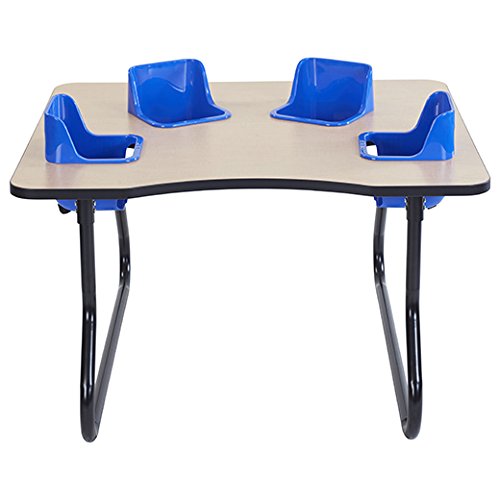
Image 1.2: Example of an interactive children's table with seats installed.
2. Safety Information
WARNING: Failure to follow these safety instructions could result in serious injury.
- These replacement seats are intended for use with ECR4Kids Interactive Children's Tables only. Do not attempt to use them with other tables or as standalone seating.
- The seats are designed for children aged 5 months to 24 months.
- Each toddler bucket seat has a maximum weight capacity of 30 pounds (13.6 kg). Do not exceed this weight limit.
- Always secure the child in the seat using the provided safety straps. Ensure the straps are properly fastened and adjusted snugly.
- Regularly inspect the seats and safety straps for any signs of damage, wear, or missing parts. If any damage is observed, discontinue use immediately and replace the affected parts.
- Never leave a child unattended in the seat. Constant adult supervision is required.
- The seats and straps are GREENGUARD [GOLD] certified, indicating low chemical emissions for indoor air quality.
3. Package Contents
Verify that all items are present and undamaged upon opening the package:
- 2 x ECR4Kids ELR-15513-BL Replacement Toddler Bucket Seats (Blue)
- 2 x Safety Straps
4. Setup Instructions
These replacement seats are designed to fit directly into the designated openings of your ECR4Kids Interactive Children's Table. Follow these steps for installation:
- Prepare the Table: Ensure the ECR4Kids Interactive Children's Table is clean and stable. If replacing existing seats, carefully remove the old seats and any associated hardware.
- Insert the Seat: Align one replacement toddler seat with an opening in the table. Gently push the seat down until it is securely seated within the table's frame. The seat should fit snugly and not wobble.
- Install Safety Straps: Locate the slots on the bottom and sides of the seat designed for the safety straps. Thread the safety strap through these slots, ensuring it is properly secured and accessible for fastening.
- Verify Security: After installation, gently pull on the seat to confirm it is firmly in place and cannot be easily dislodged. Check that the safety strap is correctly threaded and the buckle functions properly.
- Repeat steps 2-4 for the second replacement seat.
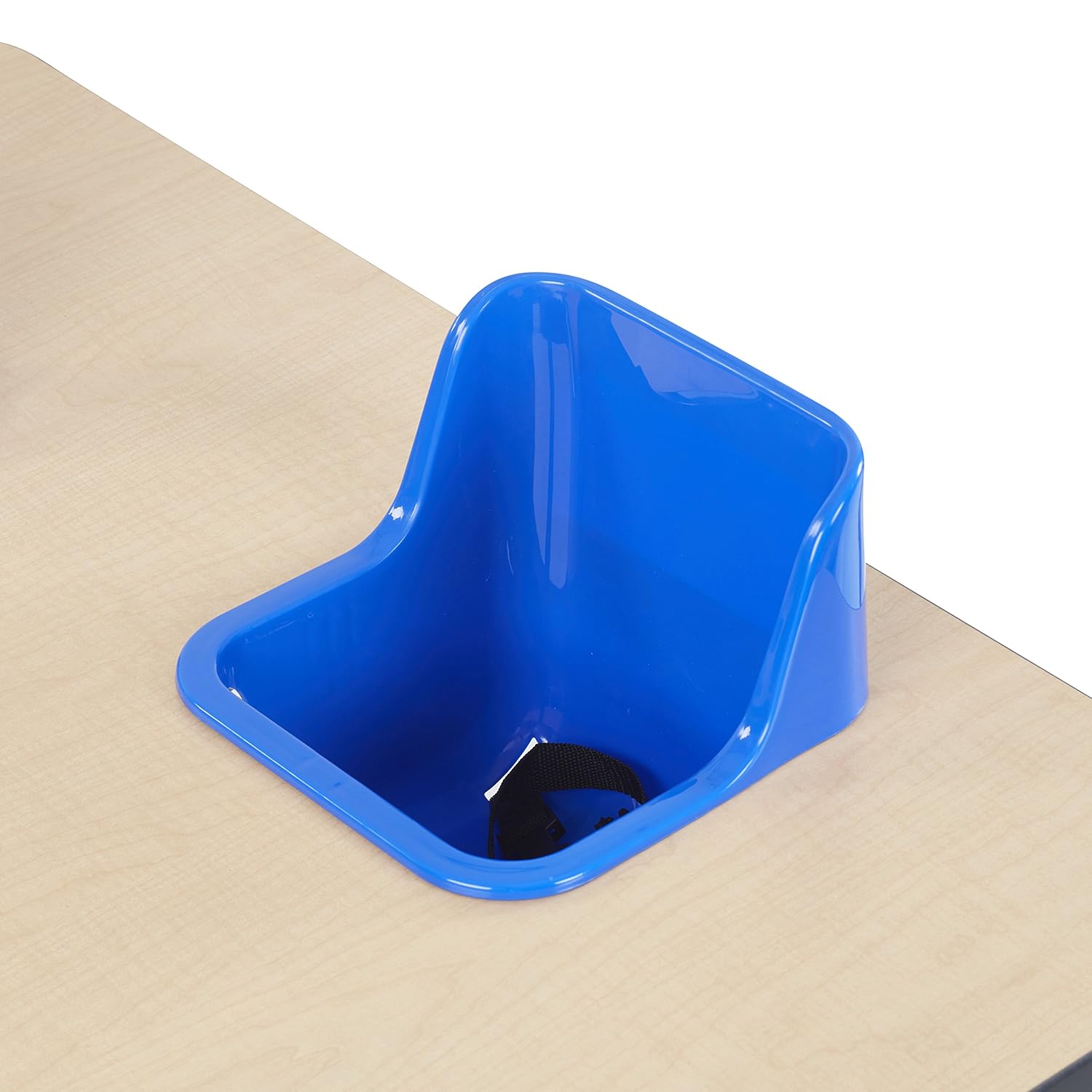
Image 4.1: Replacement seat securely installed in the table.

Image 4.2: Safety strap installed in the seat.
5. Operating Instructions
These seats provide a secure and contained space for toddlers during various activities when used with the ECR4Kids Interactive Children's Table.
- Placing a Child: Carefully place the child into the seat.
- Securing the Child: Fasten the safety strap around the child's waist. Adjust the strap to ensure a snug fit, preventing the child from slipping out. The strap should be tight enough to hold the child securely but not so tight as to cause discomfort.
- Supervision: Always maintain direct supervision of the child while they are in the seat.
- Removal: To remove the child, unfasten the safety strap and carefully lift the child out of the seat.
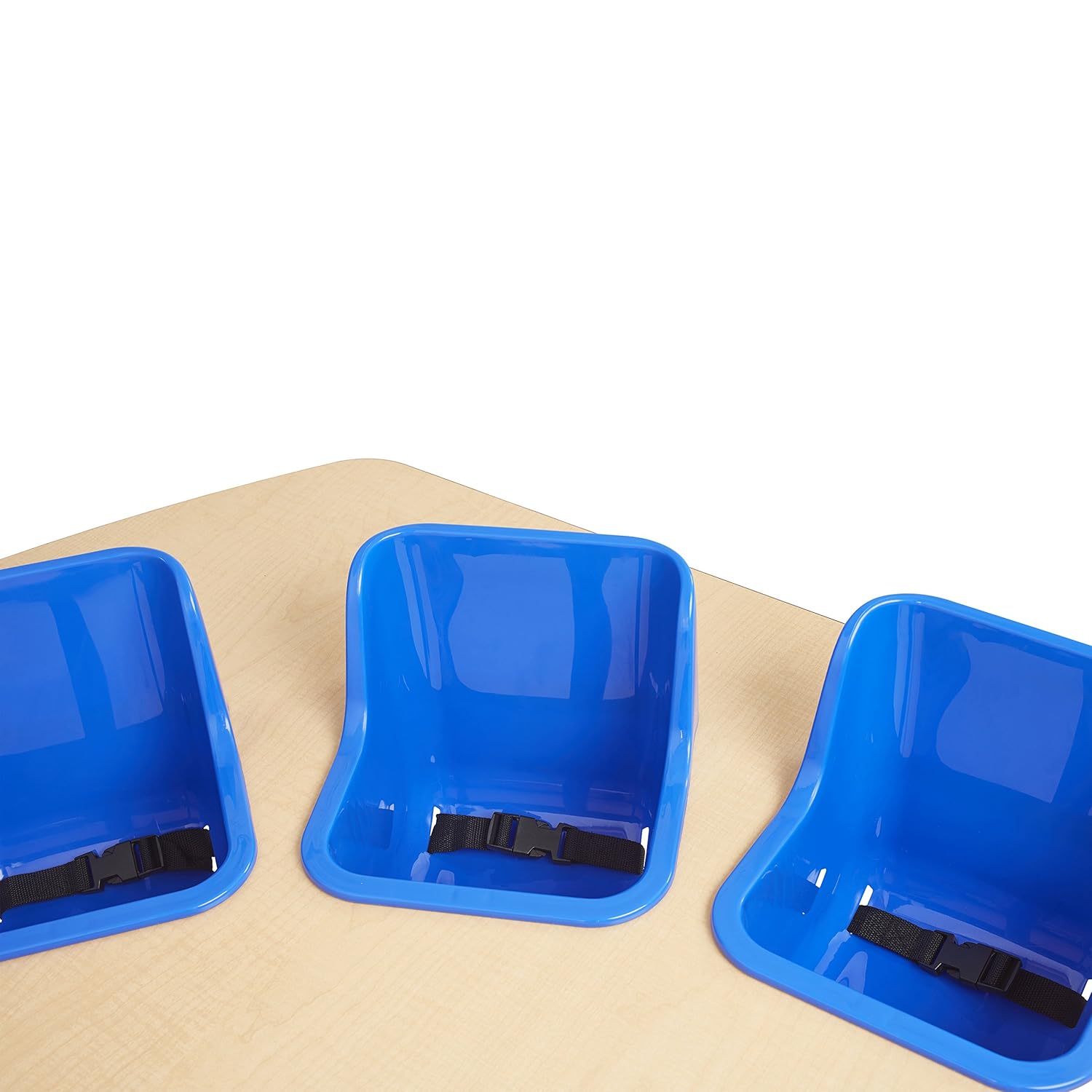
Image 5.1: Multiple seats installed in an interactive table.
6. Maintenance
- Cleaning the Seats: The plastic seats can be wiped clean with a damp cloth and mild soap. Rinse thoroughly and dry completely before next use. Avoid abrasive cleaners or solvents.
- Cleaning the Straps: The safety straps can be cleaned with mild soap and water. For deeper cleaning, they may be washed in a washing machine on a gentle cycle. Ensure straps are completely dry before reattaching and using.
- Storage: If storing the seats separately from the table, keep them in a clean, dry place away from direct sunlight and extreme temperatures.
7. Troubleshooting
| Problem | Possible Cause | Solution |
|---|---|---|
| Seat does not fit securely in the table. | Incorrect alignment or obstruction. | Ensure the seat is correctly aligned with the table opening. Check for any debris or obstructions preventing a snug fit. These seats are specifically designed for ECR4Kids Interactive Children's Tables. |
| Safety strap is damaged or missing. | Wear and tear or loss. | Discontinue use immediately. Replace the damaged or missing safety strap with an official ECR4Kids replacement part. Do not use the seat without a functional safety strap. |
| Child is not securely held by the strap. | Strap is too loose or improperly fastened. | Adjust the safety strap to a snug fit. Ensure the buckle is fully engaged. Verify the child is within the recommended age and weight limits. |
8. Specifications
| Feature | Detail |
|---|---|
| Model Number | ELR-15513-BL |
| Brand | ECR4Kids |
| Color | Blue |
| Product Dimensions (each seat) | 9" D x 9" W x 11" H (23 cm D x 23 cm W x 28 cm H) |
| Item Weight (each seat) | 1.5 Pounds (0.68 kg) |
| Age Range (Description) | 5 months - 24 months |
| Weight Capacity (each seat) | 30 Pounds (13.6 kg) |
| Certifications | GREENGUARD [GOLD] Certified |

Image 8.1: Dimensions of the replacement toddler seat.
9. Warranty and Support
For warranty information, product support, or to purchase replacement parts, please contact ECR4Kids customer service directly. Refer to the official ECR4Kids website or your original product packaging for contact details.
ECR4Kids Official Website: www.ecr4kids.com


