
1. Introduction
Thank you for purchasing the SYMA X5UW FPV RC Drone. This quadcopter is designed for beginners and features a 720P HD Wi-Fi camera for live video streaming. Please read this manual thoroughly before operating the drone to ensure safe and correct usage. Keep this manual for future reference.
2. Safety Guidelines
- Age Recommendation: This product is suitable for users aged 14 years and above. Adult supervision is recommended for younger users.
- Flight Environment: Operate the drone in open, clear areas, away from people, animals, buildings, and power lines. Avoid flying in strong winds or adverse weather conditions.
- Battery Safety: Use only the specified battery and charger. Do not overcharge or short-circuit batteries. Discontinue use if batteries show signs of damage or swelling.
- Propeller Safety: Keep hands, face, and loose clothing away from rotating propellers. Always ensure propellers are securely attached before flight.
- Water Exposure: The drone is not waterproof. Avoid contact with water or moisture.
- Visual Line of Sight: Always maintain visual line of sight with the drone during flight.
3. Package Contents
Please check the package contents upon unboxing:
- SYMA X5UW FPV RC Drone
- Remote Controller
- 720P HD Wi-Fi Camera
- Drone Battery (500 mAh)
- USB Charging Cable
- Spare Propellers (4 pcs)
- Propeller Guards (4 pcs)
- Screwdriver
- User Manual
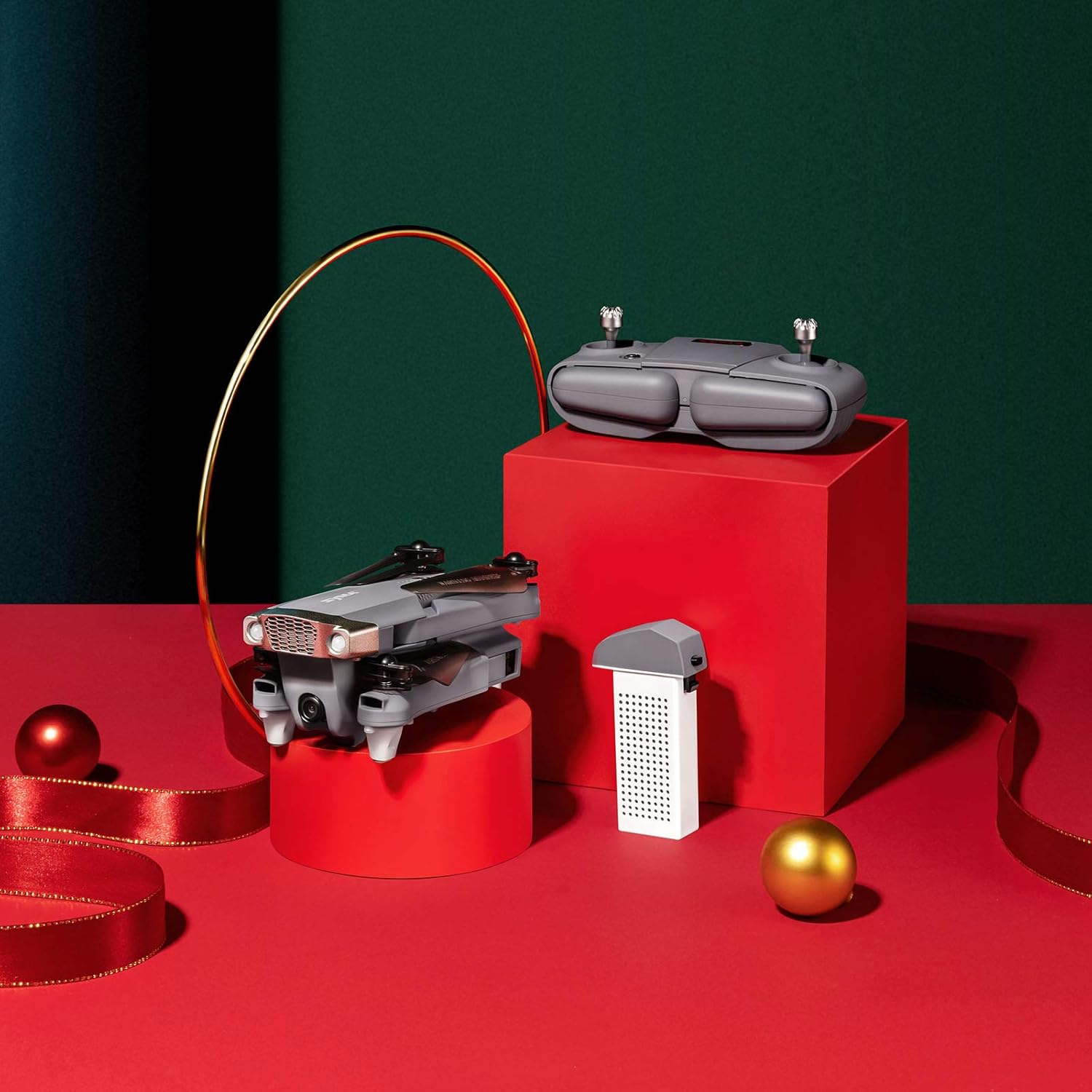
Image: SYMA X5UW Drone, remote control, and battery components.
4. Setup
4.1. Battery Installation and Charging
- Drone Battery: Insert the provided 500 mAh battery into the drone's battery compartment. Ensure it clicks into place.
- Charging: Connect the drone battery to the USB charging cable, then plug the USB cable into a USB power adapter (not included). The indicator light on the USB cable will turn off when charging is complete. Charging time is approximately 60-90 minutes.
- Remote Controller Batteries: Open the battery compartment on the back of the remote controller and insert 4 x AA batteries (not included), observing correct polarity. Close the compartment.
4.2. Propeller and Guard Installation
- Attach the propeller guards to the drone's motor arms using the provided screws and screwdriver.
- Ensure propellers are correctly matched to their respective motor shafts (A and B propellers). Press them firmly onto the shafts.
4.3. Camera Attachment
- Locate the camera mounting slot on the underside of the drone.
- Slide the 720P HD Wi-Fi camera into the slot until it is securely fastened.
- Connect the camera's power cable to the drone's camera port.
4.4. App Download and Wi-Fi Connection
- Download the official SYMA FPV app from your smartphone's app store (iOS or Android).
- Turn on the drone and wait for its Wi-Fi signal to appear on your smartphone's Wi-Fi settings.
- Connect to the drone's Wi-Fi network (usually named "SYMA-X5UW-XXXX").
- Open the SYMA FPV app to view the live camera feed and access flight controls.
5. Operating Instructions
5.1. Pairing the Drone and Remote
- Place the drone on a flat, level surface.
- Turn on the drone. The indicator lights will flash.
- Turn on the remote controller.
- Push the left joystick (throttle) all the way up, then all the way down. The drone's indicator lights will become solid, indicating successful pairing.
5.2. Calibration
After pairing, perform a gyroscope calibration:
- With the drone on a flat surface, push both joysticks to the bottom-right corner simultaneously for 2-3 seconds.
- The drone's lights will flash rapidly and then become solid, indicating successful calibration.
5.3. Take-off and Landing
- Manual Take-off: After pairing and calibration, push the left joystick (throttle) slowly upwards to make the drone ascend.
- One-Key Take-off/Landing: Press the one-key take-off/landing button on the remote (refer to remote diagram in manual) to automatically take off or land.
5.4. Basic Flight Controls
- Left Joystick (Throttle): Up/Down for altitude, Left/Right for rotation (yaw).
- Right Joystick (Direction): Up/Down for forward/backward flight, Left/Right for left/right sideward flight.

Image: The SYMA X5UW drone in stable flight, with a pilot in the background operating the remote control.
5.5. Advanced Features
- Altitude Hold: The drone maintains a stable altitude automatically after releasing the throttle stick.
- Headless Mode: Press the headless mode button. In this mode, the drone's orientation is relative to the pilot, regardless of the drone's front direction. Press again to exit.
- 360° Flip: Fly the drone to a height of at least 3 meters. Press the 360° flip button, then push the right joystick in the desired flip direction.
5.6. Camera Operation (FPV)
- Live Video: Once connected to the drone's Wi-Fi via the SYMA FPV app, the live video feed will appear on your smartphone screen.
- Photo/Video Recording: Use the dedicated buttons within the SYMA FPV app to take photos or start/stop video recording. Files are saved to your smartphone.
6. Maintenance
- Cleaning: Use a soft, dry cloth to clean the drone. Avoid using solvents or harsh chemicals.
- Propeller Replacement: If propellers are damaged, replace them with new ones, ensuring correct A/B matching.
- Battery Care: Store batteries in a cool, dry place. Do not leave batteries fully charged or fully discharged for extended periods. Charge them to about 50% for storage.
- Storage: When not in use, store the drone and remote in a dry environment, away from direct sunlight and extreme temperatures.
7. Troubleshooting
| Problem | Possible Cause | Solution |
|---|---|---|
| Drone does not respond to remote. | Not paired or low battery. | Re-pair the drone and remote. Charge drone and replace remote batteries. |
| Drone drifts during flight. | Not calibrated or trim settings incorrect. | Perform gyroscope calibration. Adjust trim buttons on the remote. |
| Camera feed is not visible on phone. | Wi-Fi not connected or app issue. | Ensure phone is connected to drone's Wi-Fi. Restart app and drone. |
| Drone lights flash rapidly and cannot take off. | Low drone battery. | Charge the drone battery fully. |
| Propellers are not spinning. | Motors blocked or drone not armed. | Check for obstructions. Ensure drone is paired and calibrated. |
8. Specifications
| Feature | Detail |
|---|---|
| Brand | SYMA |
| Model | X5UW |
| Skill Level | Beginner |
| Video Capture Resolution | 720p |
| Video Output Resolution | 1920x1080 pixels |
| Wireless Communication Technology | Wi-Fi |
| Battery Capacity | 500 Milliamp Hours |
| Maximum Range | 300 Meters |
| Control Type | Remote Control |
| Item Weight | 4.54 g |
| Age Range (Description) | 168 months (14 years and up) |
| UPC | 717880003426 |
| Part Number | DoDoelephRCDroneEX5UW-B-US |
9. Warranty Information
SYMA products are covered by a limited warranty against manufacturing defects. Please retain your proof of purchase for warranty claims. The warranty period and terms may vary by region. For detailed warranty information, please contact SYMA customer support.
10. Customer Support
If you encounter any issues or have questions regarding your SYMA X5UW drone, please contact our customer support team:
- Phone (USA): +1 (718) 312-0558
- Email (USA): usa@symatoy.com
Our support team is available to assist you with technical questions, troubleshooting, and parts replacement.

Image: SYMA Customer Support representatives ready to assist.


