1. Introduction
This manual provides essential information for the proper setup, operation, and maintenance of your Casio PX-870 Privia Digital Piano. Please read this manual thoroughly before using the instrument to ensure safe and optimal performance.
The Casio PX-870 is designed to deliver an authentic grand piano experience with advanced sound technology, realistic key feel, and a powerful speaker system. It features a modern design suitable for various environments.

Image 1.1: The Casio PX-870 Privia Digital Piano.
2. What's in the Box
Upon unpacking, verify that all components are present. The standard package includes:
- Casio PX-870 Digital Piano Unit
- Furniture Bench
- Headphones
- Instructional Book
- Online Lessons Access
- Instructional DVD
- Austin Bazaar Polishing Cloth
- AC Adapter (Power Source)
- Music Stand
- Pedal Unit

Image 2.1: Contents of the Casio PX-870 bundle.
3. Setup and Assembly
Assembly of the Casio PX-870 requires careful attention. It is recommended to have two people for assembly due to the weight and size of the components. Refer to the detailed assembly guide provided in your package for step-by-step instructions.
3.1 Piano Stand Assembly
- Unpack Components: Carefully remove all parts from the packaging. Lay them out on a soft, clean surface to prevent scratches.
- Attach Side Panels: Secure the side panels to the crossbar using the provided screws. Ensure all connections are firm.
- Install Pedal Unit: Connect the pedal unit to the assembled stand structure.
- Place Piano Unit: With assistance, carefully lift the main piano unit and place it onto the assembled stand. Align the mounting holes and secure with screws.
- Connect Cables: Connect the pedal unit cable to the main piano unit.
- Attach Music Stand: Insert the music stand into its designated slot on the piano.
3.2 Initial Power-up
- Connect AC Adapter: Plug the AC adapter into the DC IN terminal on the piano, then plug the adapter into a standard wall outlet.
- Power On: Press the POWER button to turn on the instrument.
- Adjust Volume: Use the VOLUME knob to set the desired listening level.
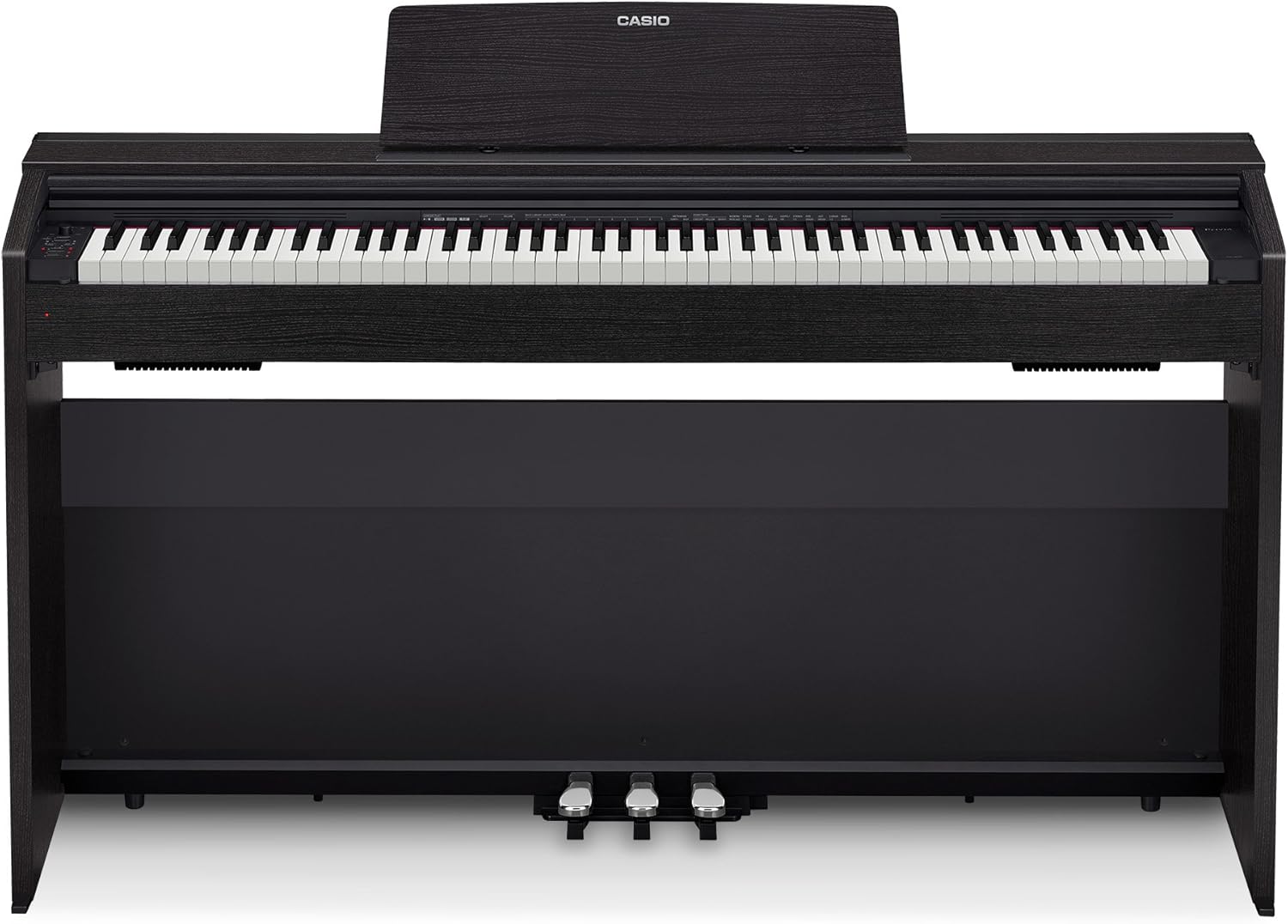
Image 3.1: Front view of the Casio PX-870 Digital Piano, showcasing the integrated pedal unit and music stand.
4. Key Features
The Casio PX-870 incorporates several advanced technologies to provide a rich and authentic piano experience.
4.1 AiR Sound Source and Tones
The award-winning Multi-dimensional Morphing AiR Sound Source provides a highly realistic grand piano sound. It includes a new four-layer stereo grand piano with realistic damper resonance, simulating the entire body of the instrument. The piano also features key action sounds, key off simulation, adjustable hammer response, and a lid simulator with four positions. String resonance further enhances authenticity by replicating sympathetic harmonic relationships between vibrating strings.
- 19 Instrument Tones: A variety of tones are available, with layering and splitting capabilities.
- 256-Note Polyphony: Ensures complex performances are rendered without note drop-out.

Image 4.1: Overview of key performance features including tones, polyphony, and recording capabilities.
4.2 Tri-Sensor II Scaled Hammer Action Keyboard
The 88 scaled, weighted hammer-action keys feature simulated ebony and ivory textures for an authentic touch. The innovative hammer action is accurately scaled across the entire key range, providing expressive control. Adjustable touch sensitivity and hammer response allow customization to suit individual playing styles.

Image 4.2: Detail of the Tri-Sensor II Scaled Hammer Action Keyboard.
4.3 Sound Projection Speaker System and Simulators
The PX-870 features an innovative 40-watt, 4-speaker Sound Projection system. This system fills the room with rich, detailed sound, with audio emanating from various points on the instrument, mimicking a traditional grand piano. The Volume Sync EQ ensures balanced and clear sound across all frequencies, regardless of volume level.
The Key Off Simulator reflects subtle tone changes as fingers lift from the keys, providing greater precision. The Hall Simulator recreates the acoustics of iconic concert halls, enhancing the immersive playing experience.

Image 4.3: Visual explanation of Key Off Simulator, Sound Projection, and Hall Simulator.
4.4 Connectivity
The PX-870 offers versatile connectivity options:
- USB Port: Class-compliant USB connectivity allows connection to PCs, Macs, iOS, and Android devices without requiring drivers.
- Headphone Jacks: Two 1/4-inch headphone jacks on the front panel enable quiet practice or duet sessions.
- Auxiliary Input/Output: For connecting external audio devices.
5. Operating Instructions
This section details the primary functions and modes of your digital piano.
5.1 Selecting Tones
The PX-870 offers 19 different instrument tones. Refer to the control panel for direct access buttons or combinations to select desired tones.

Image 5.1: Detail of the control panel, showing tone selection buttons and recording controls.
5.2 Layer and Split Functions
- Layer Mode: Allows two different tones to be played simultaneously with each key press. Consult the full user manual for specific button combinations to activate and adjust layered tones.
- Split Mode: Divides the keyboard into two sections, each playing a different tone. This is useful for performance or practice. Refer to the detailed manual for setup instructions.
5.3 Recording Your Performance
The PX-870 includes a two-track MIDI recorder. This allows you to record your performances and play them back.
- Select Track: Choose the track you wish to record on.
- Start Recording: Press the RECORD button. Play your desired piece.
- Stop Recording: Press the STOP button.
- Playback: Press the PLAY button to listen to your recorded performance.
5.4 Duet Mode
Duet Mode splits the piano into two equal pitch ranges, allowing two players (e.g., student and teacher) to play simultaneously on the same instrument in the same octave range. Activate this mode via the function buttons as described in the comprehensive manual.
5.5 Concert Play
Concert Play allows you to play along with ten built-in recordings of well-known orchestral pieces. You can choose to listen to the piano part or silence it to play it yourself. The tempo of these recordings can be slowed down for practice without affecting the pitch.
5.6 Headphone Mode
When headphones are connected, activate Headphone Mode to optimize the PX-870's sound for headphone use, creating a spacious sonic image.
6. Maintenance
Proper care will ensure the longevity and optimal performance of your digital piano.
- Cleaning: Use a soft, dry cloth to wipe the surface of the piano. For stubborn dirt, slightly dampen the cloth with water and a mild, neutral detergent, then wipe dry immediately. Avoid abrasive cleaners, solvents, or polishes.
- Key Cleaning: Gently wipe the keys with a soft, slightly damp cloth. Do not use excessive moisture.
- Environment: Keep the piano away from direct sunlight, extreme temperatures, high humidity, and excessive dust.
- Power Off: Always turn off the power when the instrument is not in use for extended periods.

Image 6.1: The included furniture bench, which may require occasional cleaning.
7. Troubleshooting
If you encounter issues with your PX-870, refer to the following common problems and solutions before contacting support.
| Problem | Possible Cause | Solution |
|---|---|---|
| No sound | Volume too low; Headphones connected; AC adapter not properly connected. | Increase volume; Disconnect headphones; Ensure AC adapter is securely plugged in. |
| Keys feel heavy or sticky | This is a weighted hammer-action keyboard designed to simulate an acoustic piano. If unusually heavy or sticky, there might be a mechanical issue. | Verify touch sensitivity settings. If the issue persists and is not typical weighted key feel, contact customer support. |
| Sound is distorted or unclear | Volume too high; External device interference; Speaker obstruction. | Reduce volume; Ensure no other electronic devices are causing interference; Check for any obstructions to the speakers. |
| Piano does not turn on | AC adapter not connected; Power outlet issue. | Ensure AC adapter is firmly connected to both the piano and a working power outlet. |
8. Specifications
| Feature | Detail |
|---|---|
| Model Name | PX-870 |
| Number of Keys | 88 (Tri-Sensor II Scaled Hammer Action Keyboard) |
| Sound Source | Multi-dimensional Morphing AiR Sound Source |
| Polyphony | 256 notes |
| Tones | 19 built-in tones |
| Built-in Songs | 60 (Music Library) + 10 (User Songs) + 10 (Concert Play) |
| Recorder | 2 tracks, 1 song, approximately 5,000 notes total |
| Speakers | 40W (20W + 20W), 4 speakers (Sound Projection System) |
| Connectivity | USB (Type B), 2x Headphone (Stereo Standard Jack), Line Out (L/MONO, R) |
| Power Source | AC Adapter (AD-E24250LW) |
| Dimensions (W x D x H) | 54.84" x 11.77" x 31.53" (139.3 cm x 29.9 cm x 80.1 cm) |
| Weight | 83.8 pounds (38.0 kg) |
| Color | Black |

Image 8.1: Product dimensions and weight of the Casio PX-870 Digital Piano.
9. Warranty and Support
For warranty information, please refer to the documentation included with your purchase or visit the official Casio website. For technical support, service, or inquiries, please contact Casio customer service or the retailer from whom you purchased the product.
Casio Official Website: www.casio.com
10. Product Videos
The following videos provide additional visual guidance and demonstrations of the Casio PX-870 Privia Digital Piano.
Video 10.1: A brief overview of the Casio PX-870 Privia Digital Piano's design and key features.
Video 10.2: Demonstration of the AiR Sound Source and Tri-Sensor II Scaled Hammer Action Keyboard.


