
Introduction
This manual provides detailed instructions for the safe and efficient operation of your AromaTech AromaPro Essential Oil Diffuser. Please read this manual thoroughly before using the device and retain it for future reference. The AromaPro diffuser utilizes advanced cold-air diffusion technology to disperse essential and aroma oils without heat or water, preserving their therapeutic properties and creating a consistent scent experience.
Product Overview
The AromaTech AromaPro is a high-performance nebulizing diffuser designed for both home and commercial environments, capable of scenting areas up to 4,000 square feet. It features adjustable fragrance intensity, a 24/7 timer, and can be used as a stand-alone unit, wall-mounted, or connected to an HVAC system.
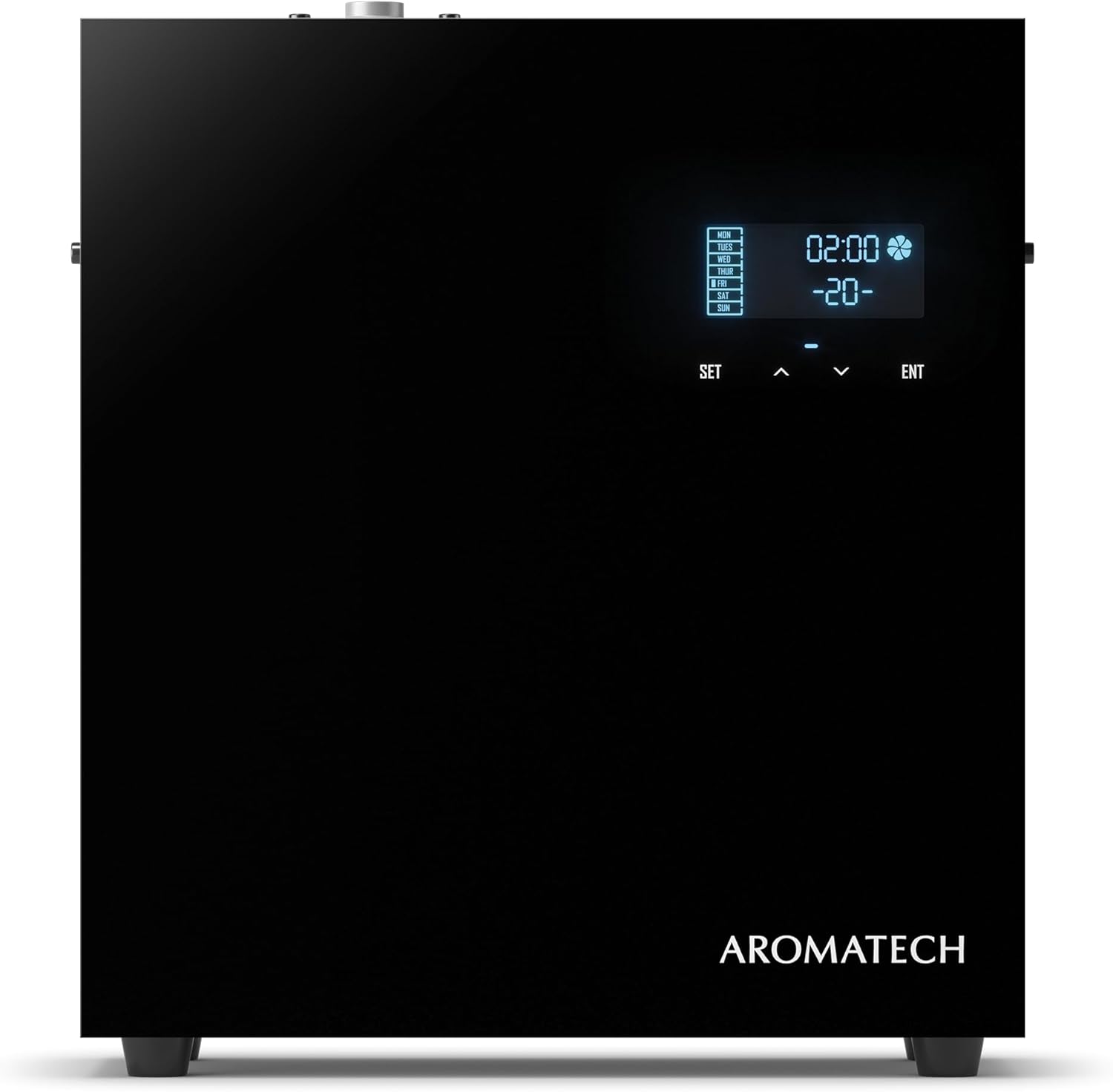
Image: Front view of the AromaTech AromaPro Essential Oil Diffuser, showcasing its sleek black design and digital display panel.
Package Contents
Verify that all items are present in the package:
- AromaTech AromaPro Diffuser Unit
- Power Adaptor
- Aluminium 500 ml empty bottle (for oil)
- Mounting Bracket
- Screw Nails (for wall mounting)
- 1 x Hose Guide (for HVAC connection)
- 2 x HVAC Adaptors
- PTFE Tape
- PU Tube
- Silencer
- User Guide (this manual)
Setup
1. Choosing a Location
The AromaPro diffuser offers versatile placement options:
- Stand-Alone: Place the unit on a flat, stable surface. Ensure adequate air circulation around the device.
- Wall Mount: Use the provided mounting bracket and screw nails to secure the diffuser to a wall. Ensure the wall can support the unit's weight.
- HVAC Connection: For scenting larger areas or an entire home/business, the diffuser can be integrated with your HVAC system. Consult a professional for HVAC installation to ensure proper connection using the provided hose guide, HVAC adaptors, and PU tube.

Image: The AromaTech AromaPro diffuser positioned discreetly on a console table, demonstrating a stand-alone placement option within a home environment.

Image: The AromaTech AromaPro diffuser integrated into a decorative shelf arrangement, highlighting its compact and unobtrusive design.
2. Filling the Oil Bottle
- Open the side compartment of the diffuser to access the oil bottle slot.
- Unscrew the cap from the provided 500ml empty aluminum bottle.
- Carefully fill the bottle with your desired AromaTech essential or aroma oil (oil not included). Do not overfill.
- Screw the cap back onto the bottle securely.
- Insert the filled oil bottle into the diffuser's compartment, ensuring it is seated correctly.
- Close the compartment door.

Image: Side view of the AromaTech AromaPro diffuser with the access panel open, revealing the internal compartment for the 500ml oil bottle.
3. Power Connection
Connect the power adaptor to the diffuser's power input port, then plug the adaptor into a standard electrical outlet. The unit will power on and the display will illuminate.
Operating Instructions
Control Panel Overview
The AromaPro diffuser features a digital display and control buttons for easy programming:
- SET: Enters programming mode and cycles through settings.
- ^ (Up Arrow): Increases values or navigates up.
- v (Down Arrow): Decreases values or navigates down.
- ENT (Enter): Confirms selections.

Image: A user interacting with the digital control panel of the AromaTech AromaPro diffuser, demonstrating the ease of adjusting settings.
Setting the 24/7 Timer and Intensity
The diffuser allows for precise scheduling and intensity control:
- Press the SET button to enter the programming menu.
- Use the ^ or v arrows to navigate through options such as current time, operating periods, and intensity levels.
- Press ENT to select an option for adjustment.
- Setting Current Time: Adjust the hour and minute using the arrows, then press ENT to confirm each.
- Programming Operating Periods: The diffuser supports multiple operating periods throughout the day. For each period, set the start time, end time, and the desired fragrance intensity level (typically 1-10 or 1-20, refer to display for range).
- Adjusting Fragrance Intensity: The intensity setting controls the duration and frequency of scent dispersion. A higher number indicates more frequent or longer bursts of fragrance. Experiment to find the optimal level for your space.
- After making all desired adjustments, press SET repeatedly until the display returns to the main operating screen to save changes.
Note: If the control console becomes unresponsive after initial operation, unplug the unit and plug it back in to reset. This is a design characteristic for certain models.
Maintenance
Cleaning the Diffuser
Regular cleaning ensures optimal performance and longevity of your AromaPro diffuser:
- Disconnect the power adaptor from the electrical outlet.
- Remove the oil bottle from the compartment.
- Wipe the exterior of the diffuser with a soft, dry cloth. Do not use abrasive cleaners or allow liquids to enter the internal components.
- If changing oil types, it is recommended to clean the nebulizer nozzle. Fill a small amount of rubbing alcohol into an empty oil bottle and run the diffuser for 15-30 minutes in a well-ventilated area. This helps clear any residue from the previous oil.
- Ensure all parts are dry before reassembling and reconnecting power.
Replacing Oil Bottles
When the oil bottle is empty, follow the steps for "Filling the Oil Bottle" in the Setup section to replace it with a new or refilled bottle.
Troubleshooting
| Problem | Possible Cause | Solution |
|---|---|---|
| No fragrance detected | Oil bottle empty or improperly installed; Nebulizer nozzle clogged; Intensity setting too low. | Check oil level and ensure bottle is correctly seated. Clean the nebulizer nozzle as per maintenance instructions. Increase fragrance intensity setting. |
| Unit not powering on | Power adaptor not connected; Power outlet not functional. | Ensure power adaptor is securely connected to both the unit and a working electrical outlet. Test the outlet with another device. |
| Control panel unresponsive after initial setup | Normal operational characteristic for certain models. | Unplug the unit from the power source, wait 10 seconds, then plug it back in. This will reset the control panel for further adjustments. |
| Weak or inconsistent scent | Low oil level; Clogged nozzle; Diffuser placed in an area with strong drafts; Room size exceeds coverage. | Refill oil. Clean nozzle. Relocate diffuser to a more sheltered area. Ensure room size is within the 4,000 sq ft coverage limit. |
Specifications

Image: The AromaTech AromaPro diffuser with an overlay of its key features including coverage area, 24/7 timer, adjustable intensity, HVAC compatibility, construction material, waterless operation, cold-air diffusion technology, energy efficiency, and physical dimensions (11 inches wide, 10 inches high).
- Model: AP-1220-BLK
- Coverage: 500 - 4,000 square feet
- Dimensions: 11" W x 10" H x 3.5" D (8.89 x 27.94 x 25.4 cm)
- Weight: 3.18 kg
- Oil Capacity: 500 ml (oil not included)
- Power Source: HVAC / AC (11 watts)
- Material: Aluminum and Acrylic
- Diffusion Technology: Nebulizing (Cold-Air Diffusion)
- Special Features: HVAC Compatible, Waterless, Heat-Free, Adjustable Intensity, 24/7 Timer, Ultra-quiet, Energy Efficient, Wall mount or stand-alone.
Warranty Information
AromaTech products are manufactured to high-quality standards. For specific warranty terms and conditions, please refer to the warranty card included with your product or visit the official AromaTech website. Keep your proof of purchase for any warranty claims.
Customer Support
If you encounter any issues not covered in this manual or require further assistance, please contact AromaTech customer support. Contact details can typically be found on the product packaging, the official AromaTech website, or your purchase receipt.


